As opções de Cabeçalhos HTTP no All in One SEO permitem que você adicione cabeçalhos de Site e cabeçalhos de Redirecionamento para o seu site, a fim de melhorar a segurança.
Os cabeçalhos de site são adicionados em todo o seu site, incluindo redirecionamentos. Os cabeçalhos de redirecionamento são adicionados apenas aos redirecionamentos.
OBSERVAÇÃO:
O recurso Gerenciador de Redirecionamento está disponível para clientes com um plano Básico ou superior do All in One SEO Pro.
Alguns recursos avançados estão disponíveis com um plano Pro ou superior do All in One SEO Pro.
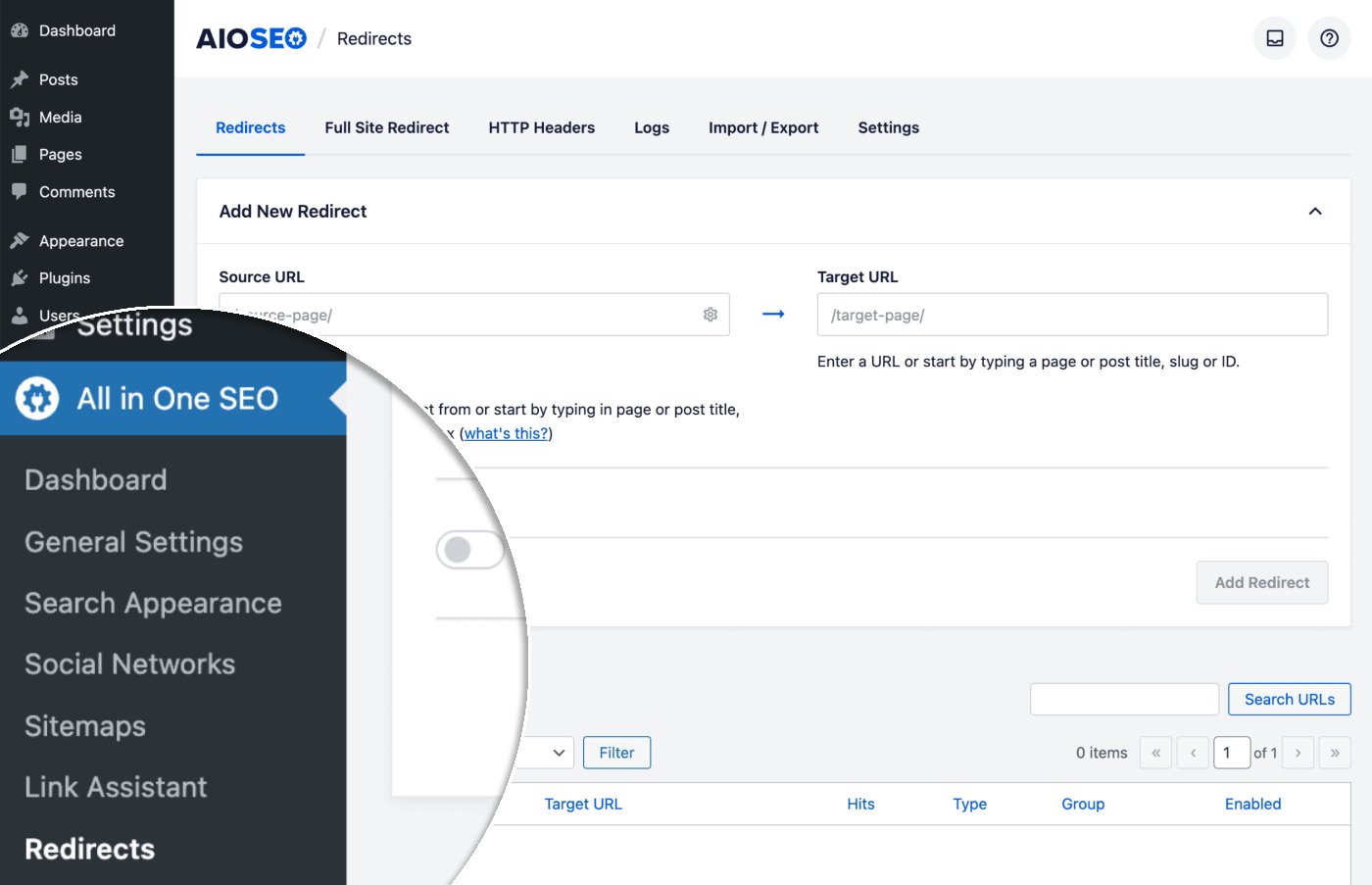
Para começar, clique em Redirecionamentos no menu All in One SEO e, em seguida, clique na guia Cabeçalhos HTTP.
Para adicionar um cabeçalho de Site ou Redirecionamento, selecione o tipo no menu suspenso Localização, escolha o cabeçalho no menu suspenso Cabeçalho e insira ou selecione o Valor.
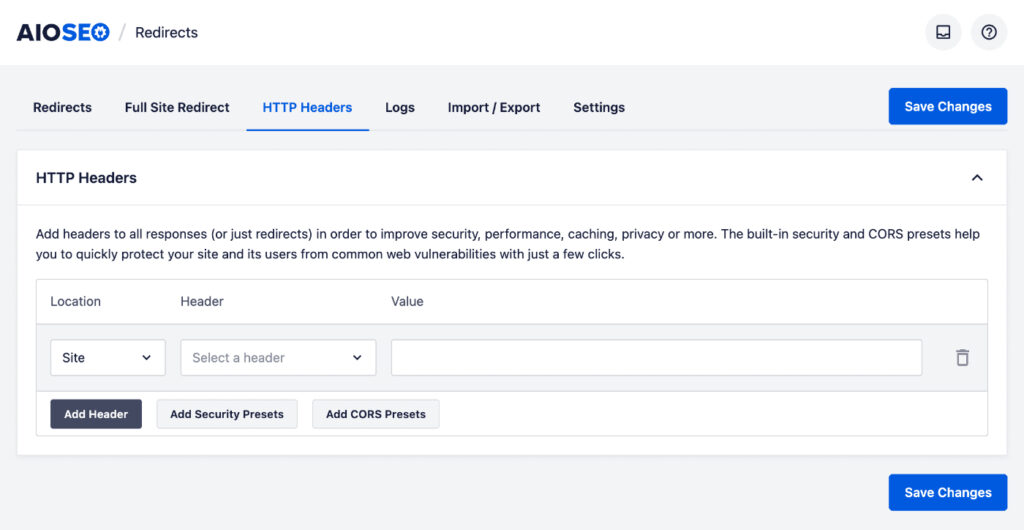
Clique no botão Adicionar Cabeçalho para adicionar mais cabeçalhos de Site ou Redirecionamento e clique no ícone de lixeira para excluir um cabeçalho de Site ou Redirecionamento.
Você também pode adicionar seus próprios cabeçalhos personalizados selecionando Cabeçalho Personalizado no menu suspenso Cabeçalho.
Você também pode adicionar cabeçalhos predefinidos de Segurança e CORS clicando em Adicionar Predefinições de Segurança ou Adicionar Predefinições de CORS.
Confira mais documentação sobre nosso Gerenciador de Redirecionamento aqui.