Le gestionnaire de redirections dans All in One SEO prend en charge l'utilisation des expressions régulières (regex) pour créer des redirections complexes.
Dans cet article
Ajout d'une nouvelle redirection à l'aide d'expressions régulières
Pour utiliser cette fonctionnalité, accédez à Redirections dans le menu All in One SEO et vous verrez le formulaire Ajouter une nouvelle redirection.

NOTE :
La fonctionnalité Gestionnaire de redirections est disponible pour les clients ayant un plan Basic ou supérieur pour All in One SEO Pro.
Certaines fonctionnalités avancées sont disponibles avec un plan Pro ou supérieur pour All in One SEO Pro.
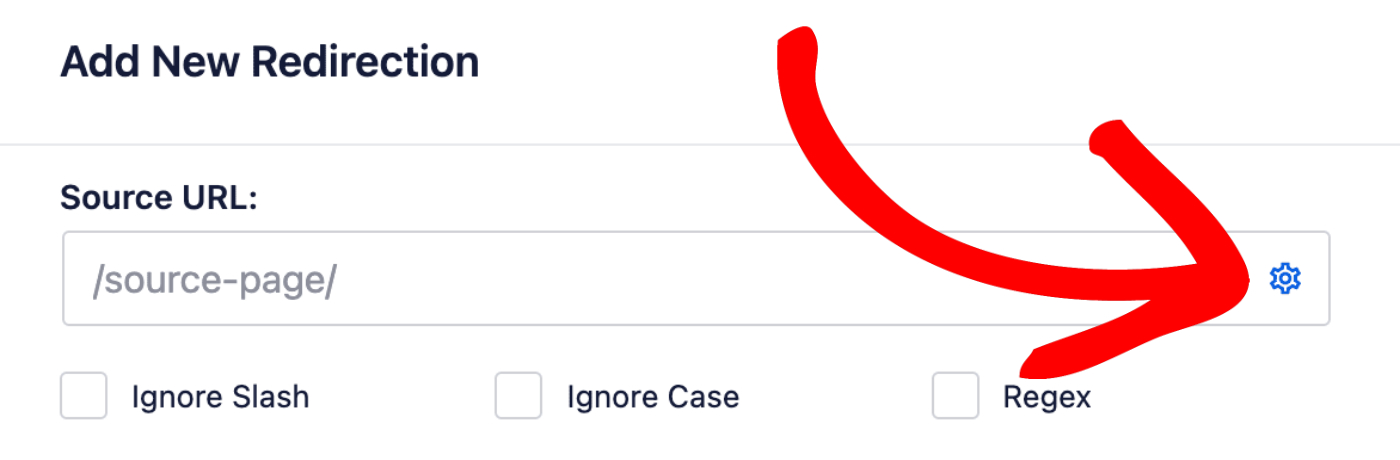
Cliquez maintenant sur l'icône des paramètres située à droite du champ URL source.
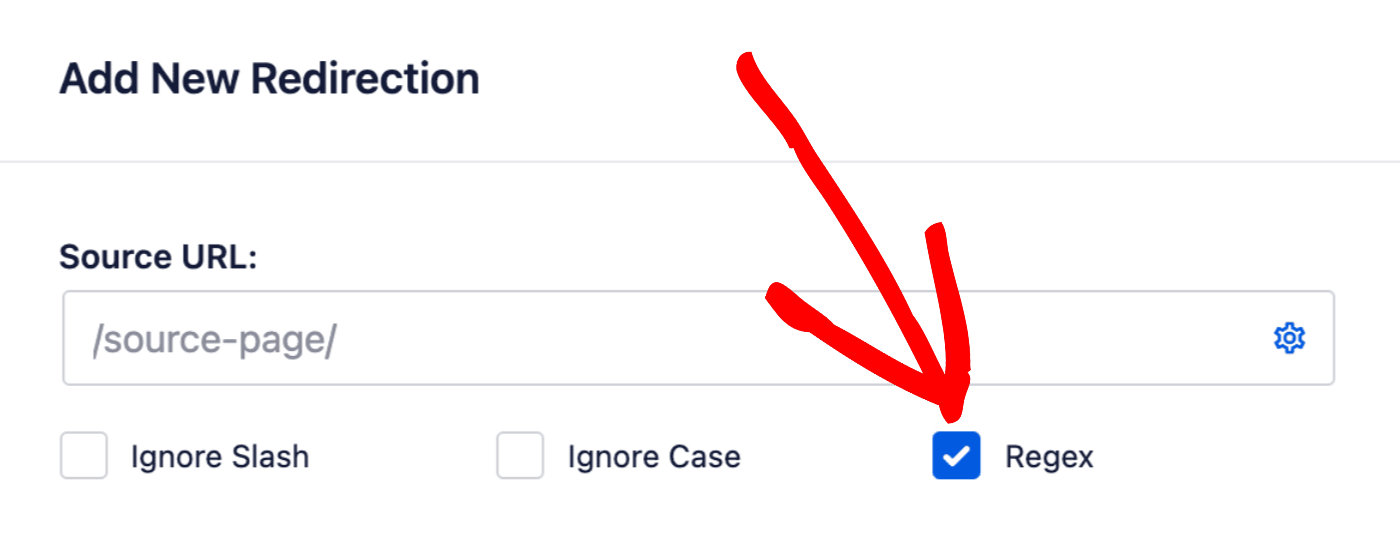
Vous verrez trois cases à cocher, dont une pour Regex. Cochez cette case pour utiliser des expressions régulières dans les champs URL source et URL cible.
Exemples courants de redirections Regex
Redirection d'un répertoire vers un nouveau domaine
Si vous souhaitez que tout ce qui pointe vers un répertoire spécifique soit redirigé vers le même emplacement sur un domaine différent, utilisez ce modèle :
- URL source :
^/docs/developer/(.*) - URL cible :
https://nouveaudomaine.com/$1
Cela redirigera toutes les URL telles que votresite.com/docs/developer/page vers nouveaudomaine.com/page.
Suppression des extensions .html et ajout de barres obliques finales
Si vous souhaitez rediriger les URL se terminant par .html vers la même URL avec une barre oblique finale à la place :
- URL source :
^/(.*?).html$ - URL cible :
/$1/
Cela redirigera les URL telles que votresite.com/page.html vers votresite.com/page/.
Suppression du chemin du répertoire et des numéros des slugs d'URL
Si vous devez supprimer un chemin de répertoire et des numéros du début de vos slugs d'URL :
- URL source :
^/live/news/[0-9]+-(.+) - URL cible :
/news/$1/
Cela redirigera les URL telles que votresite.com/live/news/12345-titre-article vers votresite.com/news/titre-article/. Cela supprime le répertoire /live/ et tous les numéros suivis d'un trait d'union du slug.
Redirection d'un répertoire vers un autre
Si vous souhaitez rediriger toutes les URL d'un répertoire vers un autre sur le même site tout en préservant le reste du chemin :
- URL source :
^/old/(.*) - URL cible :
/new/$1
Cela redirigera les URL telles que votresite.com/old/page vers votresite.com/new/page.
Utilisation de caractères génériques pour rediriger un répertoire entier
Si vous devez rediriger tout le contenu d'un répertoire vers un autre sur le même site :
- URL source :
^/docs/(.*) - URL cible :
/knowledge-base/$1
Ceci redirigera toutes les URL comme yoursite.com/docs/anything vers yoursite.com/knowledge-base/anything.