Le module Redirection dans All in One SEO prend en charge deux méthodes différentes pour gérer les redirections.
NOTE :
La fonctionnalité Gestionnaire de redirections est disponible pour les clients ayant un plan Basic ou supérieur pour All in One SEO Pro.
Certaines fonctionnalités avancées sont disponibles avec un plan Pro ou supérieur pour All in One SEO Pro.
Dans cet article
Vidéo tutoriel
Sélection de la méthode de redirection
Vous pouvez sélectionner ceci en allant dans Redirections dans le menu All in One SEO, puis en cliquant sur l'onglet Paramètres.
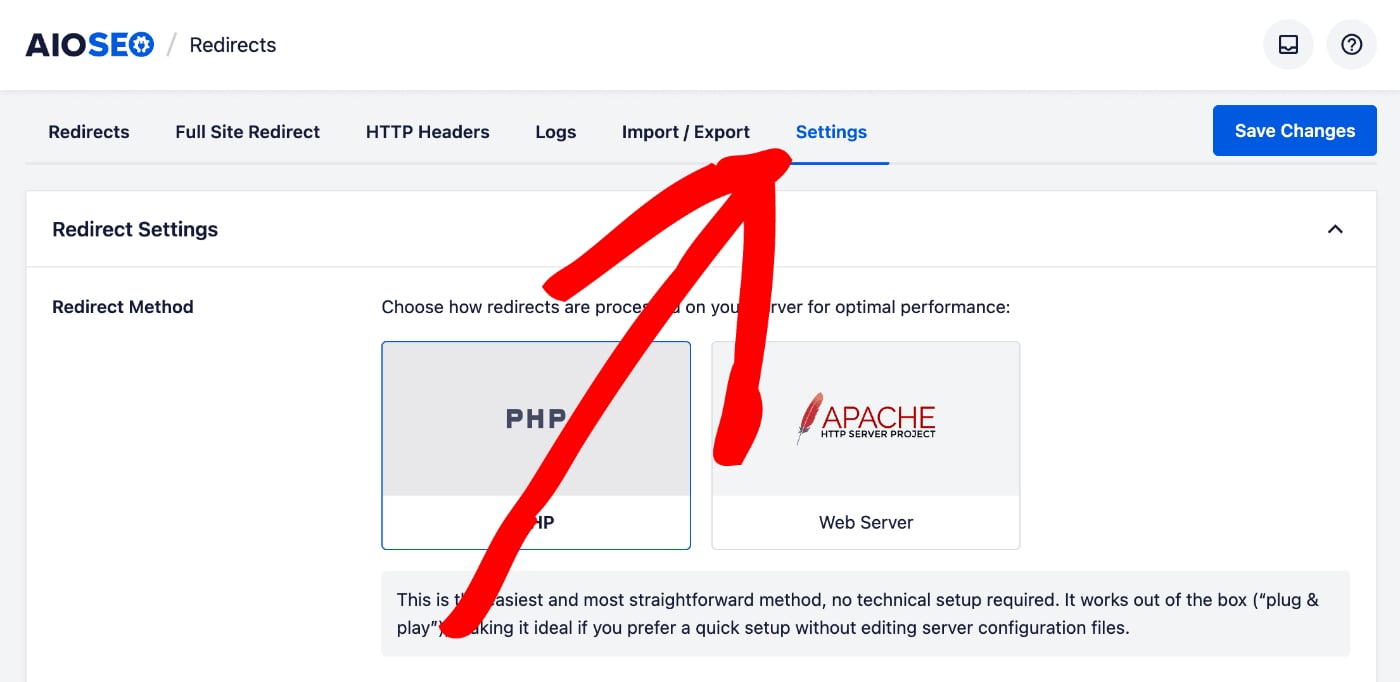
Vous verrez que le premier réglage est Méthode de redirection où vous aurez deux choix : PHP et Serveur Web.
Différence entre les méthodes de redirection des serveurs Web PHP et Apache
La méthode PHP est la méthode la plus simple et la meilleure pour la plupart des utilisateurs car elle ne nécessite aucune configuration côté serveur. Si vous n'êtes pas familier avec la configuration d'Apache, NGINX ou LiteSpeed sur votre serveur Web, alors c'est la meilleure méthode pour vous.
La méthode Serveur Web est plus rapide que la méthode PHP, mais elle nécessite une expérience dans la configuration d'Apache, NGINX ou LiteSpeed, et il est facile de faire planter votre site si vous ne savez pas ce que vous faites.
Si vous sélectionnez la méthode Serveur Web, vous verrez une notification vous informant d'exporter un fichier de configuration du serveur Web.
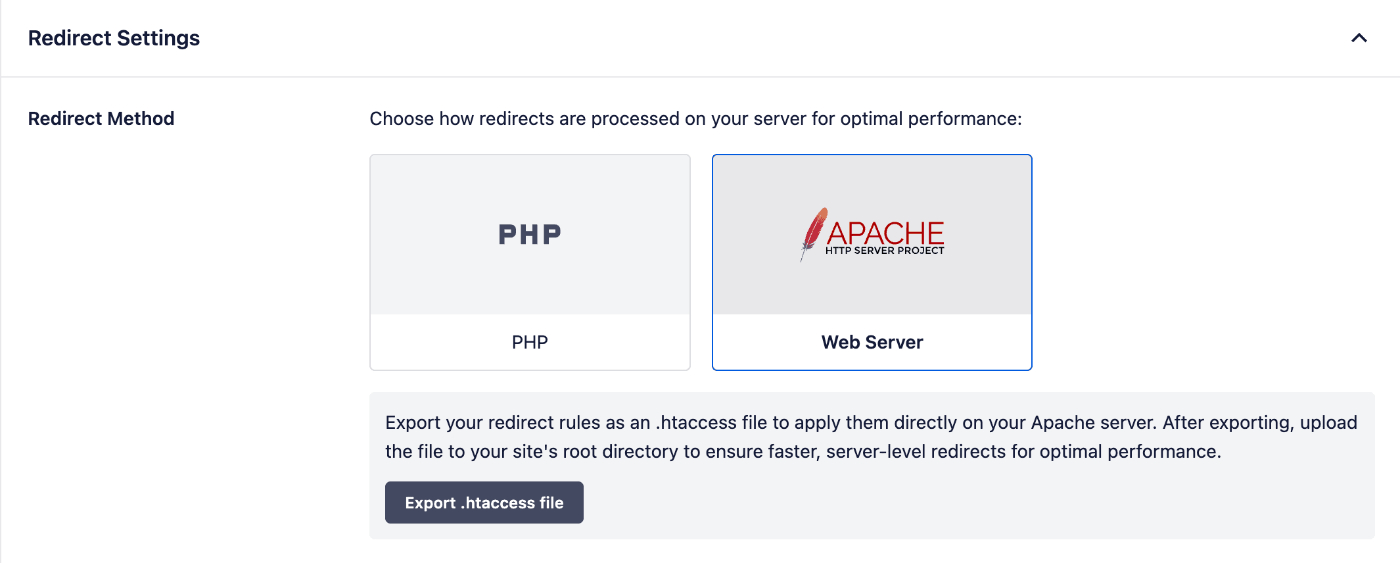
Étapes à suivre sur votre serveur
Si vous utilisez Apache comme serveur Web, exportez le fichier et incluez les entrées dans votre fichier de hôtes virtuels Apache. Vous devrez ensuite redémarrer Apache.
Si vous utilisez NGINX comme serveur Web, exportez le fichier et incluez les entrées dans votre fichier nginx.conf. Vous devrez ensuite redémarrer NGINX.
Si vous utilisez LiteSpeed comme serveur Web, exportez le fichier et incluez les entrées dans votre fichier de hôtes virtuels LiteSpeed. Vous devrez ensuite redémarrer LiteSpeed.
En cas de doute, contactez un administrateur de serveur Web ou votre fournisseur d'hébergement.
Limitations connues
Il y a deux limitations à l'utilisation de la méthode Serveur Web, ce sont :
- All in One SEO ne peut pas compter les accès car ceux-ci sont gérés par le serveur Web et non par PHP
- All in One SEO ne peut pas afficher les journaux de redirection, donc l'onglet Journaux ne sera pas affiché
Consultez notre documentation suppl\u00e9mentaire sur notre gestionnaire de redirections ici.