Skip to content
AIOSEO

AIOSEO

The Best WordPress SEO Plugin and Toolkit

Join 3,000,000+ Professionals who use AIOSEO to Improve Their Website Search Rankings!

Get AIOSEO
See all Features

  • Features
    • Essentials
      • Redirection Manager
      • Schema Generator
      • Search Statistics
      • Smart XML Sitemaps
      • WooCommerce SEO
    • Advanced SEO
      • Local Business SEO
      • Link Assistant
      • SEO Revisions
      • Author SEO
      • Image SEO
    • AI & Content
      • AI AssistantNEW!
      • TruSEO Content Score
      • AI Content Generator
      • AI Image Generator
      • LLMs.txt Generator
  • Pricing
  • What’s New
  • Resources
    • Resources
      • BlogOur latest SEO tips, tutorials, and insights.
      • DocumentationStep-by-step guides on getting the most out of AIOSEO.
      • FAQsQuick answers to the most common AIOSEO questions.
      • SupportGet help from our world-class support team.
  • Login
  • Get AIOSEO

AIOSEO Blog

WordPress Tutorials, Tips, and Resources to Help Grow Your Business

SEO Silos

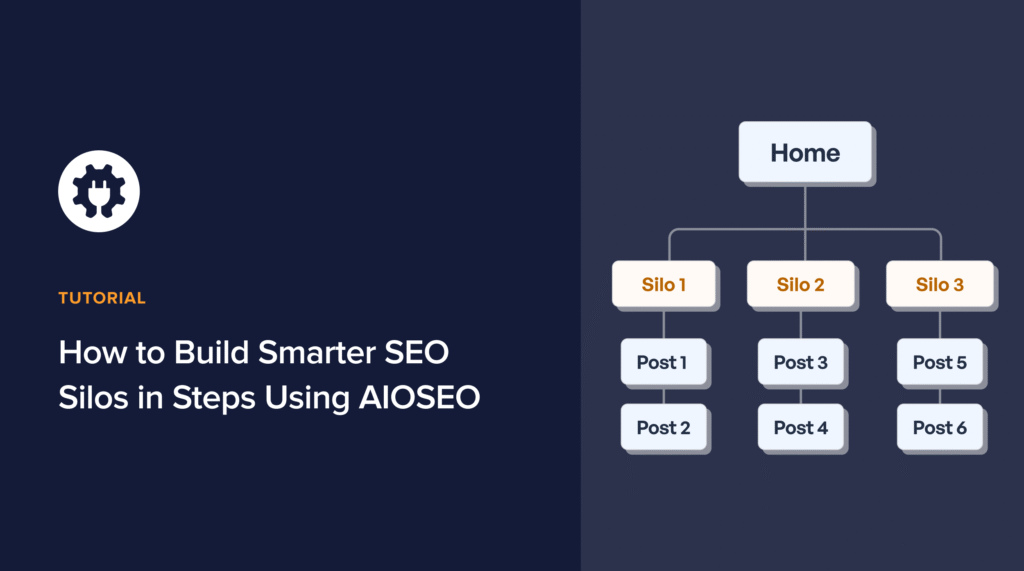
How to Build Smarter SEO Silos in 6 Steps Using AIOSEO

When I first started working on site structures, I didn’t fully understand how much they impacted SEO. Pages were published, blogs were scattered, and links were built randomly. The result? Some rankings, but no real authority. That’s when I learned…Continue reading

The ultimate WordPress SEO guide.

The Ultimate WordPress SEO Setup Guide (Wizard + Checklist)

Setting up SEO on a new site can be stressful. You’ve got a dashboard full of settings and, often, little to no direction. It’s like plugins expect you to already know how to do SEO, which defeats the purpose of…Continue reading

How to get recipe rich snippets for your WordPress site.

How to Get Recipe Rich Snippets in 3 Steps [WordPress Guide]

Have you ever noticed that when you search for a recipe on Google, some results look different from others? Many are just plain blue links. But a few special ones, especially at the top of search results, will have extra…Continue reading

Keyword research tips and trends.

6 Keyword Research Tips & Trends to Future-Proof Your SEO

Are you still doing keyword research the same way you did 5 years ago? If you’re strictly looking for high volume, low competition terms, you might be falling behind. The truth is, the way people use Google is changing fast.…Continue reading

Best AI blog post generators.

7 Best AI Blog Post Generators for 2026 (Tested & Ranked)

We’ve all stared at a blank screen, waiting for inspiration to strike. Writer’s block is a real drain on productivity, especially when you have a content calendar to fill. But what if you could have a first draft ready in…Continue reading

How to add multiple table of contents in WordPress.

How to Add Multiple Table of Contents in WordPress (3 Steps)

Have you ever written a massive, comprehensive guide—maybe 3,000 or 5,000 words long? Long-form content is great for SEO, but it can be a nightmare for your readers to navigate. And sometimes, a single table of contents just isn’t enough.…Continue reading

How to add products to WordPress without an ecommerce plugin.

How to Add Products to WordPress Without an Ecommerce Plugin

Do you want to add products to WordPress, but don’t need a full-blown eCommerce platform? Many WordPress users need to display products professionally without the bloat of a full shopping cart system. The good news is, there’s a much simpler,…Continue reading

Best AI Image Generator Plugins for WordPress

7 Best AI Image Generator Plugins for WordPress [2026]

The search for the perfect blog post image is over. A new wave of AI image generator plugins lets you create exactly what you need, when you need it, directly in WordPress.  But which AI image generator WordPress plugin is…Continue reading

How to use a WordPress AI Assistant and save hours writing.

How to Use a WordPress AI Assistant & Save Hours Writing

Are you tired of switching between ChatGPT and your WordPress editor, endlessly copying and pasting to create content? I’ve done it too, and I know how inefficient it can be. The good news: All in One SEO recently released a…Continue reading

What is llms.txt?

What Is LLMs-full.txt? Your Guide to Controlling AI Crawlers

AI tools from companies like Google and OpenAI are always learning from websites. But have you ever wondered if you can control how they crawl your content? The good news is, you can. LLMs-full.txt gives you that control, allowing you…Continue reading

Page navigation

1 … 3 4 5 6 7 … 57

Let's Connect:

  • Facebook
  • X
  • YouTube
  • WordPress MCP: How to Connect Claude, Cursor, or Gemini to Your Site
  • LLMs.txt vs Robots.txt vs XML Sitemap: Here's What You Need To Know
  • What Is SEO Sensor? (How Does AIOSEO SEO Alerts Compare)
  • The Best Rank Math Alternative for WordPress
  • Category Page SEO for WooCommerce: The Ultimate Guide

Outrank Your Competition. It's That Simple.

Join the 3 million+ professionals who use AIOSEO to dominate search results and attract more customers.

Get Started With AIOSEO Now
(Instant Download)

Company

  • About
  • Careers
  • Press
  • Testimonials
  • Affiliates
  • Blog
  • Contact
  • X
  • Facebook
  • YouTube

Features

  • Keyword Rank Tracker
  • Search Statistics
  • Social Media Integration
  • Robots.txt Editor
  • WooCommerce SEO
  • Local SEO
  • TruSEO Score Analysis
  • Rich Snippets Schema
  • IndexNow
  • Broken Link Checker
  • Redirection Manager
  • Link Assistant
  • SEO Audit Site Analysis
  • Smart XML Sitemaps
  • RSS Footer Content
  • SEO Manager Role
  • Google News Sitemap
  • Video SEO Sitemap
  • Google Search Console

Helpful Links

  • Support
  • Documentation
  • Plans & Pricing
  • WordPress Hosting
  • Start a Blog
  • Make a Website
  • WordPress Tutorials
  • SEO Analyzer
  • Headline Analyzer
  • SEO Glossary

Connect with us

  • Twitter
  • Facebook
  • YouTube

Copyright © 2007-2026 Semper Plugins, LLC.
AIOSEO® and All in One SEO Pack® are registered trademarks of Semper Plugins, LLC.

Terms of Service
Privacy Policy
FTC Disclosure
Sitemap
AIOSEO Coupon
WPBeginner Verified

What's New in AIOSEO

View the Latest Updates

Stay updated on our new features and more — straight to your inbox.

AIOSEO v5.0.1. 26 Aug 2026

TruSEO for Taxonomies: Your Category Pages Finally Get an SEO Score

AIOSEO 5.0.1 brings TruSEO Analysis to taxonomy term pages, so your categories, tags, and custom taxonomies can get the same SEO score and checklist your posts and pages already get. 

What’s included:

  • Full TruSEO scoring: get a live score and full keyword checklist, including checks unique to terms, right on any term edit screen
  • On by default for WooCommerce product categories: your highest-value taxonomy pages are covered right away
  • Turn it on for more taxonomies: enable regular categories, tags, or custom taxonomies under All in One SEO » General Settings » Content Optimization

Available on all AIOSEO Pro plans.

Read the full update →
AIOSEO v5.0.0 30 Jul 2026

TruSEO 2.0: A Better Scoring System + Instant AI Fixes

TruSEO just got its biggest rebuild yet. Scores now generate in real time, support 10+ new languages, and live in a redesigned Optimization tab. Also new in this release:

  • Spell Checker: Catches misspellings and proposes 1-click corrections
  • Highlighter: Pairs every flagged issue with an AI-generated fix you can apply instantly
  • Optimize with AI: Rewrites your title, meta description, and content in a single click

Update to 5.0.0 to explore all the new features.

Read the full update →
AIOSEO v5.0.0 30 Jul 2026

Optimize with AI: The 1-Click Fix to Better SEO

Rewrite your title, meta description, headline, and content in a single click. The new “Optimize with AI” button applies all TruSEO suggestions in one pass. How it works:

  • AI Credits: Draws from your plan’s monthly allotment (AI Credits can also be purchased separately)
  • Editor-Native: No extra tools required, just a button in the post editor
  • 1-Click Undo: Restoring your original text takes a simple click
Read the full update →
AIOSEO v5.0.0 30 Jul 2026

New Spell Checker Catches & Fixes Typos

AIOSEO now flags misspelled and unrecognized words right in your Content Optimization panel, with suggested corrections and a custom dictionary for brand terms. What’s included:

  • Inline Highlighting: Flip it on to see errors underlined right in your content
  • Frequency Count: See how many times each flagged word shows up, so you know what to fix first
  • 1-Click Corrections: Select the suggestion and it’s fixed, no retyping
Read the full update →
AIOSEO v5.0.0 30 Jul 2026

Highlighter Now Suggests AI Fixes You Can Apply Instantly

The Highlighter now pairs every flagged issue with an AI-generated fix. Click a highlighted spot and apply the suggestion instantly, without leaving the editor. What’s included:

  • Setup: None needed, the fix option already shows up next to your flagged issues
  • Coverage: Basics, Spelling, and Readability all get fix suggestions
  • AI Credits: Pulls from the same pool as the other AI tools
Read the full update →
See all updates Every release and announcement in the Newsroom →