Wenn jemand eine URL auf Ihrer Website besucht, die nicht existiert, sieht er eine spezielle Seite, die als 404-Seite bezeichnet wird. Sie können diese Informationen mit dem Weiterleitungsmanager protokollieren und einfach eine Weiterleitung zu einer anderen URL auf Ihrer Website erstellen.
Dies ist ein sehr nützliches und wichtiges Werkzeug im SEO. Wenn ein Besucher eine 404-Seite "Nicht gefunden" erhält, ist das schlecht für Ihren Besucher und kann dazu führen, dass er Ihre Website verlässt und zu einem Mitbewerber wechselt.
Wenn Sie sehen können, wann dies geschieht, können Sie eine Weiterleitung erstellen und Ihren Besucher auf Ihrer Website halten.
HINWEIS:
Die Funktion Redirection Manager ist für Kunden mit einem Basic-Tarif oder höher für All in One SEO Pro verfügbar.
Einige erweiterte Funktionen sind mit einem Pro -Tarif oder höher für All in One SEO Pro verfügbar.
In diesem Artikel
Video-Anleitung
404-Protokolle aktivieren
Um zu beginnen, gehen Sie zu Weiterleitungen im Menü All in One SEO und klicken Sie dann auf die Registerkarte Einstellungen.
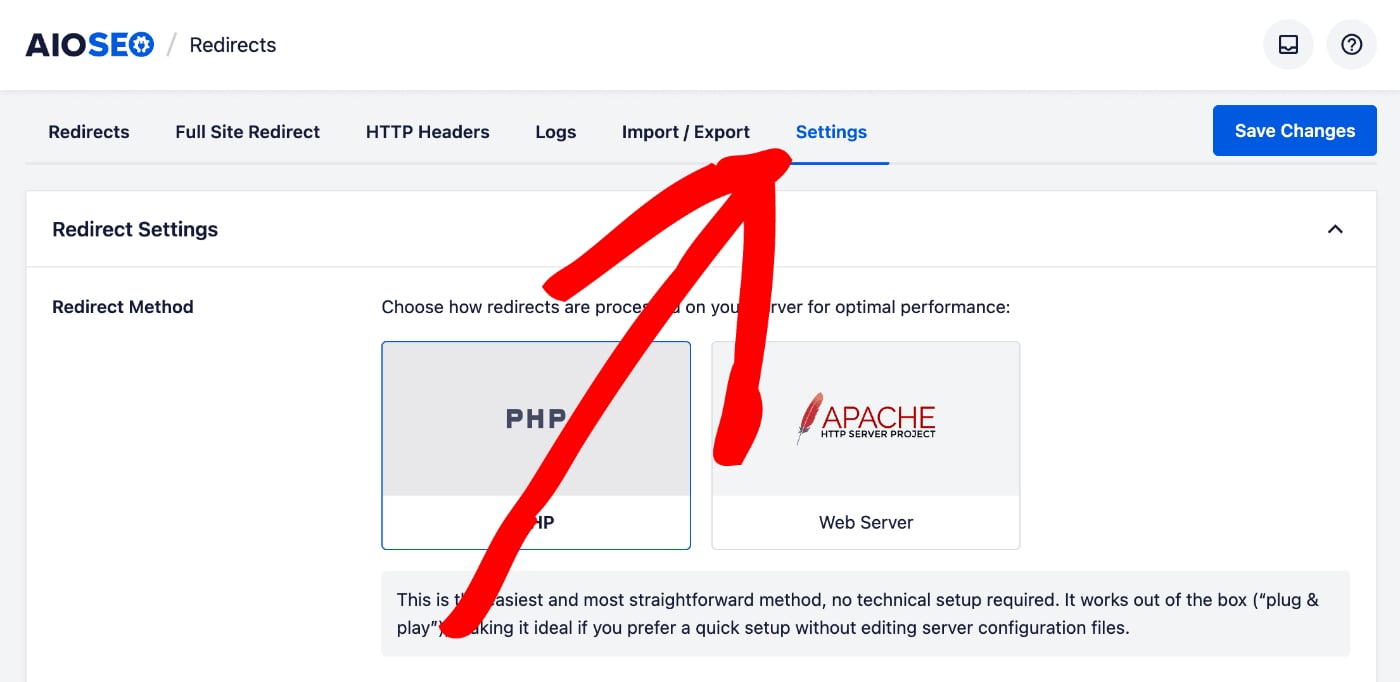
Scrollen Sie nach unten, bis Sie den Abschnitt Protokolleinstellungen sehen.
HINWEIS:
Die Funktionen Protokolleinstellungen sind für Kunden mit einem Pro-Plan oder höher für All in One SEO Pro verfügbar.
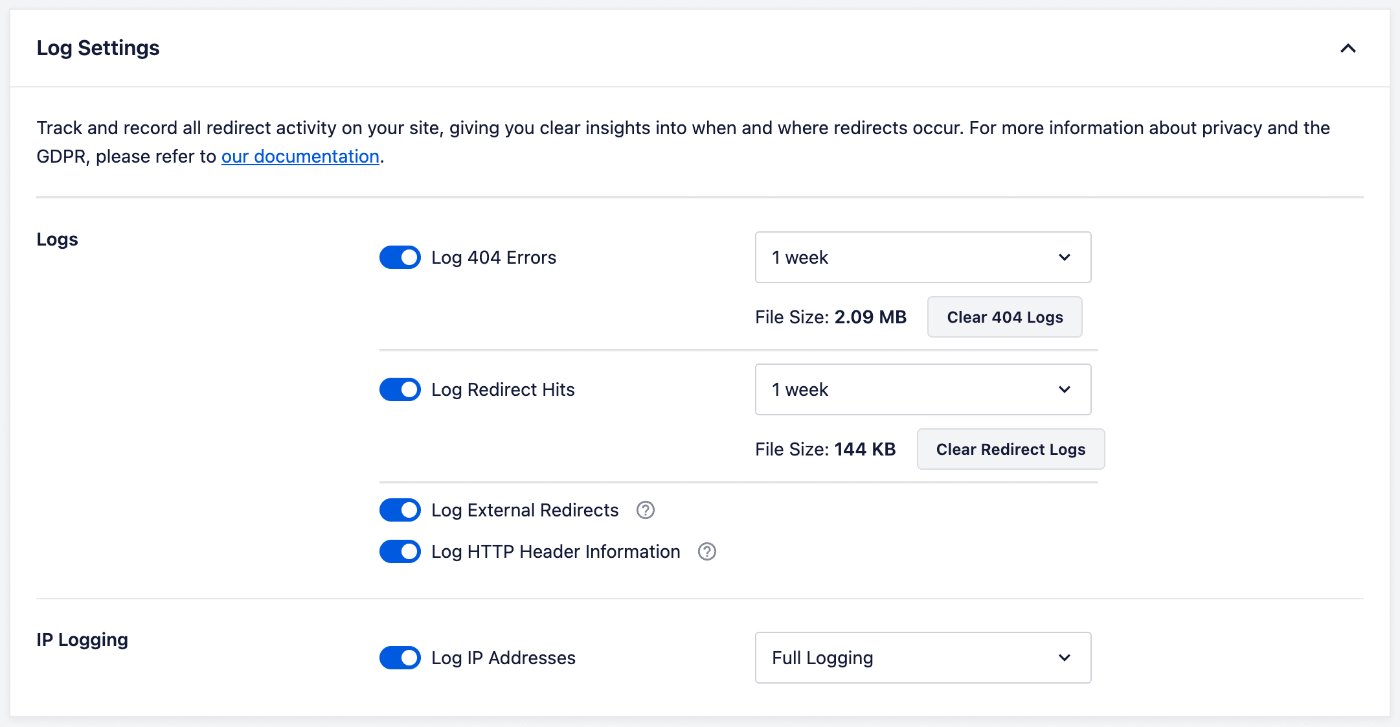
Um 404-Fehler zu protokollieren, aktivieren Sie die Einstellung 404-Fehler protokollieren.
Protokollaufbewahrung festlegen
Sie können dann festlegen, wie lange Protokolle aufbewahrt werden, indem Sie das Dropdown-Menü rechts neben der Einstellung 404-Fehler protokollieren verwenden.
Einzelne Protokolle anzeigen und löschen
Nachdem Sie die Protokollierung eingerichtet haben, klicken Sie auf die Registerkarte Protokolle und dann auf 404-Aufrufe, um die Protokolle anzuzeigen.
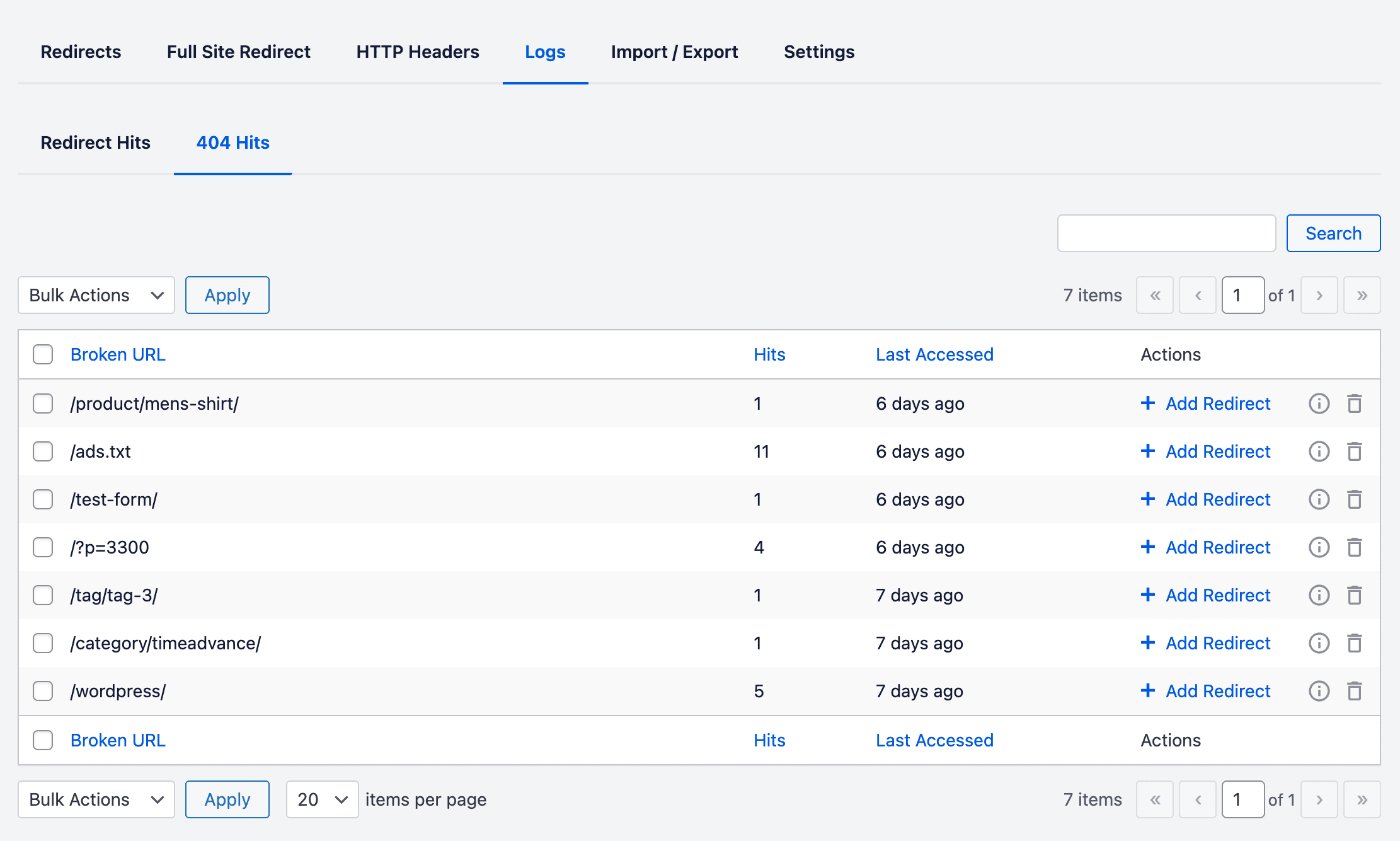
Sie sehen die URL, die jemand besucht hat, in der Spalte URL, die Anzahl der Besuche der URL in der Spalte Aufrufe und das Datum des letzten Zugriffs auf die URL in der Spalte Zuletzt aufgerufen.
Klicken Sie auf den Link Weiterleitung hinzufügen, um einfach eine Weiterleitung für diese URL hinzuzufügen. Dies öffnet ein Formular, in dem Sie festlegen können, wohin Sie diese URL weiterleiten möchten und welche Art von Weiterleitung es sein soll.
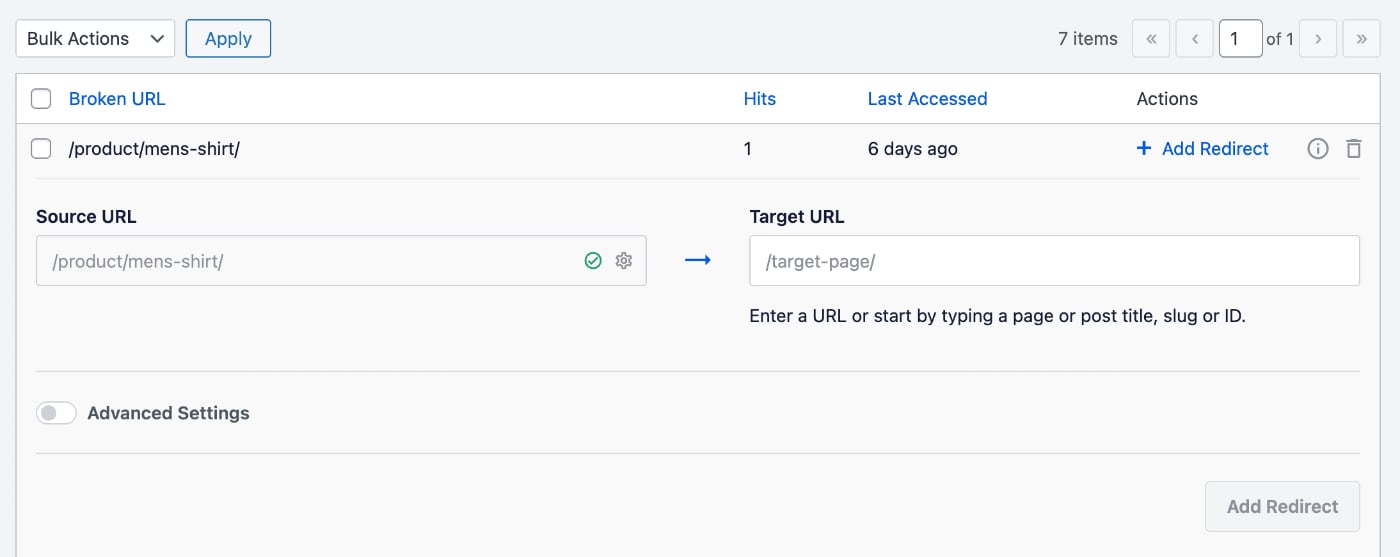
Sie sehen auch zwei Symbole auf der rechten Seite jeder Protokolleintrags.
Klicken Sie auf das Symbol Zusätzliche Informationen, um die Protokolldetails anzuzeigen.
Klicken Sie auf das Symbol Löschen, um diesen Protokolleintrag zu löschen.
Sie können die 404-Protokolle nach einer URL durchsuchen, indem Sie Ihren Suchbegriff in das Feld Suchen eingeben.
Alle 404-Protokolle löschen
Wenn Sie alle Protokolle löschen möchten, gehen Sie zu Weiterleitungen im Menü All in One SEO und klicken Sie dann auf die Registerkarte Einstellungen.
Im Abschnitt Protokolleinstellungen sehen Sie 404-Fehler protokollieren und es gibt eine Schaltfläche 404-Protokolle löschen, die alle 404-Protokolle löscht.
Weitere Dokumentation finden Sie hier in unserem Weiterleitungs-Manager.