

Il y a une chose que la plupart des publicités pour les « créateurs de sites web faciles » ne vous diront pas :
Votre choix de plateforme peut limiter votre succès en SEO.
De nombreux créateurs « faciles » s'appuient sur un code lourd qui ralentit votre site. D'autres vous bloquent l'accès à des fichiers techniques critiques (comme votre fichier .htaccess ou robots.txt), rendant impossible la correction des erreurs techniques de SEO.
Si vous êtes sérieux au sujet du classement #1 sur Google, vous avez besoin d'un créateur qui offre 3 choses :
- Code propre (pour la vitesse)
- Contrôle total (pour l'optimisation technique)
- Évolutivité (pour ne pas avoir à migrer plus tard)
J'ai testé les meilleures plateformes du marché pour voir lesquelles vous donnent *réellement* les outils pour vous classer. Voici les meilleurs créateurs de sites web pour le SEO en 2026.
Dans cet article
- Qu'est-ce qu'un créateur de site web ?
- Mon meilleur choix : WordPress (La référence)
- Best WordPress Builders for SEO
- Best eCommerce Builders for SEO
- Best All-in-One SaaS Site Builders for SEO
- How to Pick the Best SEO Site Builder for You
- Verdict: The Best Site Builder for SEO
- Conclusion : Commencez avec la fin en tête
- Et ensuite ?
- FAQs About SEO-Friendly Website Builders
Qu'est-ce qu'un créateur de site web ?
Un créateur de site web est tout outil qui vous permet de créer un site web sans écrire de code à partir de zéro.
Cependant, dans le monde du SEO, nous les divisons généralement en deux catégories :
- Créateurs hébergés (SaaS) : Ce sont des plateformes tout-en-un comme Wix, Squarespace ou Shopify. Vous payez des frais mensuels, et ils s'occupent de l'hébergement, de la sécurité et des mises à jour logicielles pour vous. Ils sont plus faciles à utiliser mais ont souvent moins de flexibilité.
- Systèmes de gestion de contenu (CMS) : C'est WordPress. Vous installez le logiciel sur votre propre compte d'hébergement. Cela nécessite un peu plus de configuration, mais cela vous donne 100 % de propriété et de contrôle sur le code de votre site et ses paramètres SEO.
Pour ce guide, j'ai testé les deux types pour voir lesquels offrent le meilleur équilibre entre facilité d'utilisation et puissance de classement.
Mon meilleur choix : WordPress (La référence)
Si vous demandez à un professionnel du SEO ce qu'il utilise, la grande majorité dira WordPress.
Contrairement aux plateformes fermées (comme Wix ou Squarespace), WordPress est open-source. Cela signifie que vous avez 100 % de contrôle sur chaque ligne de code de votre site web.
Cependant, WordPress seul n'est qu'un cadre. Pour construire un site qui se classe, vous le combinez souvent avec un créateur de pages ou des plugins spécifiques.
Ci-dessous, j'ai divisé les meilleurs créateurs de sites web en 3 catégories :
- Créateurs WordPress (meilleur pour le contrôle SEO)
- Créateurs eCommerce (meilleur pour les boutiques en ligne)
- Créateurs SaaS tout-en-un (meilleur pour la facilité d'utilisation)
Meilleurs créateurs WordPress pour le SEO
Ce sont des outils qui se situent *au-dessus* de WordPress. Ils vous donnent l'expérience visuelle de « glisser-déposer » tout en conservant la puissante base SEO de WordPress.
1. WordPress.org (Auto-hébergé)
Meilleur choix global pour le SEO
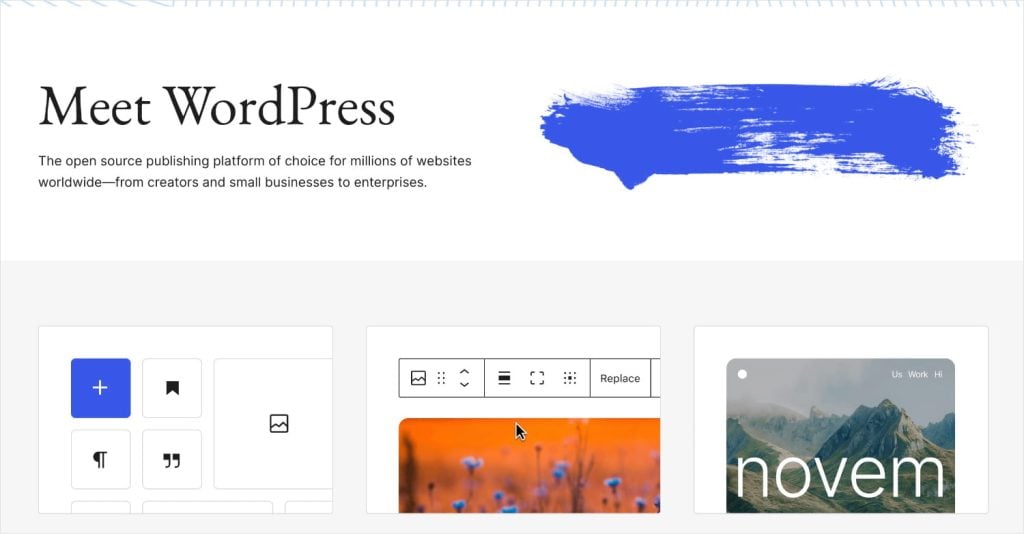
D'après mon expérience, rien ne vaut WordPress auto-hébergé. Il propulse plus de 43 % du web pour une bonne raison.
Ses fonctionnalités de personnalisation vous permettent de créer le site web de votre choix. Il dispose de tonnes de plugins SEO et de thèmes pour vous aider à créer un site web professionnel pour votre petite entreprise.
De plus, c'est gratuit.
Pourquoi il gagne pour le SEO :
- Contrôle total : Vous pouvez modifier les permaliens, les métadonnées et les fichiers techniques sans restriction.
- Plugins : Vous avez accès à All in One SEO (AIOSEO), qui automatise des tâches complexes comme le balisage schema et le SEO local.
- Vitesse : Avec le bon hébergement, il est plus rapide que n'importe quel constructeur SaaS.
Le seul inconvénient ? Vous devez gérer votre propre hébergement (je recommande Bluehost pour les débutants). Mais le compromis pour la puissance SEO que vous obtenez en vaut absolument la peine.
Tarifs du service d'hébergement web Bluehost
Comme WordPress.org est gratuit, j'inclus les plans tarifaires du fournisseur d'hébergement, Bluehost.
Il offre un nom de domaine gratuit la première année, un certificat SSL, une installation en 1 clic et un support client 24h/24 et 7j/7. Tout cela commence à 2,75 $ par mois. (En fait, c'est moins cher si vous utilisez ce lien, qui contient une offre spéciale pour les visiteurs d'AIOSEO.)
Leurs prix habituels pour les plans payants sont :
- Plan Basic : 9,99 $ par mois
- Plan Plus : 13,99 $ par mois
- Plan Choice Plus : 18,99 $ par mois
- Plan Pro : 28,99 $ par mois
Qu'en est-il de WordPress.com en tant que constructeur de sites web pour le SEO ?
WordPress.com est une alternative à WordPress.org. Vous pouvez obtenir un constructeur de site web gratuit via WordPress.com, mais il est limité.
WordPress Pro (la version payante) vous permet de vendre via WooCommerce et dispose d'outils SEO avancés. De plus, il gère l'hébergement, ce qui signifie que vous n'avez pas à chercher un fournisseur séparé.
2. SeedProd
Meilleur pour la vitesse et les Core Web Vitals
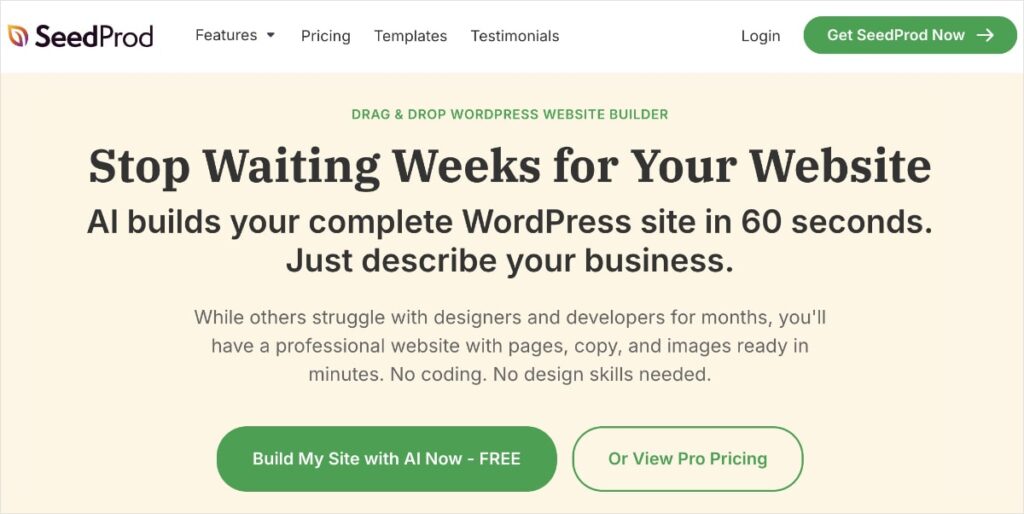
La plupart des constructeurs de pages WordPress (comme Elementor ou Divi) sont lourds. Ils ajoutent beaucoup de code supplémentaire qui ralentit votre site.
SeedProd est différent. C'est un constructeur « sans superflu ». Lorsque je l'ai testé, il a produit un code nettement plus propre que ses concurrents. Cela vous aide à réussir l'évaluation des Core Web Vitals de Google, qui est un facteur de classement.
Certaines de mes fonctionnalités SeedProd préférées incluent :
- Plus de 150 modèles de pages de destination
- Plus de 90 blocs pro
- Constructeur par glisser-déposer
- Code optimisé pour le SEO
De plus, il s'intègre parfaitement avec AIOSEO, vous permettant d'ajuster vos paramètres SEO directement là où vous créez vos pages de destination.
J'ai également trouvé très pratique de pouvoir enregistrer des e-mails dans WordPress, quel que soit votre fournisseur de services de messagerie. C'est une fonctionnalité unique que je n'ai pas vue dans de nombreux constructeurs de sites web SEO.
Prix du constructeur de sites web SeedProd
- Forfait de base : 39,50 $+ par an
- Forfait Plus : 99,50 $+ par an
- Forfait Pro : 199,50 $+ par an
- Forfait Élite : 239,50 $+ par an
3. MemberPress
Idéal pour les sites d'adhésion
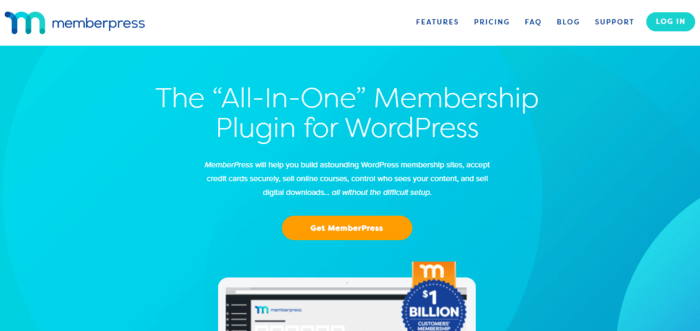
Si vous vendez des cours ou des abonnements, MemberPress est le leader de l'industrie.
MemberPress est un plugin qui transforme votre site WordPress en un site d'adhésion. Même les grands débutants en conception web peuvent :
- Configurer des abonnements d'adhésion et définir différents niveaux d'accès
- Contrôler qui voit différents types de contenu sur votre site
- Choisir différentes plateformes de paiement, y compris les cartes de crédit et PayPal
- Vendre des produits numériques
Parce qu'il est construit sur WordPress, MemberPress bénéficie de la flexibilité de la plateforme. Cela en fait une option conviviale pour les solopreneurs et les petites entreprises.
D'un point de vue SEO, MemberPress a un code propre qui se traduit par un site d'adhésion léger et rapide.
Prix du constructeur de sites web MemberPress
- Forfait de base : À partir de 129 $ par an
- Forfait Plus : À partir de 249 $ par an
- Forfait Pro : À partir de 349 $ par an
4. Avada
Meilleur thème et constructeur « tout-en-un »
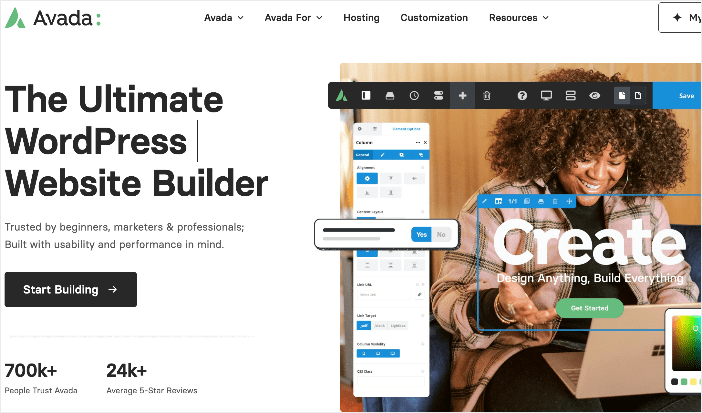
Avada est l'un des thèmes WordPress les plus populaires de tous les temps, et pour cause. Ce n'est pas seulement un thème ; c'est une boîte à outils complète pour la création de sites web.
Pour les débutants, Avada est fantastique car il est livré avec plus de 80 sites web pré-construits. Vous pouvez importer un site conçu par des professionnels en un clic et simplement remplacer le texte et les images.
Fonctionnalités SEO que j'aime :
- Adapté aux mobiles : Tous les designs sont réactifs dès la sortie de la boîte (crucial pour les classements Google).
- Optimisation de la vitesse : Il dispose d'outils de performance intégrés pour désactiver les fonctionnalités que vous n'utilisez pas, gardant votre site rapide.
- Constructeur de boutique WooCommerce : Vous n'êtes pas limité aux pages de produits génériques. Vous pouvez concevoir des mises en page de boutique personnalisées optimisées pour les conversions et le SEO.
- Intégration AIOSEO : Il fonctionne de manière transparente avec All in One SEO, vous pouvez donc optimiser chaque page au fur et à mesure de sa création.
De plus, Avada s'intègre à AIOSEO et dispose d'une des meilleures équipes de support client.
Plans tarifaires d'Avada Website Builder
- Licence régulière : 69 $
- Licence étendue : 2 950 $
5. WPBakery
Idéal pour la simplicité du glisser-déposer
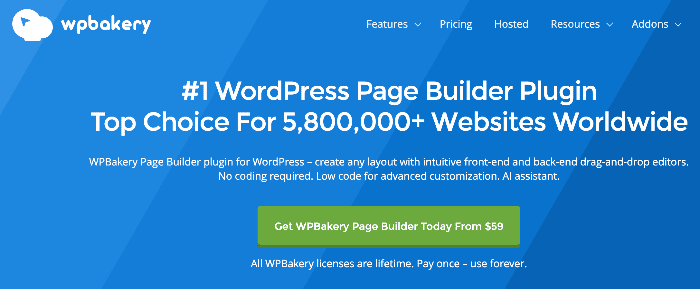
WPBakery est l'un des constructeurs de pages d'origine pour WordPress. Il alimente des millions de sites car il est incroyablement facile à utiliser.
Il offre à la fois un éditeur « Frontend » (où vous éditez directement sur la page) et un éditeur « Backend » (où vous organisez des blocs comme des briques Lego). Cette flexibilité le rend idéal pour les débutants qui pourraient être intimidés par le code.
J'apprécie l'intuitivité de l'interface glisser-déposer. Vous pouvez créer et concevoir des mises en page de site Web personnalisées, le tout sans connaissances techniques ni expérience en codage.
En ce qui concerne le SEO, il fonctionne bien avec tous les principaux plugins SEO, tels que Yoast et AIOSEO.
Tarifs WPBakery
- Licence régulière : 64 $
Meilleurs constructeurs e-commerce pour le SEO
Si vous gérez une boutique en ligne, vos besoins sont différents. Vous devez vous classer pour les pages de produits, gérer correctement les articles « en rupture de stock » et éviter les problèmes de contenu dupliqué.
6. WooCommerce (sur WordPress)
Idéal pour une flexibilité e-commerce maximale
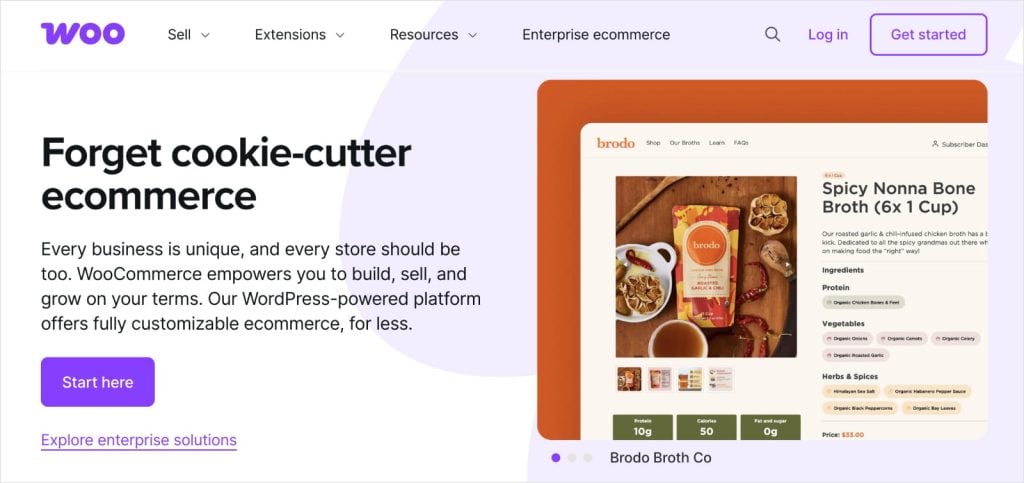
Si vous souhaitez créer une boutique en ligne et conserver le contrôle total de votre SEO, WooCommerce est la norme de l'industrie. Il fonctionne sur WordPress, ce qui signifie que vous bénéficiez de tous les avantages SEO de la plateforme principale, mais optimisés pour le e-commerce.
Contrairement aux plateformes hébergées qui vous enferment dans leur façon de faire, WooCommerce vous permet de tout personnaliser. Vous pouvez modifier la structure de vos URL, éditer votre schéma de produit et organiser vos catégories exactement comme Google les aime.
Pourquoi je le recommande :
- Personnalisation illimitée : Vous pouvez ajouter toutes les fonctionnalités que vous pouvez imaginer à l'aide de plugins.
- SEO des produits : Vous avez un contrôle total sur les titres des produits, les méta-descriptions et le texte alternatif des images.
- Évolutivité : Que vous vendiez 10 produits ou 10 000, WooCommerce peut gérer.
- Rentable : Le plugin principal est gratuit, vous ne payez donc que l'hébergement et les extensions premium.
Tarifs WooCommerce
- WooCommerce lui-même est gratuit, mais si vous souhaitez gérer une boutique en ligne, vous devrez vous abonner à un fournisseur d'hébergement et à des plugins de support. Les coûts varient considérablement en fonction de vos besoins, mais ce guide des prix WooCommerce peut vous donner une idée.
7. BigCommerce
Si vous ouvrez une boutique en ligne, BigCommerce est un constructeur de site Web à considérer. BigCommerce peut vous aider à créer une boutique en ligne fabuleuse axée sur les fonctionnalités e-commerce.

Meilleur SaaS pour les grandes boutiques
BigCommerce est une solution hébergée puissante qui est idéale pour les grandes boutiques qui ne veulent pas gérer un serveur WordPress. Il est connu pour avoir de très solides fonctionnalités SEO techniques dès le départ.
Par exemple, lorsque vous modifiez le nom d’un produit ou le déplacez dans une catégorie différente, BigCommerce crée automatiquement une redirection 301 pour vous. C'est un gain de temps considérable et cela évite les liens brisés qui peuvent nuire à votre classement.
Principaux avantages SEO :
- Redirections automatiques : Maintient votre site en bonne santé sans travail manuel.
- Prise en charge des microdonnées : Le schéma intégré aide vos produits à apparaître avec des extraits enrichis (comme le prix et la disponibilité) dans les résultats de recherche.
- Vitesse : Il utilise un réseau de diffusion de contenu (CDN) pour garantir que votre boutique se charge rapidement pour les clients du monde entier.
- Prise en charge AMP : Vos pages produits se chargent instantanément sur les appareils mobiles.
Plans tarifaires du constructeur de sites Web BigCommerce
- Plan Standard : 29,95 $ par mois
- Plan Plus : 79,95 $ par mois
- Plan Pro : 299,95 $ par mois
- Plan Entreprise : Contactez BigCommerce
8. Shopify
Le plus populaire pour le commerce électronique
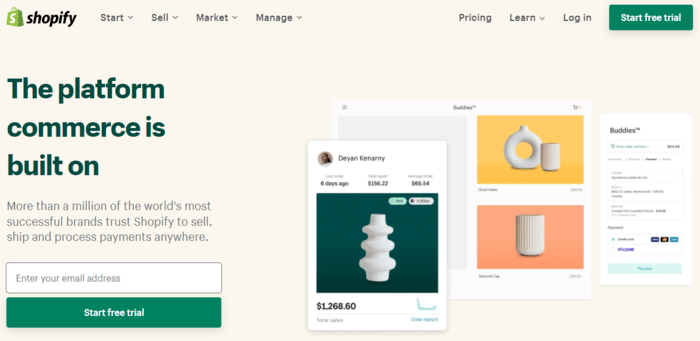
Shopify alimente des millions de boutiques car il est incroyablement facile à utiliser. Vous n'avez pas besoin de connaître une seule ligne de code pour lancer une boutique en ligne magnifique et sécurisée.
Bien qu'il s'agisse d'une plateforme « fermée » (ce qui signifie que vous ne pouvez pas accéder aux fichiers du serveur), Shopify couvre bien les bases du SEO. Il génère un sitemap pour vous, vous permet de modifier facilement les balises de titre et les méta-descriptions, et garantit la sécurité de votre site avec un certificat SSL.
Pourquoi c'est l'un des meilleurs constructeurs de sites Web pour les boutiques en ligne :
- Facilité d'utilisation : Parfait pour les débutants qui veulent juste vendre.
- Écosystème d'applications : Des milliers d'applications SEO (comme les optimiseurs d'images) sont disponibles dans leur boutique.
- Conception axée sur le mobile : Tous les thèmes sont réactifs, ce qui est essentiel car la plupart des acheteurs sont sur mobile.
- Chargement rapide : Shopify les serveurs sont optimisés pour la vitesse, ce qui est un facteur de classement Google connu.
De plus, comme l'optimisation pour les moteurs de recherche repose sur la convivialité de votre site, il convient de noter que Shopify accepte de nombreux types de paiement. Vous pouvez accepter les cartes de crédit, PayPal, Venmo, et plus encore.
La combinaison de sites Web élégants et attrayants et de puissantes fonctionnalités et outils SEO a fait de Shopify l'un des constructeurs de sites Web les plus populaires dans le domaine des sites Web de commerce électronique.
Astuce de pro : Vous pouvez essayer Shopify en utilisant un plan gratuit pendant 14 jours. Aucune carte de crédit requise.
Plans tarifaires du constructeur de sites Web Shopify
- Plan de base : 29 $ par mois
- Plan Shopify : 79 $ par mois
- Plan avancé : 299 $ par mois
- Shopify Lite : 9 $ par mois, mais il n'inclut pas le constructeur de site Web complet.
Meilleurs constructeurs de sites SaaS tout-en-un pour le SEO
9. Wix
Idéal pour l'automatisation par IA
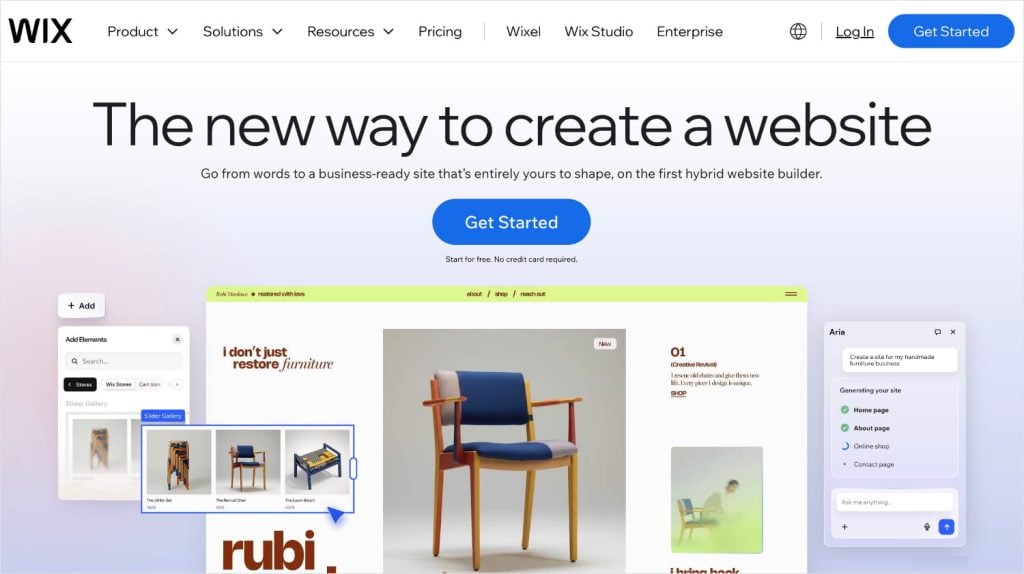
Il y a des années, Wix n'était qu'un simple outil de glisser-déposer. Aujourd'hui, il s'est transformé en une plateforme de conception alimentée par l'IA qui fait le gros du travail pour vous.
Si l'idée de commencer avec un écran blanc vous terrifie, Wix est la solution. Leur constructeur de sites Web par IA vous permet de créer un site Web entièrement fonctionnel en répondant simplement à quelques questions sur votre entreprise. Vous dites à l'IA qui vous êtes, ce que vous faites et quel est votre style, et il génère un site unique avec des images, du texte et des pages déjà créés.
Mais l'IA ne s'arrête pas à la conception. Wix utilise également l'IA pour la création de contenu. Vous manquez d'idées pour un titre ? Demandez à l'IA d'écrire un titre accrocheur et optimisé pour le référencement, et vous serez prêt à publier en quelques secondes.
Pourquoi il se démarque :
- Générateur de site par IA : Crée un site Web personnalisé (y compris la mise en page et la copie) en fonction de vos invites de chat.
- Assistant SEO intelligent : Ce n'est pas juste une liste de contrôle ; il crée un plan de référencement personnalisé pour votre niche et vos mots-clés spécifiques.
- Liberté visuelle : Une fois que l'IA a construit la base, vous pouvez faire glisser et déposer des éléments n'importe où sur l'écran sans être enfermé dans une grille rigide.
- Indexation instantanée : Se connecte directement à Google Search Console pour que vos nouvelles pages soient trouvées plus rapidement.
En bref, si vous êtes débutant et que vous souhaitez un moyen convivial d'être en ligne rapidement, Wix doit figurer sur votre radar comme l'un des meilleurs constructeurs de sites Web pour le référencement.
Vous hésitez entre Wix et WordPress ? Consultez ce guide comparatif de Wix vs. WordPress pour découvrir les avantages et les inconvénients de chaque constructeur de site Web.
Plans tarifaires du constructeur de sites Web Wix
- Plans de site Web : 16 $ à 45 $ par mois
- Plans d'affaires et de commerce électronique : 27 $ à 59 $ par mois
- Plans d'entreprise : À partir de 500 $ par mois (solution personnalisée)
10. HubSpot

Idéal pour les équipes marketing
HubSpot est unique car ce n'est pas seulement un constructeur de site Web ; c'est une plateforme marketing complète. Il connecte votre site Web directement à votre CRM (gestion de la relation client) et à vos outils de marketing par e-mail.
Pour le référencement, HubSpot agit comme un coach. Pendant que vous créez une page, l'éditeur analyse votre contenu et vous donne des conseils en temps réel. Il vous indiquera si votre titre est trop long, si vous manquez de liens internes ou si vos images ont besoin de texte alternatif.
Pourquoi les spécialistes du marketing l'adorent :
- Contenu intelligent : Vous pouvez afficher un contenu différent à différents visiteurs en fonction de qui ils sont.
- Analyses intégrées : Voyez exactement quelles pages génèrent des prospects, pas seulement du trafic.
- Automatisation du référencement technique : Il gère automatiquement le SSL, les sitemaps et la mise en cache.
- Conseils d'optimisation : Des conseils exploitables apparaissent directement dans la barre latérale de l'éditeur.
En fin de compte, si vous recherchez une alternative à WordPress, Hubspot est l'un des meilleurs constructeurs de sites Web pour les petites entreprises.
Plans tarifaires du créateur de sites Web HubSpot
- Outils CRM de base : Gratuit
- Plan payant CMS (Système de gestion de contenu) : À partir de 23 $ par mois
- Plans payants Marketing, Ventes, Service client et Opérations : À partir de 45 $ par mois
- Packs de plans payants : À partir de 45 $ par mois
11. Web.com

Idéal pour les entreprises de services
Si vous êtes un entrepreneur, un consultant ou un propriétaire de petite entreprise qui a juste besoin d'un site vitrine professionnel rapidement, Web.com est un excellent choix. Il se concentre fortement sur les modèles spécifiques à l'industrie qui sont pré-remplis avec du contenu pertinent pour votre niche.
Pour le référencement, il couvre l'essentiel sans vous submerger de paramètres techniques. Vous pouvez facilement modifier vos balises de titre, méta-descriptions et texte alternatif. C'est parfait si vous ne voulez pas vous embêter avec des plugins ou du code — vous voulez juste un site qui dit qui vous êtes et ce que vous faites.
Pourquoi il fonctionne pour la simplicité :
- Modèles par secteur d'activité : Les conceptions sont adaptées à votre métier spécifique (par exemple, plomberie, droit, conseil).
- Contenu intégré : Il comprend souvent une copie de démarrage pour que vous ne soyez pas face à une page blanche.
- Abordable : L'un des moyens les moins chers d'avoir un site d'aspect professionnel en ligne.
Ce créateur de site Web est livré avec un constructeur intuitif par glisser-déposer. Cela vous permet de créer des sites Web professionnels optimisés pour le référencement avec un minimum d'effort.
J'aime aussi le fait que vous obteniez un nom de domaine et un e-mail, ajoutant une touche professionnelle à votre entreprise.
Plans tarifaires du créateur de site Web Web.com
- Plan Starter : À partir de 1,95 $
- Plan Marketing : À partir de 2,95 $
- Plan e-commerce : À partir de 3,95 $
Vous n'avez pas le temps de créer votre propre site ? Web.com propose également un plan de service complet où ils créent des sites Web pour vous. Contactez-les pour connaître les prix.
12. Créateur de site Web GoDaddy
Idéal pour le référencement local
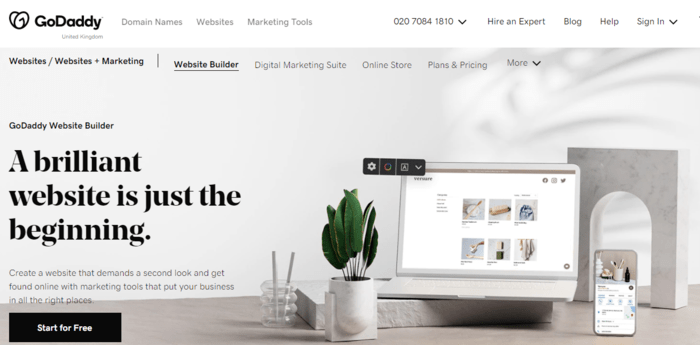
Bien qu'il ait commencé comme solution d'hébergement pour les petites entreprises, GoDaddy a évolué. C'est maintenant une suite complète de solutions pour aider les petites entreprises à exceller en ligne. L'une de ces solutions est le Créateur de site Web GoDaddy.
Il ne vous aide pas seulement à créer un site ; il vous donne un tableau de bord unifié pour gérer votre profil d'entreprise Google, votre marketing par e-mail et vos réseaux sociaux. Cette approche holistique est idéale pour le référencement local car la cohérence sur le Web est essentielle pour se classer dans le Pack Local.
Fonctionnalités clés pour les entreprises locales :
- Intégration Google : Synchronise vos heures d'ouverture et vos informations directement sur Google Maps.
- Marketing par e-mail : Outils intégrés pour capturer des prospects et envoyer des newsletters.
- Réseaux sociaux : Créez et planifiez des publications pour Facebook et Instagram à partir d'un seul endroit.
- Adapté aux mobiles : Tous les modèles sont superbes sur les téléphones, ce qui est essentiel pour la recherche locale.
Je suis également un grand fan de l'assistant SEO de GoDaddy, qui vous guide à chaque étape de l'amélioration de l'expérience utilisateur.
Le créateur de sites Web de GoDaddy dispose également d'une équipe SEO dédiée que vous pouvez contacter pour obtenir de l'aide en matière de SEO avancé. Il n'y a pas de prix fixe pour ce service, je vous recommande donc de demander un devis avant de continuer.
Tarifs des créateurs de sites Web GoDaddy
- Plan de base : À partir de 6,99 $ par mois
- Plan Premium : À partir de 13,99 $ par mois
- Plan Commerce : À partir de 14,99 $ par mois
- Plan Commerce Plus : À partir de 29,99 $ par mois
Comment choisir le meilleur créateur de site SEO pour vous
Avec plus de 12 concurrents sérieux dans cette liste, vous pourriez ressentir une certaine « paralysie d'analyse ». Devriez-vous opter pour la puissance brute de WordPress ? La simplicité de Wix ? L'orientation e-commerce de Shopify ?
La vérité est qu'il n'existe pas de créateur de site Web « parfait » unique. Il n'existe que le meilleur créateur pour vos objectifs spécifiques.
Pour vous aider à affiner votre choix, je partage les 4 facteurs que j'utilise pour évaluer si une plateforme est adaptée à un projet :
1. Propreté du code (Vitesse)
Google a explicitement déclaré que la vitesse de la page est un facteur de classement.
Le problème avec certains créateurs glisser-déposer est qu'ils s'appuient sur du JavaScript et du CSS lourds pour faire fonctionner leurs animations. Cela crée un « code superflu », des données inutiles qui se chargent en arrière-plan, ralentissant votre site et frustrant les utilisateurs. Si le créateur est lent dès le départ, aucune optimisation ne pourra le corriger plus tard.
- Le test : Exécutez un site de démonstration du créateur via Google PageSpeed Insights.
- L'objectif : Recherchez un créateur qui obtient un score « vert : (90+) » sur ordinateur et au moins « orange » (50-89) sur mobile dès le départ. Un créateur lourd obtenant un score « rouge » (0-49) sera une bataille difficile à optimiser plus tard.
Astuce de pro : Les créateurs de ma liste ci-dessus, en particulier WordPress (avec un thème propre) et Shopify, sont connus pour leurs performances. Si vous suivez ces recommandations, vous partez avec une base technique solide (et rapide).
2. Accès technique (Contrôle)
Pour vous classer sur des mots-clés concurrentiels, vous devrez éventuellement vous salir les mains avec le SEO technique. Cela implique de modifier des fichiers qui communiquent directement avec les robots des moteurs de recherche, comme votre robots.txt (qui indique à Google quoi explorer) ou votre sitemap.xml (la carte de votre site).
Les créateurs propriétaires bloquent souvent ces fichiers pour des « raisons de sécurité », ce qui signifie que vous ne pouvez pas corriger des erreurs d'indexation spécifiques. Un créateur respectueux du SEO doit vous donner accès à ces fichiers, ou au moins vous permettre d'installer un plugin (comme AIOSEO) qui les gère pour vous.
- Le test : Pouvez-vous modifier manuellement le slug de l'URL (par exemple, changer /p=123 en /meilleures-chaussures) ? Pouvez-vous ajouter du balisage de schéma ?
- L'objectif : Contrôle total et facilité d'utilisation. Si un créateur verrouille ces paramètres, cela limite votre capacité à vous classer. Mais ils ne doivent pas être si difficiles que seuls les développeurs puissent les utiliser.
3. Réactivité mobile
Google utilise l'indexation mobile-first, ce qui signifie qu'il utilise principalement la version mobile du contenu pour l'indexation et le classement. Si votre site de bureau est magnifique mais que votre site mobile est un désastre, Google considère votre site comme un désastre.
Les constructeurs à l'ancienne se contentent souvent de « rétrécir » la version de bureau, ce qui entraîne un texte minuscule et des boutons non cliquables. Les constructeurs SEO modernes utilisent la « conception réactive », où la mise en page s'empile et s'ajuste automatiquement en fonction de la taille de l'écran, garantissant une expérience parfaite sur tous les appareils.
- Le test : Ouvrez un modèle sur votre téléphone et redimensionnez la fenêtre de votre navigateur sur votre bureau. Le menu se réduit-il en une icône « hamburger » ? Les images s'agrandissent-elles proportionnellement ?
- L'objectif : Un constructeur qui génère automatiquement une version adaptée aux mobiles sans que vous ayez besoin de concevoir un site mobile séparé à partir de zéro.
4. Évolutivité (Préparation à l'avenir)
Le SEO est un investissement à long terme. Vous ne voulez pas bâtir une autorité sur une plateforme pour ensuite la dépasser en deux ans. La migration d'un site Web d'une plateforme fermée (comme Wix) vers une plateforme ouverte (comme WordPress) est techniquement difficile et entraîne souvent une baisse temporaire du trafic.
Vous devez vous demander : ce constructeur gérera-t-il mon entreprise lorsque j'aurai 500 articles de blog ? Et si je veux ajouter une boutique en ligne plus tard ? Et si j'ai besoin d'intégrer un CRM ?
- Le test : Vérifiez l'« App Store » ou la bibliothèque de plugins de la plateforme. Y a-t-il des milliers d'outils, ou seulement quelques dizaines ?
- L'objectif : Une plateforme avec un écosystème massif (comme WordPress ou Shopify) afin que vous n'atteigniez jamais un « plafond de fonctionnalités » qui vous oblige à migrer.
Verdict : Le meilleur constructeur de sites pour le SEO
Je vous ai donné beaucoup d'informations ; je sais. (Mais j'espère que cela a été utile !) Si vous vous sentez toujours dépassé, simplifions cela en fonction de votre objectif principal.
Voici exactement qui devrait choisir quel outil :
Pour une puissance SEO maximale : WordPress.org
Si votre objectif est d'être classé n° 1, WordPress est la norme de l'industrie. Vous bénéficiez d'un code propre, d'un contrôle technique complet et d'une évolutivité illimitée.
De plus, lorsque vous l'associez à All in One SEO, vous transformez une toile vierge en une machine de classement. AIOSEO gère automatiquement les détails techniques complexes, tels que le balisage de schéma, les sitemaps XML et le SEO local. Il vous donne la puissance d'un développeur sans avoir à écrire une seule ligne de code.
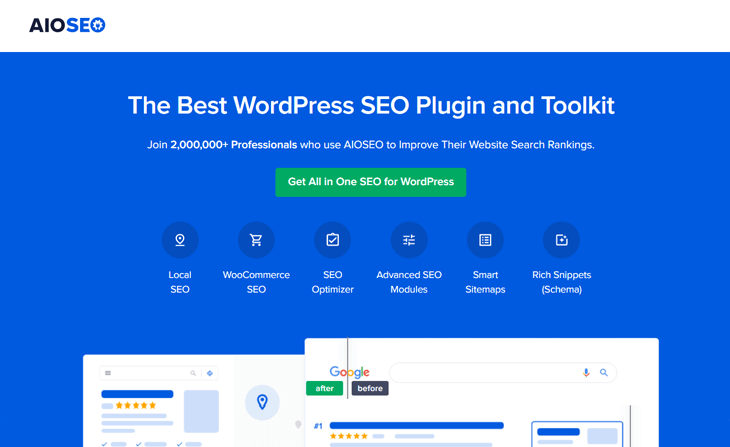
Voici quelques-uns de mes outils AIOSEO préférés qui aident les sites WordPress à se classer en tête sur Google :
- Générateur de contenu IA : Super-alimentez vos flux de création de contenu avec des extraits générés par l'IA. Choisissez parmi les FAQ, les points clés, les publications sur les réseaux sociaux, les e-mails, et plus encore.
- Liste de contrôle d'audit SEO : Repérez facilement les problèmes SEO critiques qui pourraient nuire à votre classement. Vous obtiendrez des informations exploitables pour les résoudre, directement depuis votre tableau de bord WordPress.
- Score TruSEO : Améliorez votre contenu et allez au-delà d'un simple succès ou échec. TruSEO analyse votre SEO on-page, vous donnant des informations exploitables pour maximiser la portée de votre contenu.
- SEO Auteur : Créez des biographies d'auteur percutantes qui mettent en valeur votre expérience et votre expertise. Cet add-on aligne votre contenu sur les directives E-E-A-T de Google et renforce la confiance des lecteurs.
- Assistant de Liens: Obtenez des suggestions de liens, modifiez le texte d'ancrage et ajoutez des liens internes à votre contenu en 1 clic. Link Assistant vous aide à construire sans effort une meilleure stratégie de liens.
- Analyseur de Titres : Obtenez plus de clics avec des titres accrocheurs et riches en mots-clés. Cet outil analyse votre balise H1 et fournit des conseils exploitables pour l'améliorer.
Pour les boutiques en ligne : BigCommerce ou Shopify
- BigCommerce : Choisissez cette option si vous avez un inventaire massif et avez besoin de fonctionnalités SEO techniques solides (comme les redirections automatiques) dès le départ.
- Shopify : Choisissez cette option si vous souhaitez le moyen le plus simple et le plus rapide de lancer une boutique attrayante qui fonctionne tout simplement.
Pour les sites d'entreprise simples : Wix ou HubSpot
HubSpot : Idéal pour les entreprises B2B et les spécialistes du marketing qui ont besoin que leur site Web s'intègre de manière transparente à leur CRM et à leurs campagnes d'e-mail.
Wix : Parfait pour les créatifs, les restaurants et les entreprises locales qui ont besoin d'un site magnifique sans toucher au code.
Conclusion : Commencez avec la fin en tête
Choisir un constructeur de site Web ne concerne pas seulement la facilité de glisser-déposer un bouton aujourd'hui. Il s'agit de l'endroit où votre entreprise sera dans 3 ans.
Si vous voulez un site vitrine simple que vous pouvez configurer et oublier, Wix ou Squarespace sont des outils fantastiques. Ils gèrent les maux de tête techniques afin que vous puissiez vous concentrer sur votre entreprise.
Mais si votre objectif est la croissance — si vous voulez augmenter votre trafic, dominer les résultats de recherche et construire un actif en ligne massif — il n'y a vraiment qu'un seul concurrent sérieux : WordPress.
WordPress vous donne la propriété et le contrôle. Et lorsqu'il est associé à All in One SEO, il vous donne la base technique pour surpasser les concurrents qui sont bloqués sur des plateformes fermées.
Ne limitez pas votre potentiel avant même de commencer. Choisissez une plateforme qui peut grandir aussi vite que votre ambition.
Et ensuite ?
Choisir le meilleur constructeur de site Web est la première étape vers une présence en ligne solide. Maintenant que vous avez commencé votre voyage, il est temps d'explorer les autres aspects de la gestion d'un site Web.
Voici quelques aides supplémentaires pour les entrepreneurs qui débutent en conception Web et en SEO :
- Un tutoriel SEO simple pour débutants : Le guide ultime
- Les meilleurs thèmes WordPress pour le SEO
- Tout ce que vous devez savoir sur les balises d'en-tête et comment les utiliser pour le SEO
- Comment configurer Google Analytics sur un site WordPress (méthode facile)
- Checklist SEO pour WordPress
Et si vous avez choisi WordPress comme constructeur de site web, téléchargez AIOSEO dès aujourd'hui.
FAQ sur les constructeurs de sites web optimisés pour le SEO
Quel constructeur de site web est le meilleur pour le classement Google ?
WordPress.org est largement considéré comme le meilleur constructeur pour le classement Google. Il produit un code propre, offre un contrôle total sur le SEO technique (comme le schéma, les métadonnées et les redirections) et s'intègre à des plugins puissants comme All in One SEO.
Wix ou WordPress est-il meilleur pour le SEO ?
Pour le SEO pur et la scalabilité à long terme, WordPress est meilleur que Wix. Il permet une optimisation technique et un contrôle du contenu plus approfondis. Cependant, Wix s'est considérablement amélioré et constitue un choix tout à fait valable pour les petites et moyennes entreprises qui privilégient la facilité d'utilisation au contrôle granulaire.
Quel est le constructeur de site web le plus populaire pour le SEO ?
Le constructeur de site web le plus populaire est WordPress. Environ 40 % des sites que vous visitez en ligne sont des sites WordPress.
Qu'est-ce qui rend un constructeur de site web « optimisé pour le SEO » ?
Un constructeur de site web optimisé pour le SEO devrait offrir :
- Support du schéma : Possibilité d'ajouter des balises de données structurées.
- Vitesses de chargement rapides : Code propre et efficace.
- Adaptabilité mobile : Designs qui s'adaptent à toutes les tailles d'écran.
- Métadonnées personnalisables : Contrôle total des balises de titre et des méta-descriptions.
- URL propres : Possibilité de personnaliser les slugs d'URL (par exemple, votredomaine.com/service au lieu de votredomaine.com/p=123).
- Sitemaps automatiques : Génère un sitemap XML pour les moteurs de recherche.
Puis-je changer de constructeur de site web plus tard ?
Oui, mais cela peut être difficile. Passer d'une plateforme propriétaire (comme Wix ou Squarespace) à WordPress nécessite souvent une migration manuelle ou des outils spécialisés. Commencer dès le départ sur une plateforme flexible comme WordPress vous évite ce casse-tête plus tard.
Envie d'essayer AIOSEO gratuitement ?
Entrez l'URL de votre site Web WordPress pour installer AIOSEO Lite.

Divulgation : Notre contenu est financé par nos lecteurs. Cela signifie que si vous cliquez sur certains de nos liens, nous pouvons gagner une commission. Nous ne recommandons que les produits qui, selon nous, apporteront de la valeur à nos lecteurs.
