Have you ever finished setting up a plugin and thought, “Okay, I’m done with the wizard… now what?”
I know the feeling. You want to make sure you’re getting the most out of your new tool, but with so many features, it can be hard to know where to start.
That’s why I’m excited to announce AIOSEO 4.9.4!
This update introduces a smart SEO Checklist designed to bridge the gap between our Setup Wizard and advanced optimization. We’ve also reorganized our menu with a new AI Suite and streamlined your settings to make managing your site easier than ever.
Let’s take a look at what’s inside.
In This Article
[NEW] SEO Checklist: Your Roadmap to Higher Rankings
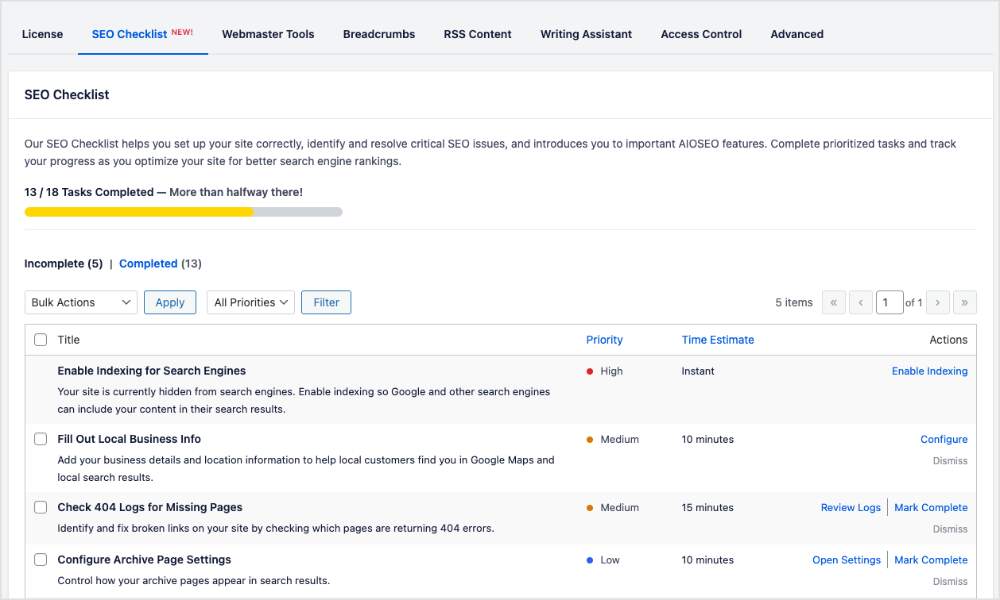
The Setup Wizard is great for getting the basics right, but SEO is an ongoing process. To help you explore everything AIOSEO can do (without getting overwhelmed), we’ve built the SEO Checklist.
Think of this as your personal SEO roadmap.
Instead of guessing which settings to configure or which features to enable next, the SEO Checklist provides you with a clear list of actionable tasks.
How It Works
The checklist is smart. It detects what you’ve already accomplished during the setup process, so you don’t have to repeat work.
For the remaining items, each task offers actions and insights:
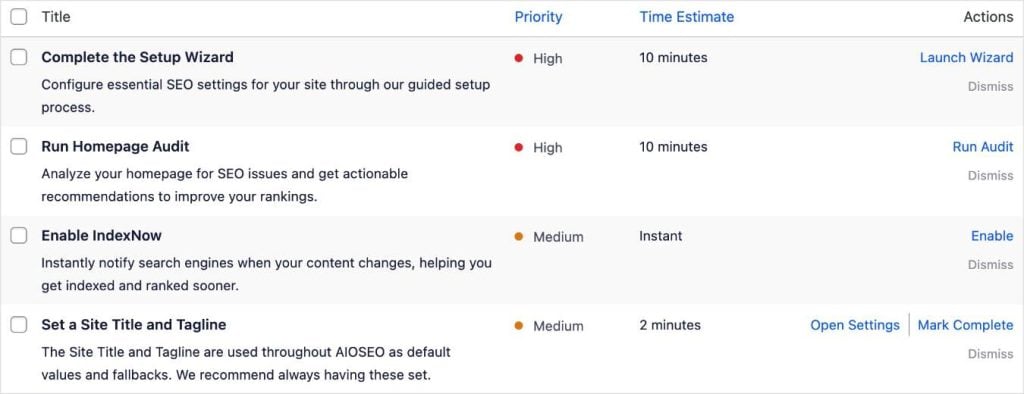
- Complete the Task: A direct link in the Action column takes you exactly where you need to go.
- Dismiss: Hide tasks that aren't relevant to your specific workflow to keep your view clutter-free.
- Manual Completion: For tasks that require a personal touch or manual review, you can check them off yourself.
- Explanation: Gain quick context on why a specific task matters and how it impacts your goals.
- Priority Level: Tasks are ranked by High, Medium, or Low impact, helping you focus on the most critical optimizations first.
- Time Estimate: See how long a task will take so you can knock out “quick SEO wins” even when you're short on time.
We wanted to make optimization feel less like a chore and more like a win.
As you check off items, you’ll see your progress bar climb. And when you complete all your tasks?
Get ready for a celebratory burst of confetti on your screen! 🎉
Where to Find the SEO Checklist
You can access the SEO Checklist from several convenient areas in WordPress.
Are you to new to AIOSEO?
Don’t worry about locating the SEO Checklist. We’ll take you there as soon as you complete the simple Setup Wizard!
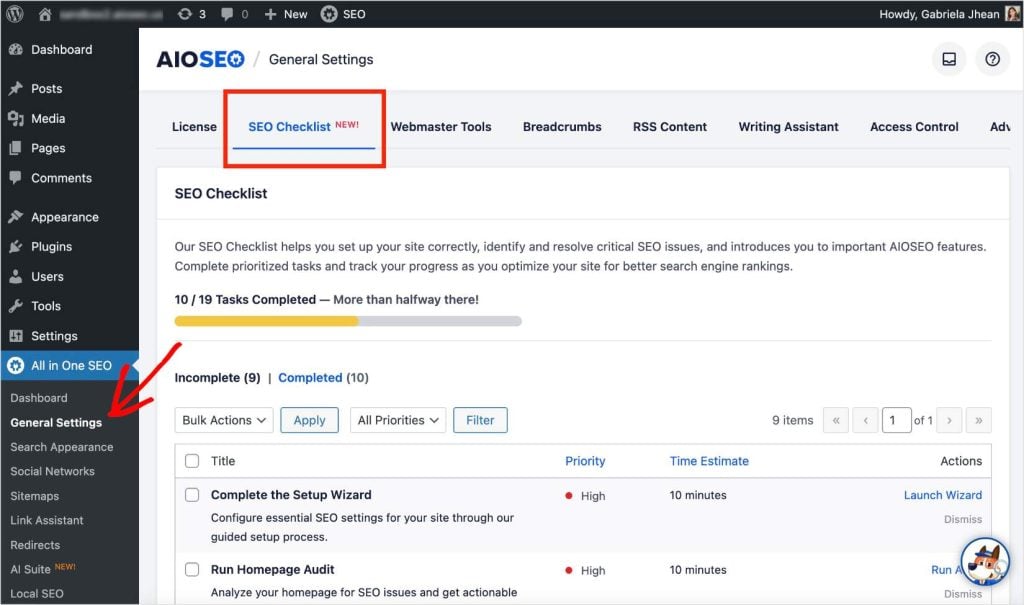
1. General Settings
After opening the All in One SEO menu, select General Settings. Then, click the SEO Checklist tab, and you’ll see your tasks organized by completion.
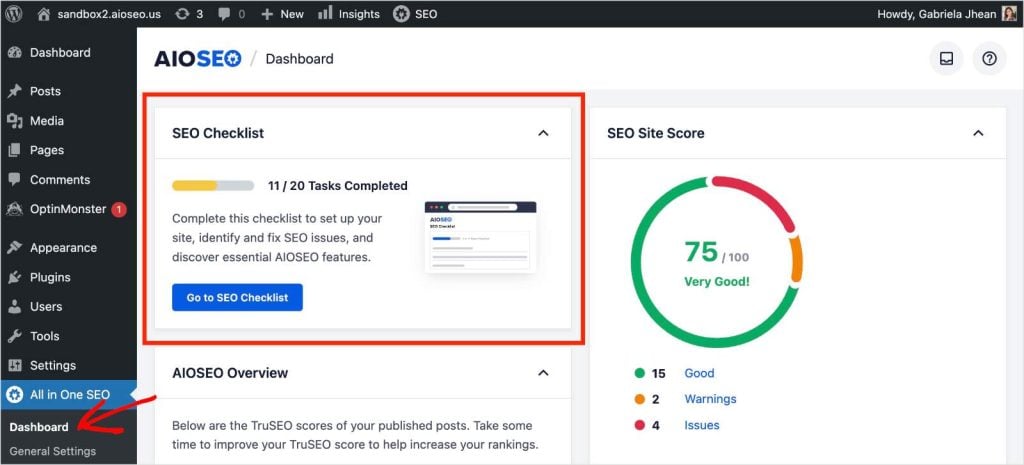
2. All in One SEO Dashboard
When viewing your AIOSEO Dashboard, your SEO Checklist appears as a widget. You can see how many tasks have been completed via the progress bar and click the button to go straight to your checklist.
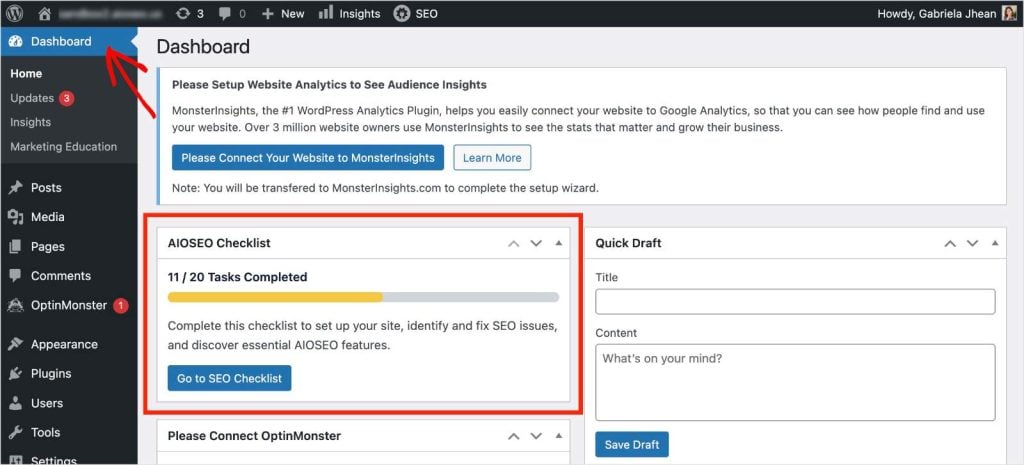
3. WordPress Dashboard
A new widget on your WordPress Dashboard keeps your next steps front and center.
[IMPROVED] AI Suite & Menu Reorganization
As AI continues to transform search, we’re constantly adding new tools to help you stay ahead.
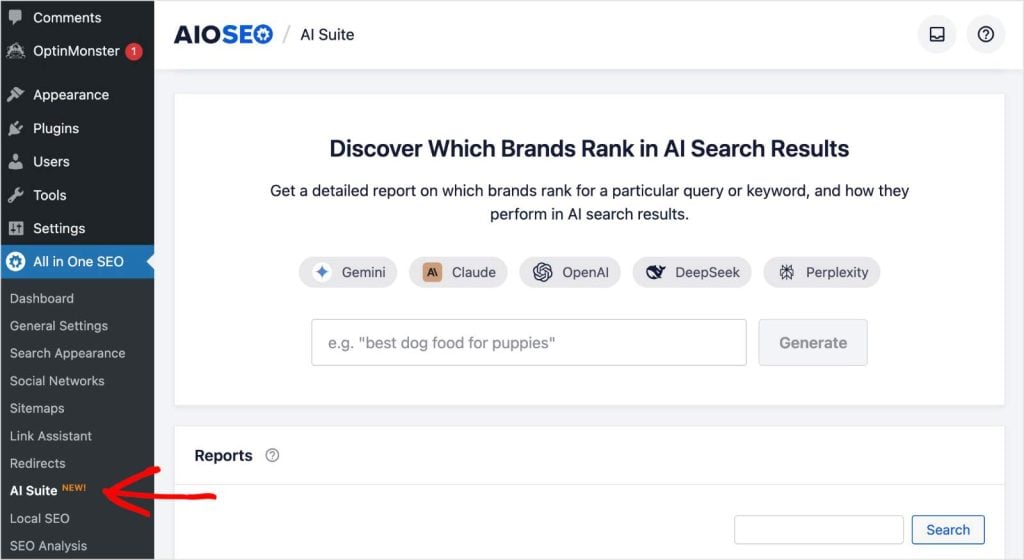
To keep your dashboard organized and ready for future innovations, we’ve renamed the AI Insights menu to AI Suite.
What’s Changing?
- AI Suite: This is your new home for all things AI. We’ve moved the AI Content Settings here, centralizing your controls so you can manage everything from content generation to keyword insights in one place.
- License Tab: The “General Settings” tab (under General Settings) has been renamed to “License.” We’ve given this area a UI revamp and added the AI Credits connection setting here, making it easier to manage your account connection.
A Note on the Setup Wizard
Need to run the Setup Wizard again? We’ve removed the old button to declutter the settings. You can now access the option to re-run the wizard directly from the “Completed Setup Wizard” task inside your new SEO Checklist.
Update to 4.9.4 Today
AIOSEO 4.9.4 is all about guidance and clarity. We want to ensure you aren’t just installing a plugin, but actually using it to grow your traffic.
With the new SEO Checklist, you’ll always know exactly what to do next.
Update to AIOSEO 4.9.4 today to start checking off your tasks and see the confetti fly!
Not using AIOSEO yet? Install and activate the plugin to get your personalized SEO roadmap.
Have questions or feedback about the new checklist? Drop a comment below or reach out to our support team. We’re here to help!
– Benjamin Rojas (President of AIOSEO)
Disclosure: Our content is reader-supported. This means if you click on some of our links, then we may earn a commission. We only recommend products that we believe will add value to our readers.


