You can import settings from Rank Math, Yoast SEO and other SEO plugins using our Import/Export tools.
In This Article
Importing SEO Settings and Meta Data from Another SEO Plugin
To get started, click on Tools in the All in One SEO menu and then click on the Import/Export tab.
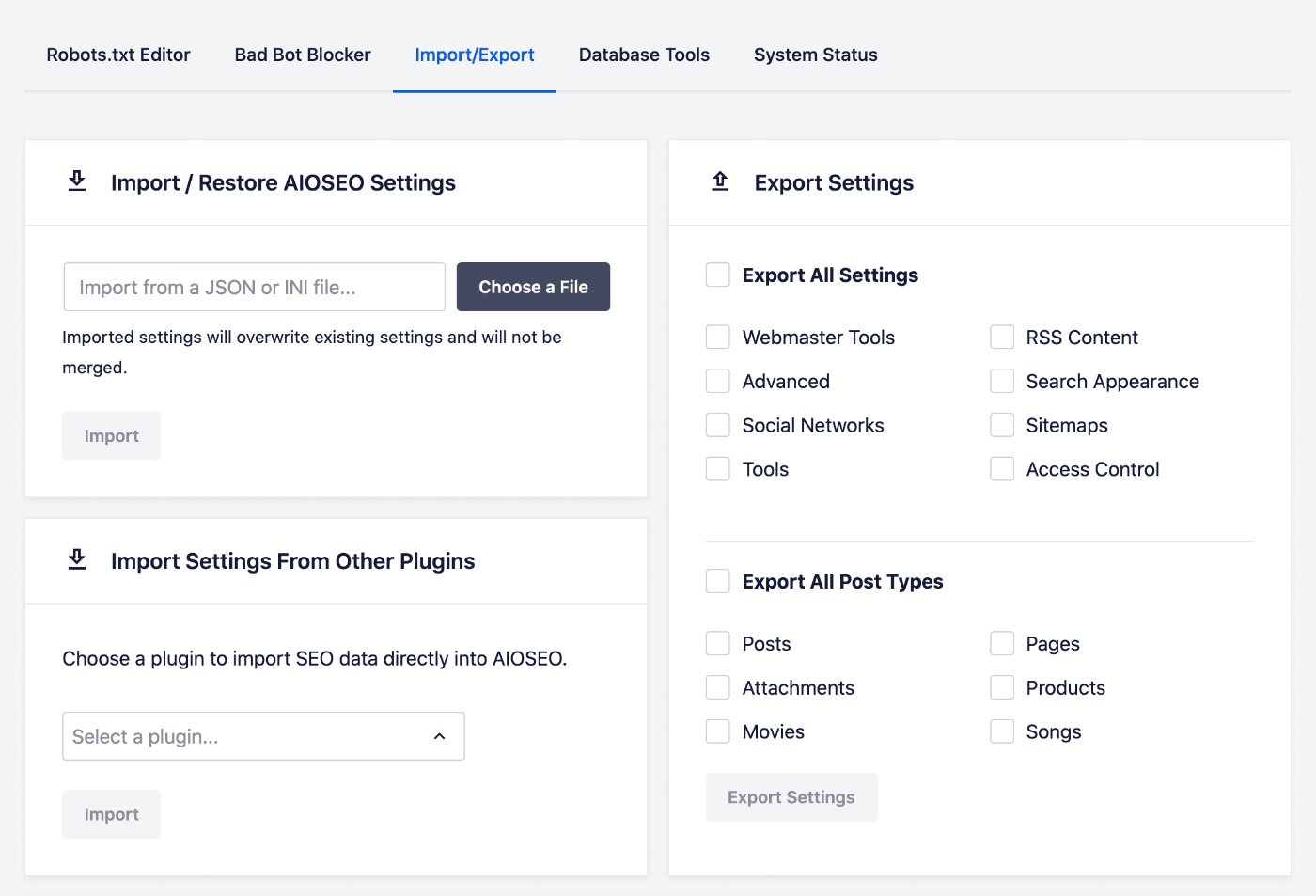
In the Import Settings From Other Plugins section, click on the dropdown and select the plugin you want to import from.
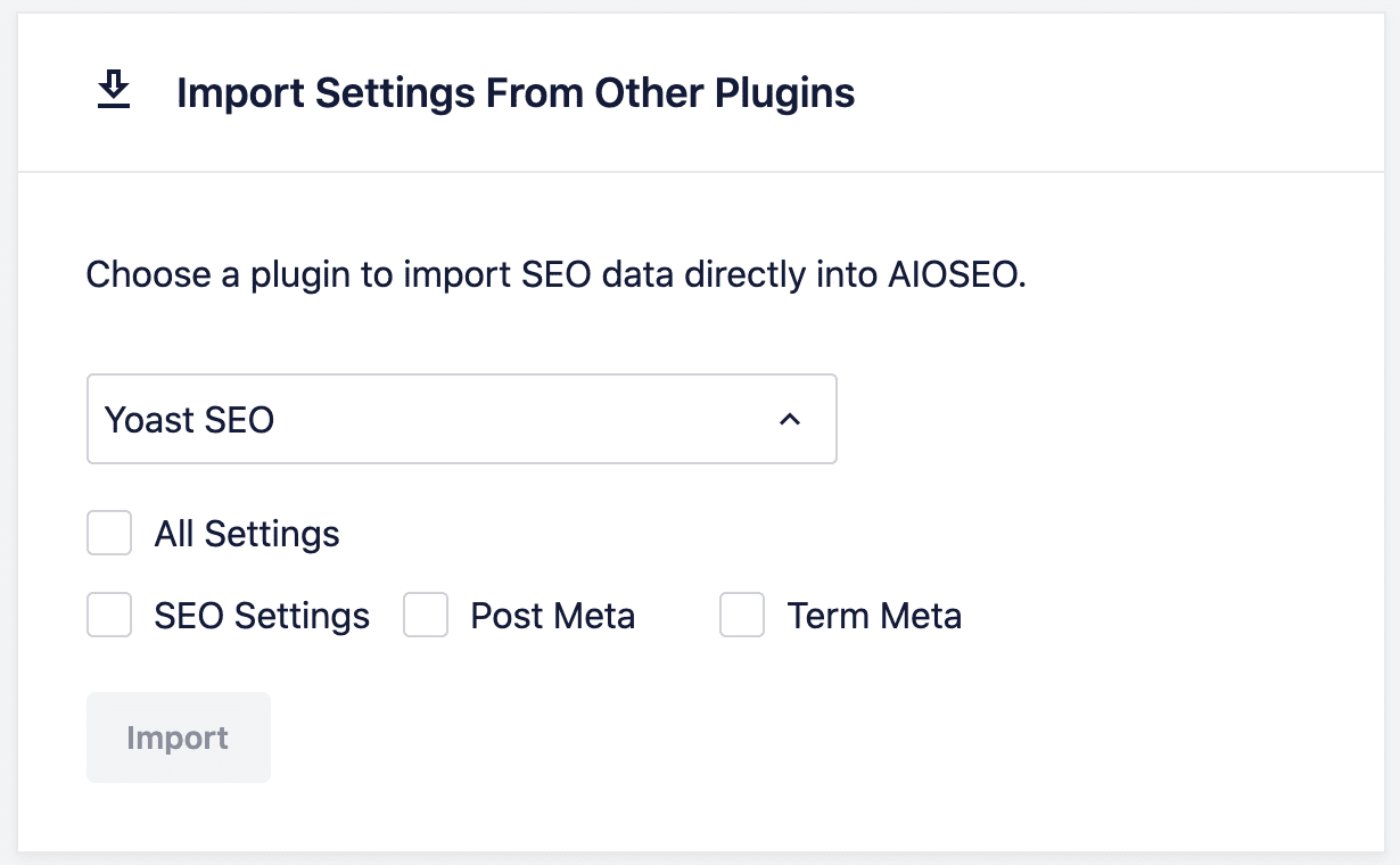
Select the checkboxes for the settings you want to import and click the Import button.
Supported Plugins
All in One SEO's import tool currently supports the following SEO plugins:
- Yoast SEO — Imports titles, meta descriptions, schema settings, social meta, and more.
- Rank Math — Imports titles, meta descriptions, schema settings, social meta, and more.
- SEOPress — Imports titles, meta descriptions, and social meta.
NOTE:
The import tool will only display plugins that are currently installed on your site. If you have already uninstalled your previous SEO plugin, you'll need to reinstall it (without activating it) so that AIOSEO can detect it and import from it.
IMPORTANT:
After migrating your data to AIOSEO, make sure to deactivate your previous SEO plugin. Running two SEO plugins at the same time can cause duplicate meta tags and other conflicts.
What if My Plugin Isn't Listed?
If you're switching from a plugin that's not listed above (for example, The SEO Framework, Squirrly SEO, or another SEO plugin), the automatic import tool won't be able to detect it. This isn't a bug or an error. It simply means that an automatic importer isn't available for that SEO plugin at this time.
The good news is that many SEO settings don't need to be migrated at all. AIOSEO automatically generates sitemaps, schema markup, and breadcrumbs based on your content and site settings. The main data you may want to carry over are any custom SEO titles and meta descriptions you set on individual posts or pages.
If your previous plugin isn't supported, you can do the following:
- Submit a feature request. Let us know which plugin you're switching from by contacting our Support team. We track these requests and use them to prioritize adding new import sources in future updates.
- Import your data manually. For individual posts or pages where you set a custom SEO title or meta description, open the post in the WordPress editor, scroll to the AIOSEO Settings section, and enter your title and description there.
Importing Redirects From Other Plugins
If you're using our Redirection Manager addon then you can import redirects from other plugins. To learn about this, please check out our article here.
Importing Locations From Other Plugins
If you're using our Local SEO addon then you can import locations from other plugins. To learn about this, please check out our article here.