The Redirection Manager in All in One SEO supports the use of regex (regular expressions) to create complex redirects.
In This Article
Adding a New Redirect Using Regex
To use this feature, go to Redirects in the All in One SEO menu and you'll see the Add New Redirect form.

NOTE:
The Redirection Manager feature is available to customers with a Basic plan or above for All in One SEO Pro.
Some advanced features are available with a Pro plan or above for All in One SEO Pro.
Upgrade to All in One SEO Pro today to get Redirection Manager and many more features!
Now click the settings icon on the right side of the Source URL field.
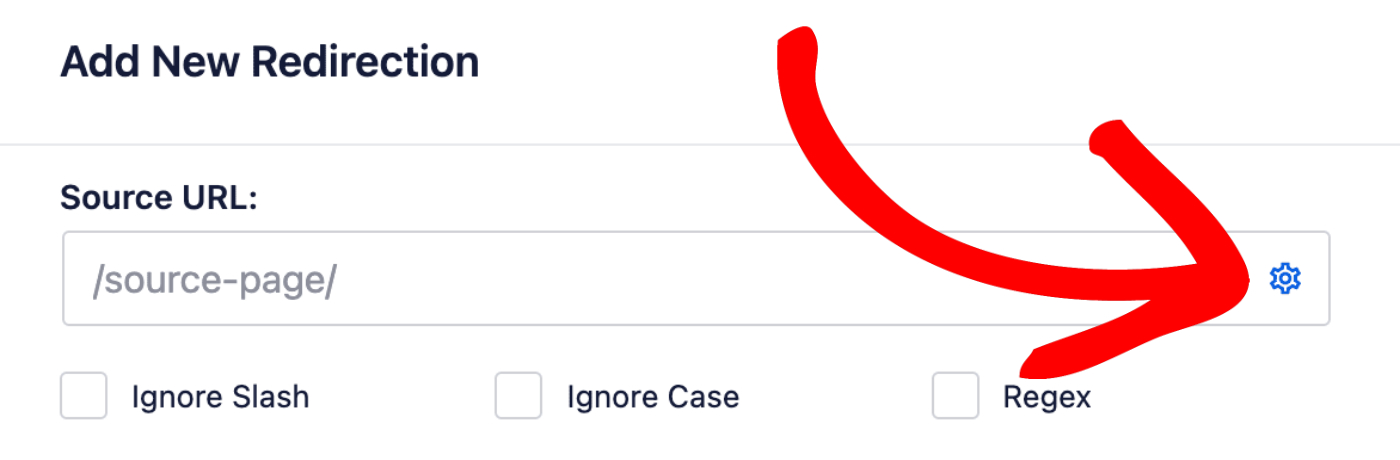
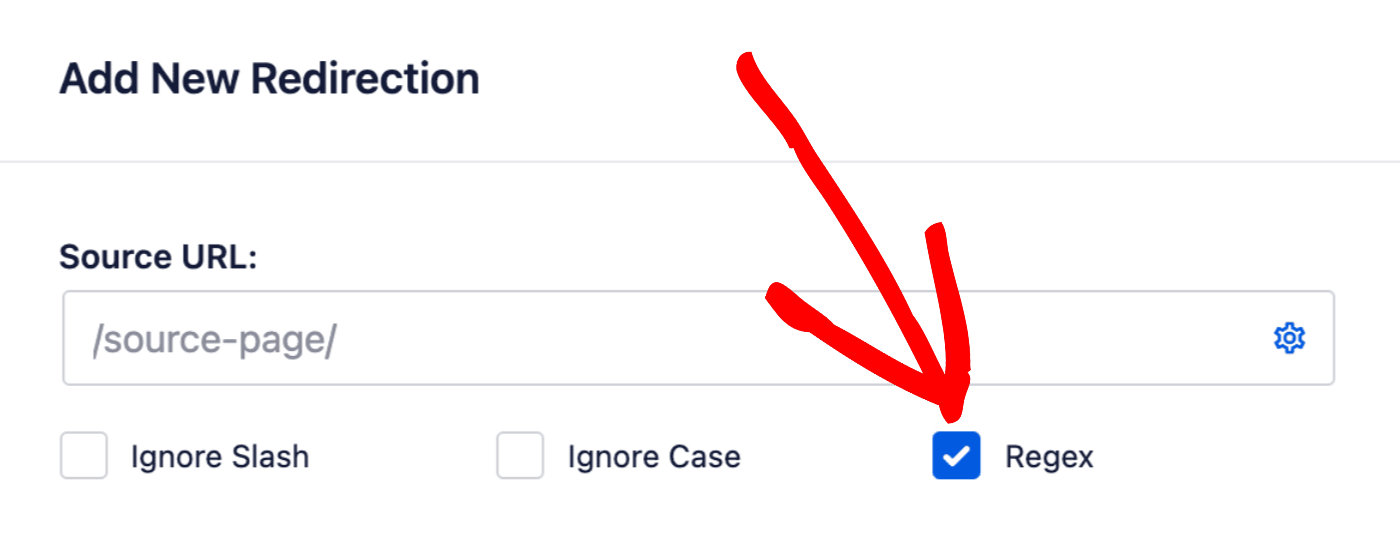
You'll see three checkboxes, one is for Regex. Check this box to use regular expressions in the Source URL and Target URL fields.
Common Regex Redirect Examples
Redirecting a Directory to a New Domain
If you want everything going to a specific directory to redirect to the same location at a different domain, use this pattern:
- Source URL:
^/docs/developer/(.*) - Target URL:
https://newdomain.com/$1
This will redirect all URLs like yoursite.com/docs/developer/page to newdomain.com/page.
Removing .html Extensions and Adding Trailing Slashes
If you want to redirect URLs that end in .html to the same URL with a trailing slash instead:
- Source URL:
^/(.*?).html$ - Target URL:
/$1/
This will redirect URLs like yoursite.com/page.html to yoursite.com/page/.
Removing Directory Path and Numbers from URL Slugs
If you need to remove a directory path and numbers from the beginning of your URL slugs:
- Source URL:
^/live/news/[0-9]+-(.+) - Target URL:
/news/$1/
This will redirect URLs like yoursite.com/live/news/12345-article-title to yoursite.com/news/article-title/. It removes the /live/ directory and any numbers followed by a hyphen from the slug.
Redirecting One Directory to Another
If you want to redirect all URLs from one directory to another on the same site while preserving the rest of the path:
- Source URL:
^/old/(.*) - Target URL:
/new/$1
This will redirect URLs like yoursite.com/old/page to yoursite.com/new/page.
Using Wildcards to Redirect an Entire Directory
If you need to redirect all content from one directory to another on the same site:
- Source URL:
^/docs/(.*) - Target URL:
/knowledge-base/$1
This will redirect all URLs like yoursite.com/docs/anything to yoursite.com/knowledge-base/anything.