Two schema types that I get excited about every time I see someone use them correctly just got a lot more accessible.
Starting with AIOSEO 4.9.9, event schema and job posting schema are available on every paid plan, starting with Basic. Event schema was previously only available on Elite, and Job posting schema required Pro or higher. Now both are included with a Basic license.
If you’re already on 4.9.9, you can start using them today. (And below explains why you’d want to.)
In This Article
New in AIOSEO 4.9.9
What Event Schema Does
Event schema tells search engines the structured details of your event: the name, date, location, organizer, ticket links, and more.
When Google can read that information as structured data, your events become eligible to appear in the Events section in Google Search. This rich result looks very different from a standard blue link and shows the date and location right in the search results.
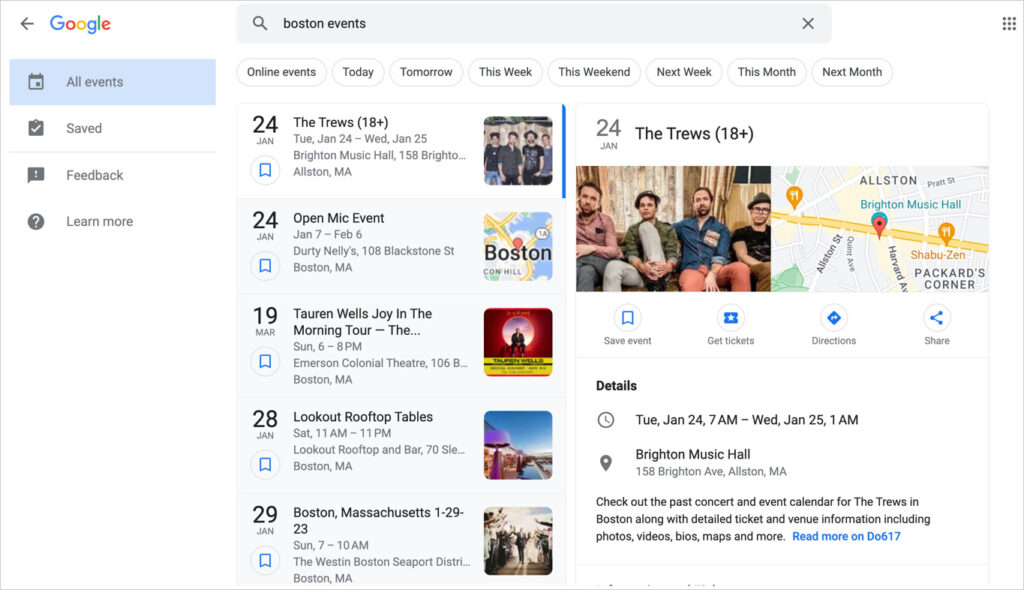
I’ve seen this make a real difference for sites that run workshops, concerts, webinars, and local events. When someone searches “photography workshops near me” or “jazz events this weekend,” Google pulls from Event schema to populate those results.
Without it, your event might rank, but it looks like everything else on the page.
What Job Posting Schema Does
Job posting schema marks up your job listings so Google can read them as structured data: job title, company name, location, description, employment type, and salary range.
Job listings with valid schema are eligible to appear in Google for Jobs, which is Google’s dedicated job search experience. They’re shown prominently for job-related queries and separate from regular search results.
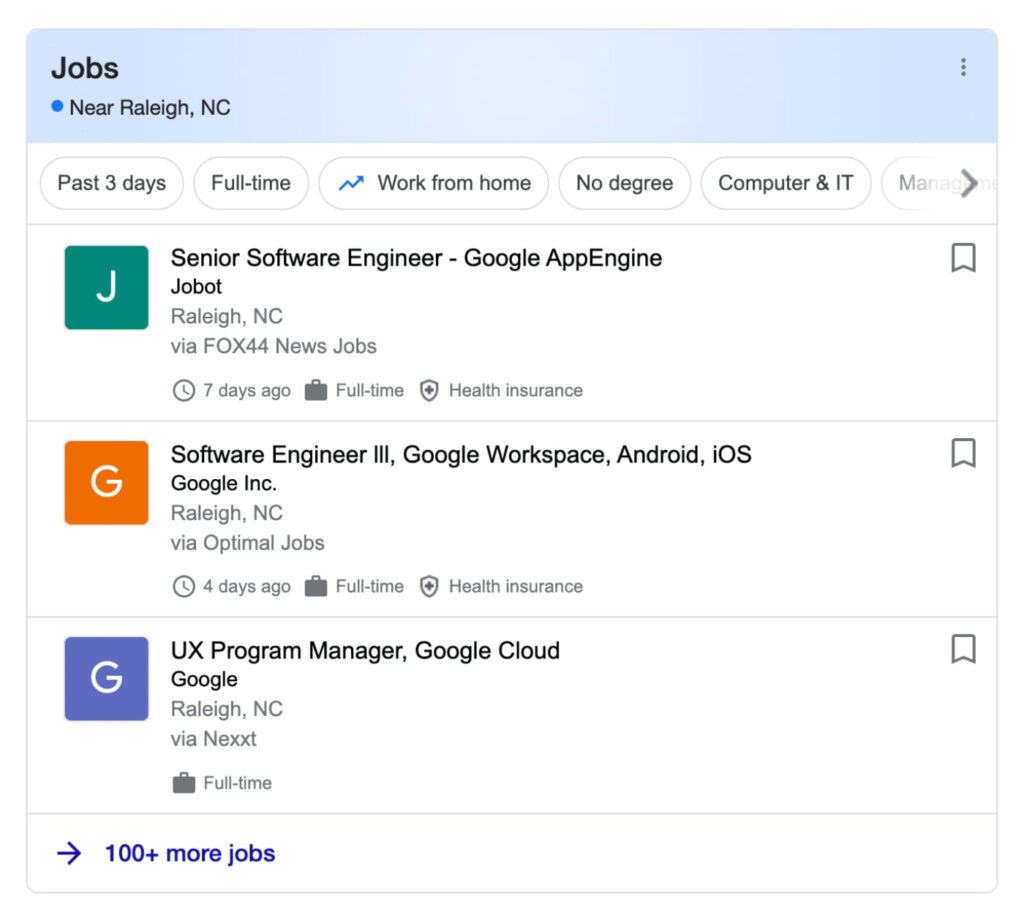
If you post job openings directly on your site rather than only on job boards, this schema type is worth adding. It puts your listings in front of people who are actively searching for jobs in your field.
How to Add Them in AIOSEO
Both schema types are added the same way:
1. Open any post or page in the WordPress editor.
2. Scroll to the AIOSEO meta box below the content area.
3. Under AIOSEO Settings, select the Schema tab.
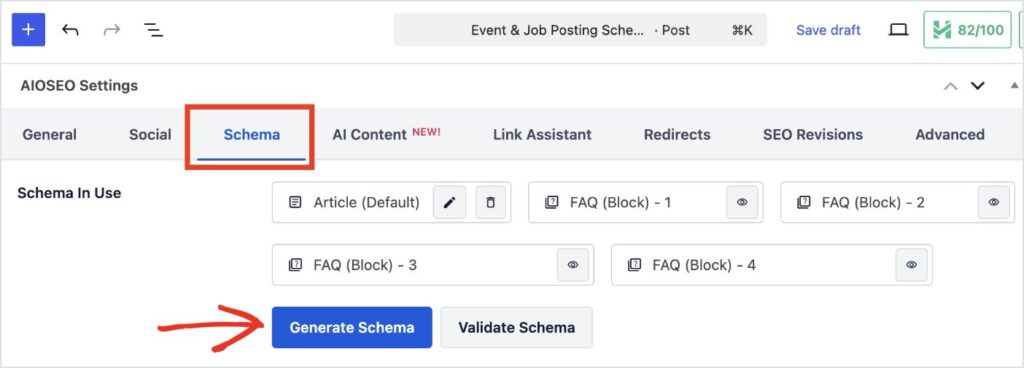
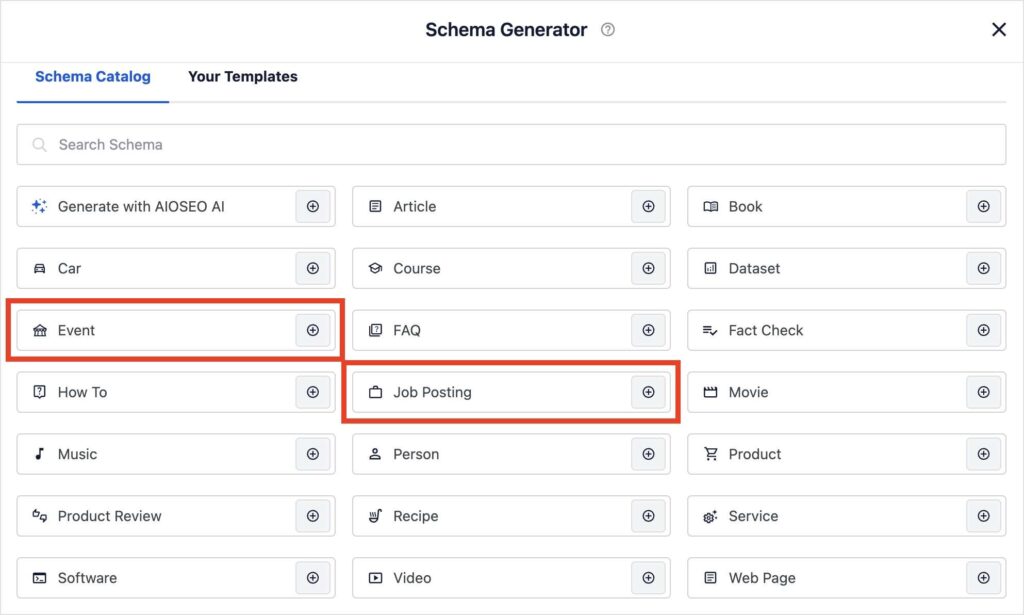
4. Click Generate Schema to open the catalog of available schema types. Choose Event or Job Posting from the list of options.
5. Fill in the fields and save by clicking Add Schema.
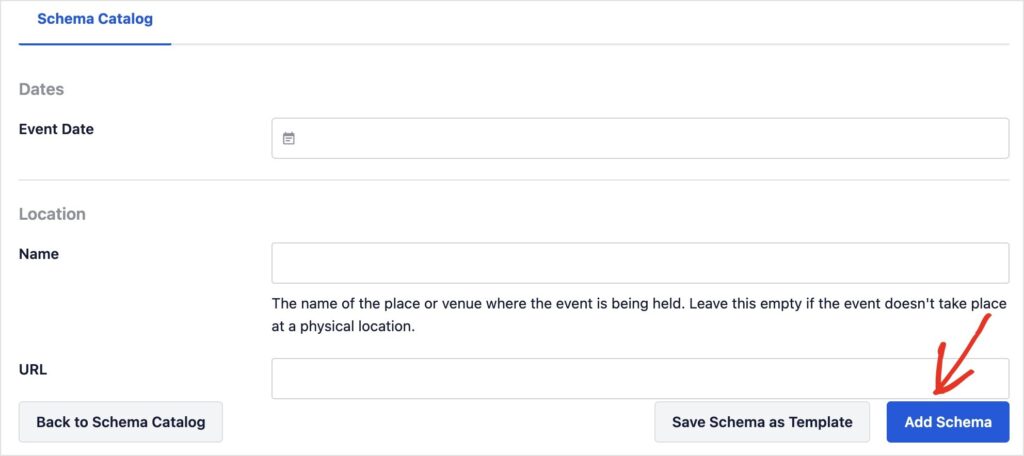
That’s it. No additional settings to configure, no separate plugin to install, and no upgrade required.
Pro Tip: For Event schema, the more fields you complete — including ticket links, organizer details, and a precise end time — the richer your result can be in Google Search.
Available on All Plans, Starting With Basic
Event and job posting schema are now included in all AIOSEO paid plans: Basic, Plus, Pro, and Elite.
AIOSEO 4.9.9 also introduced SEO Alerts, which monitors your site hourly for critical issues. When one is found, it sends you an email and Slack notification, so you can fix it immediately. You can also add multiple recipients, so the right people always stay in the loop.
Update to 4.9.9 from your WordPress dashboard to get both.
— Ben Rojas, President of AIOSEO
Frequently Asked Questions
What is event schema?
Event schema is structured data that marks up the key details of an event: name,
date, location, organizer, and ticket information. Sites with valid event schema are eligible for Google’s Event rich results, which show events in a dedicated section of search results with the date and location displayed.
What is job posting schema?
Job posting schema is structured data that marks up job listings so search
engines can read them programmatically. Listings with valid job posting schema are eligible to appear in Google for Jobs, Google’s dedicated job-search experience.
Do I need to activate these schema types?
No. If you have an active AIOSEO paid license (Basic or higher) and are running
version 4.9.9 or above, event and job posting schema are already available under the Schema tab in the post or page editor.
Does AIOSEO schema work with Google rich results?
Yes. AIOSEO generates JSON-LD, which is the format Google recommends for schema markup. Both event and job posting schema generated by AIOSEO are eligible for Google’s corresponding rich result types.