Vuoi sapere chi si posiziona nei risultati di ricerca AI?
Anch'io. Ecco perché i nostri sviluppatori hanno lavorato sodo per creare uno strumento che sia il nostro team interno, sia tu, possiate utilizzare.
Con AIOSEO 4.9.1, ottieni un potente nuovo Report parole chiave che rivela quali marchi si posizionano nella ricerca AI per le tue query target.
Ed è gratuito per un tempo limitato.
Questo aggiornamento apre anche le funzionalità di reindirizzamento a più piani, rendendo più facile che mai mantenere i link funzionanti, il traffico in flusso e le classifiche intatte.
Diamo un'occhiata più da vicino a cosa c'è di nuovo in 4.9.1 e a cosa sta arrivando.
In questo articolo
Novità in AIOSEO 4.9.1
[NOVITÀ] Report parole chiave: scopri chi vince nella ricerca AI
I motori di ricerca AI stanno rapidamente diventando un modo importante per le persone di scoprire marchi online. Ma finora, è stato difficile vedere chi si posiziona effettivamente dove su diverse piattaforme AI.
Il nuovo Report parole chiave cambia questo. Ti mostra:
- Quali marchi si posizionano nei risultati di ricerca AI: Inserisci una parola chiave o una query che ti interessa e vedi un elenco di marchi che l'AI mostra per quel termine.
- Come si comportano quei marchi: Ottieni un quadro più chiaro di quali marchi appaiono più spesso e dove sembrano avere una forte visibilità nella ricerca AI.
- Dove sono le tue opportunità: Usa questi dati per individuare lacune nei contenuti, identificare concorrenti che potresti non aver considerato e trovare nuovi argomenti o angolazioni da targettizzare.
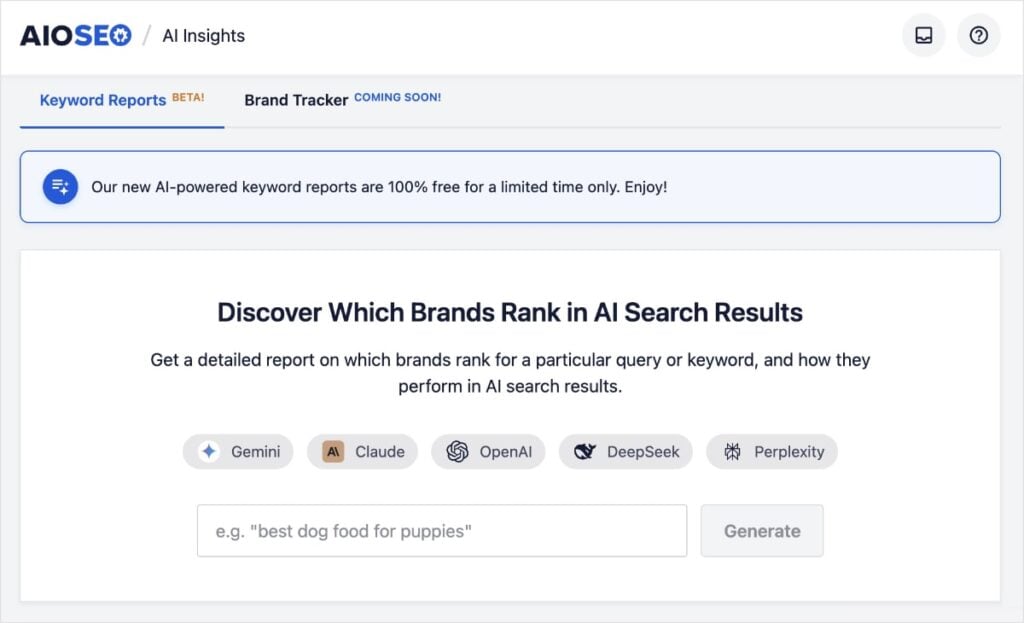
Questo report si trova sotto AI Insights → Report parole chiave nella tua dashboard AIOSEO ed è gratuito per un tempo limitato, così puoi iniziare subito a esplorare la visibilità nella ricerca AI.
Basta digitare una parola chiave nel campo di ricerca e premere Genera.
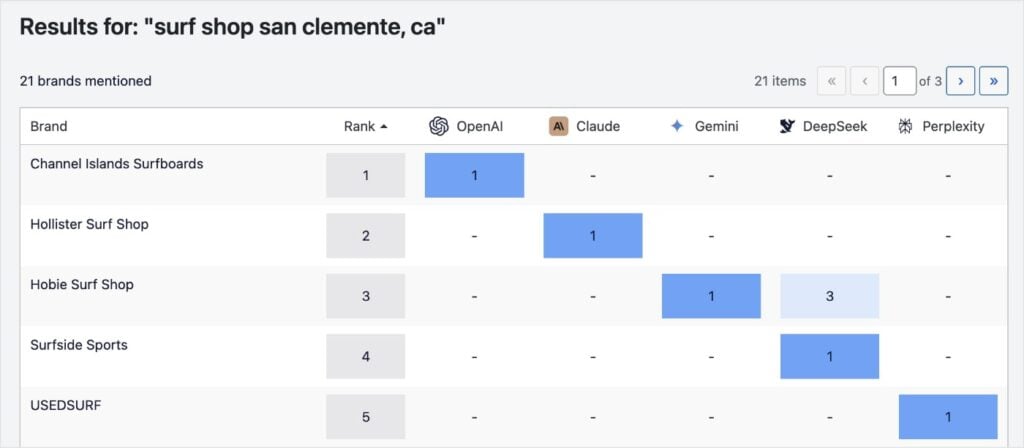
Otterrai un report dei marchi principali che si posizionano nella ricerca AI per la tua parola chiave. Vedrai anche esattamente in quale piattaforma si posizionano e in quale posizione.
Vuoi approfondire i risultati?
Scorri la pagina per vedere le risposte esatte in ogni piattaforma AI. Basta fare clic su uno qualsiasi dei risultati per espandere la sezione e vedere queste informazioni, direttamente in WordPress.
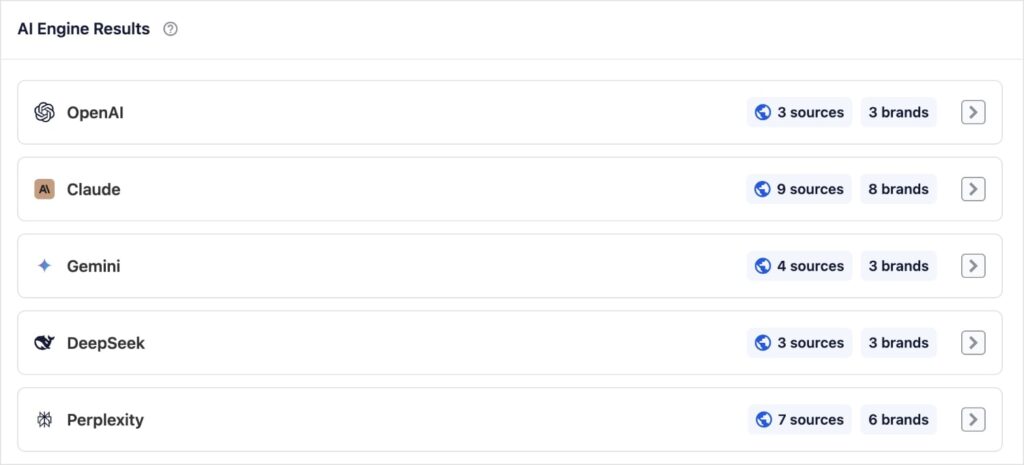
Queste informazioni ti danno un quadro più chiaro dell'ecosistema di ricerca AI attorno alle tue parole chiave, in modo da poter affinare la tua strategia di contenuti con dati reali.
Reindirizzamenti: più controllo su tutti i piani
I reindirizzamenti sono essenziali per proteggere il tuo traffico, correggere link non funzionanti e mantenere sano il tuo SEO mentre il tuo sito cambia.
In AIOSEO 4.9.1, abbiamo reso i reindirizzamenti più accessibili su tutti i piani, mantenendo gli strumenti avanzati disponibili per gli utenti esperti.
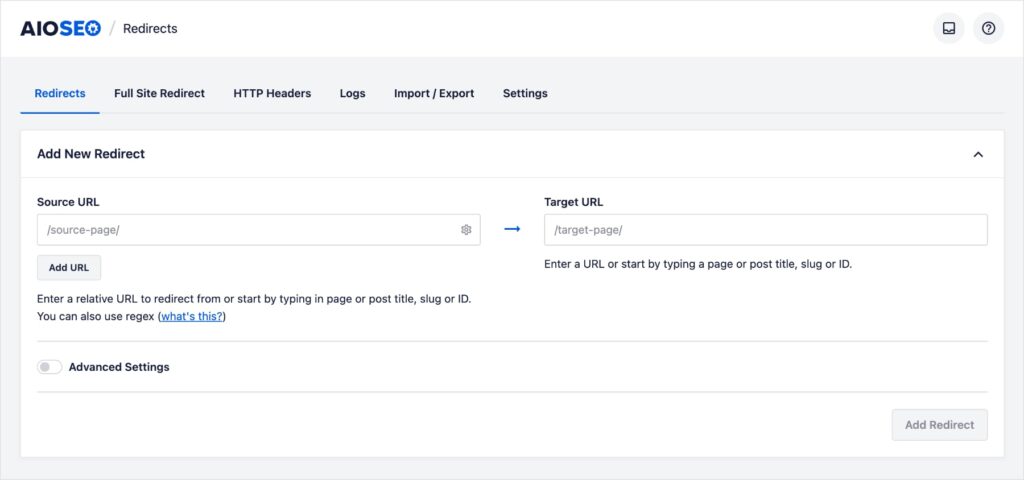
Ecco come le funzionalità di reindirizzamento si suddividono ora per piano.
Reindirizzamenti per Basic: Strumenti principali per proteggere il tuo traffico
Gli utenti Basic ora hanno accesso a funzionalità di reindirizzamento chiave che aiutano a prevenire errori 404 e perdite di ranking quando gli URL cambiano.
Con AIOSEO Basic, puoi:
- Creare reindirizzamenti: Imposta facilmente reindirizzamenti quando modifichi o rimuovi contenuti, in modo che visitatori e motori di ricerca atterrino sulla pagina giusta.
- Monitorare i post per modifiche agli URL: Quando aggiorni l'URL di un post, AIOSEO ti chiederà di aggiungere un reindirizzamento, aiutandoti a evitare link interrotti e a mantenere intatto il tuo SEO.
Questi elementi essenziali rendono molto più facile mantenere una struttura del sito sana mentre pubblichi e aggiorni contenuti.
Reindirizzamenti per Plus: Reindirizzamenti Core + Intestazioni HTTP
Gli utenti Plus ottengono tutto ciò che è incluso in Basic, più l'accesso alla funzionalità Intestazioni HTTP.
Con le Intestazioni HTTP, puoi:
- Aggiungere e gestire intestazioni HTTP direttamente da WordPress
- Control how browsers and servers handle your site by configuring:
- Caching
- Intestazioni di sicurezza
- CORS (Condivisione delle risorse tra origini diverse)
- E altro
Ciò ti offre un maggiore controllo su prestazioni, sicurezza e su come i tuoi contenuti vengono distribuiti, senza dover modificare i file di configurazione del server.
Reindirizzamenti per Pro ed Elite: Suite di Reindirizzamento Completa
Gli utenti Pro ed Elite continuano ad avere accesso al toolkit completo di reindirizzamento, che include:
- Log dei Reindirizzamenti: Vedi quali reindirizzamenti vengono utilizzati, quante volte vengono attivati e quando. Questo è ideale per la risoluzione dei problemi e l'ottimizzazione.
- Impostazioni Avanzate 404: Ottieni un controllo più approfondito su come gli errori 404 vengono rilevati, registrati e gestiti sul tuo sito.
Queste funzionalità avanzate sono perfette per siti più grandi, agenzie e aziende che necessitano di maggiore visibilità e controllo granulare sui reindirizzamenti e sugli errori.
Con queste modifiche, ogni piano offre ora ancora più valore fin da subito. Lavoriamo costantemente per rendere AIOSEO più intelligente, potente e facile da usare, in modo che tu possa concentrarti su ciò che conta di più: la tua attività.
[Prossimamente] Monitoraggio marchi in AI Insights
Voglio darti un'anteprima esclusiva di ciò su cui stiamo lavorando dietro le quinte.
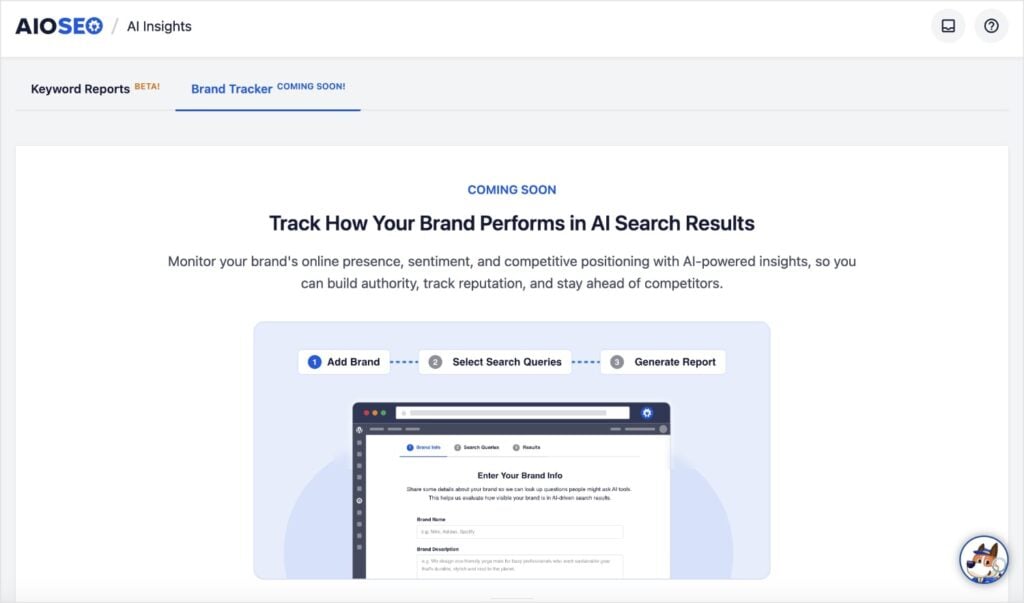
Presto, aggiungeremo un Brand Tracker a AI Insights, in modo che tu possa vedere come il tuo marchio si posiziona nei risultati di ricerca AI nel tempo.
Sarai in grado di:
- Monitorare dove e come il tuo marchio viene menzionato nei principali motori AI
- Comprendere il sentiment e il posizionamento rispetto ai concorrenti
- Utilizzare insight basati sull'IA per costruire autorevolezza e proteggere la tua reputazione
Siamo entusiasti di portarti presto questa novità e di continuare ad aiutarti a rimanere all'avanguardia nella nuova era della ricerca guidata dall'IA.
Aggiorna ad AIOSEO 4.9.1
AIOSEO 4.9.1 si concentra nel fornirti insight più intelligenti sulla visibilità nella ricerca AI ed espandere l'accesso a strumenti SEO tecnici essenziali.
Con questo aggiornamento, puoi:
- Scoprire quali marchi si posizionano nella ricerca AI per i tuoi argomenti chiave
- Prepararti per le imminenti funzionalità di Brand Tracker all'interno di AI Insights
- Utilizza i reindirizzamenti in modo più efficace su più piani per proteggere il traffico guadagnato con fatica
Aggiorna ad AIOSEO 4.9.1 oggi stesso per esplorare il nuovo Report Parole Chiave e sfruttare le funzionalità di reindirizzamento espanse.
Non usi ancora AIOSEO? Installa e attiva il plugin per iniziare a ottimizzare il tuo sito sia per la ricerca tradizionale che per quella guidata dall'IA.
Hai domande o feedback? Lascia un commento qui sotto o contatta il nostro team di supporto. Siamo qui per aiutarti!
– Ben Rojas, Presidente di AIOSEO
Divulgazione: I nostri contenuti sono supportati dai lettori. Ciò significa che se fai clic su alcuni dei nostri link, potremmo guadagnare una commissione. Raccomandiamo solo prodotti che crediamo aggiungeranno valore ai nostri lettori.


