Every website needs images. Unfortunately, finding the right ones, licensing them, or creating custom visuals from scratch takes time you usually don't have.
That's why we built the AI Image Generator. You describe what you want, and it creates original images directly inside your WordPress editor. No subscription to a separate service, no leaving your dashboard.
Now, AIOSEO 4.9.8 makes it even better.
The generator now has 2 new models to choose from: GPT Image 2 from OpenAI, and Nano Banana 2 from Google. Each has different strengths, and having both means more ways to get the images you're actually imagining.
In This Article
The AI Image Generator: A Quick Overview
The AI Image Generator has been part of AIOSEO since version 4.8.8. It allows you to create original images for your website using AI directly in the WordPress editor.
If it's your first introduction to the AI Image Generator, here's a quick recap of how it works:
To get started, you'll add the Image block in the WordPress editor.

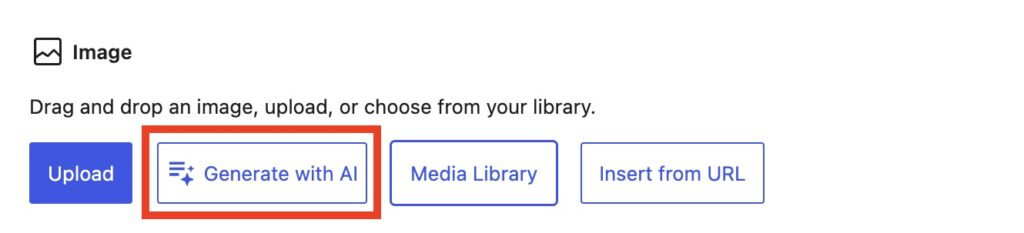
Then, click Generate with AI in the block toolbar.
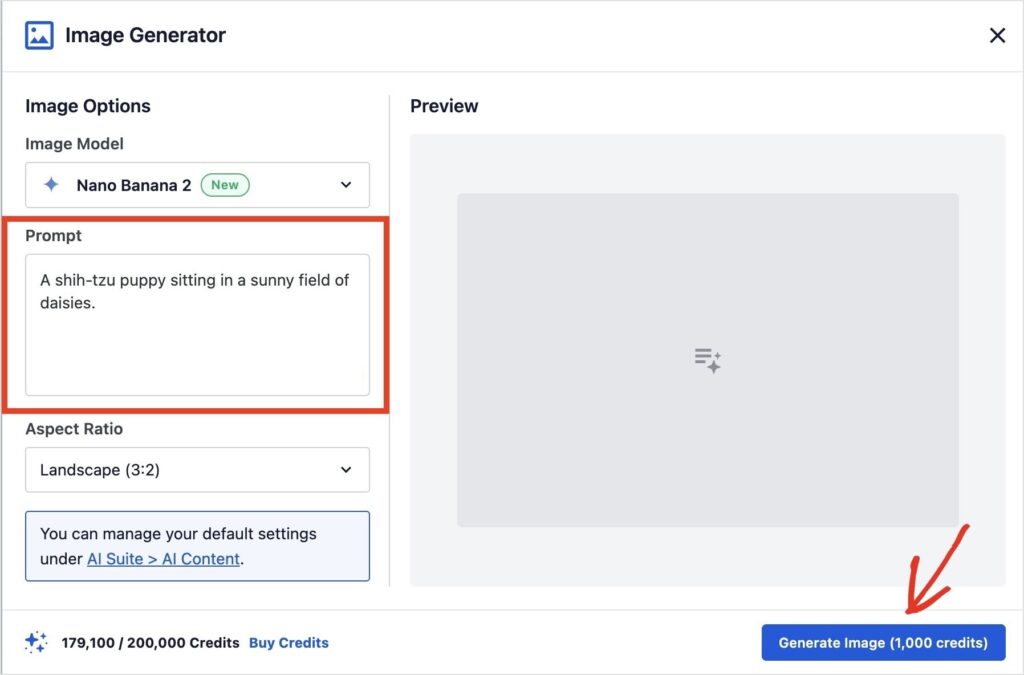
This opens the Image Generator, where you can enter a prompt describing what you want. You can also choose your settings, like aspect ratio, and click “Generate.”
The AI will generate your image, and you can add it directly to your post or page by clicking “Insert Image.”
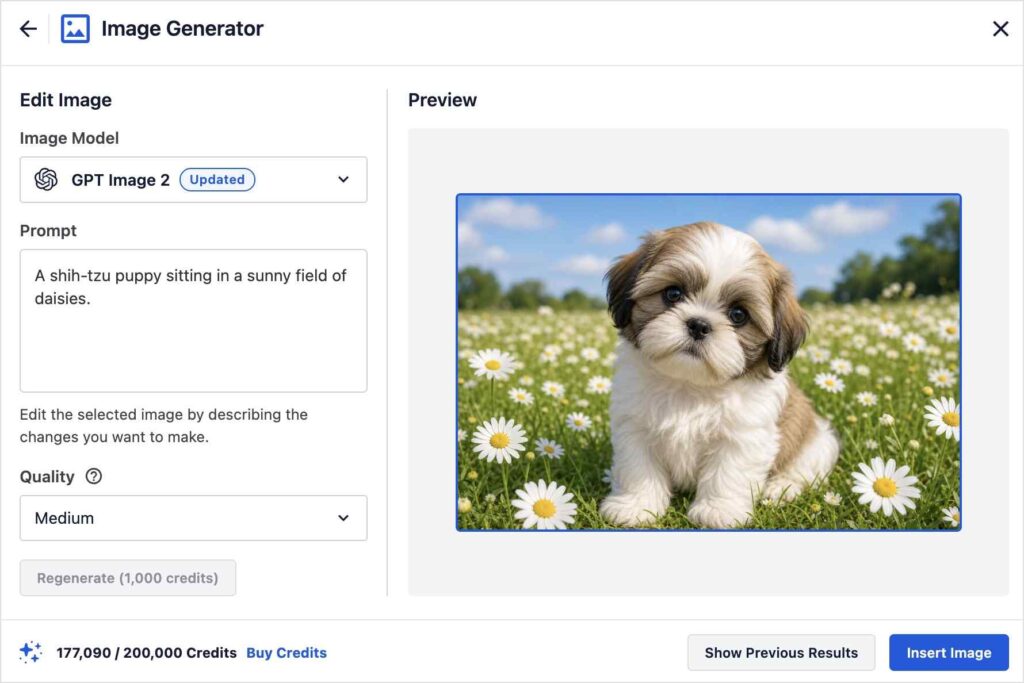
Pro Tip: Want to make a change to your image? No problem. Edit or add to your prompt and click “Regenerate.” The AI will create a new image, and revision history lets you go back to any previous generations.
The image saves automatically to your WordPress media library and inserts into the post in the same step. You can also upload an existing image and use AI to enhance or reimagine it.
👉 4.9.8 doesn't change how the tool works. It adds 2 new models to the selection, which means more ways to get the result you're looking for.
What's New: GPT Image 2
GPT Image 2 is OpenAI's latest image generation model, and the upgrade in output quality is noticeable. It follows prompts more precisely, handles text elements in images better, and produces cleaner results across a wider range of styles.
It's particularly strong for:
- Photorealistic scenes, including people, products, and environments
- Compositions that require specific details from your prompt to show up accurately in the final image
- Clean, versatile output across blog post headers, featured images, and promotional graphics
If you've tried AI image generation tools before and found the results too unpredictable, GPT Image 2 is worth another try. The gap between prompt and output is noticeably smaller.
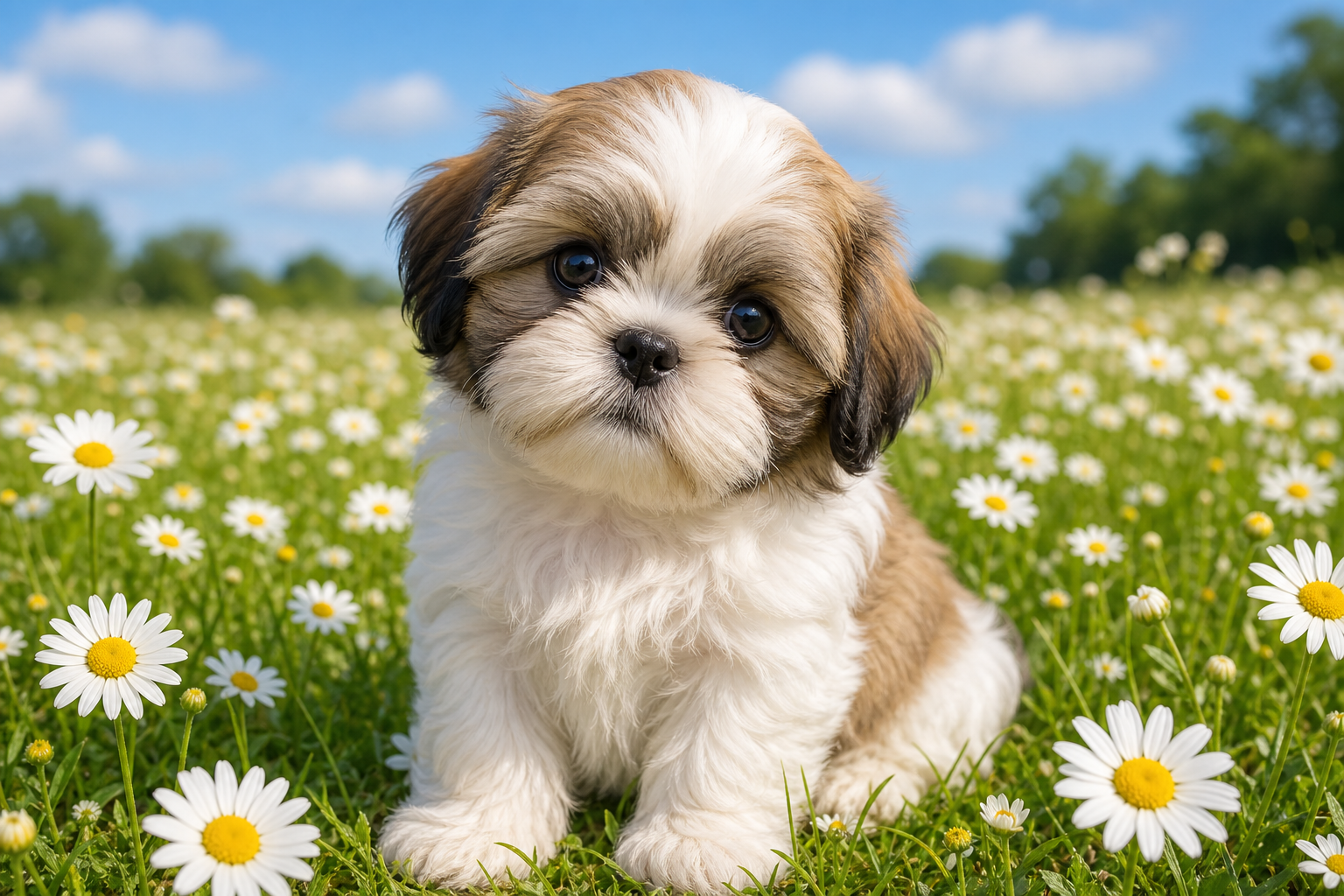
Here's the image I generated with GPT Image 2 for the following prompt: “A shih-tzu puppy sitting in a sunny field of daisies.”
What's New: Nano Banana 2
Nano Banana 2 brings a different visual style to the generator, and it's a strong option when GPT Image 2 isn't quite the right fit for what you're creating.
Nano Banana 2 is Google's image generation model, and it's built for photorealism, accurate in-image text, and creative edits.
The same prompt produces different results from each model. In the example above, GPT Image 2 gave a tight, sharp close-up with the subject centered. Nano Banana 2 produced a wider scene with the subject placed more naturally in the environment.
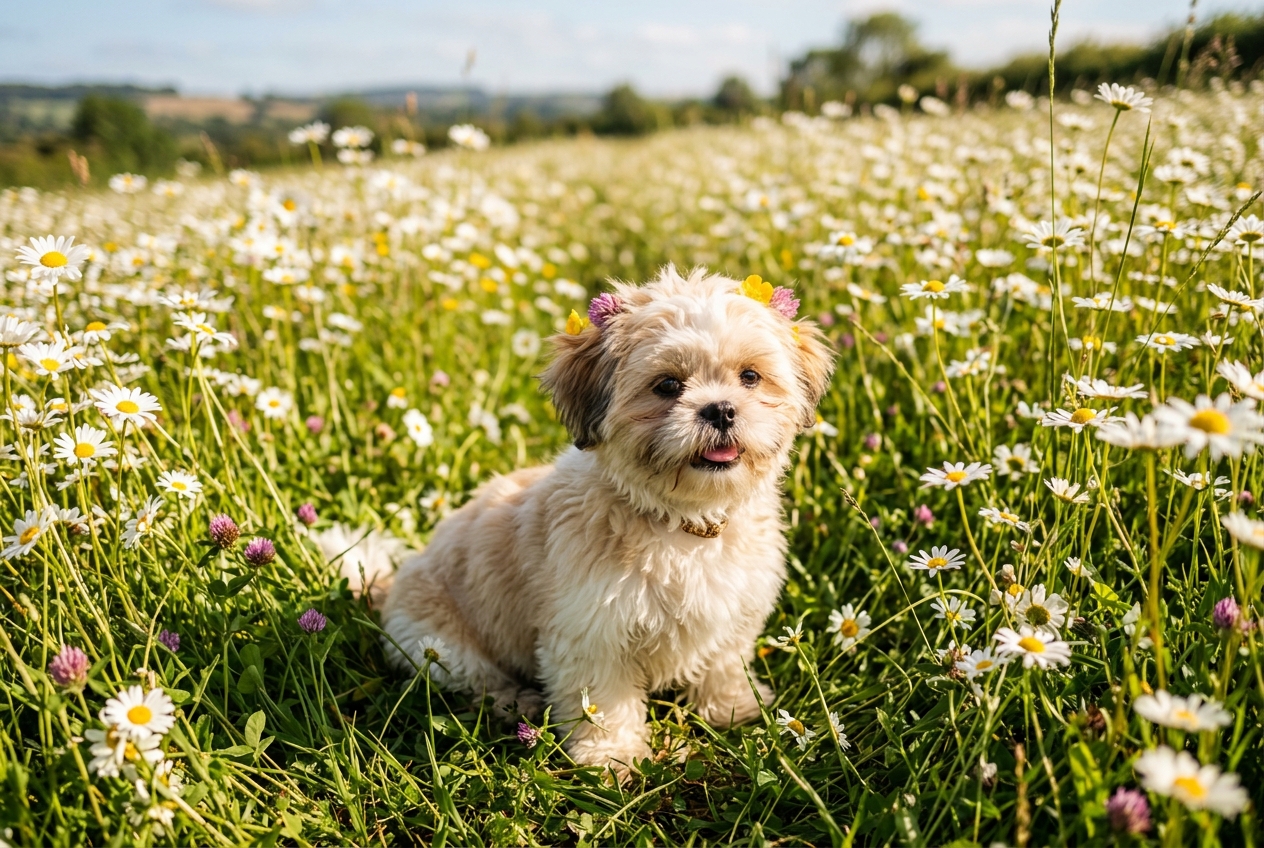
Neither is wrong. They're just different interpretations of the same prompt.
My Advice: Run the same prompt through both models to pick the one that fits your post or page.
How to Switch Models
There's nothing new to install. If you're on 4.9.8, both models are already available.
- Open any post or page in the WordPress editor.
- Add an Image block, or click an existing one.
- Click Generate with AI in the block toolbar.
- Write your prompt.
- Open the model dropdown and select GPT Image 2 or Nano Banana 2.
- Adjust quality and aspect ratio as needed.
- Click Generate.
The image saves to your WordPress media library and inserts into the block automatically.
Which Model Should You Use?
It depends on what you're making.
GPT Image 2 is built for precision and high-fidelity output. Start here when you need a sharp, detailed result with a clear subject, like product images, portraits, anything where accuracy and crispness matter.
Nano Banana 2 is built for photorealism and creative edits. It's a natural fit when you want the subject to feel placed in an environment rather than posed in front of one.
Honestly though, the fastest way to find out which one you like more is to simply test both of them out. Personal preferences will largely determine which model you use more.
Available to All AIOSEO Users, Including Lite
The AI Image Generator, including both new models, is available to all AIOSEO users. You only need AI credits to run it. Here's the allocation breakdown by plan:
- Basic: 10,000 AI credits/yr
- Plus: 25,000 AI credits/yr
- Pro: 50,000 AI credits/yr
- Elite: 200,000 AI credits/yr
Lite (free) users get 100 credits to try it out. Additional credits are available as pay-as-you-go from AIOSEO > General Settings > License > AI Credits.
You can also purchase them here: AI Credits.
Both models display the AI credit cost on the Generate button before you confirm, so there are no surprises.
Also in AIOSEO 4.9.8
The image generator is one of 3 things that shipped in 4.9.8. The other two:
- AIOSEO MCP: Connect AI agents like Claude, Cursor, and ChatGPT directly to your WordPress site and have them perform SEO tasks for you.
- REST API Free for All Plans: 28 SEO abilities over HTTP, now free on every plan, including Lite.
GPT Image 2 and Nano Banana 2 give you more ways to create the right image on the first try. Update to 4.9.8 from your WordPress dashboard, and give the new models a try.
Have questions? Leave a comment below or reach out to our support team.
— Benjamin Rojas, President of AIOSEO
Frequently Asked Questions
What is the AIOSEO AI Image Generator?
The AI Image Generator is a built-in AIOSEO tool that creates original images from text prompts directly inside the WordPress editor. Write a prompt, choose a model and settings, and it generates and saves an image to your media library in one step. Available to all paid AIOSEO plans using AI credits.
What's new in AIOSEO 4.9.8 for the AI Image Generator?
4.9.8 adds 2 new models: GPT Image 2 (OpenAI's latest image generation model) and Nano Banana 2. Both are selectable in the model dropdown inside the image generator. They expand your options and give you more control over the visual style of your output.
Which AI image model should I use, GPT Image 2 or Nano Banana 2?
GPT Image 2 is the stronger default for photorealistic, detail-rich output where prompt accuracy matters. Nano Banana 2 is better suited when speed, creativity, and flexibility are the priority. The fastest way to find your preference is to run the same prompt through both models and compare the results.
Do GPT Image 2 and Nano Banana 2 cost more AI credits?
If the same settings are chosen across both models, the credit costs will be the same. However, if you change these settings (for example, one is low quality and the other is medium), the cost might change. Credit costs are shown on the Generate button before you confirm, so you'll always know the cost upfront.
Which AIOSEO plans include the AI Image Generator?
The AI Image Generator is available to all AIOSEO users, paid and free. You just need AI Credits to generate images. Paid plans come up with dedicated AI Credits, and Lite users start with free 100 AI Credits.
Additional credits are available as pay-as-you-go from AIOSEO > General Settings > License > AI Credits.