
Nous avons tous fixé un écran vide, attendant que l'inspiration frappe. Le blocage de l'écrivain est un véritable frein à la productivité, surtout lorsque vous avez un calendrier de contenu à remplir.
Mais que se passerait-il si vous pouviez avoir une première ébauche prête en quelques minutes ?
C'est la promesse des générateurs d'articles de blog IA. Ces outils changent notre façon de créer du contenu, nous aidant à écrire plus vite, à mieux réfléchir et à publier plus souvent. Mais avec autant d'options qui apparaissent, laquelle vaut vraiment votre temps et votre argent ?
Dans ce guide, j'ai testé les meilleurs outils du marché pour trouver le meilleur générateur d'articles de blog IA pour vos besoins.
Dans cet article
Comment j'ai testé & Que rechercher
En tant que créateur de contenu, j'ai essayé à peu près tous les outils d'écriture qui existent. Je sais qu'un bon outil ne doit pas seulement cracher des mots ; il doit s'intégrer à votre flux de travail et créer du contenu qui se lit bien.
Pour trouver le meilleur générateur d'articles de blog IA, j'ai jugé chaque outil selon ces quatre critères :
- Qualité de la sortie : Le texte sonne-t-il naturel et humain, ou robotique et répétitif ?
- Facilité d'utilisation : L'interface est-elle intuitive ? Un débutant peut-il l'utiliser et commencer à écrire immédiatement ?
- Capacités SEO : L'outil vous aide-t-il à optimiser pour les mots-clés, ou écrit-il à l'aveugle ? (C'est crucial pour le classement).
- Intégration du flux de travail : S'intègre-t-il là où vous travaillez (comme dans WordPress), ou devez-vous copier-coller sans cesse ?
Pourquoi vous devriez me faire confiance
J'ai passé les 6 dernières années à créer du contenu optimisé pour le SEO, gérant tout, des blogs personnels aux grands sites d'entreprise. Je connais la pression d'un calendrier de contenu et la frustration du blocage de l'écrivain de première main. En réalisant cette liste, j'ai utilisé chaque outil pour écrire du contenu réel. Mes recommandations sont basées sur une expérience pratique, axée sur ce qui vous aide réellement à publier du meilleur contenu, plus rapidement.
Meilleurs générateurs d'articles de blog IA pour 2026
Voici ma sélection des meilleurs outils pour vous aider à créer des articles de blog générés par IA, en commençant par ma recommandation principale pour les utilisateurs de WordPress.
Manque de temps et vous voulez un aperçu de toutes les options ? Accédez au tableau comparatif.
1. All in One SEO

Idéal pour : Les utilisateurs de WordPress qui souhaitent un flux de travail transparent et axé sur le SEO.
Si vous utilisez WordPress, All in One SEO (AIOSEO) est mon plugin de choix pour la création de contenu et l'optimisation de site web. Alors que la plupart des outils vous obligent à écrire dans une application séparée, puis à tout copier-coller, l'assistant AI Assistant d'AIOSEO se trouve directement dans votre éditeur WordPress.
Il agit comme un générateur complet d'articles de blog. Vous pouvez l'utiliser pour trouver des titres accrocheurs, générer des plans détaillés, puis écrire des paragraphes complets pour chaque section de votre article.
Pour l'utiliser, vous ajoutez le bloc AIOSEO – AI Assistant dans l'éditeur WordPress.

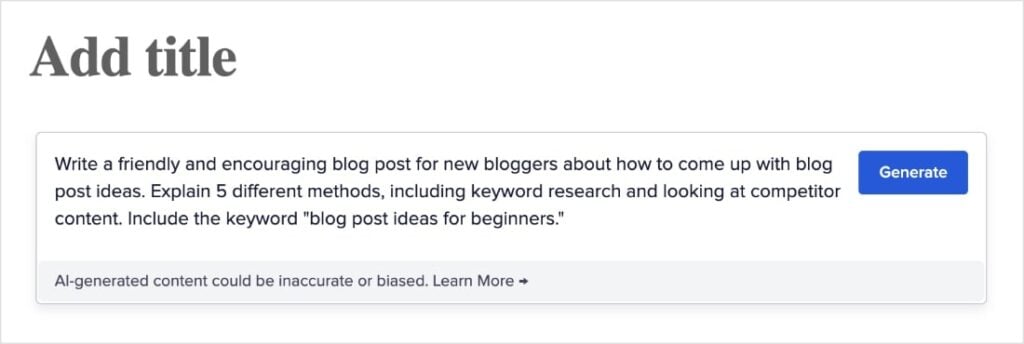
Ensuite, vous écrivez une invite. Dans mon exemple ci-dessous, j'ai demandé un article de blog complet.
Astuce de pro : Besoin d'aide pour trouver des invites percutantes ? Consultez cet article sur la façon d'utiliser un générateur d'articles de blog. Il vous apprend à rédiger des invites qui tirent le meilleur parti de l'assistant IA.
En quelques secondes, il m'a fourni un article de blog complet lié à ma demande.
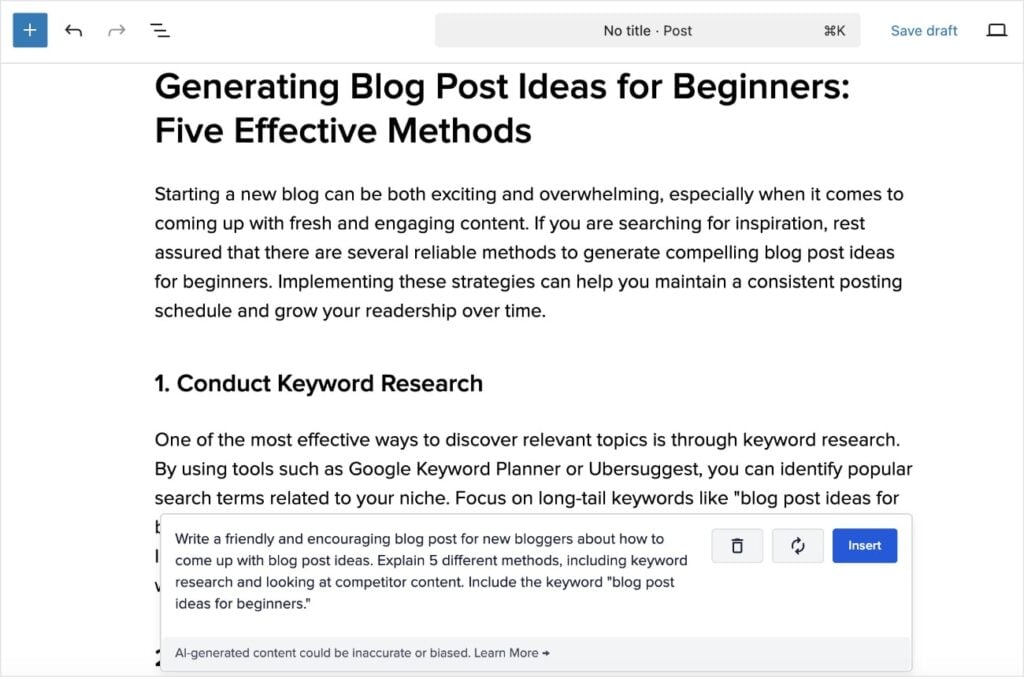
J'aime aussi beaucoup la façon dont vous pouvez réutiliser l'assistant IA plusieurs fois dans le même article ou la même page. Par exemple, je voulais écrire un ensemble de FAQ pour accompagner cet article, alors j'ai simplement ajouté à nouveau le bloc, lui ai demandé de créer 5 FAQ et les ai insérées dans mon article. (C'est un excellent moyen de se classer dans la section Les internautes posent aussi cette question de Google.)
Vous pouvez également lui demander d'approfondir des sections spécifiques.
Dans l'ensemble, c'est un outil vraiment malléable qui maintient votre flux de création de contenu directement dans WordPress.
Enfin, ce qui le distingue vraiment, c'est l'intégration SEO. Comme il fait partie de la boîte à outils AIOSEO, vous pouvez passer de la génération de texte à son optimisation avec l'analyse TruSEO sans interruption.
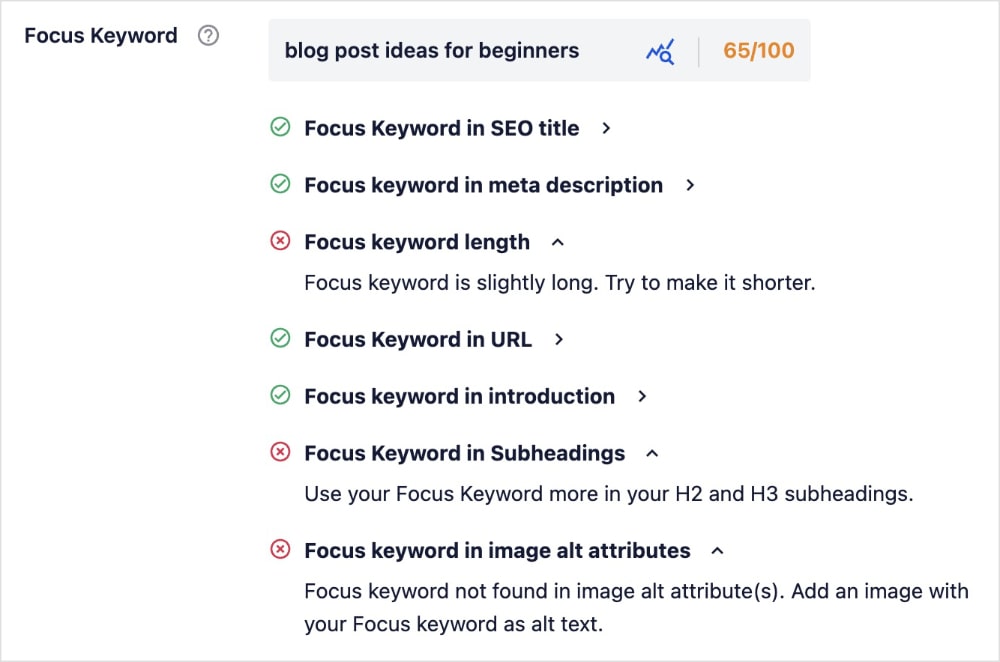
TruSEO vérifie votre mot-clé principal dans tous les domaines critiques, y compris :
Cet outil garantit que votre article de blog est prêt à être classé avant que vous n'appuyiez sur publier.
Astuce de pro : Utilisez le générateur d'images AIOSEO pour créer des visuels pour votre article de blog. Vous pouvez taper une invite pour des bannières et des graphiques qui illustrent vos propos.
Avantages :
- Intégration transparente : Fonctionne directement dans l'éditeur de blocs WordPress. Pas d'onglets, pas de copier-coller.
- Axé sur le SEO : Aide pour les titres, les méta descriptions et garantit que le contenu est optimisé.
- Polyvalent : Génère des introductions, des conclusions, des paragraphes complets, des images, et plus encore.
- Excellent rapport qualité-prix : Inclus dans les plans AIOSEO Pro avec une suite d'autres outils SEO.
Inconvénients :
- Il nécessite le plugin AIOSEO (WordPress uniquement).
Tarifs : Les plans commencent à 49,50 $/an. Version gratuite disponible avec des crédits IA limités, qui sont nécessaires pour utiliser le générateur d'articles de blog.
2. Jasper
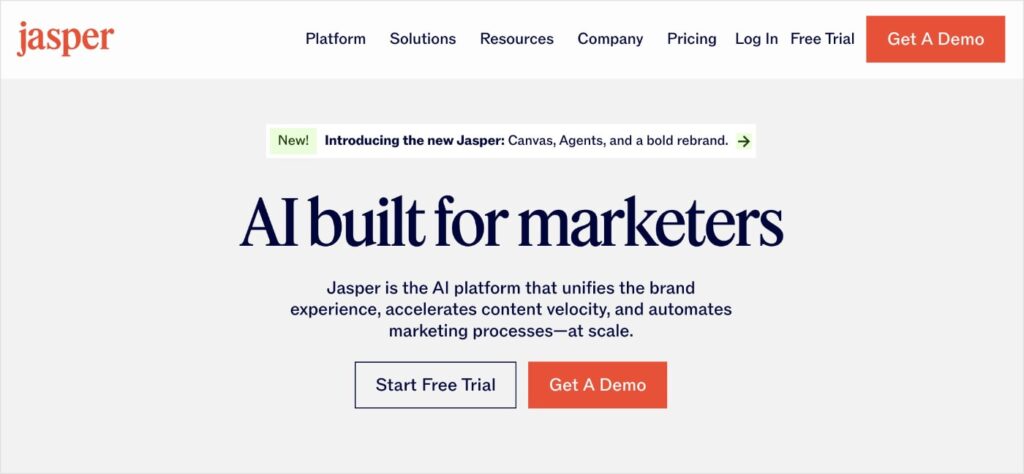
Idéal pour : les utilisateurs expérimentés et les équipes marketing qui ont besoin de cohérence de marque.
Jasper est souvent considéré comme la référence en matière d'écriture IA autonome, et après l'avoir utilisé intensivement, je comprends pourquoi. On a moins l'impression d'utiliser un outil que d'interagir avec une plateforme.
La fonctionnalité qui m'a vraiment marqué était « Voix de marque ». J'ai pu télécharger des articles que j'avais précédemment écrits et dire à Jasper : « Analyse ce style ». Lorsque j'ai généré un nouvel article, il sonnait vraiment comme moi, pas comme un robot générique.
Le « Boss Mode » (éditeur de documents) est puissant pour le contenu long format. Vous pouvez lui donner des commandes comme « Écris un paragraphe de transition entre les avantages et la section des prix », et il comprend parfaitement le contexte.
Cependant, en tirer le meilleur parti demande de la pratique. Ce n'est pas aussi « prêt à l'emploi » que certains autres outils, et vous vous surprendrez à modifier la sortie pour la maintenir sur la bonne voie.
Avantages :
- Voix de marque : Excellent pour imiter votre ton et votre style spécifiques.
- Conscience du contexte : Le « Mode Boss » lui permet de revenir sur ce qu'il a déjà écrit pour éviter les répétitions.
- Modèles : Dispose d'une immense bibliothèque de modèles spécifiques pour les introductions, les conclusions et les points persuasifs.
Inconvénients :
- Prix : C'est l'une des options les plus chères du marché.
- Courbe d'apprentissage : Il faut du temps pour apprendre les commandes spécifiques afin d'obtenir les meilleurs résultats.
Tarifs : Les forfaits payants commencent à 59 $/mois par siège ; essai gratuit de 7 jours disponible.
3. ChatGPT
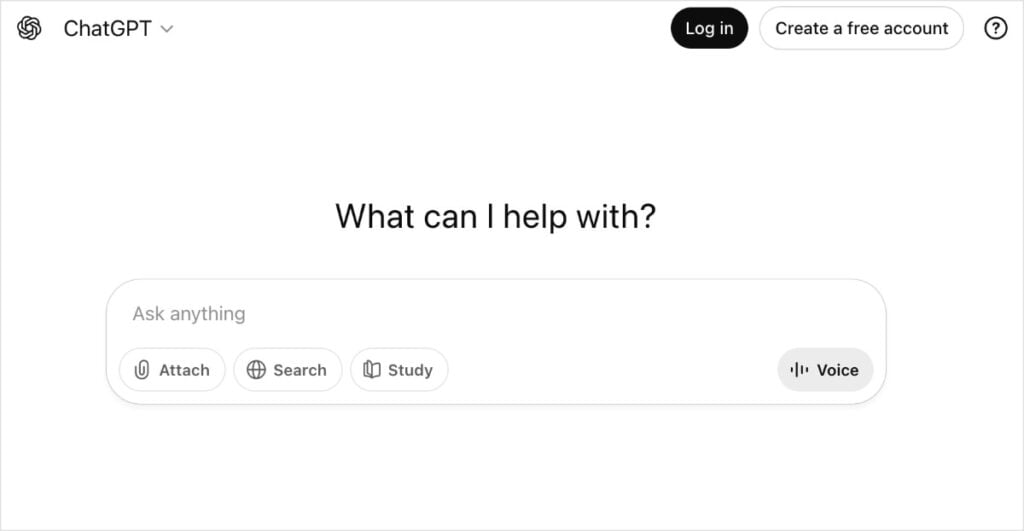
Idéal pour : La polyvalence, le brainstorming et les utilisateurs soucieux de leur budget.
On ne peut pas parler d'IA sans mentionner ChatGPT. C'est l'outil qui a déclenché le boom actuel, et je l'utilise presque quotidiennement, mais généralement pour des parties d'un article de blog plutôt que pour l'ensemble.
Parce qu'il fonctionne comme une conversation, il est incroyablement flexible. Si je n'aime pas une introduction qu'il a écrite, je peux dire : « Rendez-la plus percutante et moins formelle », et il la réécrit instantanément. Aucun autre outil n'est aussi réactif aux commentaires.
Cependant, écrire un article de blog complet et de haute qualité en une seule fois est difficile.
Dans mes tests, si je demande un article de 1 500 mots, il perd souvent le fil à mi-chemin ou commence à répéter des phrases comme « En conclusion » ou « Dans le paysage numérique actuel ». Il nécessite beaucoup d'« ingénierie de prompt » — vous devez être très doué pour lui donner des instructions détaillées afin d'obtenir un résultat prêt à être publié.
Avantages :
- Conversationnel : Vous pouvez affiner le texte en temps réel en « parlant » à l'IA.
- Accès gratuit : La version gratuite est très performante pour la rédaction de base.
- Polyvalent : Idéal pour brainstormer des idées, réécrire des phrases maladroites ou résumer des données.
Inconvénients :
- Toile vierge : Pas d'outils SEO intégrés ni de flux de travail structurés ; vous devez construire la structure vous-même.
- Répétitif : Tendance à utiliser des phrases clichés si l'on ne le guide pas attentivement.
Tarifs : Version gratuite disponible ; versions payantes à partir de 20 $/mois.
4. Copy.ai
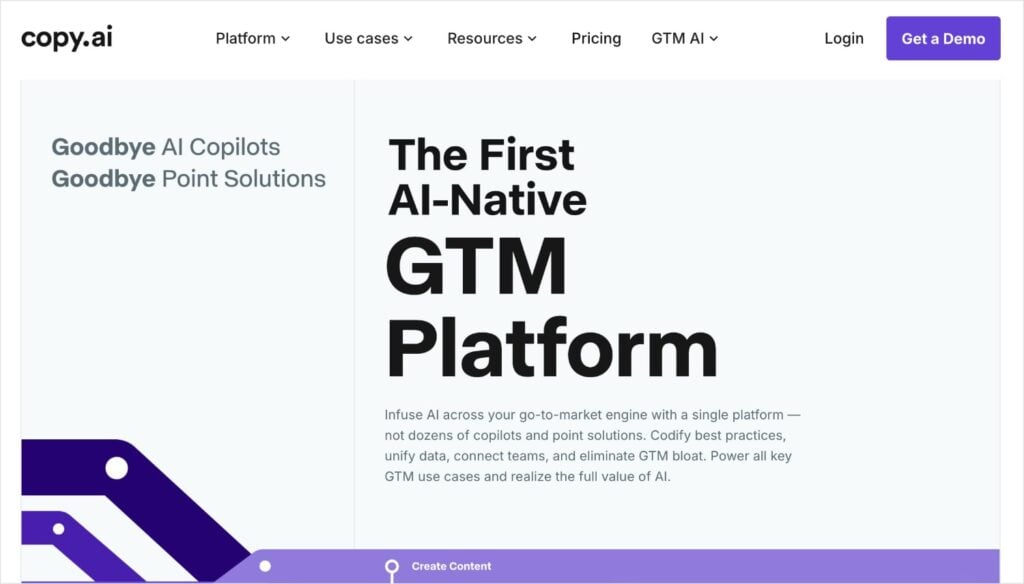
Idéal pour : Générer rapidement des premières ébauches via un assistant.
Copy.ai se positionne comme un outil de rédaction marketing, et j'ai trouvé qu'il était l'un des plus faciles à prendre en main et à utiliser.
La fonctionnalité phare ici est le « Assistant d'articles de blog ».
Lorsque j'ai testé cela, j'ai entré un titre et quelques mots-clés, et il a généré un plan. J'ai ensuite pu modifier le plan, et il a généré des points de discussion pour chaque section.
Enfin, il a transformé ces points en paragraphes complets.
J'ai vraiment aimé ce flux de travail car il m'a donné des points de contrôle avant la rédaction du texte final. Cela a empêché l'IA de déraper.
Cependant, j'ai remarqué que pour les articles plus longs et plus techniques, le contenu semblait un peu superficiel et nécessitait plus de modifications approfondies que Jasper ou AIOSEO pour ajouter une réelle valeur.
Avantages :
- Assistant de création de billets de blog : Un flux de travail solide étape par étape qui construit un article de manière logique.
- Aucune courbe d'apprentissage : Interface très intuitive que tout le monde peut utiliser immédiatement.
- Plan gratuit : Offre un plan gratuit décent qui vous permet de tester les fonctionnalités.
Inconvénients :
- Profondeur : a du mal avec les sujets complexes ou très techniques.
- Mise en forme : Vous devrez toujours copier-coller et reformater tout dans WordPress.
Tarifs : Les plans payants commencent à 29 $/mois ; certains outils d'écriture IA gratuits sont disponibles directement sur le site.
5. Writesonic

Idéal pour : Générer des articles factuels et à jour.
L'un des plus gros problèmes avec l'IA est le « hallucination ». C'est lorsque le système d'IA invente des choses.
Writesonic s'attaque aux hallucinations avec sa fonctionnalité « Article Writer 5.0 », qui peut faire référence aux données de recherche Google en direct.
Lorsque j'ai testé cela, j'ai demandé à l'IA d'écrire sur une mise à jour récente d'un outil logiciel. Contrairement à ChatGPT (qui pourrait s'appuyer sur des données d'entraînement plus anciennes), Writesonic a récupéré des faits actuels et des prix précis. C'est un énorme gain de temps si vous écrivez du contenu axé sur l'actualité ou des critiques.
L'interface est un peu plus encombrée que celle de Copy.ai, utilisant un système basé sur des crédits que j'ai trouvé légèrement déroutant au début. Mais si la précision est votre principale préoccupation, avoir cette connexion aux données de recherche en direct est une fonctionnalité exceptionnelle.
Avantages :
- Exactitude factuelle : Peut accéder aux données Google en temps réel pour écrire du contenu à jour.
- Citation : Fournit souvent des sources pour les informations qu'il trouve.
- Sonic Editor : Un éditeur de type Google Docs qui facilite le peaufinage du texte.
Inconvénients :
- Système de crédits : Le modèle de tarification basé sur la qualité/les mots peut être déroutant à suivre.
- Interface utilisateur : L'interface semble un peu « chargée » par rapport à des outils plus épurés comme Jasper.
Tarifs : Les plans payants commencent à 39 $/mois ; essai gratuit disponible.
6. GetGenie

Idéal pour : Une option alternative intégrée à WordPress.
Comme AIOSEO, GetGenie fonctionne directement dans WordPress, ce qui est un avantage considérable pour le flux de travail. Il ajoute un bouton en haut de votre éditeur de publication qui ouvre un panneau latéral.
Ce que j'ai trouvé intéressant avec GetGenie, c'est son accent mis sur l'analyse des concurrents. Lorsque vous tapez un mot-clé, il peut récupérer des données des pages les mieux classées sur Google pour vous aider à construire votre plan. Il vous donne également un score de contenu pendant que vous écrivez.
Vous voulez en savoir plus sur l'analyse des concurrents et comment l'exploiter pour votre écriture ? Apprenez comment faire une analyse SEO des concurrents et découvrez nos meilleurs choix pour les meilleurs outils d'analyse des concurrents.
Cependant, l'interface semblait un peu à l'étroit dans l'éditeur WordPress. Avoir autant de graphiques, de diagrammes et d'outils d'analyse dans un panneau latéral était parfois distrayant quand je voulais juste me concentrer sur l'écriture. Mais pour les passionnés de données qui veulent une analyse approfondie pendant qu'ils rédigent, c'est une option solide.
Avantages :
- Intégration WordPress : Fonctionne directement dans le tableau de bord.
- Analyse des concurrents : Vous aide à rechercher avant d'écrire.
- Données sur les mots-clés : Affiche le volume de recherche et les tendances dans l'éditeur.
Inconvénients :
- Interface encombrée : Peut sembler écrasante et ralentir l'écran d'édition de publication.
- Courbe d'apprentissage abrupte : Il faut du temps pour comprendre toutes les différentes métriques d'analyse.
Tarifs : À partir de 6 $/mois.
7. Rytr
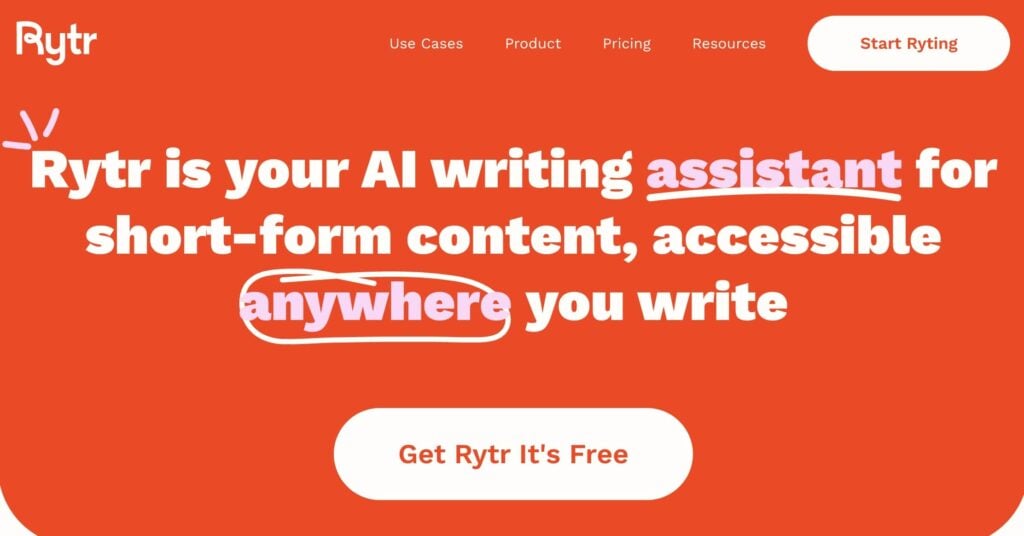
Idéal pour : Les débutants et les utilisateurs soucieux de leur budget qui souhaitent des outils simples.
Si Jasper est une Ferrari, Rytr est une Honda Civic fiable. Elle est compacte, abordable et vous emmène là où vous devez aller sans tracas.
J'ai utilisé Rytr via son extension de navigateur, ce qui est pratique car elle vous suit sur le web (y compris dans WordPress ou Google Docs). L'interface est incroyablement simple : vous choisissez un cas d'utilisation (comme « Écriture de section de blog »), sélectionnez un ton et cliquez sur « Ryte for me ».
Il n'a pas les flux de travail longs et avancés des autres outils. Vous ne pouvez pas vraiment dire « Écris-moi un guide de 2 000 mots ». Au lieu de cela, vous devez l'utiliser pour écrire paragraphe par paragraphe.
C'est idéal pour combler les lacunes ou réécrire des phrases maladroites, mais je ne m'y fierais pas pour générer une page pilier complète à partir de zéro.
Avantages :
- Très abordable : L'une des options payantes les moins chères du marché.
- Interface utilisateur simple : Pas de paramètres complexes ou de « modes boss » à apprendre.
- Portable : L'extension de navigateur vous permet de l'utiliser n'importe où.
Inconvénients :
- Focus sur le court format : Pas conçu pour générer des articles complets en un clic.
- Qualité : Le résultat nécessite souvent plus de retouches que les outils de premier plan.
Tarifs : Les plans payants commencent à 7,50 $/mois ; version gratuite disponible.
Comparaison rapide : Quel générateur d'articles de blog IA est le meilleur pour vous ?
Voici une répartition des principaux points forts et des utilisations idéales pour chaque générateur d'articles de blog IA :
| Outil | Pour qui | Le flux de travail | Point fort |
|---|---|---|---|
| Tout en un SEO | Utilisateurs WordPress | Sans couture. Vous générez, modifiez et optimisez votre article sans jamais quitter l'éditeur de blocs WordPress. | Rapidité et commodité : Pas de changement d'onglet ni de copier-coller. |
| Jasper | Agences et équipes | Professionnel. Un puissant éditeur de documents autonome qui ressemble à une suite d'écriture « pro ». | Voix de marque : Apprend votre ton spécifique mieux que tout autre outil. |
| ChatGPT | Tout le monde | Conversationnel. Vous « parlez » à l'IA pour affiner le texte, mais vous devez en construire la structure vous-même. | Flexibilité : Idéal pour le brainstorming et la réécriture de phrases spécifiques. |
| Copy.ai | Marketeurs | Étape par Étape. Un « Assistant » vous guide à travers les titres, les plans et les points de discussion avant d'écrire. | Facilité d'utilisation : Idéal pour obtenir rapidement une première ébauche. |
| Writesonic | Rédacteurs d'actualités | Axé sur la recherche. Similaire à Jasper, mais axé sur l'extraction de données en direct de Google. | Précision : Peut accéder à des informations en temps réel pour éviter les faits inventés. |
| GetGenie | Experts en données | Analytique. Une barre latérale WordPress remplie de graphiques, de tableaux et de données concurrentielles. | Recherche : Analyse approfondie des concurrents directement dans votre tableau de bord. |
| Rytr | Utilisateurs à petit budget | Simple. Une extension de navigateur pratique pour générer de courts paragraphes à la volée. | Abordabilité : L'option la moins chère pour une aide à la rédaction IA de base. |
Le verdict final : Meilleur générateur d'articles de blog IA
Après avoir testé tous ces outils, le « meilleur » choix dépend vraiment de l'endroit où vous effectuez votre travail.
Si vous êtes un utilisateur expérimenté ou une agence gérant plusieurs clients et ayant besoin d'un contrôle strict de la voix de la marque, Jasper est une plateforme premium fantastique.
Si vous souhaitez un bac à sable polyvalent et gratuit pour le brainstorming et la réécriture, ChatGPT est indispensable.
Mais pour la grande majorité des propriétaires de sites WordPress, All in One SEO est le choix évident.
Pourquoi ? Parce qu'il élimine les frictions.
Tous les autres outils vous obligent à travailler dans une fenêtre séparée, à copier-coller votre texte, à reformater vos titres, puis à commencer votre optimisation SEO à partir de zéro. AIOSEO unifie l'ensemble du processus à l'intérieur de votre éditeur de publication.
Cela vous fait gagner le plus de temps, et le temps est votre atout le plus précieux.
Et ensuite ?
Maintenant que vous avez choisi votre partenaire de rédaction IA, il est temps de vous assurer que le contenu est performant.
- Planifiez votre stratégie : L'IA vous aide à écrire plus rapidement, mais vous devez toujours savoir quoi écrire. Apprenez à trouver des sujets à fort trafic avec notre guide de la recherche de mots-clés.
- Faites voir votre contenu : Un excellent contenu nécessite des fondations techniques solides. Assurez-vous que votre site est facile à explorer pour les moteurs de recherche en apprenant comment soumettre votre sitemap à Google.
- Optimiser pour le classement : Une fois votre brouillon rédigé, assurez-vous qu'il est prêt pour Google grâce à notre liste de contrôle SEO on-page complète.
Pour des tutoriels WordPress plus simples et des conseils SEO, abonnez-vous à notre chaîne YouTube. Vous pouvez également nous suivre sur X (Twitter), LinkedIn ou Facebook pour rester informé.
FAQ sur les générateurs d'articles de blog IA
Qu'est-ce qu'un générateur d'articles de blog IA ?
Un générateur d'articles de blog IA est un outil logiciel qui utilise l'intelligence artificielle pour rédiger du contenu pour vous. Vous fournissez un sujet ou une invite, et l'IA crée des titres, des plans, des paragraphes et des articles complets, vous aidant à créer du contenu beaucoup plus rapidement.
Le contenu généré par IA est-il bon pour le SEO ?
Oui, le contenu généré par IA peut être bon pour le SEO si vous le révisez. Google se concentre sur la qualité du contenu, et non sur la façon dont il a été produit. Si vous utilisez un générateur d'articles de blog IA pour créer un article utile et précis et que vous l'optimisez avec un outil comme AIOSEO, il peut se classer aussi bien que le contenu rédigé par des humains.
L'IA peut-elle écrire un article de blog entier ?
Oui, des outils comme AIOSEO et Jasper peuvent générer un brouillon complet du début à la fin. Cependant, je recommande toujours d'ajouter votre touche humaine, des exemples et une vérification des faits pour garantir la meilleure qualité.
Envie d'essayer AIOSEO gratuitement ?
Entrez l'URL de votre site Web WordPress pour installer AIOSEO Lite.

Divulgation : Notre contenu est financé par nos lecteurs. Cela signifie que si vous cliquez sur certains de nos liens, nous pouvons gagner une commission. Nous ne recommandons que les produits qui, selon nous, apporteront de la valeur à nos lecteurs.
