Did you know that you can display recipes on your site using All in One SEO?
All in One SEO includes a WordPress Recipe block, which you can use in the WordPress Block editor to display recipes anywhere on the page.
IMPORTANT:
WordPress Blocks only work with the WordPress Block Editor. They don't work with the Classic Editor or any page builders.
NOTE:
The AIOSEO Recipe Block is available to customers with a Basic plan or above for All in One SEO Pro.
Upgrade to All in One SEO Pro today to get the Recipe Block and many more features!
In This Article
Displaying Recipes Using the AIOSEO Recipe Block
To get started, edit any content using the WordPress Block editor and click the Add Block icon.
You can search for the block by typing AIOSEO in the search field.
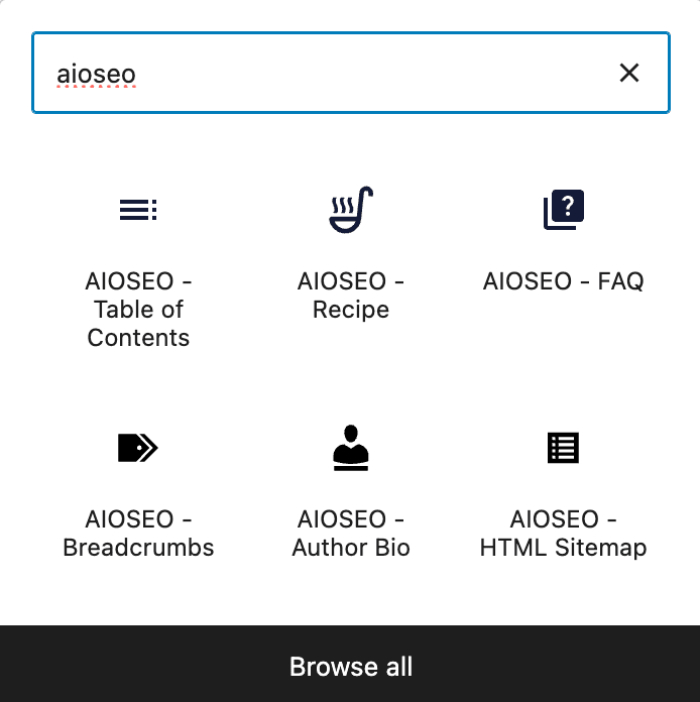
You’ll see the AIOSEO – Recipe block in the search results. Click on it to add it to your page.
You'll now see the fields that you can complete with your recipe details. There are tabs at the top for General, Nutrition, Time Required, Instructions, Reviews, and Review Rating.
Configuring the Recipe Information
General tab

On the General tab, complete the fields as described below:
- Name – Enter the name of your recipe. You can select one of the smart tags shown above the Name field, or click View all tags to choose from additional smart tags.
- Description – Enter the description of your recipe. You can select one of the smart tags shown above the Description field, or click View all tags to choose from additional smart tags.
- Author – Enter the name of the author of your recipe. You can select one of the smart tags shown above the Author field, or click View all tags to choose from additional smart tags.
- Ingredients – Enter the name of each ingredient including measurement, i.e. 1 tablespoon of flour. Click the Enter button to add the ingredient, then continue adding more ingredients.
- Dish Type – Enter the type of dish.
- Cuisine Type – Enter the type of cuisine.
- Keywords – Enter any other terms such as season, holiday, or other descriptors.
- Image – Select or upload an image that represents your recipe. You can also paste in the URL for an image into this field.
Nutrition tab
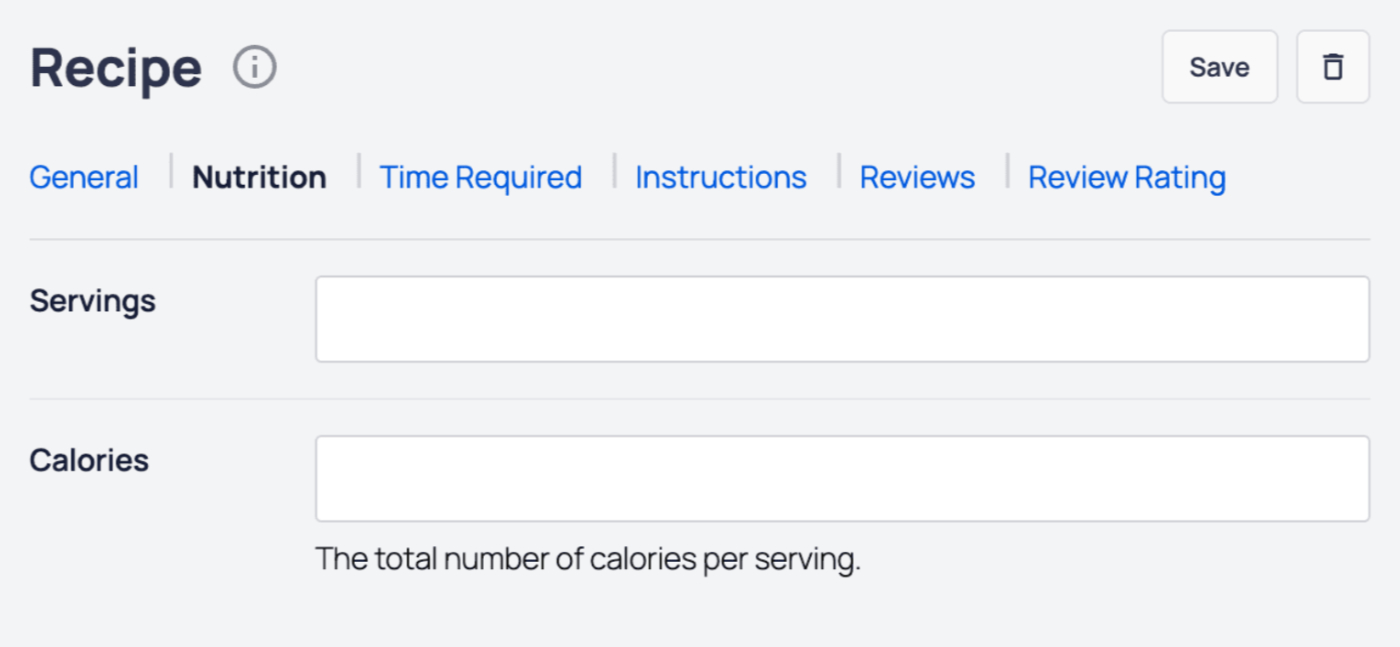
On the Nutrition tab, complete the fields as described below:
- Servings – Enter the amount of servings that the recipe yields.
- Calories – Enter the number of calories per serving.
Time Required tab
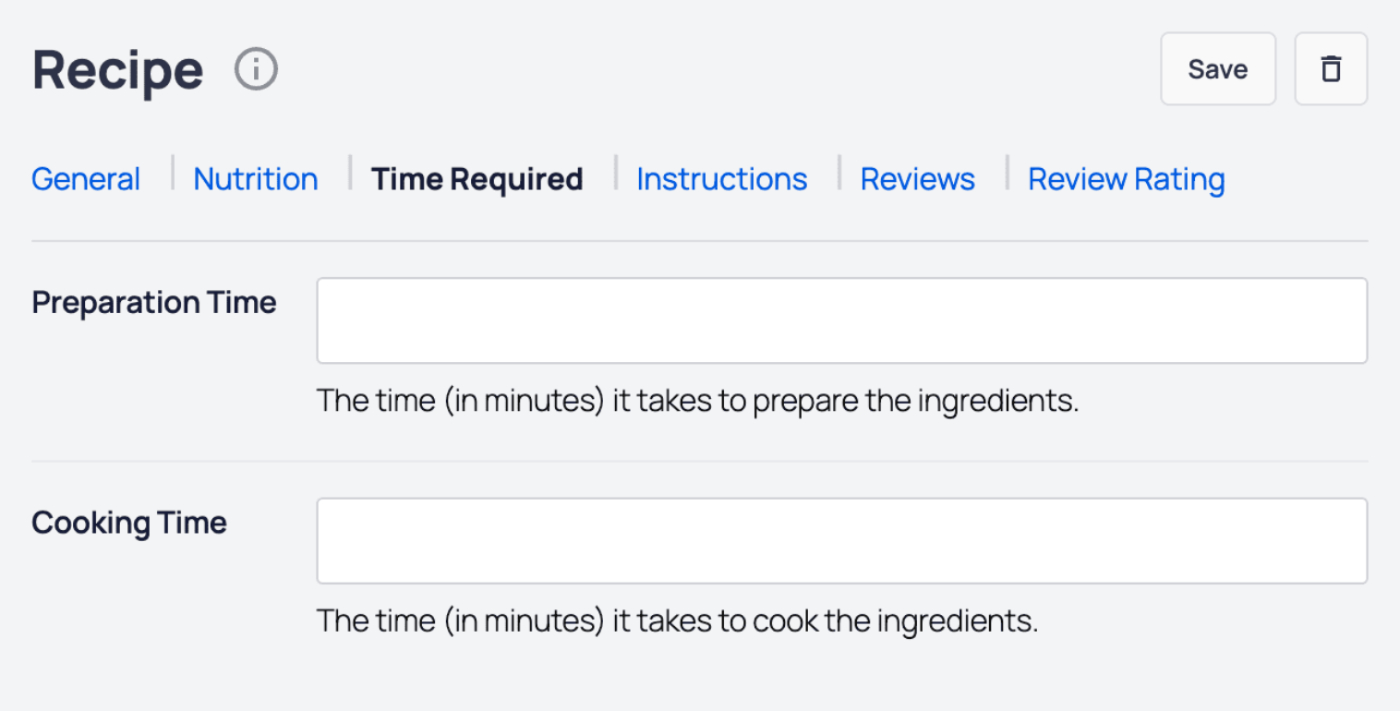
On the Time Required tab, complete the fields as described below:
- Preparation Time – Enter the time in minutes that it takes to prepare the ingredients.
- Cooking Time – Enter the time in minutes that it takes to cook the ingredients.
Instructions tab
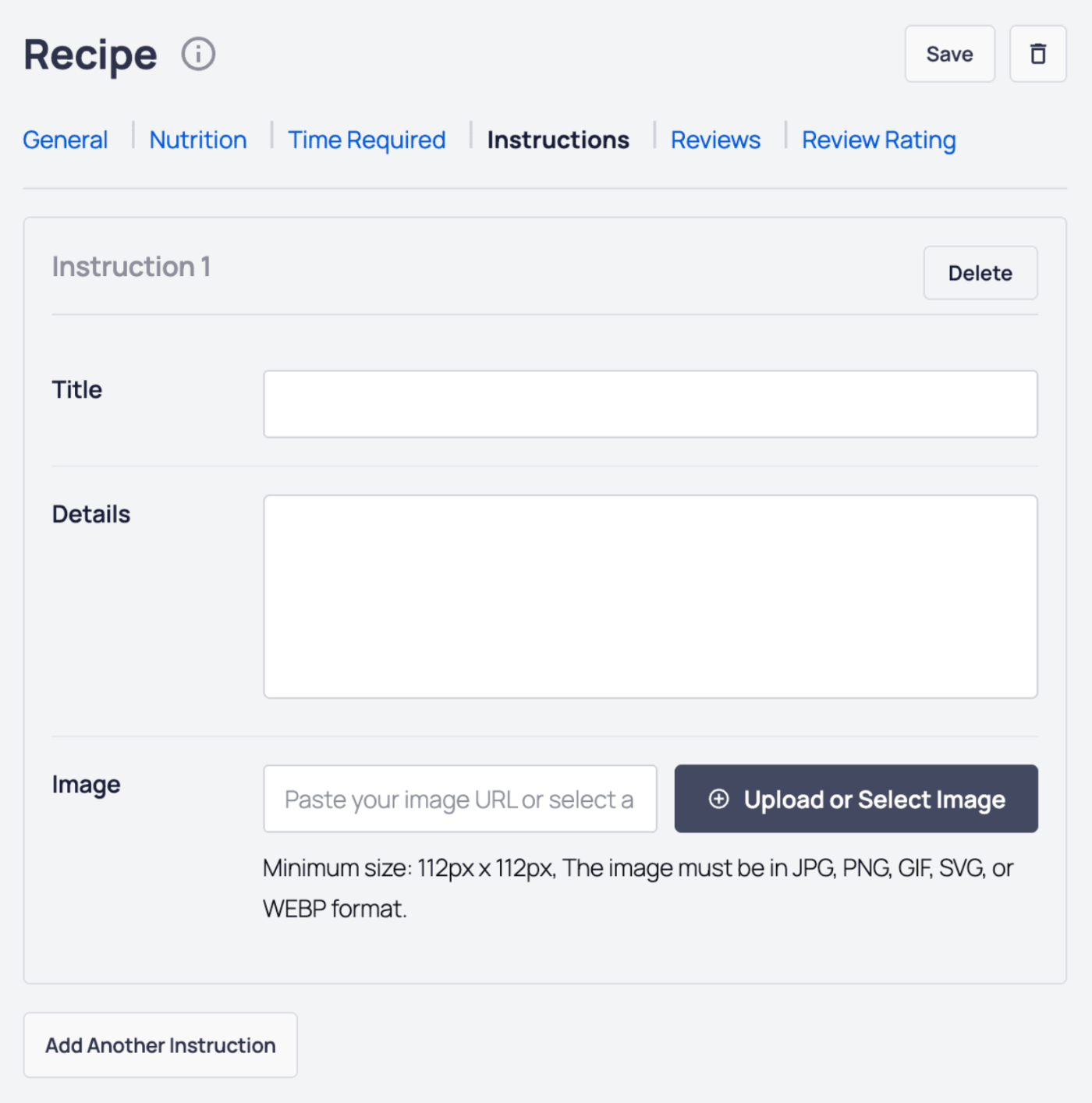
On the Instructions tab, add the steps to prepare the recipe. For each step, you can set the following:
- Title – Enter the title for the step.
- Details – Enter the details for the step.
- Image – Select or upload an image that visualizes the step. You can also paste in the URL for an image into this field.
Click on the Add Another Instruction button to add more steps for the recipe.
Click the Delete button to delete a step.
Reviews tab
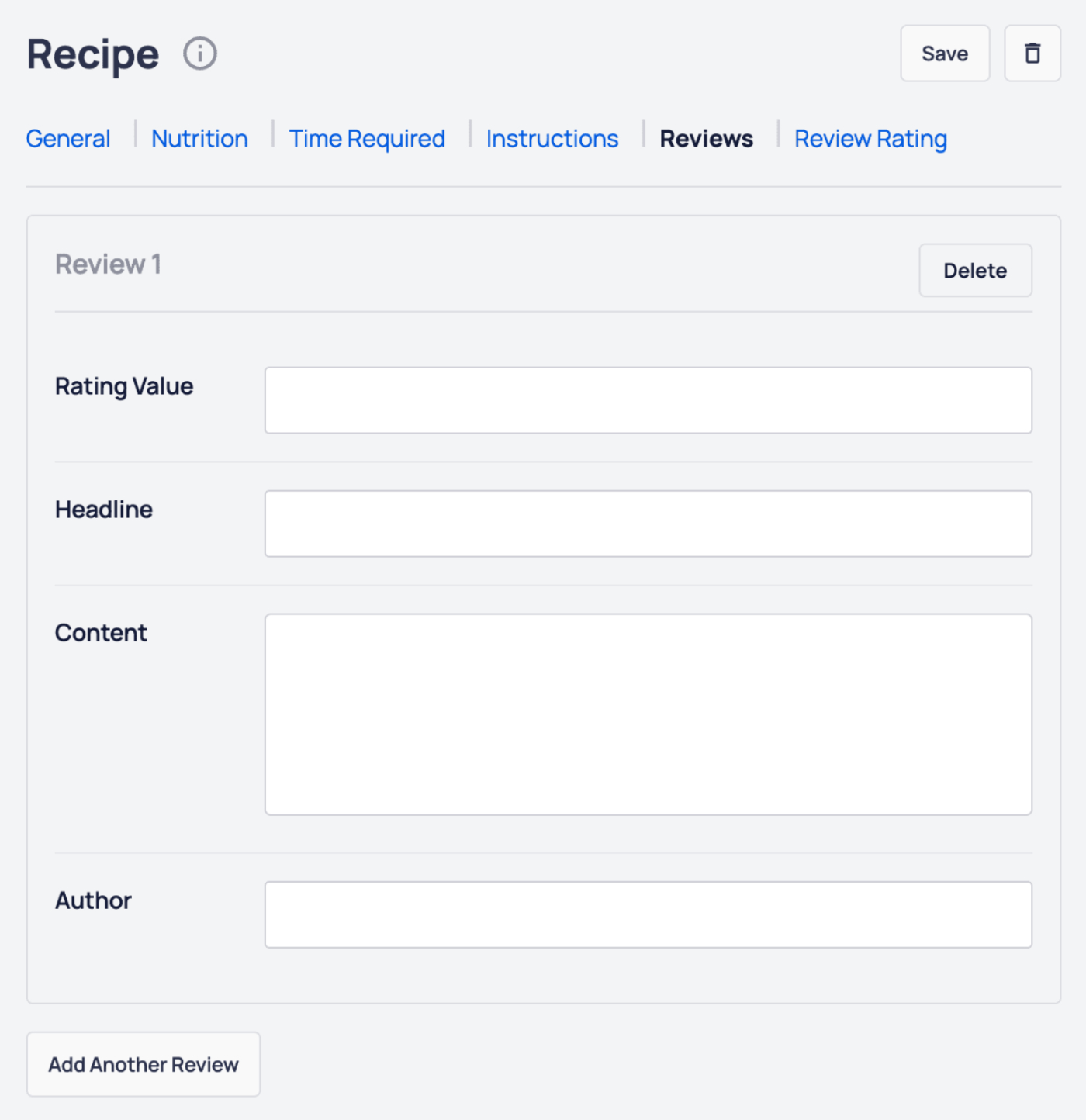
On the Reviews tab, you can add reviews for your recipe. In a review, you can set the following:
- Rating Value – The rating value for the review.
- Headline – The headline for the review.
- Content – The content of the review.
- Author – The name of the review author.
Click on the Add Another Review button to add more reviews for your recipe.
Click the Delete button to delete a review.
Review Rating tab
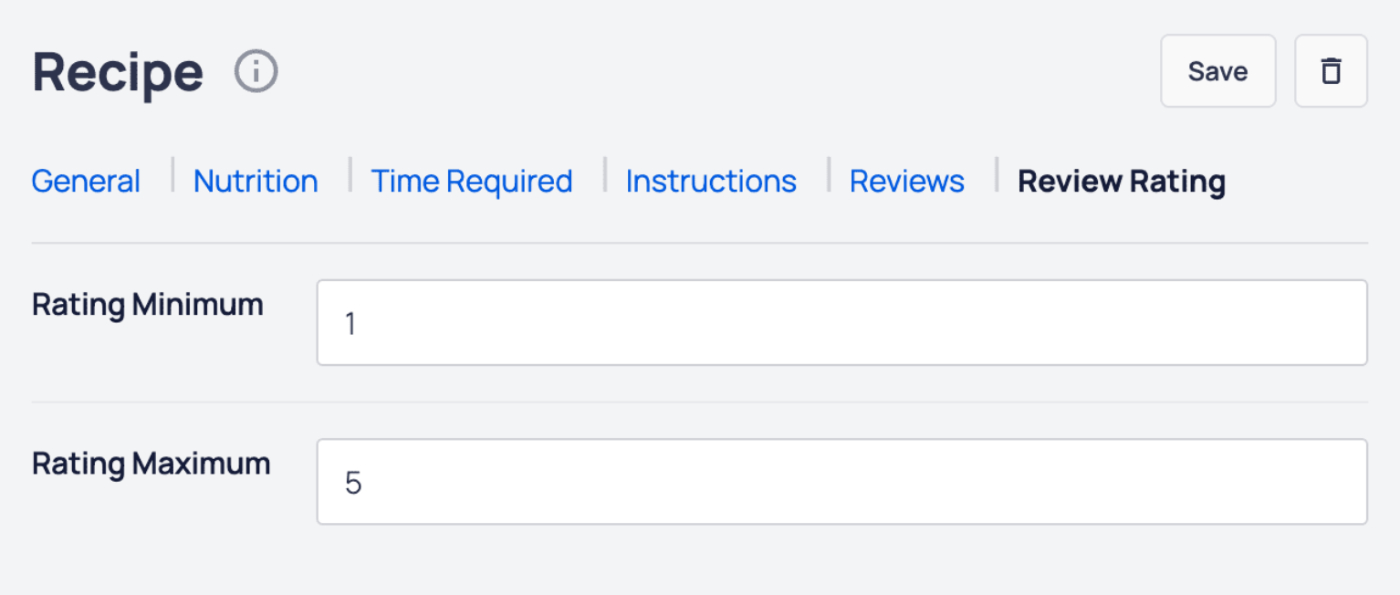
On the Review Rating tab, you can set the following:
- Rating Minimum – Enter the minimum rating value.
- Rating Maximum – Enter the maximum rating value.
Click the Save button to save your recipe details, or the Delete button to delete your recipe.
That's all! You can now save your post or page and view the recipe on the front end of your site.
NOTE:
Not only will your recipe be displayed on your site, but all the Recipe Schema markup will be displayed in the source code.
This means that you don't need to add Recipe Schema in the AIOSEO Schema settings.