
Schema markup is key for standing out in search results, but implementing it manually is a pain. Even after 6+ years in SEO, writing JSON-LD code is my least favorite task.
That's why I use a schema markup plugin for WordPress. It's the only scalable way to get rich snippets without touching code.
But which tools actually work?
I’ve tested the top options to find out. Here are my picks for the best WordPress schema plugin to help you dominate organic search.
In This Article
What Is a WordPress Schema Generator?
A schema generator is a plugin that automatically creates and adds schema markup to your WordPress site's code.
Why does this matter?
Because schema markup, which is a type of structured data, is the language search engines use to understand your content.
When Google understands your page, you are rewarded with rich snippets—those eye-catching star ratings, images, and prices you see in search results.

These rich snippets are proven to boost your click-through rate (CTR) and drive more traffic.
The problem is that adding schema manually requires writing JSON-LD code.
A schema generator plugin solves this by letting you input simple data (like a rating or a price) and handling the coding for you in the background.
It allows you to get the SEO benefits without needing a developer or coding experience.
How I Picked the Best Schema Plugins
With dozens of schema plugins available, I needed a set of criteria to narrow down the list. I didn't just look for the most popular tools; I looked for the ones that actually work and get rich snippets.
Here’s what I looked for during my testing:
- Code Accuracy: This is non-negotiable. Does the plugin generate valid JSON-LD code that passes Google’s Rich Results Test?
- Ease of Use: Can a beginner set up schema markup without needing to hire help?
- Schema Variety: Does the plugin support the most important schema types (Article, Product, FAQ, Recipe, Review, etc.)?
- Automation: Does it allow you to set global rules (e.g., “apply Article schema to all blog posts”) to save time?
- Maintenance: Is the plugin updated regularly to keep up with Google's changing guidelines?
Only the plugins that scored high in these areas made it onto my list.
Best WordPress Schema Plugins Compared
Short on time and want a quick comparison of the best WordPress schema generators?
The table below compares all 6 plugins at a glance.
| Plugin | Best For | Key Differentiator | Price |
|---|---|---|---|
| All in One SEO (AIOSEO) | Complete SEO Solution | The only all-in-one tool. It handles schema, local SEO, and on-Page SEO in a single plugin. | Starts at $49.50/yr Free version available |
| Schema Pro | Automated Schema | Large Schema Updates. Set rules to automatically apply schema to thousands of pages at once. | Starts at $79/yr |
| WP Review Pro | Visual Reviews | Frontend Design. Focuses on displaying visual star rating boxes on your site (not just back-end code). | $19/mo Free version available |
| Schema App | Enterprise / Large Sites | External SaaS. Uses a powerful external platform to manage complex schema for large websites. | Starts at $30/mo Free version available |
| WordPress Review & Structured Data | Budget Reviews | Affiliate Features. Includes specific blocks for Pros/Cons lists and affiliate links. | $29 for a single site license Free version available |
| WP SEO Structured Data | Basic Needs | Simplicity. A lightweight, standalone tool if you just want the basics without extra features. | Starts at $49/yr Free version available |
Best Schema Markup Plugins for WordPress
Now that you've had an overview of the lineup, let's get into the details.
I’ve tested these plugins on real WordPress sites to see how they handle structured data, how easy they are to configure, and whether they deliver on their promises.
1. All In One SEO (AIOSEO)

AIOSEO is a powerful WordPress SEO plugin that’s trusted by over 3 million marketers to boost their rankings and drive traffic to their websites.
One of the most loved features is the Schema Generator. You can open the tool and choose from a huge catalog of schema types—like FAQ, Recipe, or Software Application—and fill in the blanks. It handles all the code in the background.
Here's how it works:
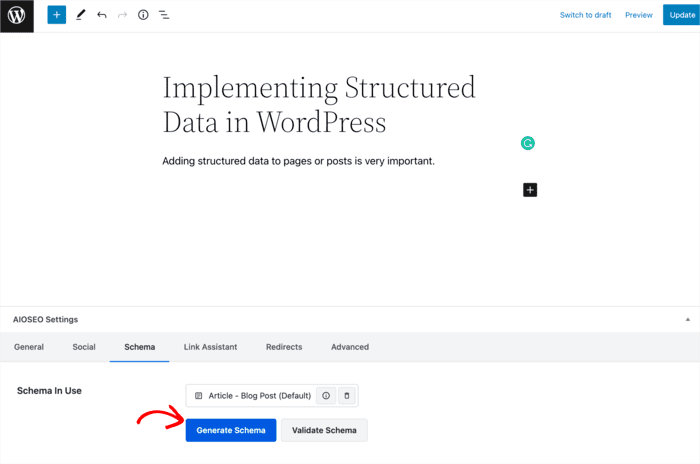
Start by opening the post or page where you want to add your schema markup. Once you're in the editor, head to the AIOSEO Settings » Schema » Generate Schema.
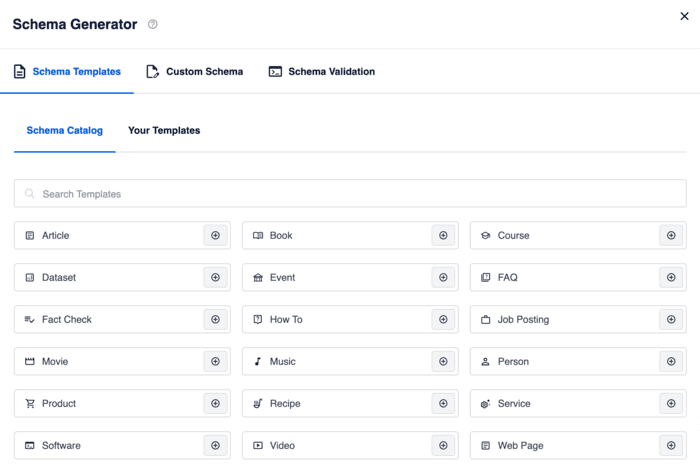
This will open a Schema Catalog with different types of schema markup you can add to your content. I like how easy it is to find the most popular schema types here.
Next, add the necessary information required to output the right schema for your page. The schema markup plugin will prompt you for information by showing simple, user-friendly fields.
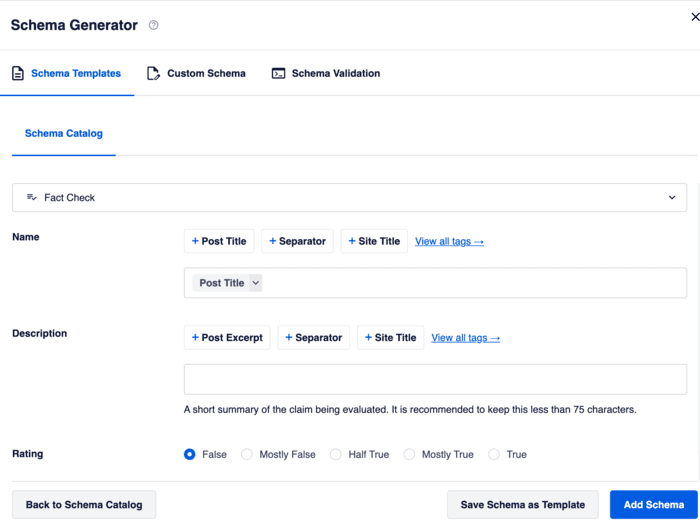
Once done, click Add Schema, and you're set! All in One SEO will format the structured data properly for search engines, helping you get rich snippets in SERPs.
For detailed instructions on installing AIOSEO, check out our installation guide.
Key Schema Features
- Custom Schema: Add custom schema types not available in the schema catalog.
- Schema Templates: Create schema templates to reuse on other pages.
- Schema Validator: Built-in schema validator to ensure all code is accurate.
- SEO Features: As an SEO plugin, AIOSEO has many other features to help you rank.
- Beginner-Friendly: No coding knowledge is required, even to add custom schema.
Pricing: Starts at $49.50 per year. A Lite version is also available for free on the WordPress repository, but it doesn't include the Schema Generator.
The Verdict: AIOSEO is the best schema plugin for WordPress users who want a beginner-friendly, no-code tool. You pick your structured data from a catalog of 20+ schema types and use fields to fill out the details. It takes minimal effort to give search engines all the information you need to earn rich snippets.
2. Schema Pro
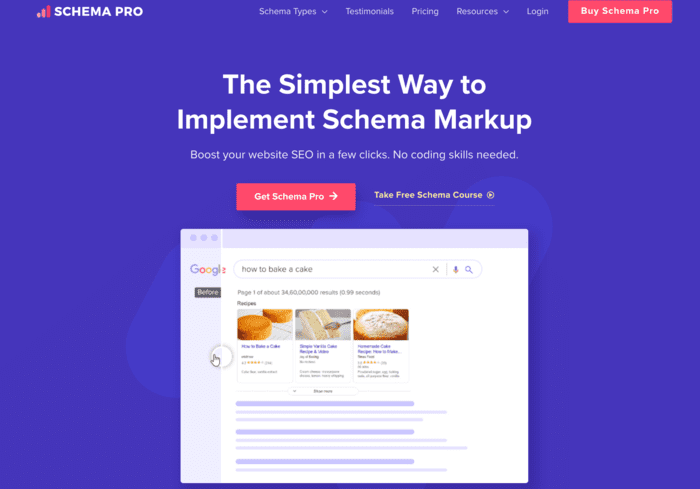
If you are looking for a standalone plugin dedicated entirely to structured data, Schema Pro is a solid option. It’s built by the same team behind the popular Astra theme, so the code quality is top-notch.
What I really like about Schema Pro is its automation. It allows you to configure a schema type once—say, “Review” schema—and then map it to specific fields across your entire site. This means you can automatically apply markup to thousands of pages at once without editing them individually.
This is a huge time-saver when working on client websites or big updates.
Schema Pro supports all the major schema types Google loves, including Recipe, Article, Book, Job Posting, and more.
Key Schema Features
- Automation: Map schema fields to existing data to automate markup across your site.
- 13+ Schema Types: Supports all the most common rich snippet types.
- Live Schema Testing: Integrates with Google’s structured data testing tool.
- Custom Field Support: Works well with plugins like ACF and Pods.
Pricing: Starts at $79/year.
The Verdict: Schema Pro is the best choice if you specifically want a dedicated, standalone schema plugin. Its global mapping features are excellent for advanced users who want to automate schema across large sites with custom fields.
3. WP Review Pro
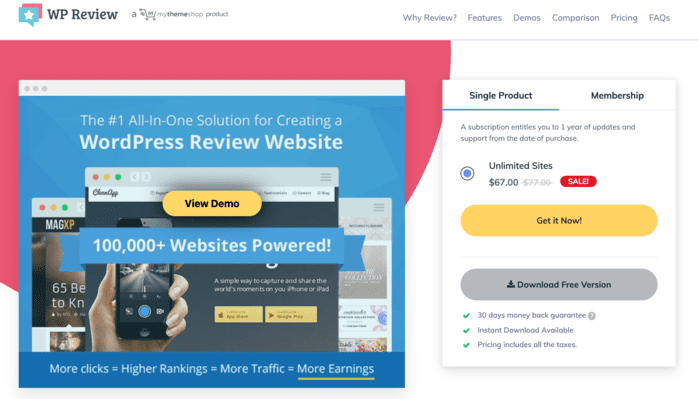
WP Review Pro is the best WordPress schema generator for publishers and bloggers who focus heavily on reviews. If your main goal is to display star ratings and review summaries in Google search results, this is a specialized tool designed just for you.
Unlike general schema plugins, WP Review Pro focuses on the visual side of reviews. It gives you customizable templates to display review boxes on your site (giving you social proof) while simultaneously generating the necessary schema markup for search engines.
It supports 19 types of rich snippets, but it really shines with its rating systems. You can choose from stars, percentages, points, or thumbs up/down ratings.
Key Schema Features
- Review-Focused: Specialized for generating Review and Aggregate Rating schema.
- 19 Schema Types: Supports a good range of other types like Game, Movie, and Book.
- Multiple Rating Systems: Choose from stars, points, percentages, and circle ratings.
- Integrations: Integrates with Google Places, Yelp, and Facebook Reviews.
Pricing: Free version supports 19 schema types. Paid plans are $19/month.
The Verdict: WP Review Pro is the best schema plugin for review sites. If your content strategy relies on reviewing products, games, or books, this plugin gives you the specialized visual templates and schema markup you need to stand out.
4. Schema App

Schema App is a powerful structured data solution that operates a bit differently than the others on this list. While they offer a free WordPress plugin, their main offering is a comprehensive, enterprise-level SaaS platform.
For large websites or e-commerce stores with thousands of products, Schema App is incredibly robust. It excels at creating complex, connected data graphs. For example, it can link your “Organization” schema to your “Product” schema and your “Author” schema in a very detailed way, helping search engines understand the relationships on your site.
The free plugin is decent for basic use, but unlocking the full power of their automated, high-volume schema generation requires a paid subscription to their external platform.
Key Schema Features
- High-Volume Automation: Designed to handle schema for sites with thousands of pages.
- WooCommerce Integration: Deep integration for optimizing product data.
- Editor Tool: Provides a visual tool to create custom JSON-LD without code.
Pricing: Free version available on WordPress.org. Paid plans start from $30/month.
The Verdict: Schema App is the best choice for enterprise-level websites or large e-commerce stores. If you need to manage complex data relationships across thousands of pages, their platform is worth the investment.
5. WordPress Review & Structured Data Schema Plugin
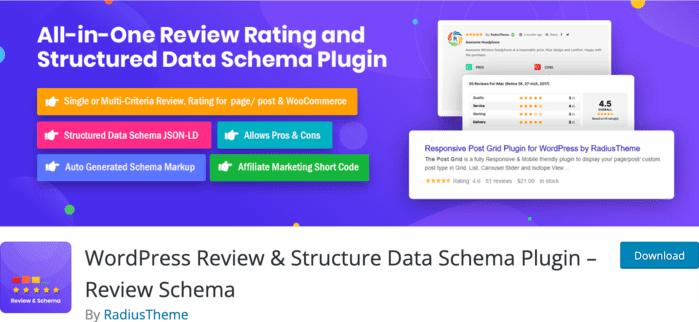
If you run a review site but are working with a tight budget, the WordPress Review & Structured Data Schema Plugin is a solid contender. Like WP Review Pro, its primary focus is helping you generate review snippets.
This plugin allows you to add review boxes to your content with your choice of style. It supports affiliate marketing well, allowing you to add pros/cons lists and affiliate buttons directly inside your review box.
While it is review-centric, the free version is surprisingly generous with other schema types, allowing you to add schema for Organizations, Local Businesses, News Articles, and more.
Key Schema Features
- Review-Centric: Excellent for creating review boxes with pros/cons and affiliate links.
- Multiple Rating Styles: Supports stars, percentages, and points.
- Auto-Generation: Can automatically generate schema based on your content settings.
- 15+ Schema Types: Supports a decent variety beyond just reviews.
Pricing: Free version available on WordPress.org. Paid plans start at $29 for a single site license.
The Verdict: This is the best budget-friendly option for review bloggers. If you want to add professional review boxes and star ratings to your site without spending money on a premium plugin, the free version of this tool is a great starting point.
6. WP SEO Structured Data Schema
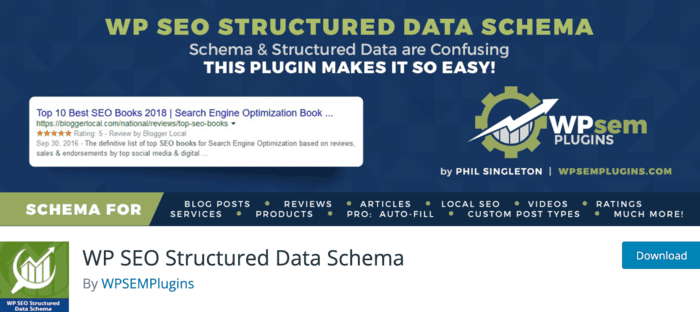
WP SEO Structured Data Schema is a straightforward, no-nonsense plugin designed to do one thing well: add schema markup to your site. It's a great option if you want a dedicated tool that's easy to set up and manage.
I really appreciate the user interface of this plugin. It’s clean and intuitive, making it easy to select a schema type (like Blog Posting, Event, or Product) and fill in the required details.
For Pro users, it offers a time-saving “auto-fill” feature. This attempts to automatically populate schema fields using data that already exists on your page, speeding up the process significantly.
Key Schema Features
- 11+ Schema Types: Covers the essentials like Organizations, Local Businesses, and Events.
- Auto-Fill (Pro): Automatically populates fields to save you time.
- Multisite Support: Works well for networks of WordPress sites.
- Custom Output: Allows you to tweak where the JSON-LD code is outputted on the page.
Pricing: Free version available. Paid plans start at $49/year.
The Verdict: This is a solid, reliable choice for users who want a dedicated schema plugin with a clean interface. It covers all the basics well and is easy enough for beginners to use without getting overwhelmed.
The Final Verdict: Which Schema Plugin is Best?
Schema markup is essential for standing out in crowded search results. But you shouldn't have to be a developer to get those rich snippets.
After testing the top options, here's my final recommendation based on your specific goals:
- For the Best All-in-One Solution: Choose All in One SEO (AIOSEO). It’s the only tool that combines a powerful Schema Generator and Validator with a full suite of SEO tools. It allows you to replace multiple plugins and manage your entire strategy from one dashboard.
- For Visual Reviews: If your main goal is to display star rating boxes on your blog posts for social proof, WP Review Pro is the best specialized choice.
- For Dedicated Automation: If you already have an SEO plugin you love but need advanced schema for thousands of pages, Schema Pro is a fantastic standalone option.
Ultimately, the best plugin is the one that makes your life easier. For most WordPress users, AIOSEO offers the perfect balance of power and simplicity.
What To Do Next
Now that you've chosen the best schema plugin, it's time to take your WordPress SEO to the next level. Getting rich snippets is a huge win, but it's just one piece of the puzzle.
Here are a few expert guides to help you continue optimizing your site:
- Improve Your Rankings: Check out our ultimate guide on how to improve your click-through rate (CTR) using your new rich snippets.
- Speed Up Your Site: Schema plugins are lightweight, but images can slow you down. Read our guide on image SEO to keep your site fast and rank in Google Images.
- Master Local SEO: If you run a local business, learn how to add local business schema to dominate Google Maps.
- Fix Broken Links: Don't let 404 errors hurt your new rankings. See how to easily find and fix broken links in WordPress.
I hope this post helped you find the best schema plugin for WordPress. For more simple WordPress tutorials and SEO tips, subscribe to our YouTube Channel. You can also follow us on X (Twitter), LinkedIn, or Facebook to stay in the loop.
FAQs: Schema Markup Plugins for WordPress
Do I need a schema plugin if I already have an SEO plugin?
It depends on your SEO plugin. If you are using All in One SEO (AIOSEO), you do not need a separate schema plugin. AIOSEO has a powerful schema generator built-in that handles everything automatically. Using multiple schema plugins at the same time can actually cause conflicts and duplicate code errors, so it’s best to stick to one comprehensive tool.
How do I test if my schema markup is working?
The best way to test your schema is using Google's Rich Results Test tool. You simply enter your URL, and it will tell you if your page is eligible for rich snippets. If you use AIOSEO, you can skip this step; it has a Schema Validator built right into the WordPress editor, so you can test your code before you even publish the page.
Can I add schema markup without a plugin?
Yes, you can manually add JSON-LD code to your website, but I don't recommend it for beginners. One missing comma or bracket can break the code. Using a trusted WordPress schema generator plugin ensures your code is always formatted correctly and stays updated with Google’s latest guidelines automatically.
Which schema type should I use for my homepage?
For most businesses, your homepage should use the Organization or Local Business schema. This tells Google who you are, where you are located, and how to contact you. AIOSEO sets this up automatically in its “Knowledge Graph” settings when you first install the plugin.
Want to Try AIOSEO for Free?
Enter the URL of your WordPress website to install AIOSEO Lite.

Disclosure: Our content is reader-supported. This means if you click on some of our links, then we may earn a commission. We only recommend products that we believe will add value to our readers.
