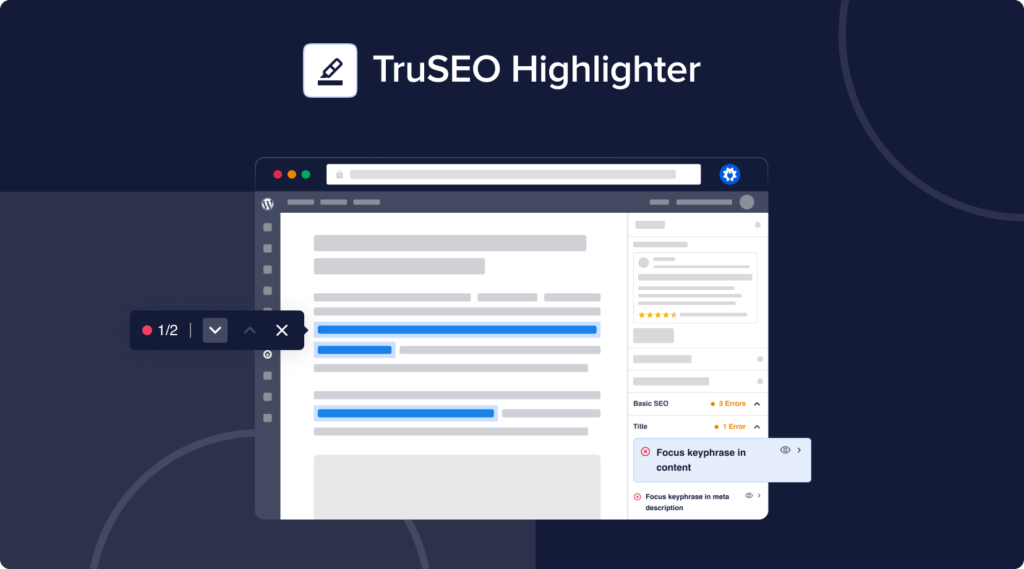
Improved TruSEO Highlighter style compatibility with various popular themes.
Improved general style compatibility with Elementor dark mode.
Added TikTok to supported social profiles under Social Networks settings.
Added custom capability for SEO Revisions tab in metabox to Access Control menu.
Fixed
Auto-update for AIOSEO Pro users failing in some cases where the download URL is expired.
Incorrect robots meta value output on search pages when additional query args are added to the URL.
Query Loop block not rendering correctly due to calls to do_blocks() when autogenerating meta descriptions.
Excluded posts, excluded terms and hidden WooCommerce Products are now considered again when determining the amount of product sitemap indexes for the root sitemap index.
Priority value missing for posts/terms in sitemap with a priority of 1.0 or 0.0.
Additional sitemap pages hook now returns consistent data in root and additional page sitemap indexes.
TruSEO shows incorrect results when Focus Keyphrase contains special characters.
TruSEO results not visible after loading the post editor until user switches between tabs.
Event schema no longer let’s users select an end date that takes place before the start date.
Product schema triggers WooCommerce “Can’t add this product to cart” alert when product is out of stock.
Image property of Webpage schema doesn’t refer to the correct ID of the PrimaryImage property.
SEO Revisions modal now opens automatically in Lite when SEO Revisions menu is opened via sidebar.
Plugin conflict where Vimeography breaks robots.txt.
Rare issue where Safari browser can crash on iOS 15 due to CSS animation.
Harmless JavaScript console error when editing a term.
Version 4.4.6
New
TruSEO Highlighter – Our improved TruSEO content algorithm now lets you highlight phrases that need to be improved, allowing you to easily optimize your post content for SE👁️!
Fixed
Conflicts with Post SMTP Mailer and other plugins where call to sanitize_file_name breaks features.
Version 4.4.5.1
Fixed
PHP error on login page for Wealthy Affiliate users.
WP 6.3 affecting styling of link format in Block Editor.
Version 4.4.5
New
REST API addon endpoints now return the breadcrumb trail.
Added filter hook to filter post ID
Updated
Adding a redirect to a protected path like /wp-admin/ now throws a warning.
Added support for ACF Link field to TruSEO algorithm.
Product schema now outputs multiple offers for variable WooCommerce Products.
Image sitemap now detects images inside Kadence Gallery block.
Local SEO Map no longer uses geocoding to center the map.
Fixed
Breadcrumbs prefix not rendering on frontend.
Searching for redirects now works again when a user enters one or more numbers.
Testing a regex redirect that uses regex groups no longer returns a false-negative.
Redirects no longer have an automatic trailing slash added to the target URL.
PHP warnings from Product schema when a WooCommerce Product doesn’t have reviews enabled.
Generic Product schema not working for posts other than EDD Downloads and WooCommerce Products.
Missing FAQ schema if FAQ Block is nested inside another block.
Event schema now outputs the start and end date again.
Schema no longer outputs Aggregate Ratings when a WooCommerce Product has no reviews.
Product review rating value and review count are now correct for EDD Products when a review is missing a value.
Plugin conflict where WP Optimize removed AIOSEO custom tables.
Plugin conflicts with Product shipping details schema.
Plugin conflict with Jetpack WAF causing warnings when a failed login attempt occurs.
Theme conflict with Jupiter X causing the “lang” and “prefix” attributes to be combined.
Avada Theme’s Fusion Elements are no longer available in the AIOSEO options.
Removed Table of Contents block from Widgets Editor.
Removing a static robots.txt file through the relevant notification in the Notifications Center now works correctly.
Search Statistics date range picker sometimes hidden behind admin bar.
TruSEO algorithm now parses special characters in post titles correctly.
TruSEO’s Passive Voice check now correctly warns users when over 10% of the content uses passive voice.
Image SEO addon bulk action to add image attributes throws a PHP notice.
PHP 8 notice in Robots.txt Editor.
Image SEO addon bulk action to add image attributes throws a PHP notice.
Version 4.4.4
New
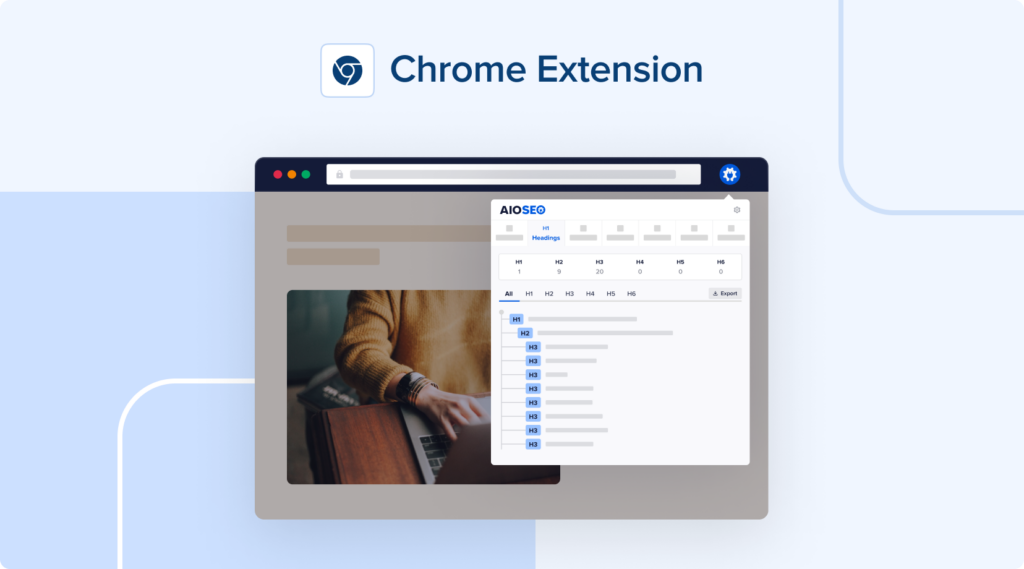
Chrome Extension to analyze any site’s on-page SEO to see what’s working!
Updated
Bumped minimum PHP version to 7.0.
Improved relevance of AI Title/Description Generator suggestions.
Improved date picker for Additional Pages in General Sitemap settings so that users can now enter the time as well.
Added back old sitelinks schema to support Yandex search engine.
Added support for manual reviews for WooCommerce products when customer reviews are disabled.
Improved performance of license activations table in Network Admin for multisite installations.
Fixed
Custom data sometimes not output for default Blog Posting and News Article schema graphs.
“hasPart” prop no longer output for Dataset schema graphs that do not have a subset.
Author sitemap indexes by default now only include users who have a published a regular post.
Terms in sitemap sometimes having incorrect last modified date when their latest updated assigned post isn’t published.
Version 4.4.3
New
Added keyword density test to TruSEO content analysis.
Updated
TruSEO now considers numbers as valid focus keywords.
Breadcrumbs block now shows a warning when breadcrumbs feature is disabled under the General Settings.
Redirect trash monitor now monitors deleted posts as well.
Improved compatibility with ClassicPress v2.0.
Fixed
Conflict with Bluehost plugin where the sitemap stylesheet returns a white screen.
Plugin conflict when WP content directory does not use the default location.
Post list now shows the correct title/description for every post when filtered by a category.
Post archives without posts are no longer incorrectly included in sitemap root index.
Search Statistics now works correctly on multisite subsites.
Dashboard Widget now accurately counts posts without a focus keyword.
Enabling a filter for the redirects tables no longer reset any active column sorting.
Pagination for notifications in the Notification Center sometimes not working correctly.
Divi element suffixes incorrectly incremented when shortcode parsing is enabled in AIOSEO.
Removed duplicate description tag from Hello Elementor theme.
Parent term smart tag not working correctly in some cases.
Three-way plugin conflict between AIOSEO, BuddyBoss Platform and User Role Editor where our capabilities are removed from custom roles.
Version 4.4.2
New
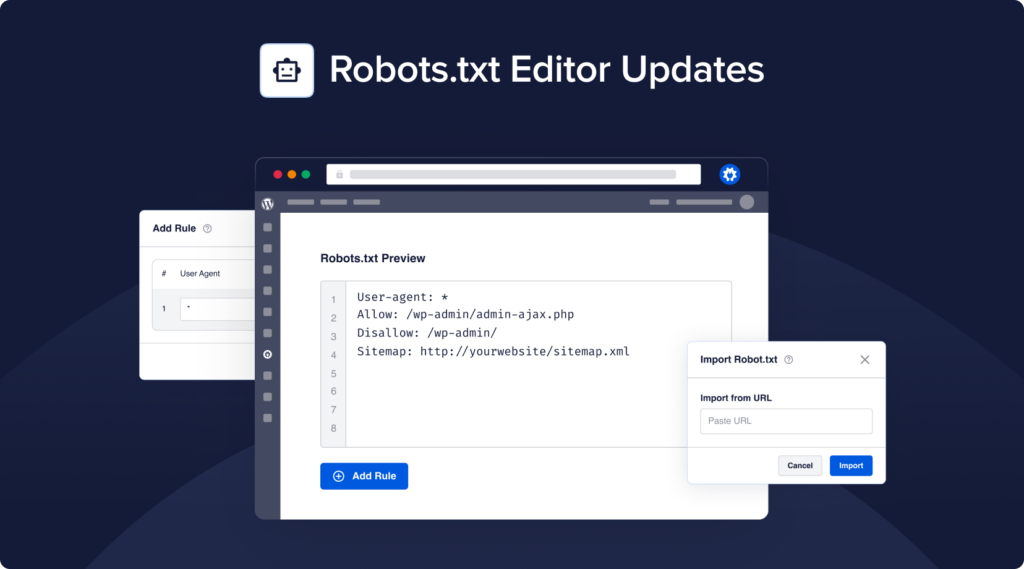
Revamped Robots.txt Editor – We’ve brought our Robots.txt Editor to the next level with support for additional rule directives, importing rules from a URL, error highlighting and much more!
Added support for PHP 8.2.
Fixed
The robots.txt editor now respects the casing and doesn’t convert the value to lowercase.
Version 4.4.1
Updated
The primary term is now favoured for the permalink and canonical URL when the permalink structure includes a term.
Added additional filters/sorting options to the Content Rankings report in Search Statistics.
Improved the breadcrumb preview inside the Site Editor.
Added support for translating image title attributes with WPML.
Import from SEOPress compatibility.
Fixed
The breadcrumb and HTML sitemap blocks now work again inside Elementor’s visual editor.
TruSEO content analysis no longer runs when Divi Wireframe mode is active.
Posts of a hidden language from WPML would sometimes be included in the sitemap.
Dynamic homepage title/description would sometimes not be translated by WPML.
SEO Analysis results not loading without clicking the “Refresh Results” button.
Sitemap additional pages CSV import not importing all URLs correctly.
Missing caret for navigation menu tabs dropdown when screen is not wide enough.
Editing custom schema graphs now loads the correct content instead of an empty editor.
Service schema would sometimes not output images.
Product schema no longer includes aggregate rating when there is no rating value for the review.
Review rating value not saving for Software and Movie schema graphs.
The footer actions in the AI Title/Description Generator modal are now still visible when a scrollbar is present.
Prevented fatal error when importing meta keywords from Yoast SEO.
Missing days of the week in Opening Hours block.
Version 4.4.0.3
Fixed
PHP error in root video sitemap index.
PHP error in post editor for sites using older WordPress versions due to call to non-existing function.
Version 4.4.0.2
Fixed
Posts sometimes automatically updated when SEO revisions feature is monitoring for changes.
Cookie Consent
We use cookies to improve your experience on our site. By using our site, you consent to cookies.
Websites store cookies to enhance functionality and personalise your experience. You can manage your preferences, but blocking some cookies may impact site performance and services.
Essential cookies enable basic functions and are necessary for the proper function of the website.
Name
Description
Duration
Cookie Preferences
This cookie is used to store the user's cookie consent preferences.
30 days
These cookies are needed for adding comments on this website.
Name
Description
Duration
comment_author_email
Used to track the user across multiple sessions.
Session
comment_author_url
Used to track the user across multiple sessions.
Session
comment_author
Used to track the user across multiple sessions.
Session
These cookies are used for managing login functionality on this website.
Name
Description
Duration
wordpress_logged_in
Used to store logged-in users.
Persistent
wordpress_sec
Used to track the user across multiple sessions.
15 days
wordpress_test_cookie
Used to determine if cookies are enabled.
Session
WPForms is a user-friendly WordPress plugin for creating custom forms with drag-and-drop functionality.
Name
Description
Duration
wpfuuid
Used to track user interactions with forms.
11 years
Statistics cookies collect information anonymously. This information helps us understand how visitors use our website.
Google Analytics is a powerful tool that tracks and analyzes website traffic for informed marketing decisions.
TruSEO issues now show up right on your Elementor, Divi, or WPBakery layout. It’s the same set of tools you’ve been using in the block editor, now in your favorite page builders.
What’s included:
Issue highlighting: TruSEO marks problems right on your layout, and the “found” links jump you straight to each one
Spell Checker: fix typos in 1 click, or add a term to your dictionary
Suggest a fix: apply AI rewrites directly to your content (requires AI Credits)
Supported editors: Elementor V3 and V4, Divi 4 and Divi 5, and WPBakery’s frontend and backend editors
Broken Link Checker 1.3.1 expands what it scans beyond posts and pages, catching broken links in corners of your site you’d never think to look. Here’s what’s new:
Navigation menus: every link in your header, footer, and custom menus gets scanned
Custom fields and author bios: 2 places broken links used to hide completely
Page builder support: Elementor, Divi, SiteOrigin, Avada, and WPBakery content is now checked automaticall
Oh, and synced patterns and templates? Those are covered, too.
Broken Link Checker’s new dashboard organizes your broken links by priority, worst domains, and distribution across your site, so you know where to start.
Fix-first priority view: see which broken links to tackle first instead of working through an unsorted list
Worst domains: spot the external sites with the most broken links pointing at your content
Broken link distribution: see how broken links are spread across your site
The new dashboard is available on every BLC plan, including Lite.
Broken Link Checker now emails you within a week if a link on your site breaks, plus sends a full monthly summary of all links analyzed, so you don’t have to log in and check manually.
What’s included:
Weekly alert: hear about a new broken link within about a week of it breaking, no checking required
Monthly summary: a full report of every link checked that month, sent either way, broken or not
Independent from scan frequency: your scan schedule and your email reports run on separate tracks
Multiple recipients: send reports to your own address, teammates, or clients right from settings