Changelog
New Features, updates and fixes
Version 4.9.0
New
- Table of Contents Block 2.0 – Our revamped Table of Contents block now supports multiple blocks on the same page, with a standalone or synced mode. We also added accordion support so you can collapse or expand it.
- Recipe Block – Highlight your best recipes with a new block that also comes with schema markup to get your recipes featured in search results.
- Products Block – Showcase your products with granular controls and Product schema markup to drive more organic traffic to your page.
Fixed
- Rare PHP error when action scheduler arguments are not a JSON object.
- DB lock issue when checking table schema in MariaDB.
Version 4.8.9
Updated
- Improved user permission checks to display Site Audit action buttons.
- Added filter to disable AI Image Generator buttons in the block editor.
Fixed
- Conflict with Avada theme where post content was disappearing in backend editor.
- Elementor Side Cart automatically opening even when the cart is empty on single product pages.
- Category title missing from meta descriptions on new sites.
- Redundant schema queries when database schema cache fails to update.
- JS error when accessing string offsets in SEO revisions data processing.
- Keyword Rank Tracker button broke in the Post editor if the Spectra or Starter Templates plugin was activated.
- Homepage meta description character counter breaks when the site is set as an Organization.
- New feature popups rendering outside the viewport on smaller screens.
Version 4.8.8
New
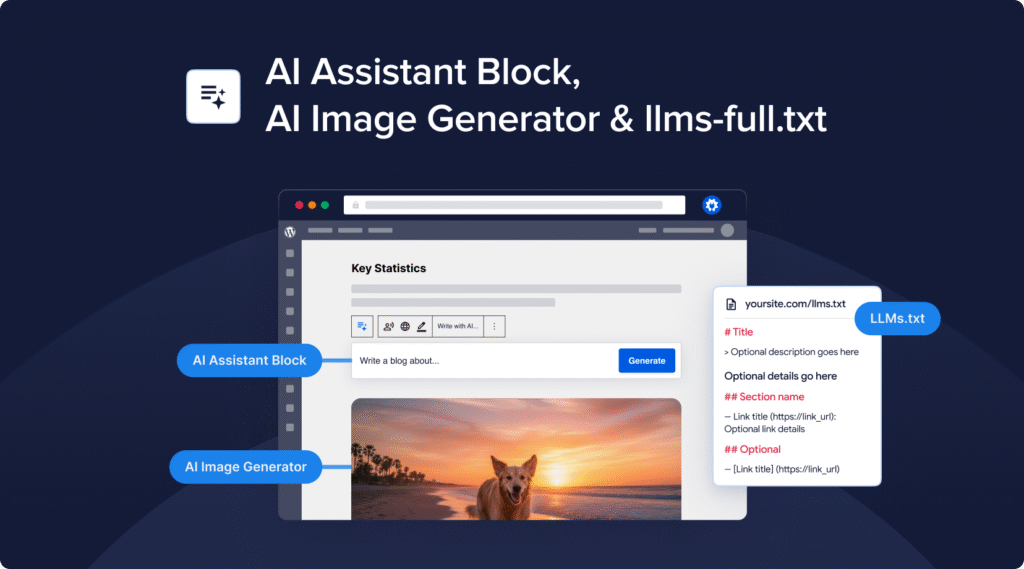
- AI Assistant Block – Generate any type of content right inside the post editor: blog articles, summaries, comparison tables, and more. Whatever you need, the AI Assistant block makes it happen.
- AI Image Generator – Instantly create eye-catching visuals for your posts and use them anywhere—from featured images to inline content. You can even edit existing images to give them a unique twist.
- LLMs.txt Improvements – The new llms-full.txt file makes it easy for AI engines to index your site without overloading your server. We’ve also added post-to-Markdown conversion and new settings to control exactly what content gets included.
Updated
- All existing AI Content features have been made compatible with all our supported page builders. You can now auto-generate SEO titles, meta descriptions, FAQs, keypoints and social posts directly inside Elementor, Divi, SeedProd, Avada, WPBakery, SiteOrigin and Thrive Architect!
- The llms.txt file is now generated as a static file, removing the need for rewrite rules (e.g. on WP Engine).
- Moved llms.txt under Sitemaps menu.
Fixed
- Site Audit sometimes not showing results when all content types are included.
- PHP error when Site Audit cannot scan post due to uninstantiated social class.
- PHP error when dashboard widget failed to fetch RSS news feed.
Version 4.8.7.2
Updated
- Added additional hardening to REST API routes.
Version 4.8.7.1
Fixed
- WooCommerce products being automatically added to the cart.
Version 4.8.7
Updated
- Hardened API routes to prevent unauthorized access.
- Added support for tracking breadcrumb setting changes in SEO Revisions.
- Added support for WooCommerce GTIN field to Product schema.
- Added support for
.avifimages to Image Sitemap and Image SEO addon. - Review limit for Product schema can now be modified via a new filter hook.
- Use site URL instead of home URL for llms.txt to handle WP installs in subdirectories.
- Remove all user meta when AIOSEO is uninstalled.
- Improved performance of Cornerstone Content filtering.
Fixed
- Product shipping details schema clearing cart content in rare case where logged-in user adds a product to the cart and then edits a product in the admin panel.
- ProfilePage schema sometimes invalid due to incorrect author URL.
- Hide AIOSEO custom link fields inside the Edit Link modal in WPBakery visual builder to prevent plugin conflict.
- AIOSEO Settings not successfully saving before post is published in WPBakery visual builder.
- The SEO title and description were not persisting if the post content is too large.
- Theme conflict with Neve where the EDD Checkout block does not show if Run Shortcodes is enabled.
- Breadcrumb block not updating when changing the post title.
- If WooCommerce brand is selected as primary category, it is now correctly used in the URL.
- Headline Analyzer layout breaks when entering very long headlines.
Version 4.8.6.1
Updated
- Prevent potential plugin conflicts caused by loading dependencies multiple times.
- Local SEO render options for Opening Hours are now hidden when feature is disabled.
Fixed
- Loading spinner for SEO Revisions in sidebar menu not aligned.
Version 4.8.6
New
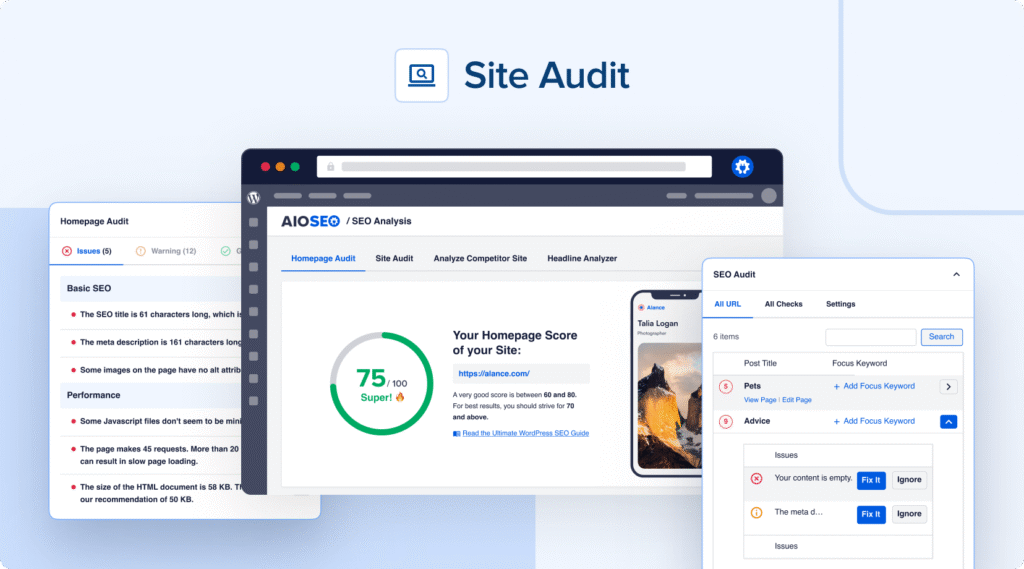
- Site Audit – Get a detailed report of SEO issues for all posts and terms on your site, discover why these issues are important and how you can fix them. 🔨
Fixed
- Multisite subsite requests to Search Statistics server sometimes fail due to missing license.
- Rare PHP error when breadcrumbs cannot be determined for non-standard pages.
Version 4.8.5
Updated
- Author SEO (E-E-A-T) addon and Writing Assistant data are now fully removed when uninstalling the plugin.
- Product Schema now favours WooCommerce brand field over its own custom field.
- PHP version notices are now only shown to Administrators.
Fixed
- Breadcrumbs taxonomy preview now correctly refreshes when user toggles between using the default settings.
- WooCommerce Brand smart tag not correctly converted to expected value in previews.
- AIOSEO Details column now correctly reloads after quick-editing a post.
- Image URLs are no longer forcefully converted to lowercase in the Image Sitemap.
- Focus Keyword now saves correctly again for Divi built posts.
- Image SEO no longer breaks Divi built posts in rare cases.
- Multisite subsites no longer incorrectly inherit the “Block AI Crawlers” and “Block Crawling of Internal Site Search URLs” setting values from the main site in the network.
- Notifications no longer contain encoded HTML entities
- Default options for new redirects not localized.
- PHP error in rare cases when breadcrumb link is a WP_Error.
- PHP error due to plugin conflict with MasterStudy LMS.
Version 4.8.4.1
Fixed
- PHP error for multisites when AI credits don't manage to update correctly.