Are you losing traffic due to broken links? Do you know if you have any broken links?
Surprisingly, most links on the web are broken. There’s even a name for it: link rot.
So, why does it matter?
Broken links make it hard for users to find what they’re looking for. That drives visitors away. And when you lose visitors, you lose conversions and sales.
A broken link can also make a page invisible to search engines. That means zero traffic.
But who has time to check every web page and link on a website? Ideally, site owners should check for broken links regularly. But that makes the task even more time-consuming.
That’s why we decided to create a fast solution that even a beginner can use.
In This Article
Find and Fix Broken Links, Easily
We’re excited to announce our brand new, standalone Broken Link Checker plugin.
- This plugin scans all the links on your site.
- Then it lists all broken links and provides an easy way to fix them.
You don’t even need to open any web pages.
Just click Edit URL to replace a broken link – right inside the plugin.
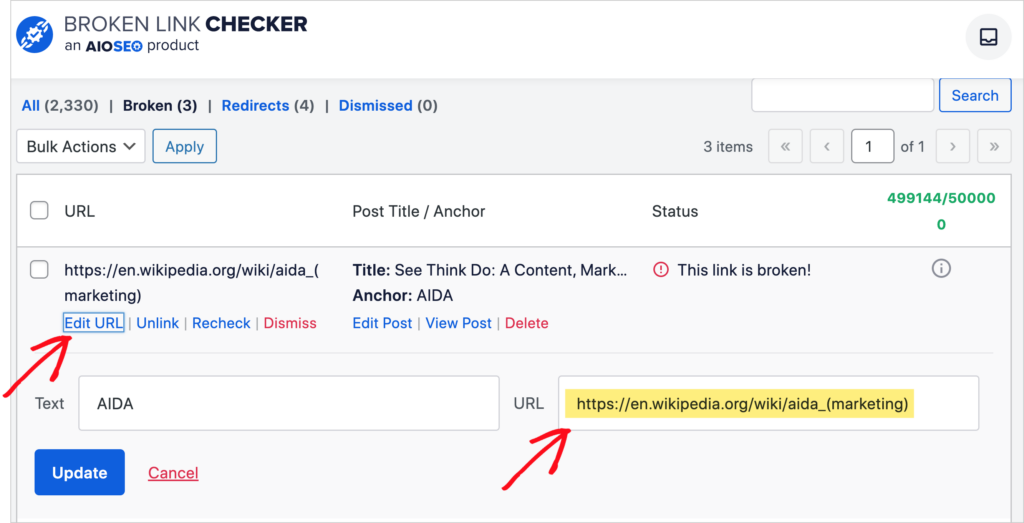
You can also edit the anchor text at the same time.
Semi-Weekly Scans
The Broken Link Checker plugin automatically scans your site every 3 days. So there’s no need to worry about missing broken links in the future.
Additional Features
- You can opt to view Broken links, Redirects, or All links on your site.
- Click Unlink to remove a link.
- Click Recheck to re-scan a link.
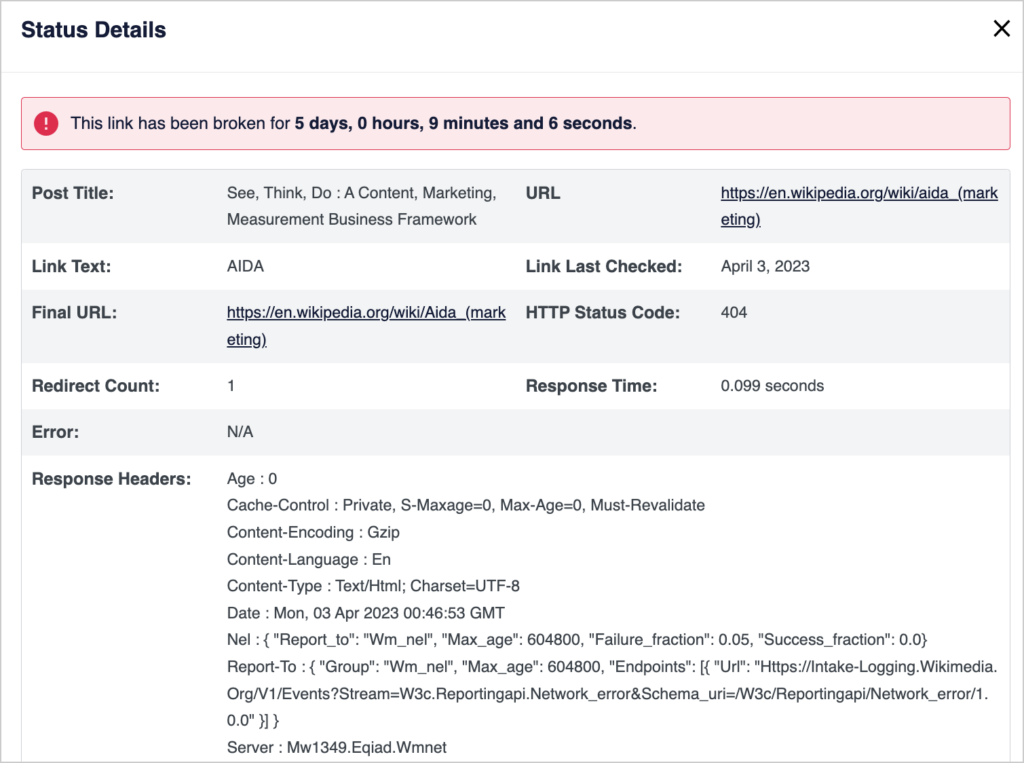
Webmasters and SEO professionals will appreciate the scrollable Status Details window that displays response headers and other information for each link.
Control Which Types of Pages are Scanned
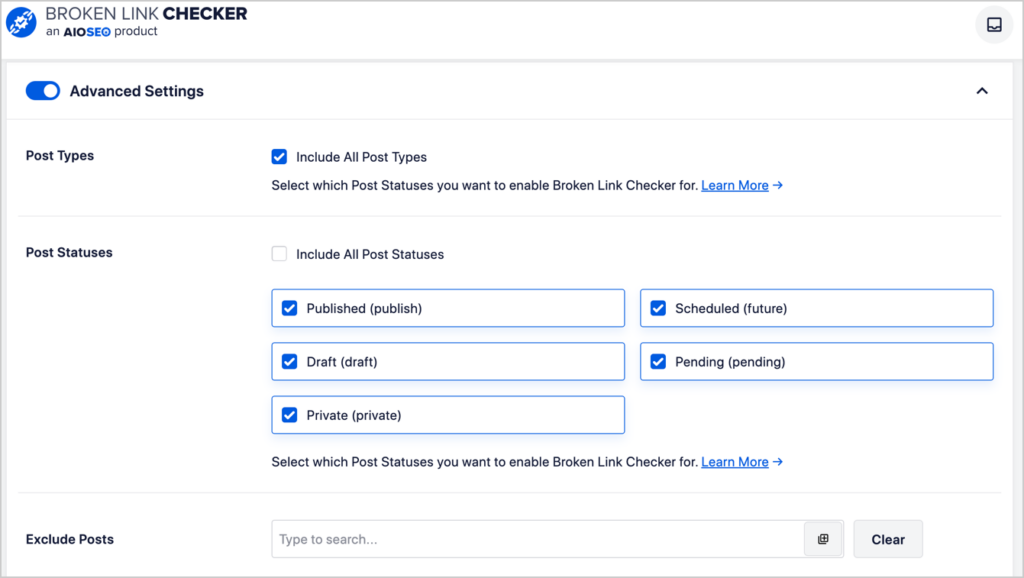
Our advanced settings give you full control over which pages get scanned.
Include or exclude:
- Specific, named posts
- Scheduled posts
- Drafts or published posts
- Private posts.
Scanning – the Right Way
As mentioned, we scan external links (links from your website to others) as well as internal links (links from one page on your site to another page on your site).
To protect your site, we pay for an external server to do this scanning (also called “pinging”). That means any external links you have on your site are pinged by us from our private web server.
Avoid Being Blacklisted
Most of our competitors don’t use an external server. They do their pinging directly from their clients’ sites. That puts those sites at risk of being blacklisted.
The blacklisting occurs because when a website is used to ping external sites repeatedly, that behavior looks suspicious to internet service providers.
How to Get Broken Link Checker by AIOSEO
You can download Broken Link Checker by AIOSEO here.
And if you’re not yet using the All in One SEO plugin, download that here so you can improve your SEO. And see our product changelog for recent updates.
We appreciate all of your feedback. Please keep sharing your ideas with us!
Keep an eye on our blog, too. Soon we’ll publish additional tutorials on how to use the new Broken Link Checker plugin.
And if you have questions about the new plugin, please reach out to our customer support team. Or drop a comment below.
We’re delighted to support your success with new tools like Broken Link Checker!
– Benjamin Rojas
President of AIOSEO