If you build your pages in Elementor, Divi, or WPBakery, you know what it’s like to get an SEO score. Unfortunately, most SEO plugins leave you with just that: a score, and nothing else. So, you’d end up hunting through 14 sections of your post to find the issue and Googling what to do about it.
That always felt unnecessarily complicated to me. So, starting with AIOSEO 5.0.4, that struggle is over.
Elementor, Divi, and WBakery users now get the same TruSEO tools as in the block editor, right inside the page builder. Problems get marked on your layout, typos get fixed in 1 click, and AI suggestions go straight into your content.
In This Article
What changed inside your builder
Before this release, page builders got the TruSEO score and the list of checks, and that was it. You knew something was wrong. You just didn’t know where.
Now you get 3 things you didn’t have before.
1. Issues are marked right on your layout
Turn on the Highlight toggle, and TruSEO underlines the problems directly on the canvas: passive voice, missing transition words, misspellings, and the rest. Each check in the panel has a “found” link. Click it, and the builder jumps you to the exact spot.
This is my favorite part. It turns a suggestion like “switch to active voice” into “fix this sentence, right here.”
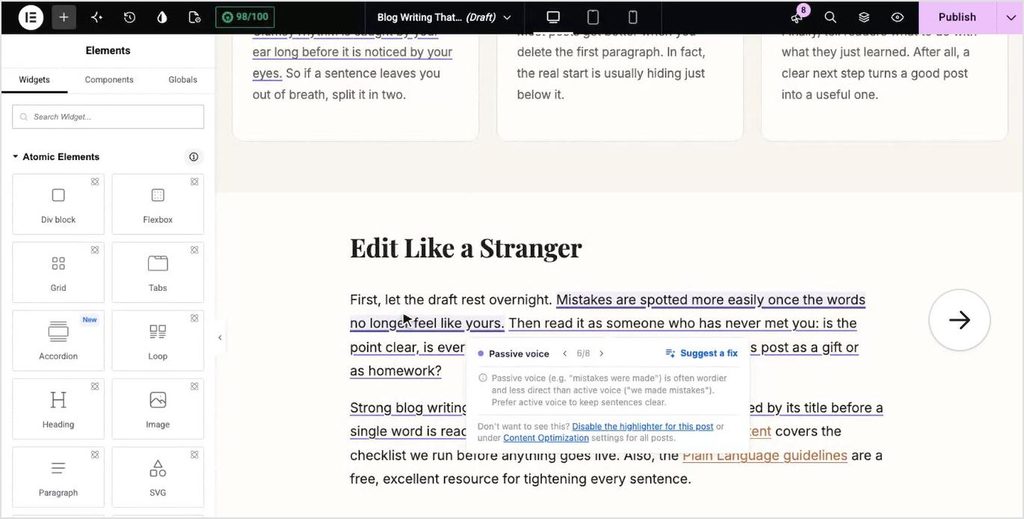
2. Typos get fixed in 1 click
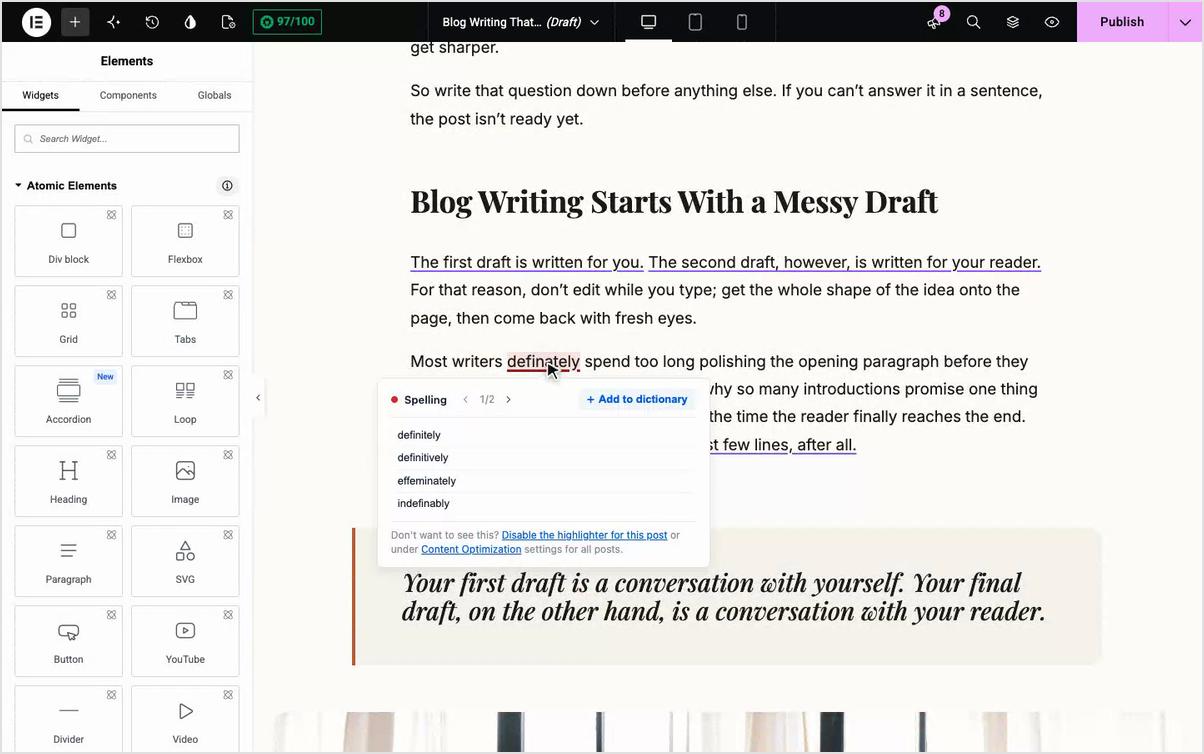
The Spell Checker works inside the builder now too. Click an underlined word, pick the right spelling from the popup, and it’s fixed in your content. If it’s a brand name or a term you use on purpose, hit Add to dictionary and it won’t get flagged again.
Here you can see how, “definately” turned into “definitely” without me ever leaving Elementor.
3. AI suggestions go straight into your content
For readability issues, the popup has a Suggest a fix button. AIOSEO writes a few rewrites for that sentence, you pick the one you like, and it replaces the original text in the builder. No copying and pasting between tabs.
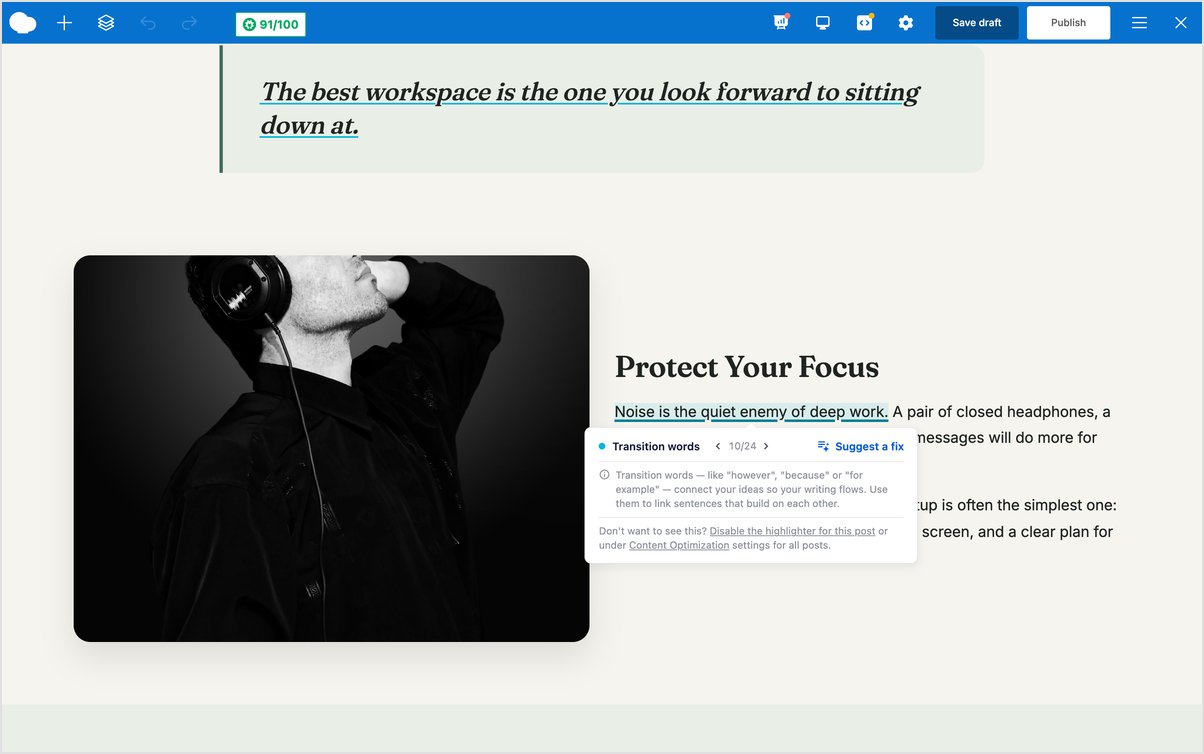
One thing to know: Suggest a fix is the part that uses your AI Credits, the same pool you already use for Optimize with AI and AIOSEO’s other AI tools.
Where to find TruSEO in each builder
You get the same tools in every builder. The only thing that changes is where each one tucks the AIOSEO panel, so here’s where to look in yours.
Elementor
This works in both of Elementor’s editors: the classic editor (V3) and the new atomic editor (V4). It also works on pages that mix both. This was a must because half-migrated pages are really common right now.
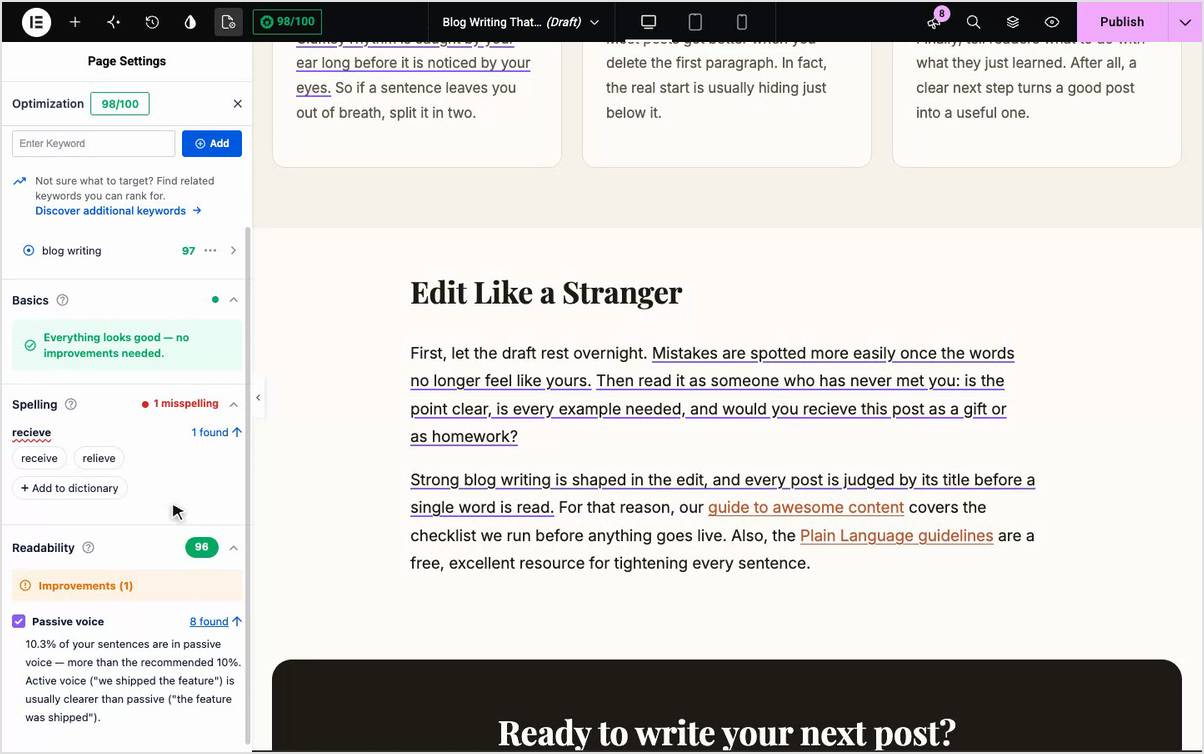
Your TruSEO score sits in Elementor’s top bar. For the full breakdown, open Page Settings and pick the AIOSEO tab. That’s where you’ll find the Highlight toggle and your Keywords, Basics, Spelling, and Readability checks.
Divi
Whether you’ve moved to Divi 5 or you’re still on Divi 4, TruSEO works in both.
In Divi 5, open AIOSEO Settings and go to the Optimization tab. This is where you’ll get all your SEO insights in one place. Fix a misspelled word on the canvas, and you’ll watch the Spelling count drop and the score tick up in real time.
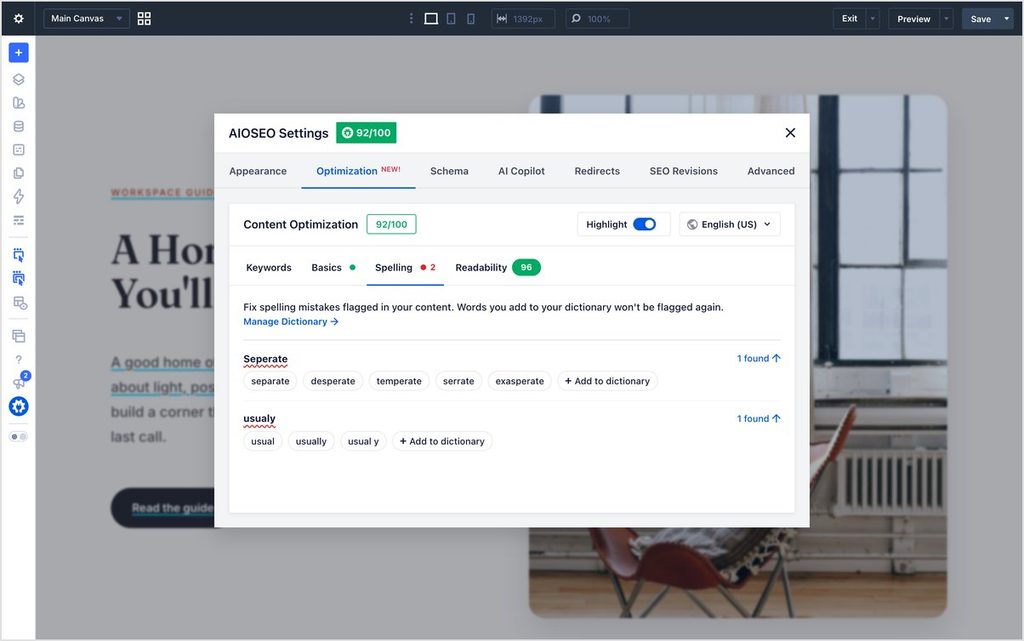
You can also make any corrections directly in your content by clicking the highlighted text.
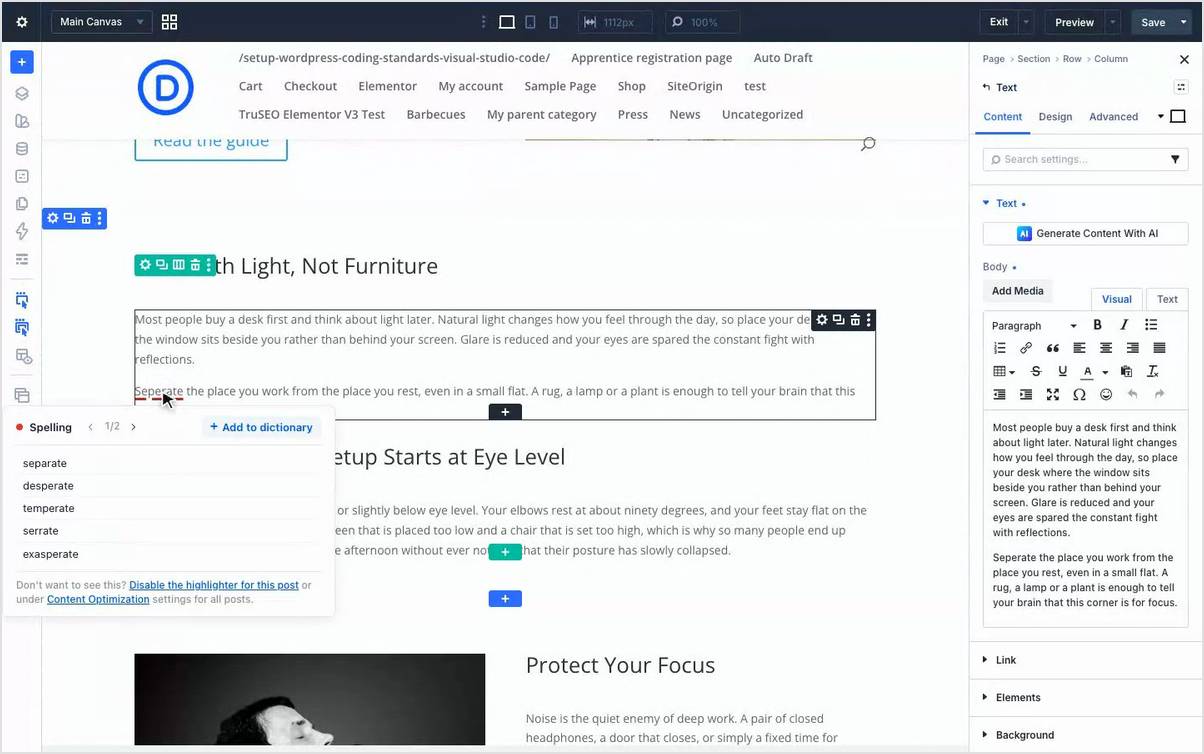
In Divi 4, the AIOSEO Settings panel opens as a sidebar next to the Visual Builder. Each issue comes with a simple explanation and what to do to fix it. I like how little there is to learn here. It’s easy to understand and follow.
WPBakery
WPBakery gets the full set of tools in both the frontend and backend editors, so use whichever one you already like.
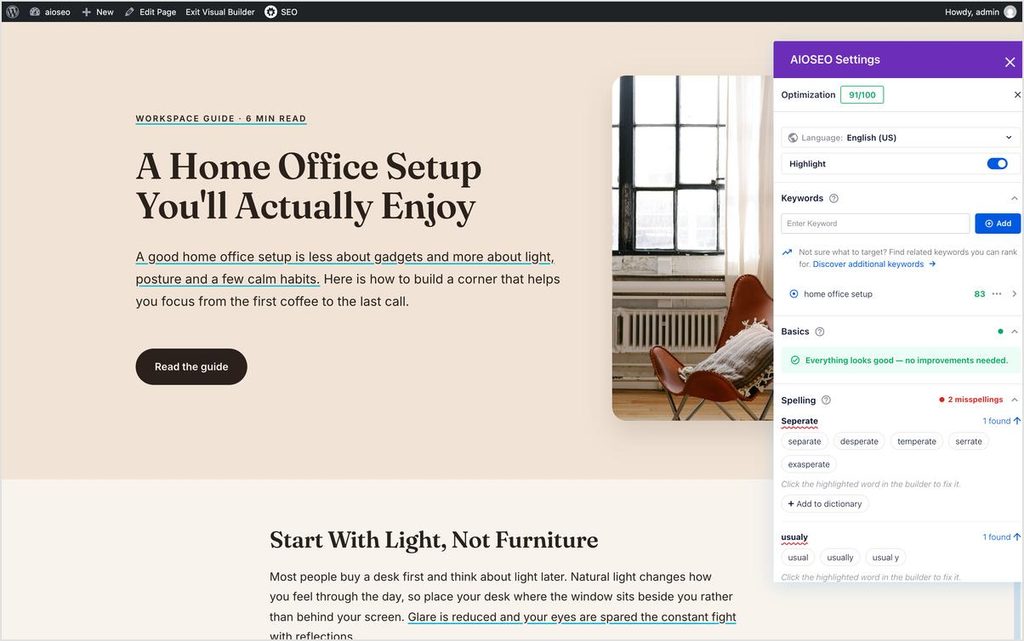
In the frontend editor, highlights show up on the live page layout, even inside elements like FAQ toggles.
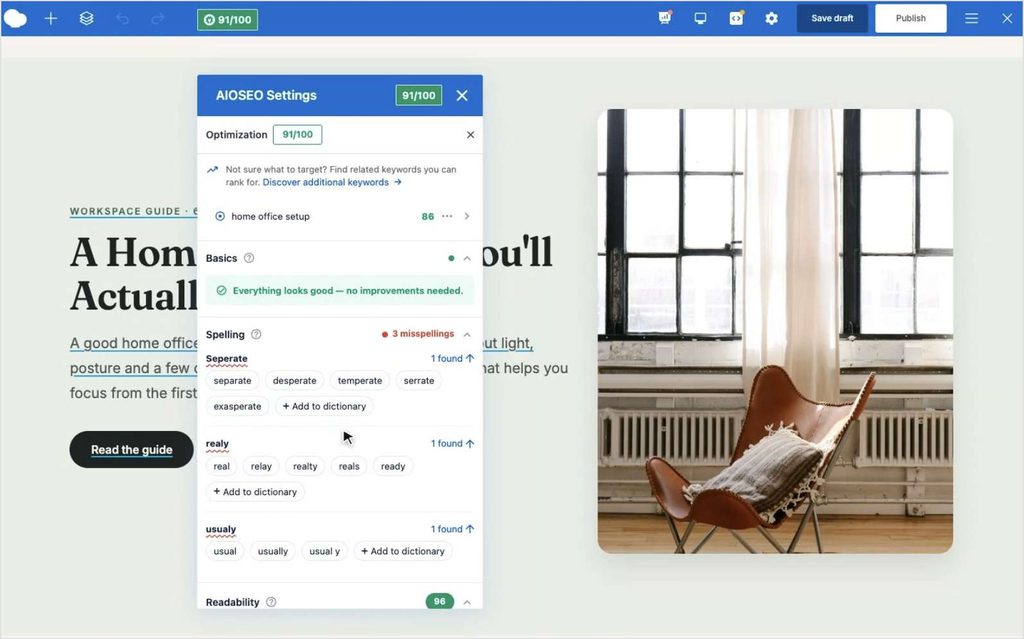
In the backend editor, they show up inside each element block, and the AIOSEO Settings box below the builder has your full Optimization tab.
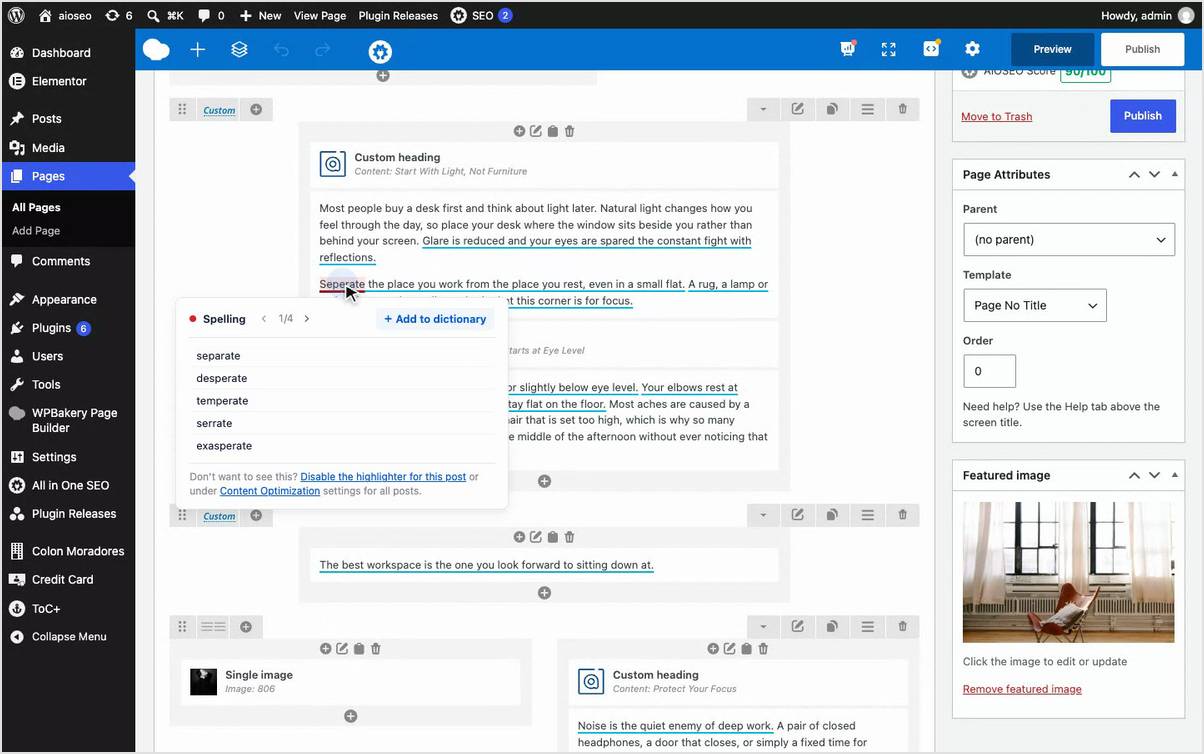
One note: WPBakery’s Classic Mode doesn’t show highlights by design, so if that’s where you are, switch to the frontend or backend editor to see them.
How to try TruSEO in your page builder
- Update AIOSEO to 5.0.4 from your WordPress dashboard.
- Open any page in Elementor, Divi, or WPBakery.
- Open the AIOSEO panel for that builder and make sure Highlight is on.
- Click any underlined text to see the issue and fix it.
That’s the whole setup, with nothing to configure.
A heads-up if you use Elementor
After you update, some of your existing Elementor pages will show a different TruSEO score, and that’s expected.
TruSEO now reads your Elementor subheadings and links more accurately. A lot of pages will score higher because of it. Pages that use alert, counter, icon box, progress, divider, or button widgets, or inline scripts like FAQ schema, may score a bit lower.
That isn’t a bug. It’s TruSEO finally seeing your page the way it really is. If a score dips, open the page and check what’s highlighted. The fix is usually quick.
Free on every plan, including Lite
You don’t have to upgrade for any of this. Full TruSEO support in Elementor, Divi, and WPBakery comes with every AIOSEO plan, free version included. AI suggested fixes use AI Credits, which come with every paid plan and can be bought separately on Lite.
This builds on what came out in AIOSEO 5.0.0: TruSEO 2.0, the Highlighter’s suggested fixes, and the Spell Checker. Those were built for the block editor first. Now they work where you actually design your pages.
I love this release because it removes the guessing. You see the problem, you click it, you fix it, and you keep building. Update to 5.0.4 and open your busiest builder page first. I bet you’ll find something.
— Ben Rojas, President of AIOSEO
Frequently asked questions
Which page builders does TruSEO support?
TruSEO now has full support for Elementor (both the classic V3 editor and the new atomic V4 editor), Divi 4 and Divi 5, and WPBakery’s frontend and backend editors. You get issue highlighting, spelling fixes, and AI suggested fixes in all of them.
Is TruSEO for page builders free?
TruSEO highlighting and the Spell Checker in Elementor, Divi, and WPBakery are free on every plan, including AIOSEO Lite. AI suggested fixes use AI Credits, which come with every paid plan.
Why did my Elementor TruSEO score change?
TruSEO now analyzes Elementor subheadings and links more accurately. Many scores go up. Pages with alert, counter, icon box, progress, divider, or button widgets, or inline scripts like FAQ schema, may go down. That’s the corrected score, not an error.
Why don’t I see highlights in WPBakery?
You’re probably in WPBakery’s Classic Mode, which doesn’t show highlights by design. Switch to the frontend or backend editor, and make sure the Highlight toggle is on in the AIOSEO panel.