Skip to content
AIOSEO

AIOSEO

The Best WordPress SEO Plugin and Toolkit

Join 3,000,000+ Professionals who use AIOSEO to Improve Their Website Search Rankings!

Get AIOSEO
See all Features

  • Features
    • Essentials
      • Redirection Manager
      • Schema Generator
      • Search Statistics
      • Smart XML Sitemaps
      • WooCommerce SEO
    • Advanced SEO
      • Local Business SEO
      • Link Assistant
      • SEO Revisions
      • Author SEO
      • Image SEO
    • AI & Content
      • AI AssistantNEW!
      • TruSEO Content Score
      • AI Content Generator
      • AI Image Generator
      • LLMs.txt Generator
  • Pricing
  • What’s New
  • Resources
    • Resources
      • BlogOur latest SEO tips, tutorials, and insights.
      • DocumentationStep-by-step guides on getting the most out of AIOSEO.
      • FAQsQuick answers to the most common AIOSEO questions.
      • SupportGet help from our world-class support team.
  • Login
  • Get AIOSEO

Discover Trending Websites in SEO

Learn the latest SEO trends by analyzing websites with exploding traffic that are rising in SEO rankings.
Join our email list to be updated as soon as a new case study comes out.

Threadheads logo.

Stats

4.2K to 273.6K Monthly Visits
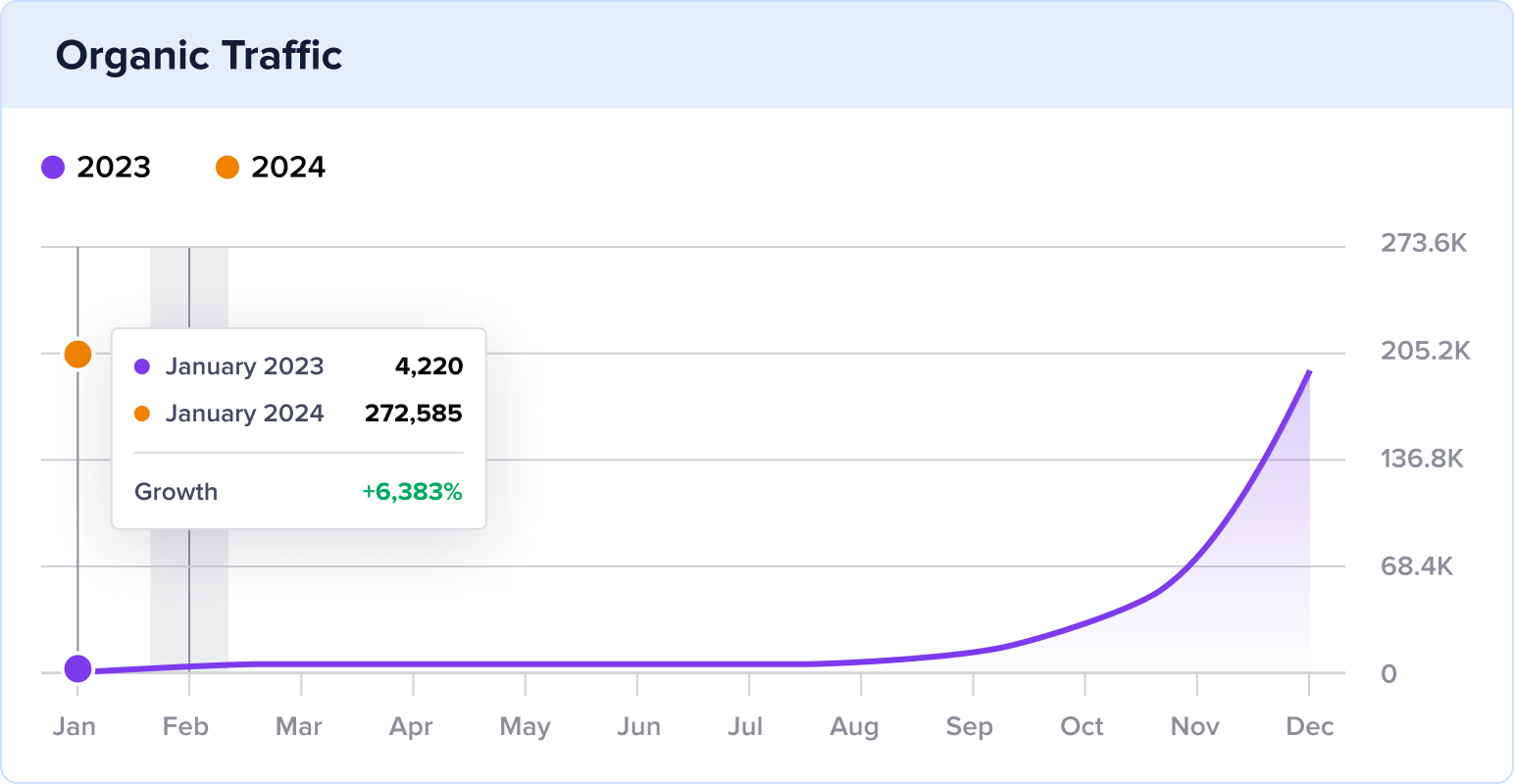
Threadheads YoY organic traffic growth.

How an Australian Graphic T-Shirt Ecommerce Grew Traffic 6,383% YoY

Find out how low-competition keywords, product schema, & backlinks skyrocketed this eCommerce site’s online visibility.Continue reading

Melanie Casey logo, black lettering and all caps.

Stats

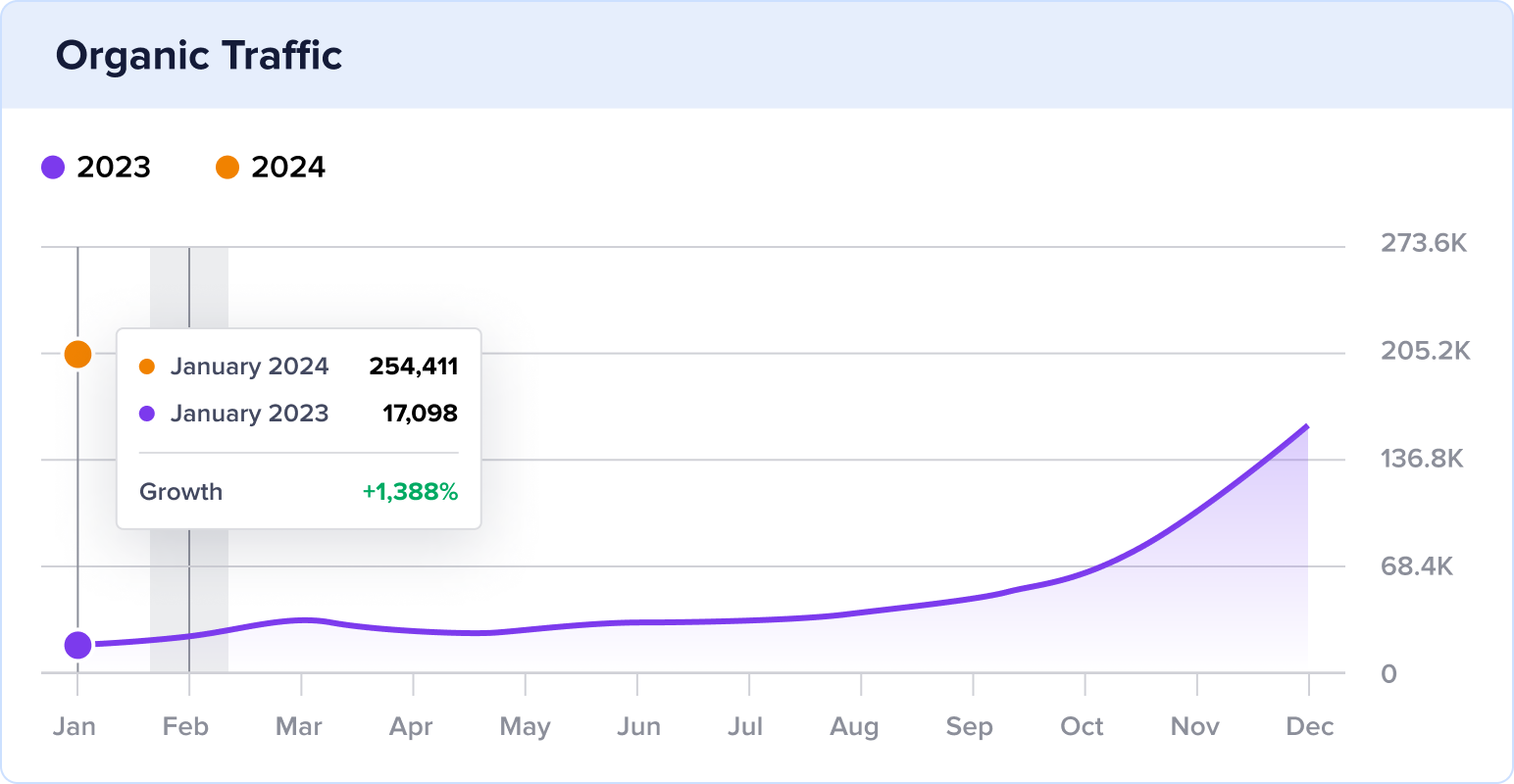
17.1K to 254.4K Monthly Visits

Melanie Casey YoY organic traffic growth.

How a Fine Jewelry Ecommerce Grew Traffic by 1,388% YoY

Discover how high-quality backlinks, viral videos, & algorithm updates catapulted this website’s online visibility to new heights.Continue reading

Reebelo logo.

Stats

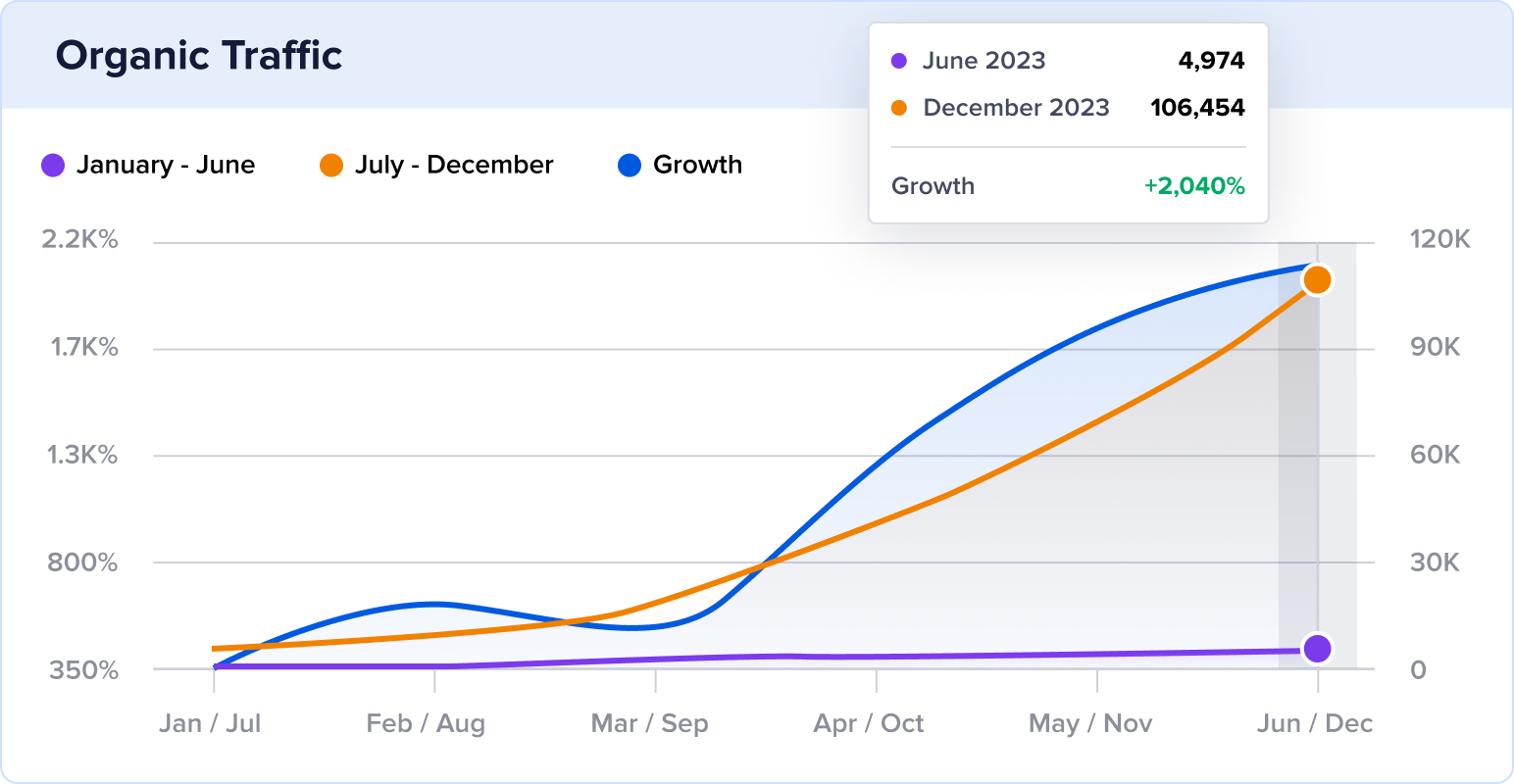
5K to 106.5K Monthly Visits

Reebelo 6-month organic traffic growth.

How a Refurbished Tech Marketplace Grew Traffic by 2,040% in 6 Months

See how new content & rich snippets made this tech marketplace stand out in search results.Continue reading

Taming Twins logo with black font and orange cooking pot.

Stats

261.6K to 754.2K Monthly Visits
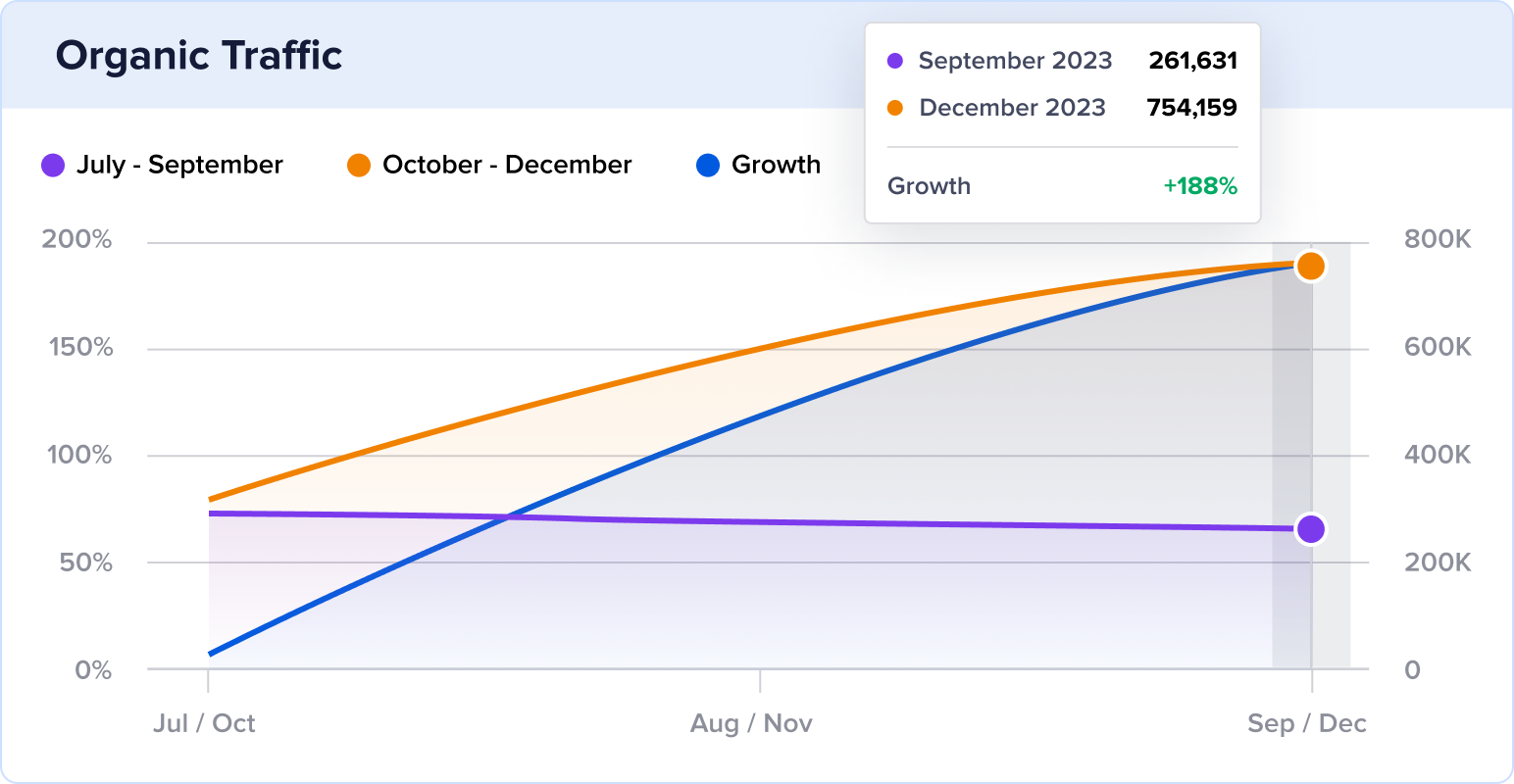
Taming Twins organic traffic growth over 3 months.

How a UK Food Blog Grew Organic Traffic by 188% in 3 Months

Learn how a UK food blogger used high-quality content & schema markup to take on challenging Google algorithm updates.Continue reading

Process Street logo.

Stats

76.72K to 969.6K Monthly Visits
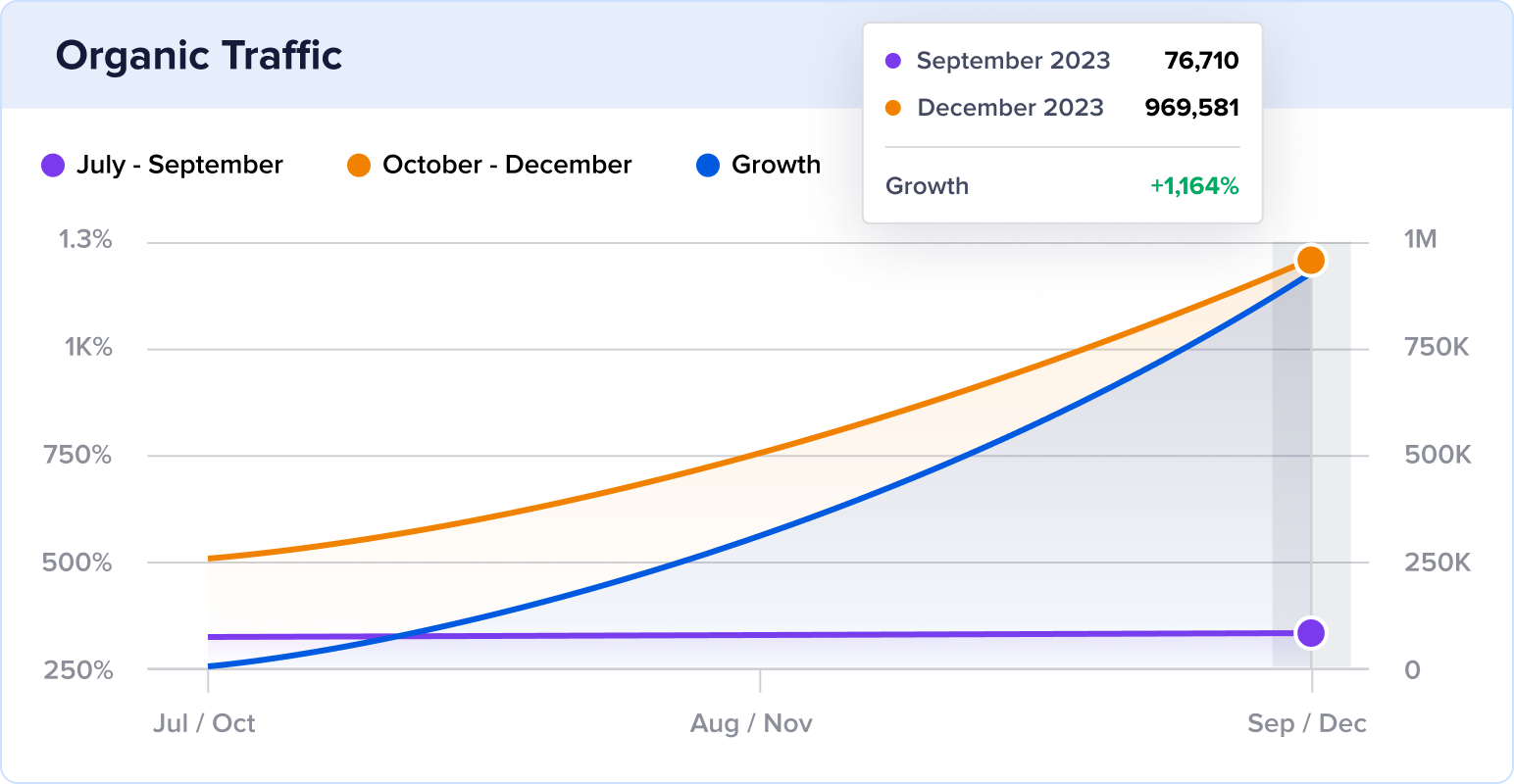
Process Street 3 month organic traffic growth.

How a Workflow Solution Grew Traffic by 1,164% in 3 Months

Find out how this SaaS solution used a creative approach to create new entry points to their site & boost brand awareness.Continue reading

Alexandra's Kitchen logo.

Stats

249.8K to 736.6K Monthly Visits
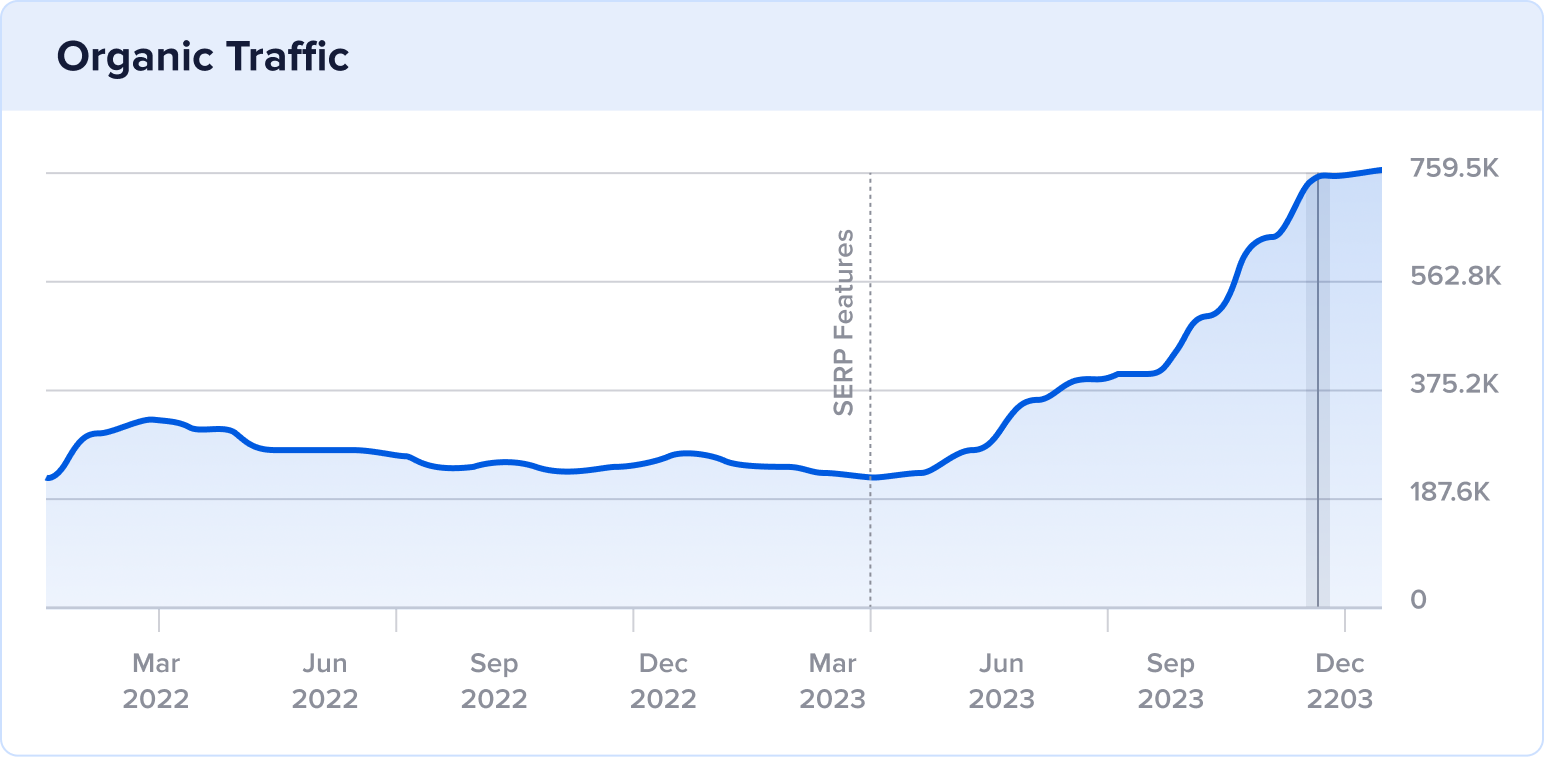
Alexandra's Kitchen organic traffic growth.

How an American Food Blog Grew Traffic by 195% in 7 Months

Discover how fresh content, schema markup, & social media helped this food blog spice up the SERP.Continue reading

Schaefer Outfitter logo.

Stats

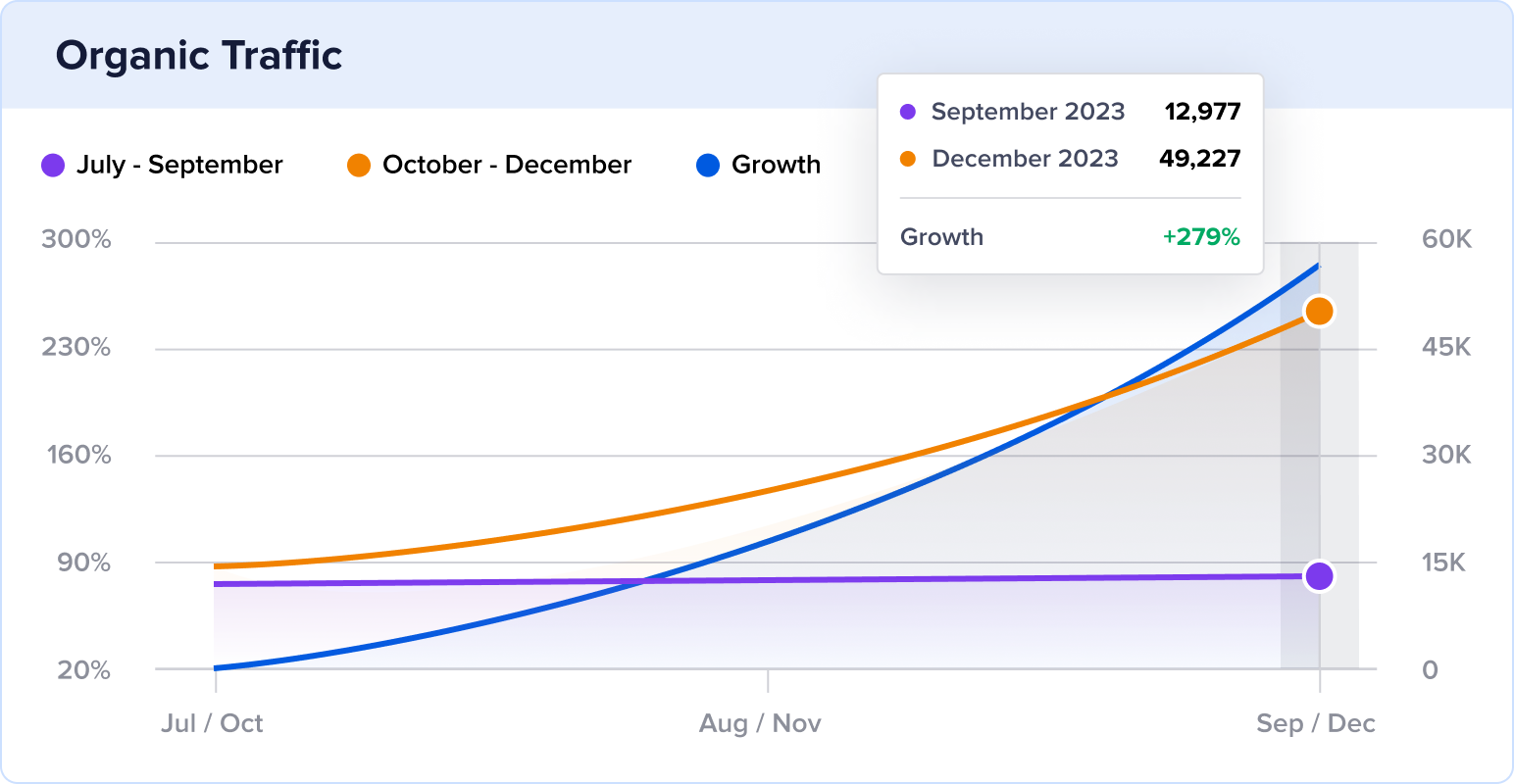
13K to 49.2K Monthly Visits

Schaefer Outfitter 3 month organic traffic growth.

How a Western Apparel Ecommerce Grew Traffic by 279% in 3 Months

Learn how non-branded keywords, product schema markup, & videos exploded organic traffic for this American clothing brand.Continue reading

Diane's Books of Greenwich logo.

Stats

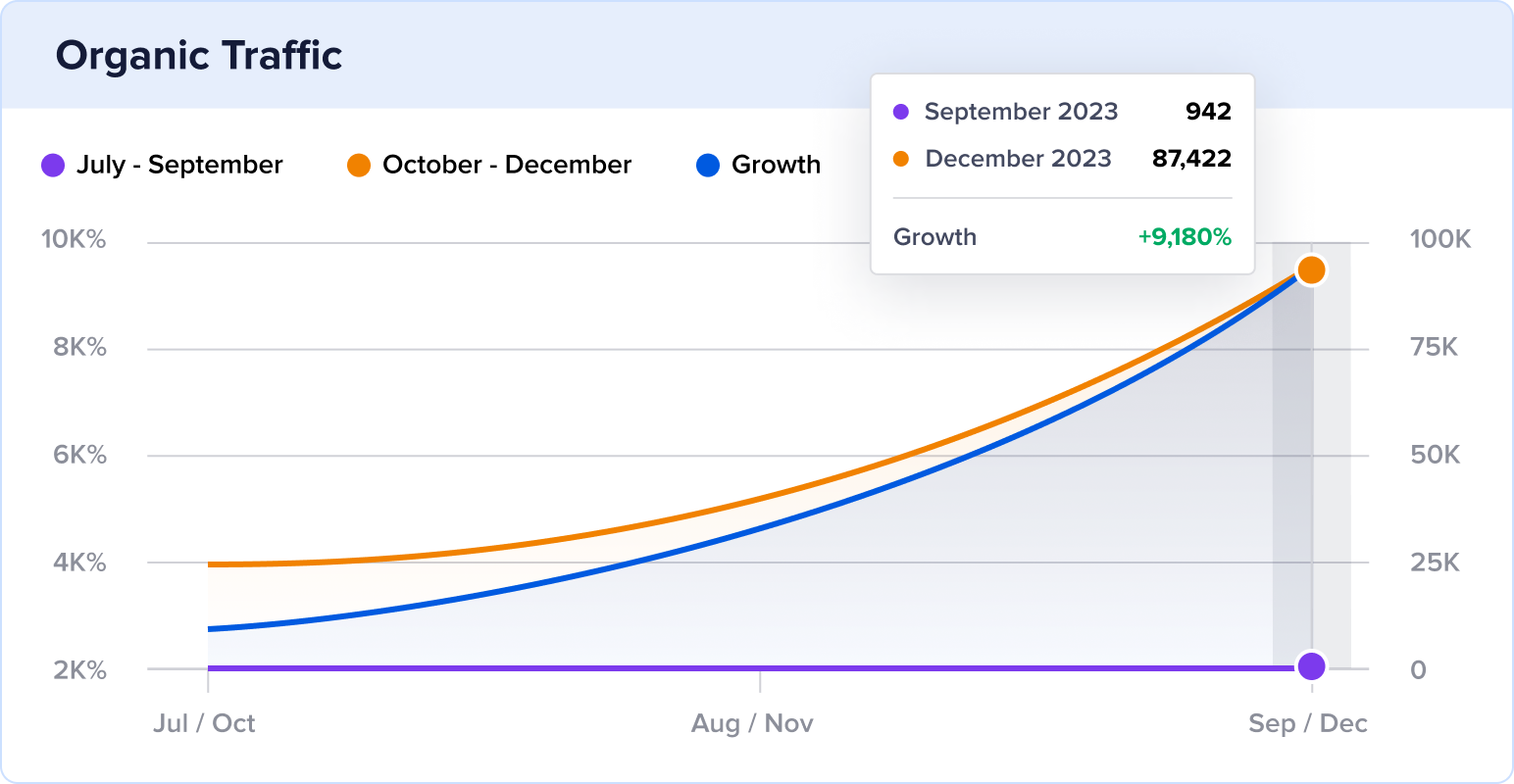
942 to 87.4K Monthly Visits

Diane's Books 3 month organic traffic growth.

How a Family Bookstore Grew Site Traffic by 9,180% in 3 Months

See how an independent bookstore optimizes its website to reach a wider audience & increase sales.Continue reading

Page navigation

1 … 7 8 9 10 11 … 13

You may know that current SEO trends are constantly shifting and evolving. Understanding these trends is crucial to maintaining or gaining a competitive edge. Check back weekly to learn the latest SEO trends as we analyze websites with exploding traffic that are rising in SEO rankings. Learn what it takes to keep up with your competitors and how you can start to outrank them!

Outrank Your Competition. It's That Simple.

Join the 3 million+ professionals who use AIOSEO to dominate search results and attract more customers.

Get Started With AIOSEO Now
(Instant Download)

Company

  • About
  • Careers
  • Press
  • Testimonials
  • Affiliates
  • Blog
  • Contact
  • X
  • Facebook
  • YouTube

Features

  • Keyword Rank Tracker
  • Search Statistics
  • Social Media Integration
  • Robots.txt Editor
  • WooCommerce SEO
  • Local SEO
  • TruSEO Score Analysis
  • Rich Snippets Schema
  • IndexNow
  • Broken Link Checker
  • Redirection Manager
  • Link Assistant
  • SEO Audit Site Analysis
  • Smart XML Sitemaps
  • RSS Footer Content
  • SEO Manager Role
  • Google News Sitemap
  • Video SEO Sitemap
  • Google Search Console

Helpful Links

  • Support
  • Documentation
  • Plans & Pricing
  • WordPress Hosting
  • Start a Blog
  • Make a Website
  • WordPress Tutorials
  • SEO Analyzer
  • Headline Analyzer
  • SEO Glossary

Connect with us

  • Twitter
  • Facebook
  • YouTube

Copyright © 2007-2026 Semper Plugins, LLC.
AIOSEO® and All in One SEO Pack® are registered trademarks of Semper Plugins, LLC.

Terms of Service
Privacy Policy
FTC Disclosure
Sitemap
AIOSEO Coupon
WPBeginner Verified

What's New in AIOSEO

View the Latest Updates

Stay updated on our new features and more — straight to your inbox.

AIOSEO v5.0.0 30 Jul 2026

TruSEO 2.0: A Better Scoring System + Instant AI Fixes

TruSEO just got its biggest rebuild yet. Scores now generate in real time, support 10+ new languages, and live in a redesigned Optimization tab. Also new in this release:

  • Spell Checker: Catches misspellings and proposes 1-click corrections
  • Highlighter: Pairs every flagged issue with an AI-generated fix you can apply instantly
  • Optimize with AI: Rewrites your title, meta description, and content in a single click

Update to 5.0.0 to explore all the new features.

Read the full update →
AIOSEO v5.0.0 30 Jul 2026

Optimize with AI: The 1-Click Fix to Better SEO

Rewrite your title, meta description, headline, and content in a single click. The new “Optimize with AI” button applies all TruSEO suggestions in one pass. How it works:

  • AI Credits: Draws from your plan’s monthly allotment (AI Credits can also be purchased separately)
  • Editor-Native: No extra tools required, just a button in the post editor
  • 1-Click Undo: Restoring your original text takes a simple click
Read the full update →
AIOSEO v5.0.0 30 Jul 2026

New Spell Checker Catches & Fixes Typos

AIOSEO now flags misspelled and unrecognized words right in your Content Optimization panel, with suggested corrections and a custom dictionary for brand terms. What’s included:

  • Inline Highlighting: Flip it on to see errors underlined right in your content
  • Frequency Count: See how many times each flagged word shows up, so you know what to fix first
  • 1-Click Corrections: Select the suggestion and it’s fixed, no retyping
Read the full update →
AIOSEO v5.0.0 30 Jul 2026

Highlighter Now Suggests AI Fixes You Can Apply Instantly

The Highlighter now pairs every flagged issue with an AI-generated fix. Click a highlighted spot and apply the suggestion instantly, without leaving the editor. What’s included:

  • Setup: None needed, the fix option already shows up next to your flagged issues
  • Coverage: Basics, Spelling, and Readability all get fix suggestions
  • AI Credits: Pulls from the same pool as the other AI tools
Read the full update →
AIOSEO v5.0.0 30 Jul 2026

The Headline Analyzer Now Lives Inside Your SEO Score

 The Headline Analyzer now lives right inside your Content Optimization panel, as its own Headline tab. What’s included:

  • Live Scoring: Updates instantly as you edit, so you can compare versions before you publish
  • Word Balance: See your Common, Uncommon, Emotional, and Power Word percentages
  • Sentiment: See whether your headline reads as Positive, Negative, or Neutral
Read the full update →
See all updates Every release and announcement in the Newsroom →