
Did you know that you can easily create Alt text for the images in your Media Library using AI?
With All in One SEO's AI features, you can generate the Alt text for images in bulk, eliminating the need to do this manually when you upload an image.
In This Article
Getting Started with AIOSEO AI
The AI features in All in One SEO rely on a credits system. You can buy blocks of credits, or use credits you receive as part of your subscription for All in One SEO Pro.
To get started, you'll need to verify that you have AI credits. To do this, click on General Settings in the All in One SEO menu and scroll down to the AI Credits section on the License tab.
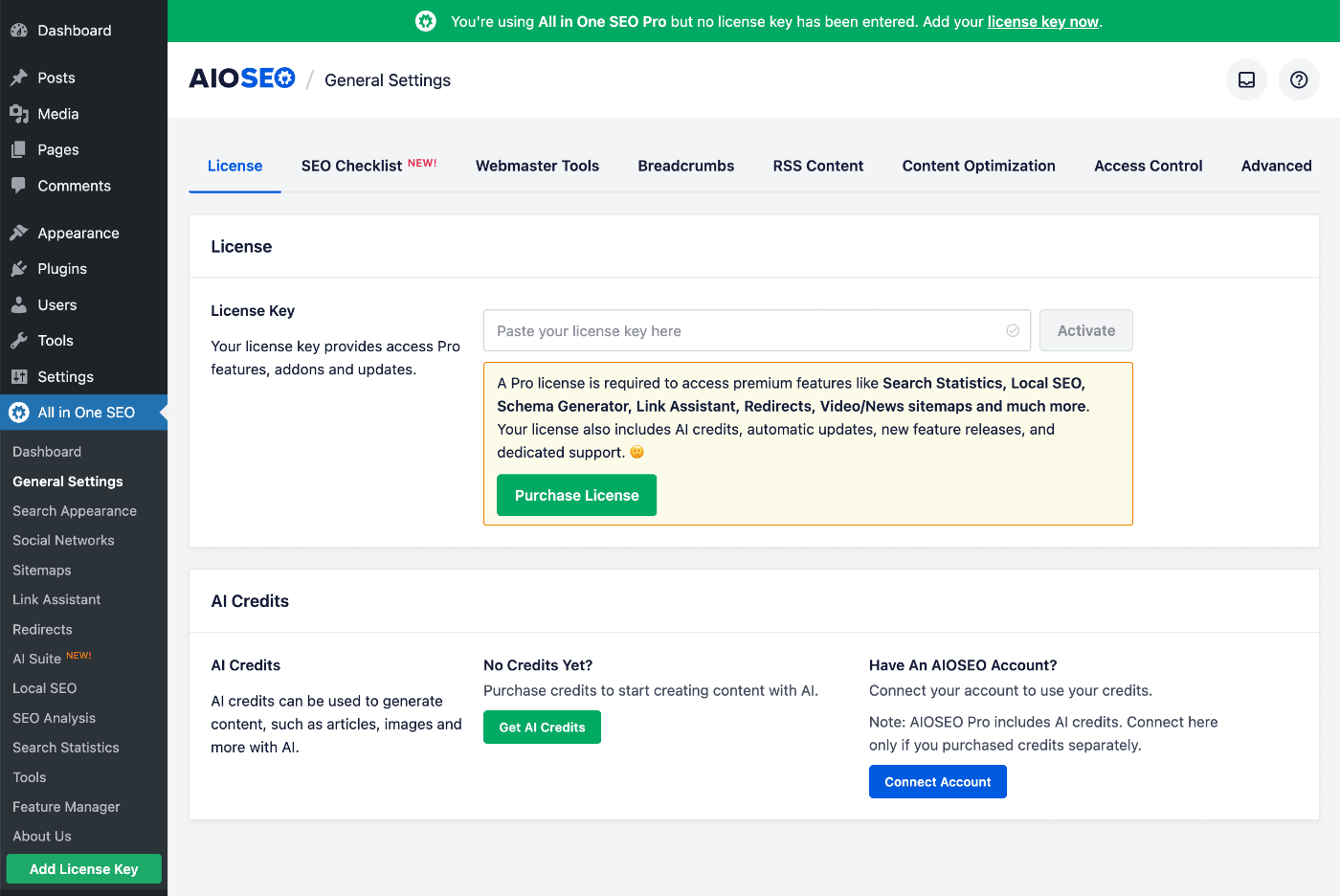
You can click on the Get AI Credits button to purchase a block of Pay-As-You-Go credits, or you can click on the Connect Account button if you already have an account for AI credits.
If you activate a license key for All in One SEO Pro, then you'll see that your account is automatically connected and the number of credits available to you.
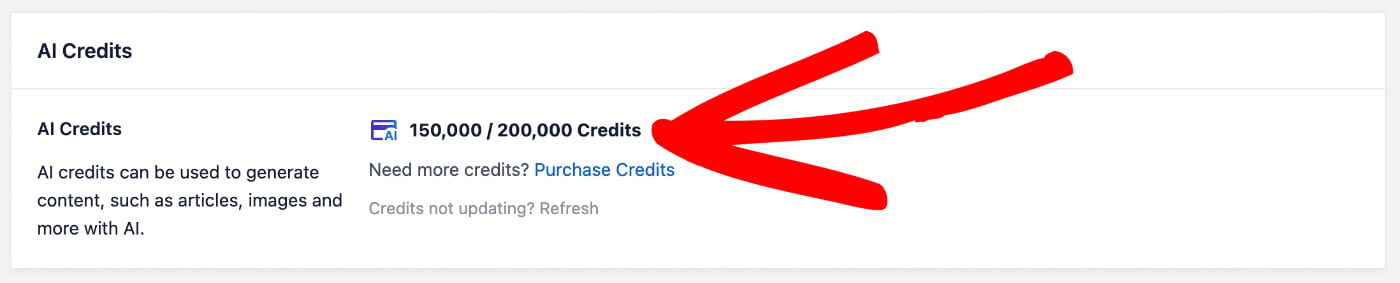
In the screenshot above, you can see that we have 150,000 credits remaining out of 200,000 credits.
For more information about the AI credits system for All in One SEO and how to manage your account, please check out our article on Buying and Managing Credits for the AIOSEO AI Features.
Now that we've verified that we have some AI credits, let's check out the FAQs feature.
Generating Image Alt Text Using AIOSEO AI
You can automatically generate the Alt text for images in your Media Library by using All in One SEO's AI features.
To do this, go to your Media Library and select the images that you want to autogenerate Alt text for.
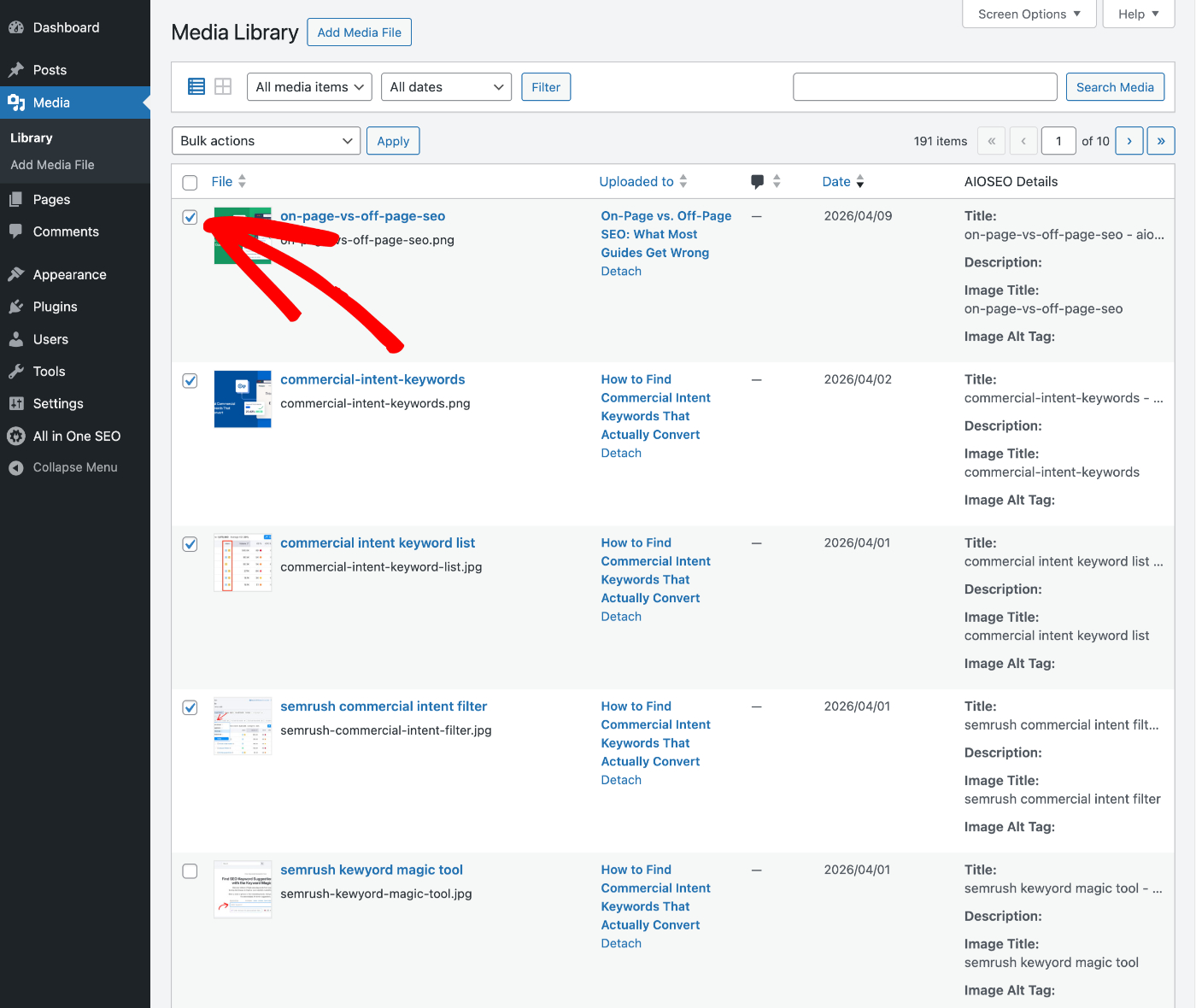
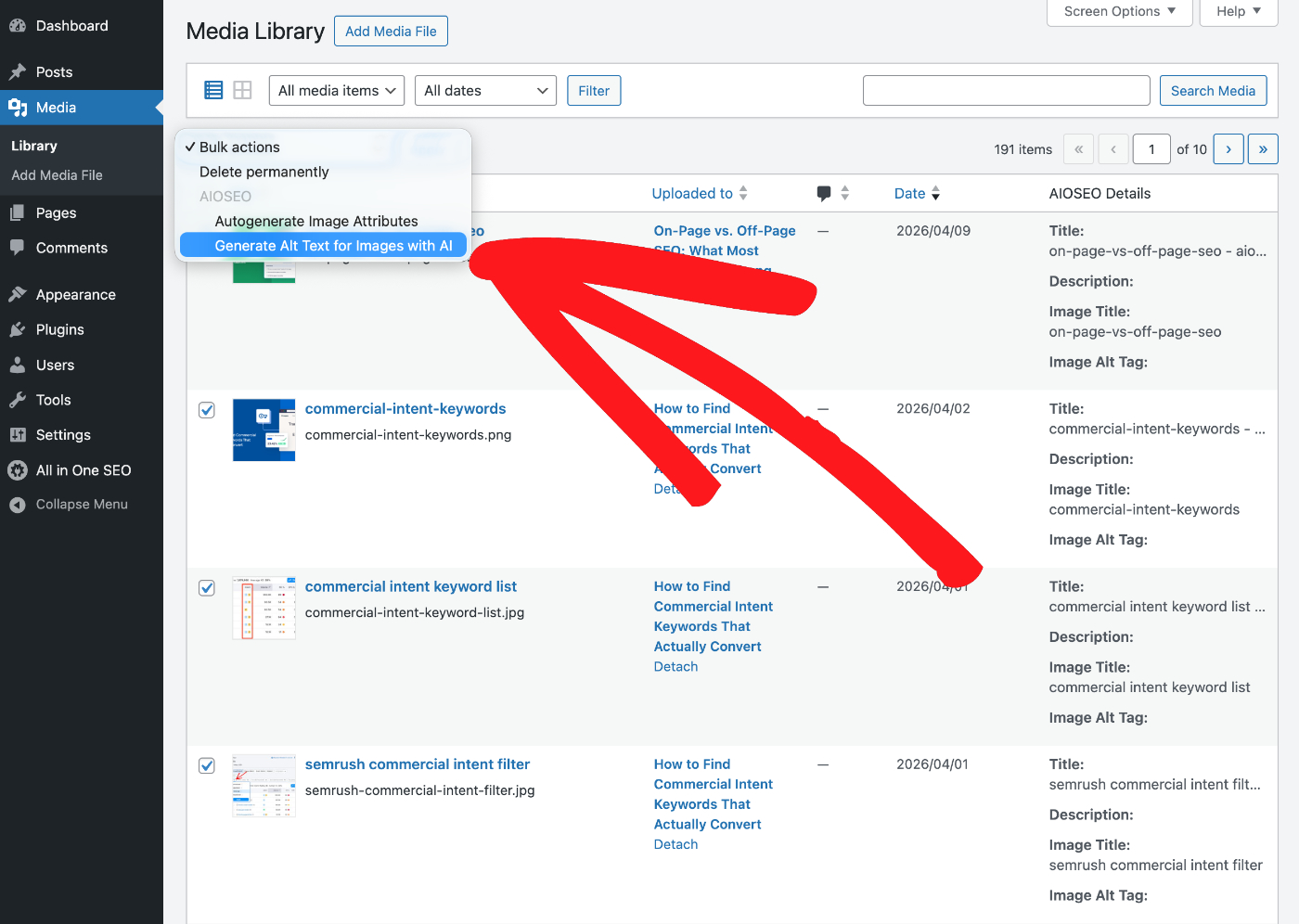
Once you've selected all of your images, click on the Bulk actions drop down and select Generate Alt Text for Images with AI.
You can watch as All in One SEO generates Alt text using the built-in AI features.
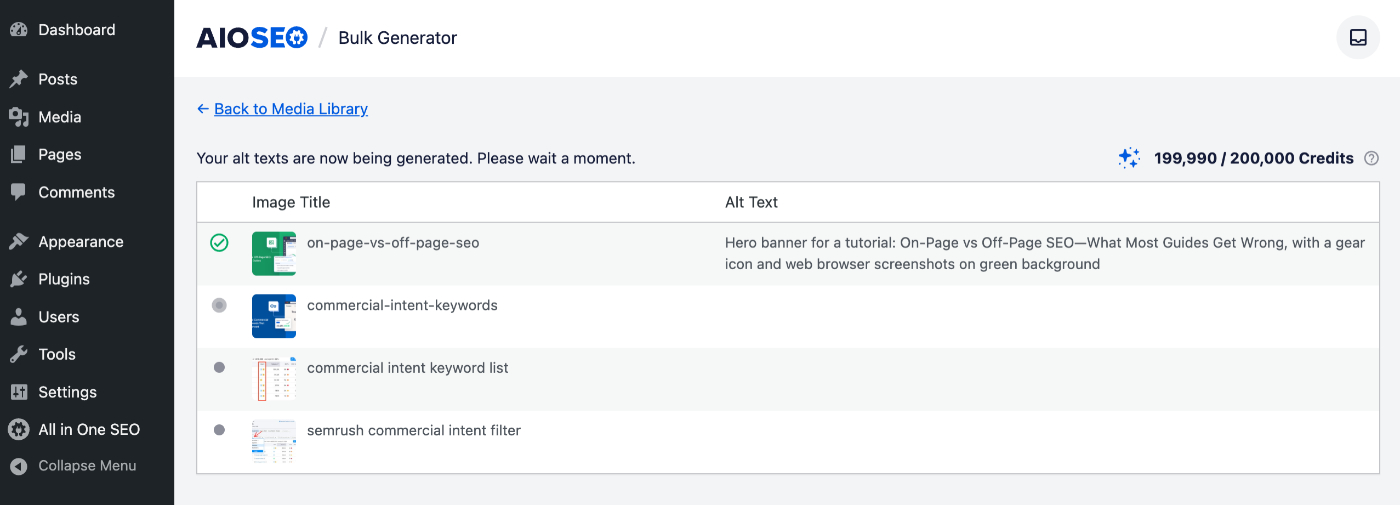
In the top right corner, you can see the number of AI credits you have, preceded by the AI credits you have left.
Each generated Alt text will use 10 AI credits.
Once the generation of Alt text is complete, you can return to the Media Library.
That's all! You've now used AIOSEO AI to generate Alt text for your images in bulk.
AI Generated Content Disclaimer
The content generated by artificial intelligence tools may not always be entirely accurate or reliable. While these systems are designed to provide helpful and informative content, they are based on patterns in data and may inadvertently produce information that is outdated, incomplete, or incorrect. We recommend that you verify critical details through reputable sources before publishing AI-generated content.
Additionally, AI models can sometimes reflect biases present in their training data, which may lead to unintentional skewing of information or perspectives. It's important for users to approach AI-produced content with a critical mindset and consider multiple viewpoints to ensure a well-rounded understanding. The developers of All in One SEO do not guarantee the absolute accuracy or impartiality of the generated output.
Further Reading
Check out more articles on how to use the AIOSEO AI features here.