
Looking for the best broken link checker for WordPress? If you’ve ever opened an older post and found a gray box where your YouTube video used to be, you already know why it matters.
Dead links and dead embeds pile up quietly on content sites. Your readers notice them long before you do. And most link checkers miss a whole category of them. In this guide, I’ll walk you through the tools that actually catch these problems, what each one misses, and which one fits your site.
So let’s compare the best broken link checker plugins and tools for WordPress and find the right one for the way you publish.
In This Article
- Why Broken Links Are a Bigger SEO Problem Than Most Site Owners Realize
- What to Look for in a WordPress Broken Link Checker
- The 6 Best Broken Link Checkers for WordPress
- 1. Broken Link Checker by AIOSEO: Best Overall Broken Link Checker
- 2. Broken Link Checker by WPMU DEV: Best Free Plugin for High-Volume Sites
- 3. Link Whisper: Best for Internal Link Management
- 4. Ahrefs Site Audit: Best for Full Technical SEO Audits
- 5. Screaming Frog: Best for One-Off Deep Crawls
- 6. Google Search Console: Best Free Option for 404 Monitoring
- BLC vs. WPMU DEV Broken Link Checker: Comparison
- How to Set Up Broken Link Checker by AIOSEO (Quick Start)
- Which Broken Link Checker Should You Use?
- Best Broken Link Checker for WordPress: FAQs
Why Broken Links Are a Bigger SEO Problem Than Most Site Owners Realize
On a content site, broken links go well beyond 404 pages. Some break without returning any error at all.
A broken link is any link that no longer takes your reader where you meant to send them. That includes:
- Text links to pages that were deleted or moved without a redirect.
- Images that were renamed, moved, or removed from your media library or a CDN.
- Video embeds where the creator deleted the video or made it private.
- Links outside your post content, like navigation menus, custom fields, and author bios.
Video embeds are the sneaky one. When a YouTube video is deleted, the YouTube URL still loads and still returns a 200 OK status. To a normal link checker, that looks like a healthy link. To your reader, it’s a blank player that says the video is unavailable.
That’s also why “broken link” and “404 error” aren’t the same thing. A 404 is the dead end. A broken link is the sign on your site pointing to it. And plenty of broken links never return a 404 at all: timeouts, expired SSL certificates, server errors, and dead videos all count.
How Google Treats Crawl Errors vs. 404s vs. Soft 404s
Here’s the honest answer to the question everyone asks: Google doesn’t hand out a penalty for having broken links. Pages that return a 404 are a normal part of the web, and Google has said that for years.
That doesn’t make them harmless. Internal links to dead pages pass no ranking value, Googlebot wastes crawls on dead ends, and readers who hit 2 dead links in a row stop trusting the rest of your post.
Then there are soft 404s. A soft 404 is a page that returns a 200 OK status but has no real content. Google often treats these as errors in Search Console. A deleted YouTube video works a lot like a soft 404 from your reader’s point of view. The page loads, but there’s nothing there.
What to Look for in a WordPress Broken Link Checker
Here’s the checklist I used to compare each tool. It works for any link checker, including ones I didn’t cover.
Why Trust This Guide?
I’ve spent more than 7 years working in tech, and testing products is a regular part of my job. For this guide, I checked each tool’s current feature list, documentation, changelog, pricing page, and the most recent WordPress.org reviews.
I focused on 4 things a content site cares about: what types of links it catches, whether it slows your server, how you fix what it finds, and what happens when you outgrow the free tier.
Cloud-Based vs. Server-Based Scanning
This is the biggest performance difference between link checkers. A server-based checker crawls your links from your own hosting account. On a big site, that means thousands of outgoing requests from your server. On shared hosting, that can slow your site down, eat into your resource limits, or even get your server IP blocked by sites that don’t like bots.
A cloud-based checker does the crawling on the vendor’s servers instead. Your WordPress site only sends a list of links and gets results back. So does a cloud-based checker slow down your site? In normal use, no. The heavy lifting happens somewhere else.
The tradeoff is that cloud checkers need an account with the vendor. You’re also trusting their servers to stay up and their checks to stay accurate.
What Types of Links It Should Detect
Every tool here checks text links. Look for one that also covers:
- Internal and external links, not just one or the other.
- Broken images, including background images set inside blocks or page builder sections.
- Video links and embeds, checked at the video level and not just the URL level.
- Links outside post content, like menus, custom fields, excerpts, and templates.
Fix Workflows: Edit, Unlink, Redirect
Finding a broken link is half the job. A good checker lets you fix it 3 ways from one screen, without opening 40 posts:
- Edit the URL to point at the right page.
- Unlink it when there’s no good replacement.
- Redirect the dead URL to a working page, so every link pointing to it gets fixed at once.
All 3 matter. If a checker can only flag links, you’ll still spend your afternoon in the post editor. Our guide on how to fix broken links in WordPress covers when to use each fix.
Link Limits vs. Unlimited Scans: What the Fine Print Means
Some checkers sell a monthly link limit, while others promise unlimited scans.
A link limit tells you up front what you get, and you can see when you’re close to it. “Unlimited” sounds better, but it only helps if the results are accurate. If an unlimited scan returns hundreds of false positives, you’ll spend more time double-checking links than fixing them.
Before you pick, count roughly how many links your site has. A blog with 300 posts and 10 links per post already has around 3,000 links to check. That number decides which plan you need far more than any marketing page will.
Also read what happens when you go over a limit. Does the tool stop checking, warn you, or move you to a bigger plan? Each vendor handles this differently, and it’s the detail most roundups skip.
One more thing to look at is scan frequency. How often should you scan for broken links? For a site you publish on every week, a weekly recheck is plenty. For a site you rarely touch, monthly works. The point is to run it on a schedule, so you’re not relying on memory.
The 6 Best Broken Link Checkers for WordPress
Here are my top picks of broken link checkers for WordPress.
1. Broken Link Checker by AIOSEO: Best Overall Broken Link Checker
Best for: Bloggers, publishers, and small businesses with mixed media, especially sites with lots of embedded video.
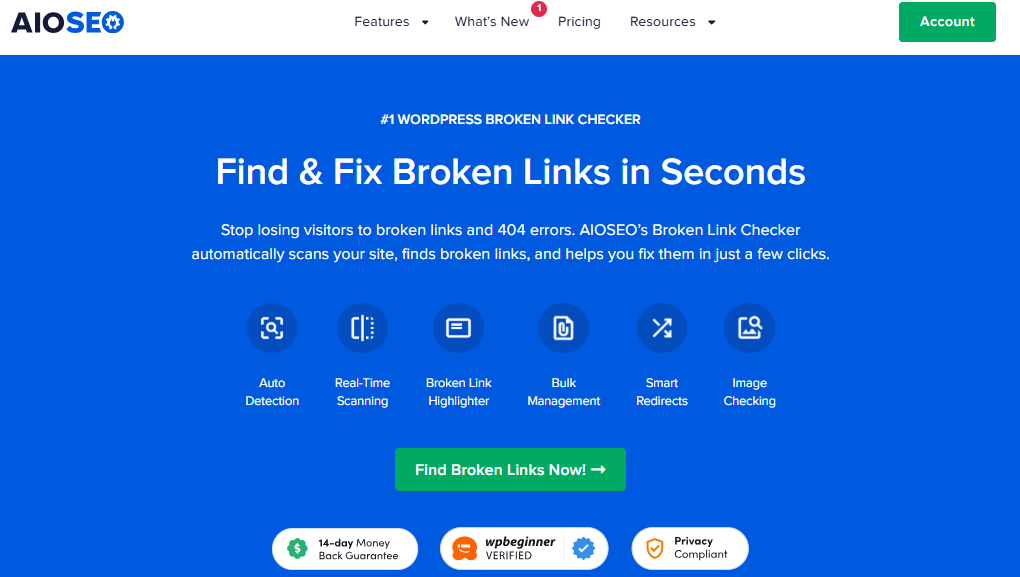
Broken Link Checker by AIOSEO is a standalone WordPress plugin built specifically to find and fix broken links. It’s a separate product from the main AIOSEO plugin, so you don’t need AIOSEO to use it. The 2 do work better together, though, which I’ll get to below.
It checks internal links, external links, images, audio files, and video links. Then it shows you everything in one report inside WordPress.
Why it’s my top pick for content sites: The headline feature is video checking. Since version 1.3.0, released in July 2026, the plugin checks whether the video behind a link or embed still exists. It doesn’t just check whether the URL loads. That’s how it catches deleted, private, and restricted videos that return a 200 OK status. It covers YouTube, Vimeo, and 10+ other platforms, like TikTok, Dailymotion, TED, and VideoPress. It also checks embedded players that a page builder or pasted embed code adds as an iframe.
I’m not aware of another WordPress plugin that checks this many video platforms out of the box. WPMU DEV’s local engine can check YouTube links, but you have to add your own YouTube API key. More on that in the next review.
The second reason is cloud scanning. All link checks run on AIOSEO’s servers, not yours. So scanning a big site won’t slow down shared hosting or flag your account for heavy resource use.
The third reason is coverage beyond your posts. Version 1.3.1 added scanning for:
- Navigation menus, custom fields including ACF, excerpts, author bios, and category descriptions.
- Page builder layouts from Elementor, Divi 4 and 5, WPBakery, SiteOrigin, Avada, and SeedProd.
- Synced patterns, templates, and template parts in the block editor.
Fixing links
You can edit a URL or unlink it right from the report. When the same dead URL appears in 20 posts, one edit replaces it everywhere. Unlink keeps your text and only removes the link. The dashboard also ranks fixes by impact, so you start with the one dead URL that clears the most broken links.
For a broken address on your own site, like an old post you deleted, you can click Add Redirect to send visitors to a working page. This requires AIOSEO’s built-in Redirection Manager, so you don’t need a separate redirect plugin. For links that still work but go through a redirect, use final URL swaps in the address they end up at.
If you already run AIOSEO, the 2 plugins share data in useful ways. The AIOSEO Details column on your Posts screen shows a broken link icon for any post with broken links. AIOSEO’s 404 log also shows how many of your posts link to each missing URL, so you can see which 404s are your own fault.
Other useful extras include weekly and monthly email reports, CSV export, URL exclusions for affiliate links, and a front-end highlighter that marks broken links in red. Only logged-in editors see the highlights, not your visitors. Bulk actions require confirmation before they run, which matters on a big site.
Pricing: Plans are billed monthly. The free plan checks up to 250 links per month. Each link counts once per month, no matter how many times it’s rechecked, and the count resets each billing month. Paid plans start at $4.99 per month.
2. Broken Link Checker by WPMU DEV: Best Free Plugin for High-Volume Sites
Best for: Large sites on a zero budget that don’t rely on embedded video, and site owners who don’t mind spot-checking results.
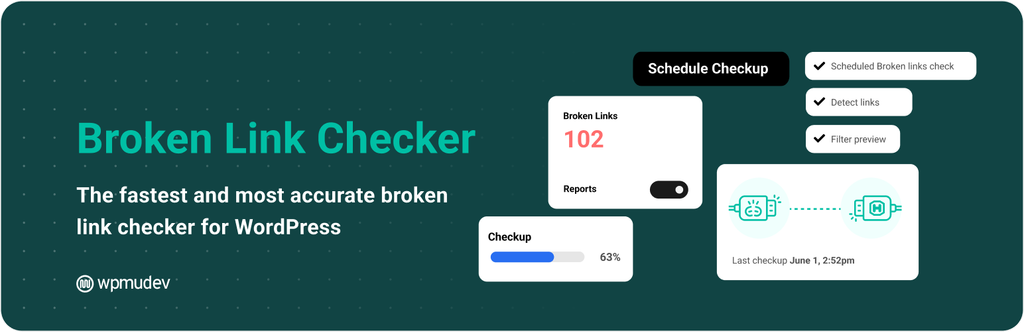
Broken Link Checker by WPMU DEV is the oldest and best-known plugin in this category. It has more than 500,000 active installs and over 17 million downloads. If you’ve used WordPress for a while, you’ve probably installed it at some point.
Its biggest strength is price. The plugin is completely free. You get 2 scanning engines to choose from:
- Cloud engine: Runs on WPMU DEV’s servers and needs a free WPMU DEV account. WPMU DEV advertises unlimited page and URL checks with this engine.
- Local engine: The original plugin. It runs on your own server and doesn’t need any account.
The local option is a real plus if you don’t want to connect your site to an outside service. It can also suggest an archived copy of a dead page from the Wayback Machine, and you can edit, unlink, or ignore links in bulk.
However, video checking is also limited. The local engine can check YouTube links, but it needs your own YouTube API key. I didn’t find Vimeo or other video platform checking in its feature list. The local engine also runs on your server, which brings back the shared hosting performance problem.
Pricing: Free. A paid WPMU DEV membership is optional.
3. Link Whisper: Best for Internal Link Management
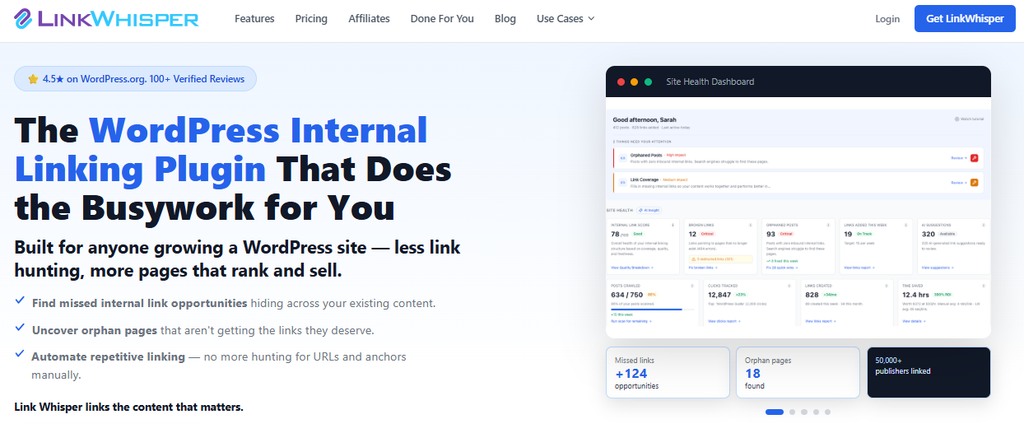
Best for: Sites focused on internal linking and anchor text that want a basic broken link report in the same tool.
Link Whisper is an internal linking plugin first and a broken link checker second. Its main job is to suggest internal links as you write, auto-link keywords, and find orphan posts with no incoming links.
The broken link report is a useful extra. It lists broken internal and external links in your content with their status codes, so you can fix them inside WordPress.
However, because broken link checking isn’t the focus, the feature set is thinner than a dedicated checker. I didn’t find video embed checking in its feature list. It’s also a paid-only plugin, so you’re paying for a full internal linking tool to get the broken link report.
Pricing: Paid only, starting at $97 per year for 1 site.
If internal linking is your main goal, AIOSEO’s Link Assistant covers that job too. It also works alongside Broken Link Checker to show you every post that links to the same broken URL.
4. Ahrefs Site Audit: Best for Full Technical SEO Audits

Best for: SEOs and agencies who want broken links as part of a full technical audit, and anyone managing a backlink profile.
Ahrefs Site Audit isn’t a WordPress plugin. It’s a web-based crawler that checks your site for 170+ technical SEO issues, including broken internal and external links.
The good news is you can use it for free. Ahrefs Free, formerly called Ahrefs Webmaster Tools, includes Site Audit for any site you verify. You get 5,000 crawl credits per project each month.
Paid Ahrefs plans add a separate use case: finding broken backlinks. These are links from other sites that point to pages on your site that no longer exist. That’s a different problem from broken links on your own pages, but it’s worth fixing because those links carry value.
Pricing: Free for verified sites through Ahrefs Free. Paid plans cost more and unlock the full toolset.
5. Screaming Frog: Best for One-Off Deep Crawls
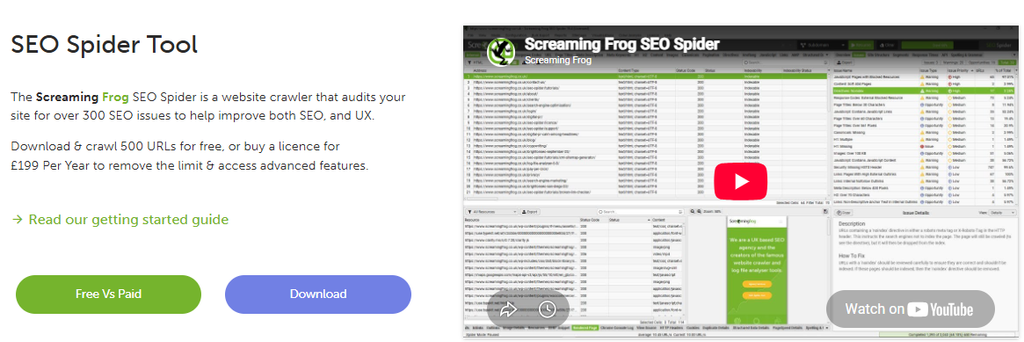
Best for: Developers and agencies running one-off audits or site migrations.
Screaming Frog SEO Spider is a desktop crawler you install on your computer. It isn’t a WordPress plugin. It crawls your site like a search engine bot and reports broken links, redirects, and hundreds of other issues.
It’s fast, detailed, and the free version is useful on its own.
The free version crawls up to 500 URLs and only runs when you start it. Scheduled crawls need a paid license, and even then the crawler runs from your computer. Like Ahrefs, it shows you the problems, but you fix every link in WordPress yourself.
Pricing: Free for up to 500 URLs per crawl. A paid license costs £199 per year, which is about $279.
6. Google Search Console: Best Free Option for 404 Monitoring
Best for: Backing up a broken link plugin, not replacing it.
Google Search Console is free, and you should already have it set up. Its Page indexing report shows pages that Google tried to crawl and found as 404s or soft 404s.
However, Search Console only reports URLs on your own site that Google has crawled. It doesn’t check your outbound links, your images, or your video embeds. It also reports problems after Google finds them, which can be days or weeks after the link broke.
Pricing: Free.
BLC vs. WPMU DEV Broken Link Checker: Comparison
These are the 2 dedicated broken link checker plugins on this list, so most readers end up choosing between them.
| Feature | BLC by AIOSEO | WPMU DEV BLC |
|---|---|---|
| Video detection | YouTube, Vimeo, and 10+ platforms, including iframe embeds (paid plans) | YouTube only, local engine, needs your own API key |
| Monthly link limits | 250 free, 1,000 to 500,000 on paid plans; auto-upgrades when you go over unless turned off | Advertised as unlimited on the cloud engine |
| Cloud-based | Yes, cloud only | Yes, plus an optional local engine |
| Dashboard fix tools | Edit URL everywhere at once, unlink, add redirect, dismiss, bulk actions with confirmation | Edit, unlink, ignore, bulk actions |
| WP integration | Menus, custom fields, page builders, AIOSEO Redirects | Custom fields, comments, WPMU DEV Hub |
| Free tier | 250 internal and external links per month | Free plugin, free Hub account with some limits |
| Starting paid price | $4.99 per month | Free, membership optional |
| WordPress.org rating | 3.8 out of 5 | 3.8 out of 5 |
The real question is what your site has the most of. If your content leans on embedded YouTube or Vimeo videos, Broken Link Checker by AIOSEO is the clear pick. It catches dead videos without extra setup. If you have a huge site, a zero budget, and mostly text links, WPMU DEV’s free plugin makes sense. Just spot-check the results before you run bulk fixes.
How to Set Up Broken Link Checker by AIOSEO (Quick Start)
Setup takes about 5 minutes. Here’s how to do that:
Install and Connect to Your AIOSEO Account
In your WordPress dashboard, go to Plugins » Add Plugin. Search for “Broken Link Checker” and find Broken Link Checker by AIOSEO in the results. Click Install Now, and then click Activate.
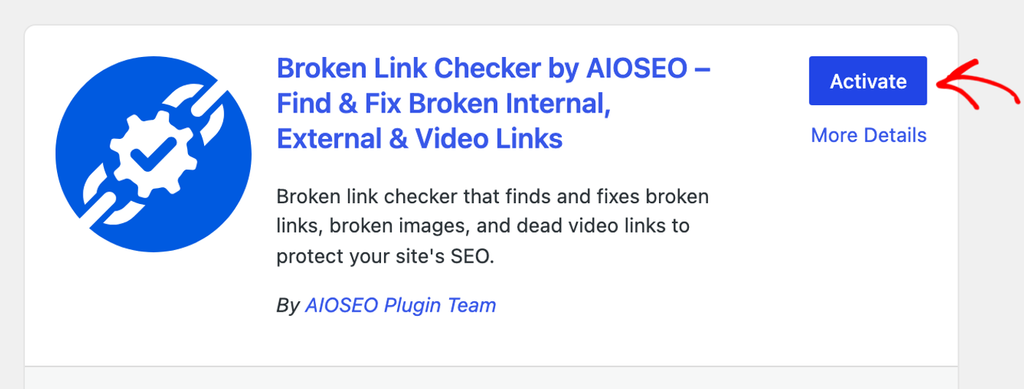
The Setup Wizard opens automatically. Click Let’s Get Started. On the next screen, click Create a Free Account if you’re new, or Connect Account if you already have an account on aioseo.com. If you already use AIOSEO Pro, you can log in with that account, but you’ll still need to add a free or paid Broken Link Checker plan.
Run Your First Scan
Once your account is connected, the wizard asks what to watch. You can pick where to look for links, how often to recheck them, and whether to get email reports. The defaults suit most sites, so click Save & Continue if you’re not sure.
On the last screen, the plugin starts finding links on your site and checking them in the background. You can leave the page while it works. Click View Your Report when you’re ready.
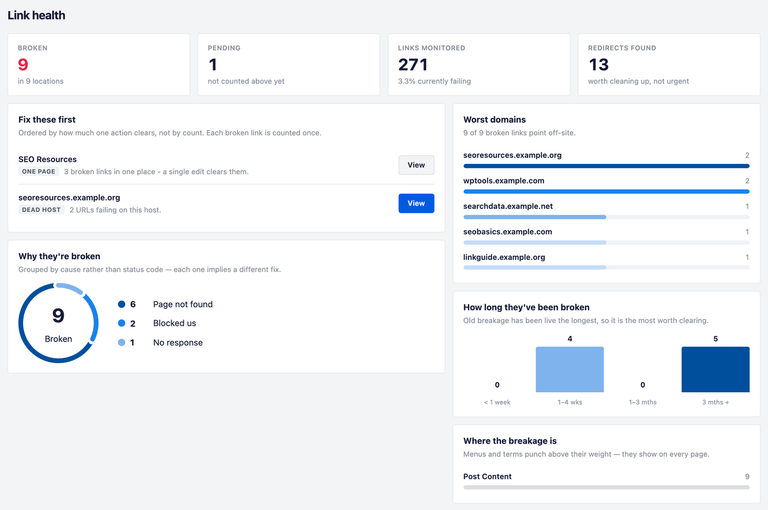
You can change these choices later under Broken Links » Dashboard on the Settings tab. That’s where you set Scan Frequency to weekly or monthly, choose your Scan Sources like menus and custom fields, and add Exclude URL patterns for affiliate links.
Fix Broken Links From the Dashboard
Go to Broken Links » Dashboard. Start with the Fix these first card. It groups broken links that one action can clear, like 3 broken links on one page or many links to a site that stopped responding. Click View on a group to jump straight to the fix.
To work through everything else, open the Broken Links Report tab and click the Broken filter. You can narrow it further with the All Types dropdown, for example, to see only Videos. Hover over any row to see your options:
- Edit URL replaces the address everywhere that link appears on your site.
- Unlink removes the link but keeps the words in your content.
- Add Redirect sends visitors from a broken address on your own site to a working page, if you use AIOSEO with the Redirection Manager.
- Dismiss hides a link that works fine when you open it yourself, like a site that blocked the check.
Unlink and Dismiss take effect right away, so double-check before you click. Work from the top of the list, and you’ll clear the biggest problems first.
Which Broken Link Checker Should You Use?
The best broken link checker for WordPress is the one that catches the links your site actually has. For content sites with embedded video, that’s Broken Link Checker by AIOSEO. It scans in the cloud, checks videos at the video level, and lets you fix everything from one dashboard.
If you need a free plugin and your site is mostly text, WPMU DEV’s plugin is a solid choice. Pair either one with Google Search Console, and use Screaming Frog or Ahrefs for a deeper audit.
Once your links are clean, keep them that way when you change URLs. Our guide on how to avoid 404 errors when updating your WordPress site shows you how.
Ready to find out what’s broken on your site? Get started with Broken Link Checker for free and run your first scan today.
Best Broken Link Checker for WordPress: FAQs
Broken Link Checker by AIOSEO is the best overall pick for most content sites. It scans in the cloud so it won’t slow your site, checks YouTube and Vimeo embeds on paid plans, and lets you edit, unlink, or redirect links from your dashboard. Broken Link Checker by WPMU DEV is the best fully free option.
The easiest way is to install a broken link checker plugin. With Broken Link Checker by AIOSEO, you install the plugin, connect a free account in the Setup Wizard, and it automatically checks your links. You’ll find the results under Broken Links » Dashboard, where you can fix each link in place.
Yes. Broken Link Checker by WPMU DEV is completely free. Broken Link Checker by AIOSEO has a free plan that checks up to 250 internal and external links per month. Google Search Console and the free version of Screaming Frog can also find broken links, but you’ll have to fix them by hand.
Yes, indirectly. A broken image can’t rank in Google Images, and it makes your page look neglected to readers. It won’t trigger a penalty, but it can cost you image traffic and engagement. Use a checker that scans images, including block and background images.
Disclosure: Our content is reader-supported. This means if you click on some of our links, then we may earn a commission. We only recommend products that we believe will add value to our readers.
Want to Try AIOSEO for Free?
Enter the URL of your WordPress website to install AIOSEO Lite.