
The best free SEO tools can make a real difference when it comes to improving rankings, especially if you’re working with limited budgets or testing SEO strategies before investing in paid software.
In 2026, the best free SEO tools are smarter, more specialized, and more accessible than ever, helping you with everything from keyword research and content optimization to technical audits and performance tracking.
In this guide, I’ve rounded up 21 of the best free SEO tools you can use to boost your rankings, streamline your workflow, and make data-driven decisions without spending a dime.
Let's start with the types of SEO tools.
In This Article
Types of Free SEO Tools
We’ve categorized our best free SEO tools into website SEO, keyword research, backlink analysis and link-building, speed tools, and analytics tools.
Keep in mind that the tools we’ve reviewed come in 1 of 3 forms:
- Chrome extensions
- Web-based tools
- Downloadable plugins
We’ll start with website SEO tools.
Best Free SEO Tools for Website SEO
These website SEO tools are free and deliver results.
1. AIOSEO Analyzer: Fast SEO Checks
Speed up SEO checks with this free Chrome extension from the All in One SEO team. It works on both unpublished and published web pages.
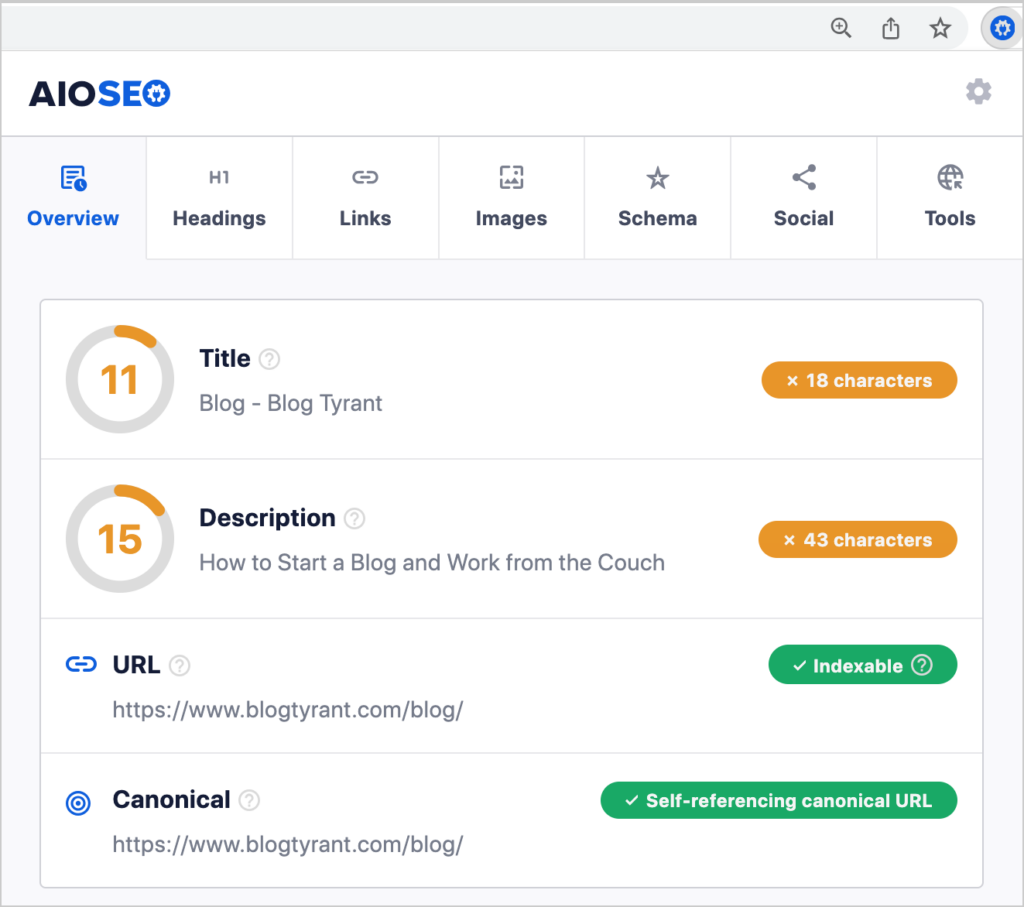
SEO checks include:
- Title and meta description
- Internal and external links
- Headings
- Image SEO
- Schema markup
- Social media OG tags
- Canonical URLs
- Sitemap and Robots.txt
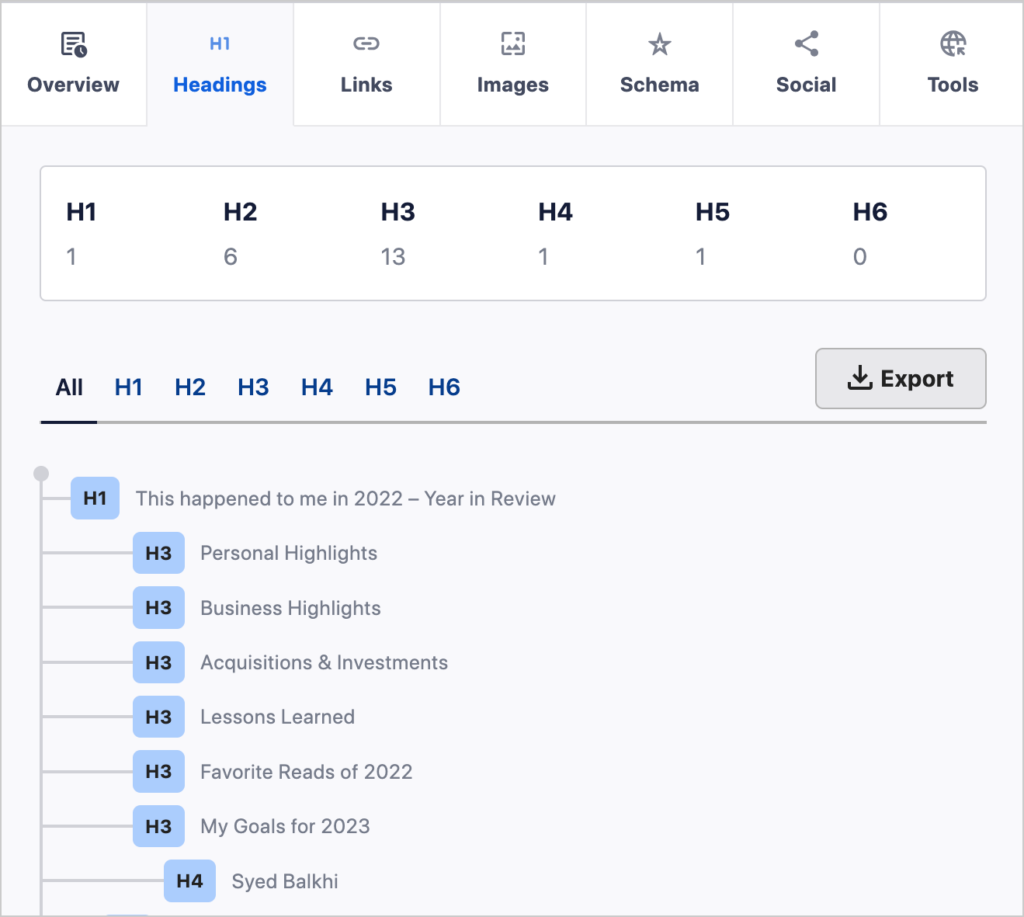
The compact display of headings (h-tags) provides a fast way to check for logical structure.
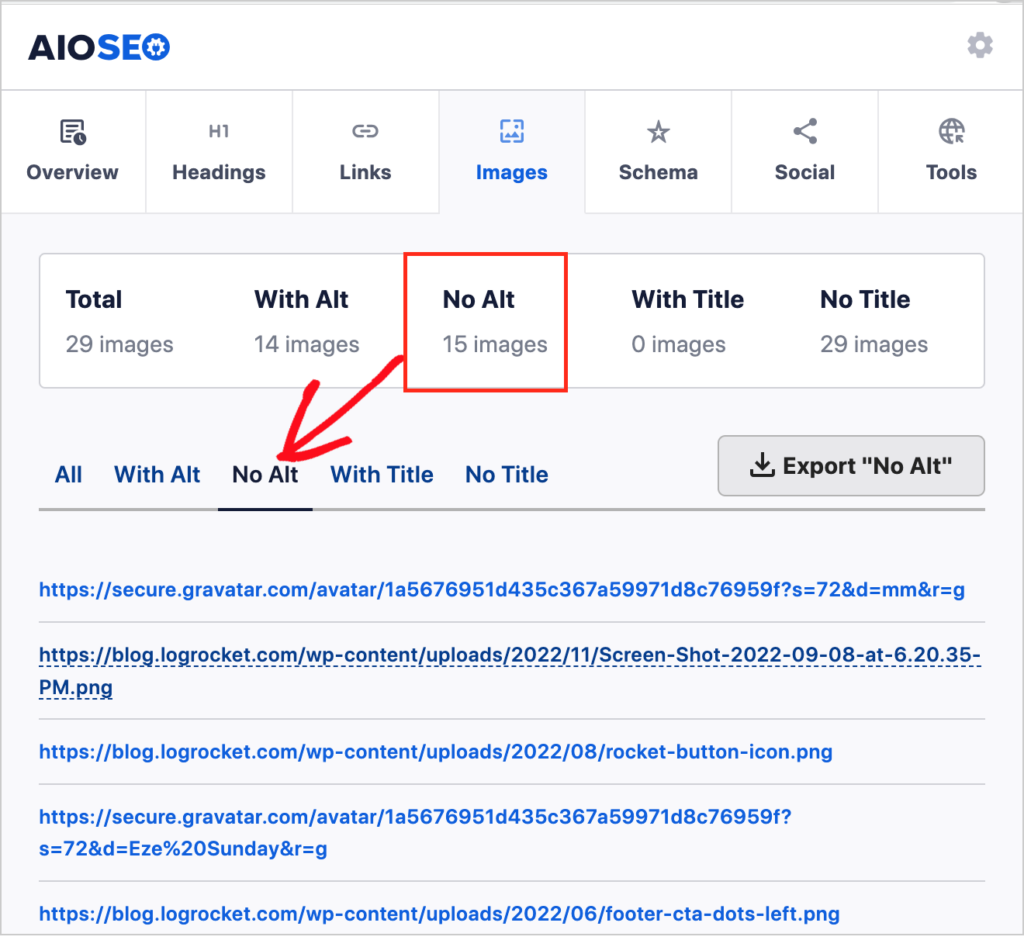
And you can easily check whether images on a page are missing alt tags.
The Analyzer also provides a quick schema check. If the schema is on your page, the associated types and properties will be displayed in a scrollable list.
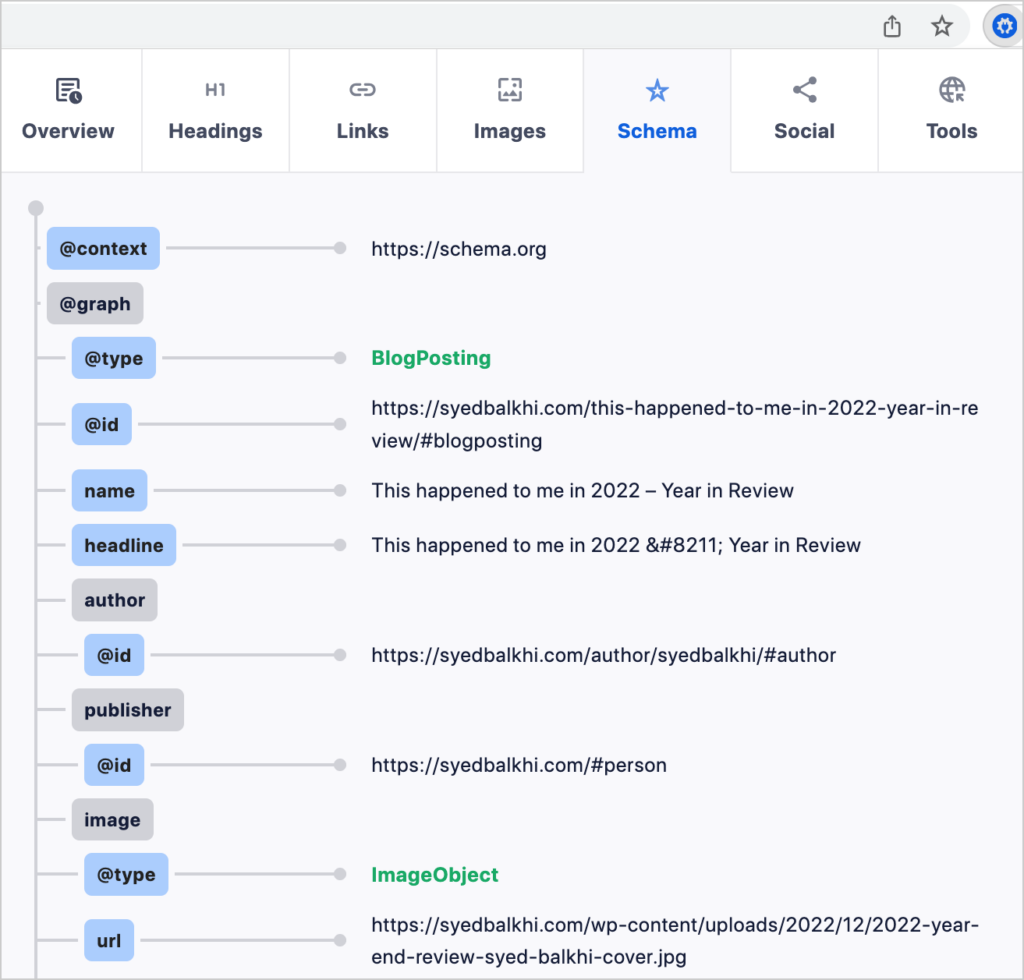
All of these checks are important to ensure your website is optimized for search engines and easily found by potential customers.
With AIOSEO making the process so easy, it's no surprise that it was named one of the best SEO checkers on the market.
2. SEO Analyzer by All in One SEO: Web-Based Tool
Add a URL and get a detailed site audit with this free SEO Analyzer.
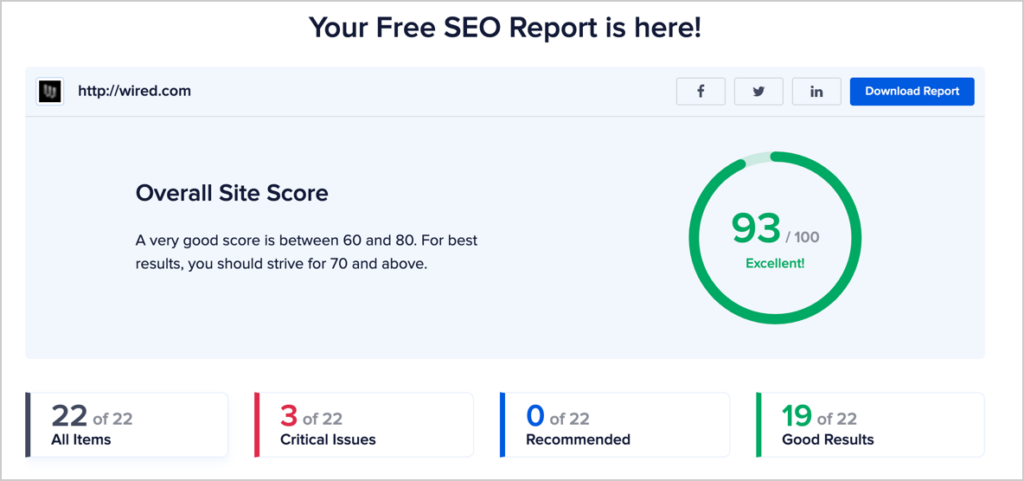
The overall site score indicates the degree of improvement required. Analyzed items are grouped by
- Critical issues
- Recommended fixes
- Good Results
Click on any of those items to get details.
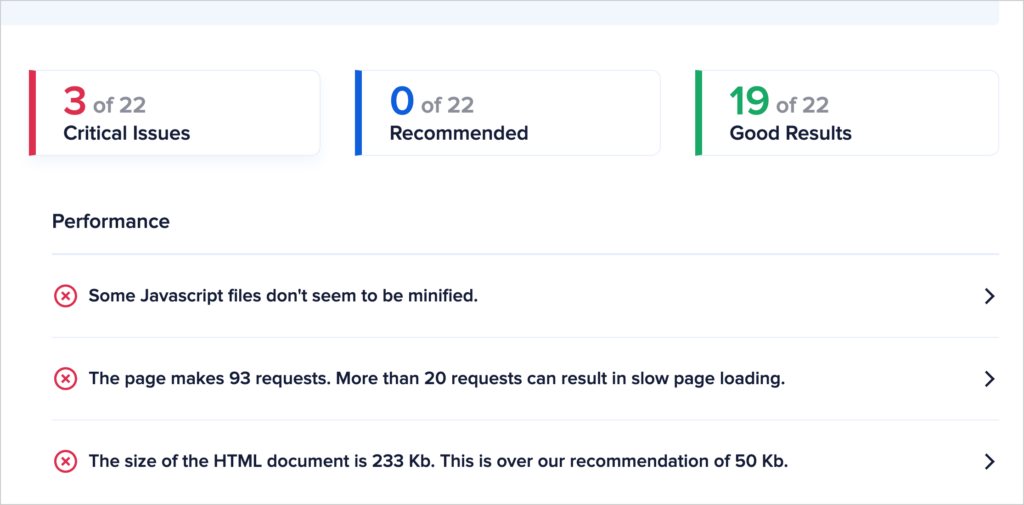
The report covers basic SEO, advanced SEO issues, and performance and security checks.
There’s a satisfying amount of detail here. Marketers could use it to prepare for sales meetings or discovery meetings.
You’ll also get the option to download the report as a PDF.
For a more comprehensive list of SEO audit tools, check out our dedicated guide.
3. All in One SEO (AIOSEO) Plugin: Everything You Need to Rank Higher
Want to improve your SEO without hiring a marketer? All in One SEO (AIOSEO) is a 5-star plugin used by over 3 million people to optimize their WordPress websites.
This plugin analyzes your web pages and provides a checklist (and guidance) for improvement. Readability recommendations are included, too.
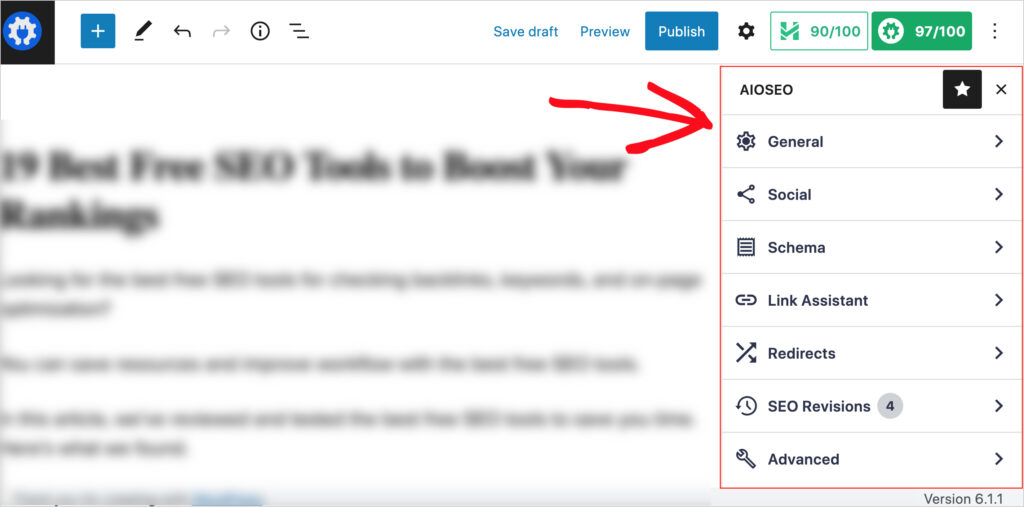
The price for the premium AIOSEO plugins starts at $49.50/year. However, you can download the Lite version for free from WordPress.org. This is one of the best free SEO tools available.
Try it out, then upgrade at any time.
Here are some of the benefits of the free version.
- Improve SEO with an action checklist for each web page
- Get found by search engines with auto-generated RSS and XML sitemaps
- Increase click-throughs by using the title tag and meta description checkers.
- Control how your pages appear on social media.
- Maximize click-throughs from search engines with rich snippets
- SEO analysis tool for global, national, or local site audits and recommendations
- ChatGPT integration to generate titles and descriptions
Upgrade to the Basic or Pro version to get local SEO tools, the ChatGPT integration, Redirection Manager, and Link Assistant.
You can also use the SERP preview tool and SEO report generator to see how your content performs from start to finish.
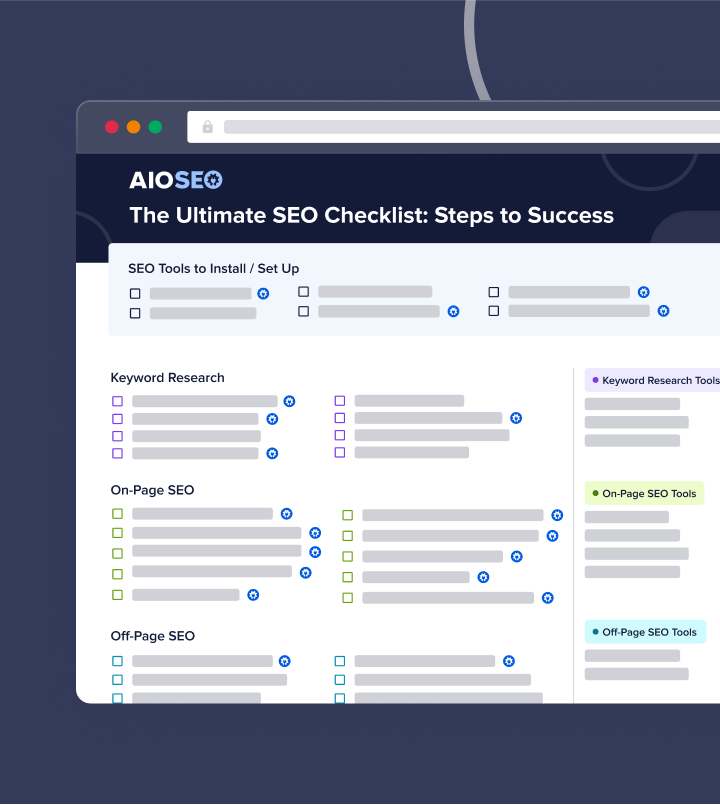
Download A Free SEO Checklist
Access our comprehensive SEO Checklist with a single click. We'll deliver it straight to you, putting actionable items with SEO tools and tutorials right at your fingertips.
Enter your name and email to download a free SEO checklist.
Best Free Keyword Research Tools
Keyword research is the starting point for content that ranks high. And these free tools will help you pick relevant keywords or find out who’s already ranking for them.
4. Free Google Keyword Research Tools
Google provides some excellent ways to get keyword and ranking data, and some of it is hidden in plain sight.
Here are our picks.
- Chrome Incognito and Google Search: It’s possible to plan content that ranks using these 2 resources. Here’s how.
- Google Keyword Planner: Create a Google Ads account to use this tool. Check out Google’s instructions for the planner.
- Google Trends: Get ideas from trending topics. Interest is displayed on a relative scale.
5. Ahrefs Keyword Generator: Get Keyword Ideas
Enter a keyword into the Ahrefs Keyword Generator to get 100 related keyword ideas.
Ten of the 100 will display a related Keyword Difficulty score. These scores enable you to select keywords that are easy to rank for.
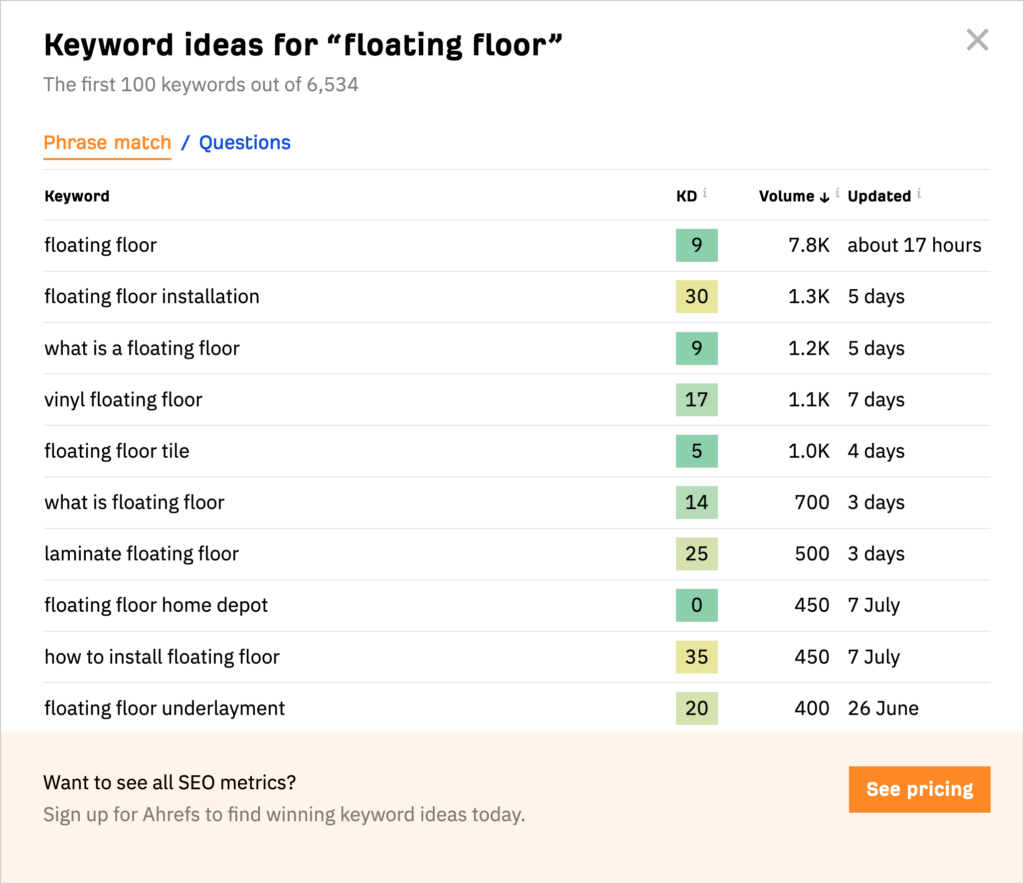
You’ll need to sign up for Ahrefs to access more than 10 Keyword Difficulty scores per search. However, you’ll receive search volume numbers for all 100 search keywords.
Ahrefs pricing for the paid version starts at $99/month. It’s well worth it, and you can cancel at any time.
6. AnswerSocrates: Discover Questions People Are Asking
Enter a topic into AnswerSocrates, and you’ll get organized lists of questions searchers have.
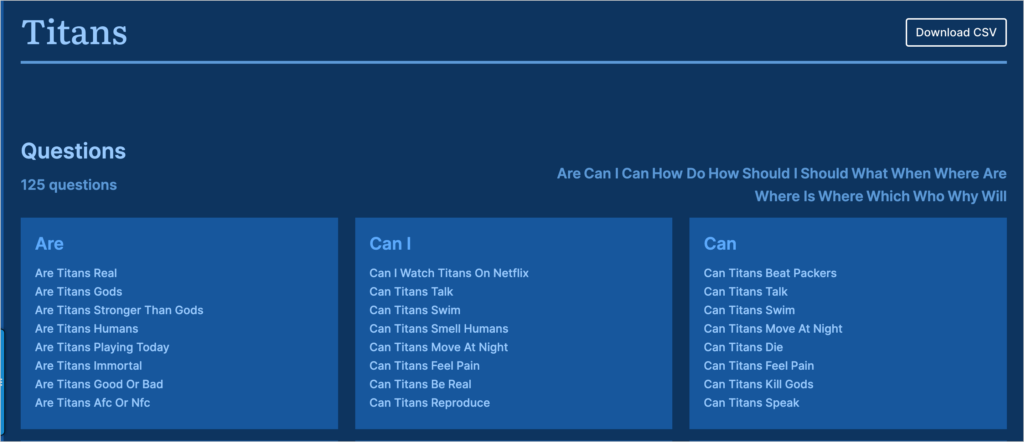
It pulls some of this data from People Also Ask questions in Google Search. The remaining data is sourced from Google Suggest and Google Trends.
The AnswerSocrates homepage also displays data on trending topics.
7. AnswerThePublic: Find Topics and Related Questions
Add 1 or 2 words to AnswerThePublic, and it’ll generate a series of related topics and questions that searchers have.
This information is pulled from Google’s autocomplete data.
The circular display of the data is novel but challenging to read on laptop screens.
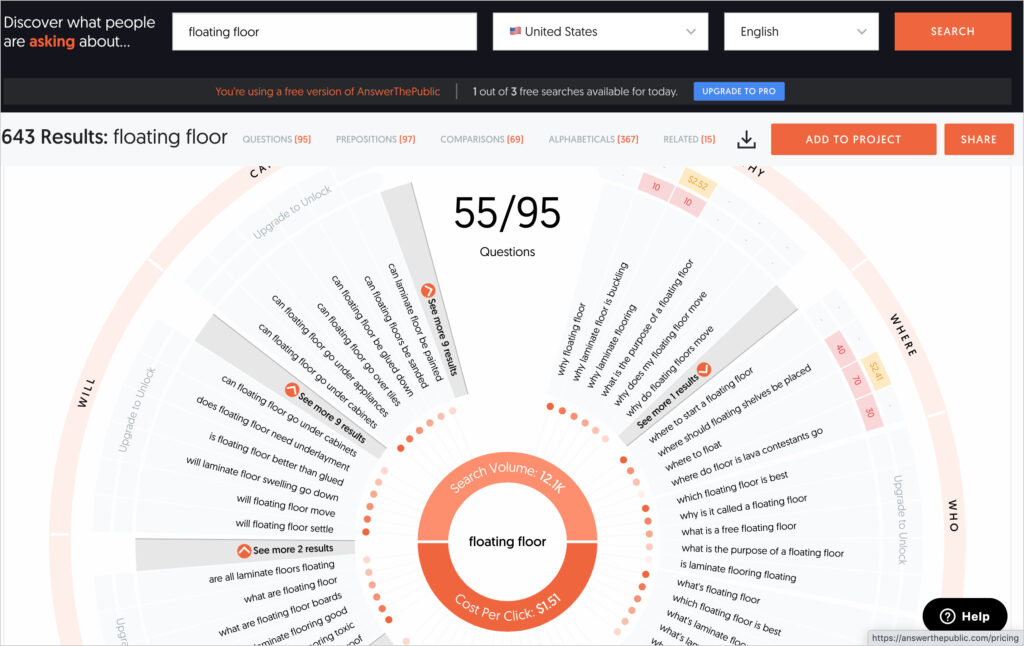
AnswerThePublic has turned this into a sales pitch for their paid version: “Our visualization is nice. But prolonged use may lead to neck injury if you need to analyse data for more than 5 minutes.”
The paid version allows you to export data to a CSV file.
AnswerThePublic provides 3 searches a day for free, but you’ll need to sign up for more data. Plans start at $9/month.
8. Exploding Topics: Get in on Trends Early
This exciting project, launched by Brian Dean of Backlinko, provides keywords experiencing exponential traffic growth or on the verge of it.
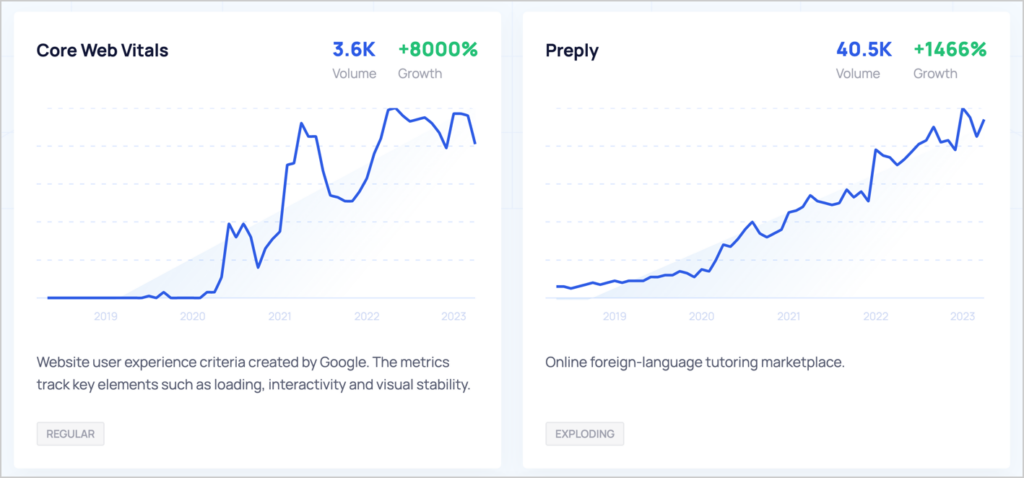
The goal is to unearth long-term growth trends, not temporary fads.
You'll need a paid plan to get access to all exploding topics. Pricing starts at $39/month.
9. AlsoAsked: Discover Relevant Questions
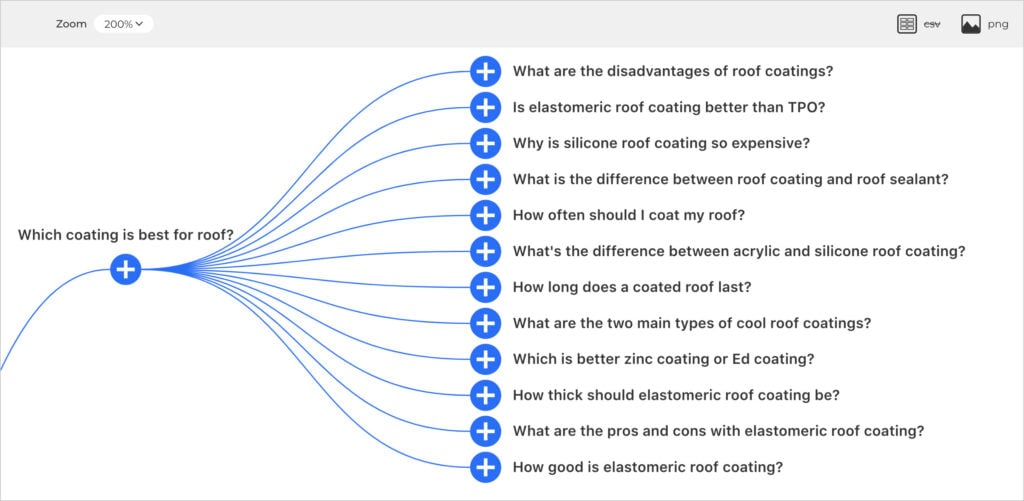
AlsoAsked is a unique tool that lets you explore People Also Ask questions by geography.
Enter a keyword, and results are displayed in an interactive mind map.
The free version limits searches to a set number per day. Paid plans begin at $15/month.
10. UberSuggest: Keyword Research Tool
Like AlsoAsked, Ubersuggest imposes a tight limit on free searches: you get only 3 per day. So treat this tool more like a free trial with no time limit.
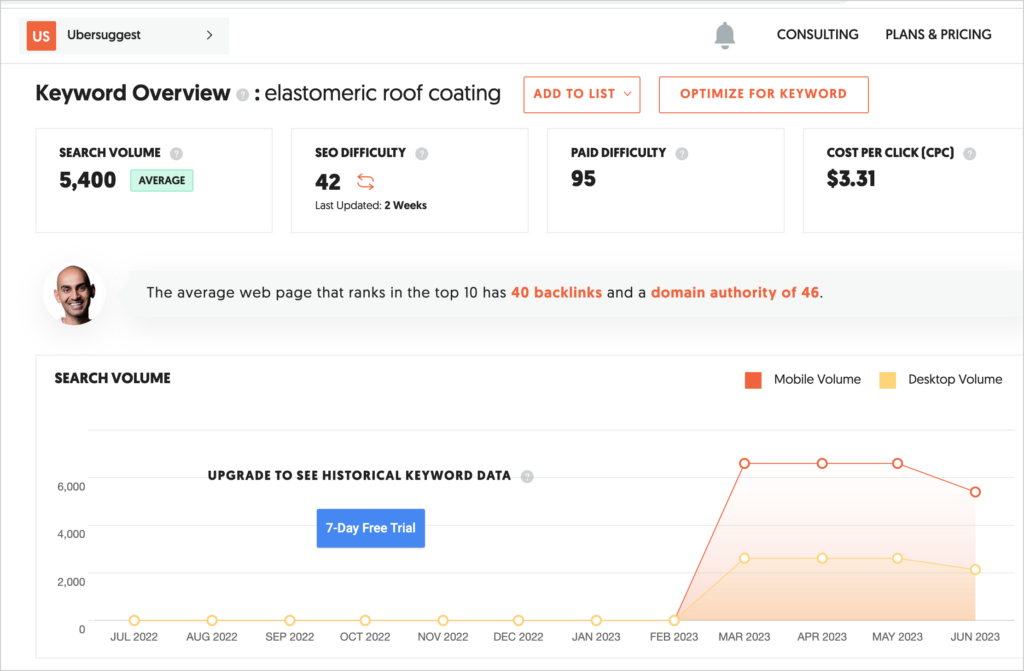
Like Semrush and Ahrefs, this tool provides keyword and content ideas, keyword difficulty scores, CPC data, backlink data, and more.
Pricing starts at $29/month for 1 domain.
11. Ahrefs SERP Checker: Ranking Research
Enter a keyword into the Ahrefs SERP Checker and see who ranks in the top 4 positions in Google Search.
Sign up for a $99/month account to get more data. Or use Chrome Incognito as a completely free (and approximate) alternative.
12. Semrush Simple Sign Up Account: Keyword and Ranking Research
Semrush and Ahrefs are the industry standard for keyword, backlink, and ranking research.
You can create a simple sign-up account that gives you access to a limited set of Semrush’s keyword research, PPC, and content marketing tools. Note: this differs from their 7-day free trial: the simple sign-up account has no time limit.
Ahrefs offers a similar free plan for 1 domain.
In addition to keyword research, it's important to track your keyword performance over time. Check out our picks of the best keyword trackers.
Backlink Checkers and Link Building
The following tools support backlink analysis and guest posting outreach.
13. Hunter.io: Find Hidden Contact Emails
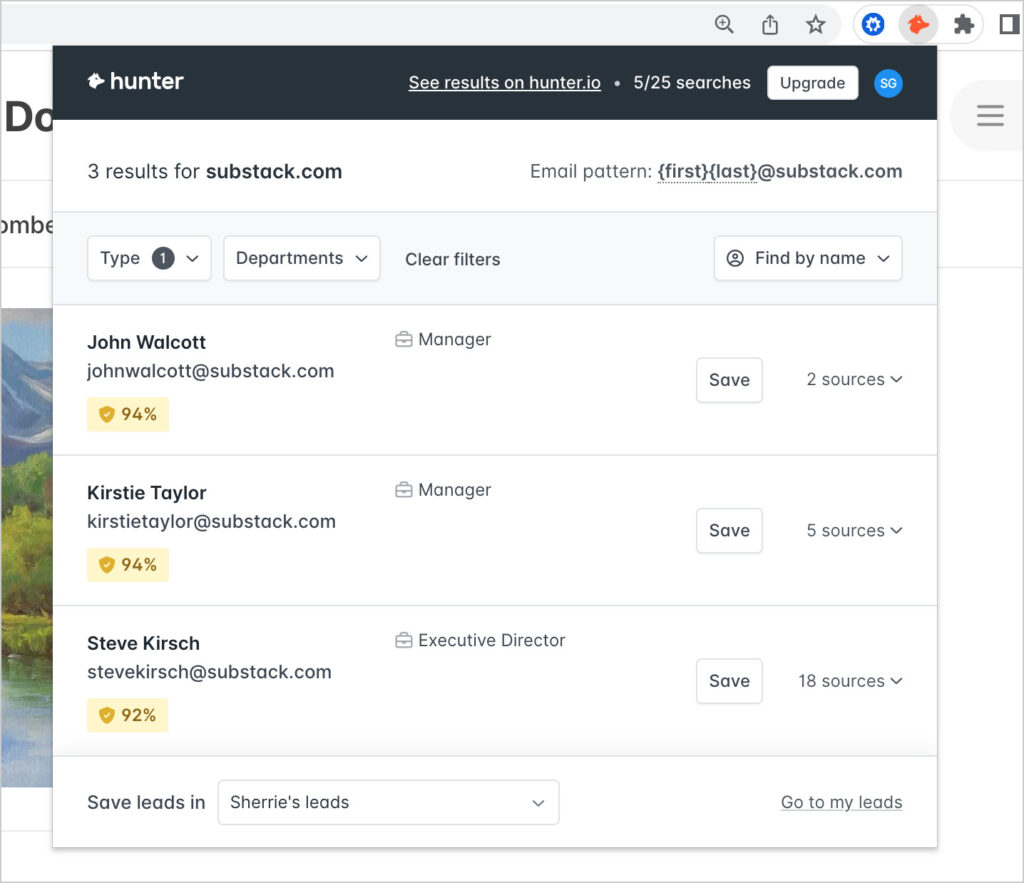
Hunter.io helps you find verified email addresses associated with a website, including those of upper management. It’s notoriously good at this and a must-have for outreach.
For quick searches, use the free Hunter Email Finder Chrome extension.
14. Backlink Checker from Neil Patel
To use the free backlink checker at NeilPatel.com, enter a domain.
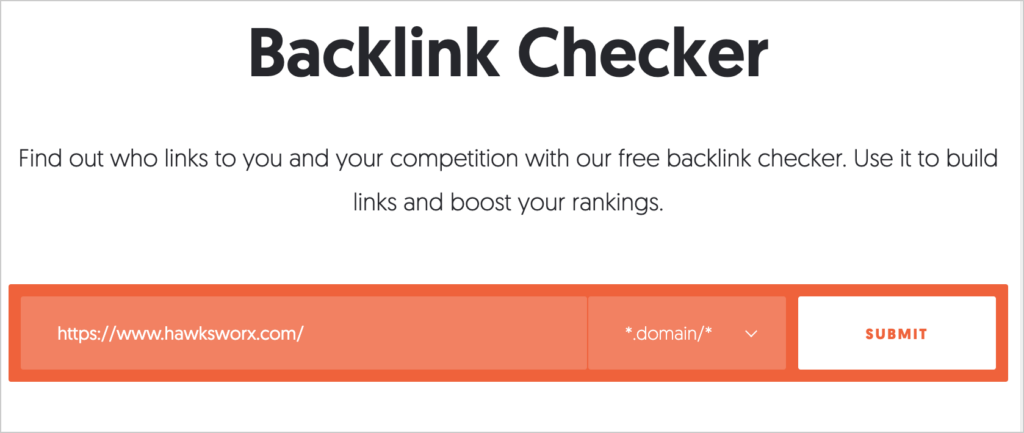
Youll be redirected to Ubersuggest: its full-featured keyword research tool.
There you'll see a graph of backlink growth, total number of referring domains and backlinks, and a thorough analysis.
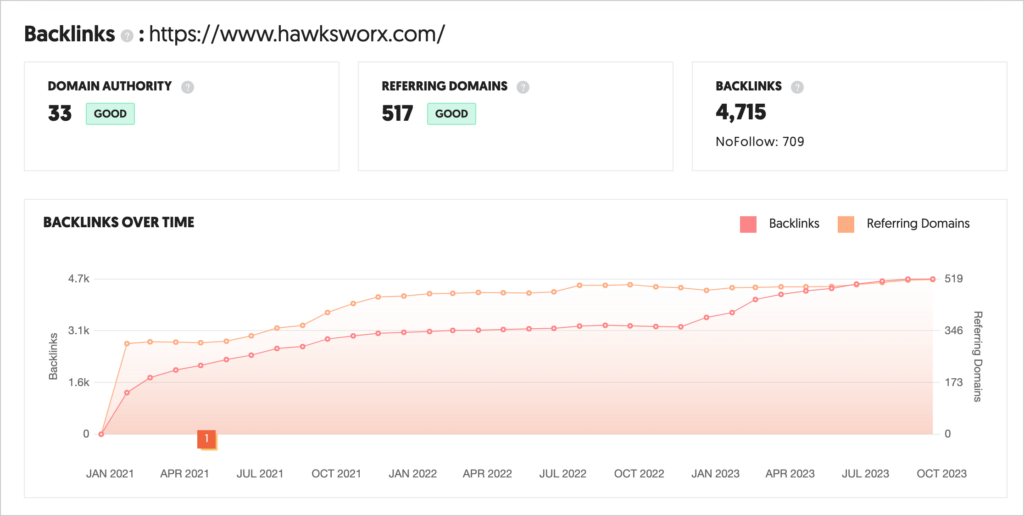
Note: You'll get 3 searches a day on the free plan.
Paid plans start at $29/month. And Ubersuggest is offering new Lifetime deals that deliver significant savings compared to competitors.
15. Ahrefs: Free Backlink Checker
Ahrefs also has a free backlink checker.
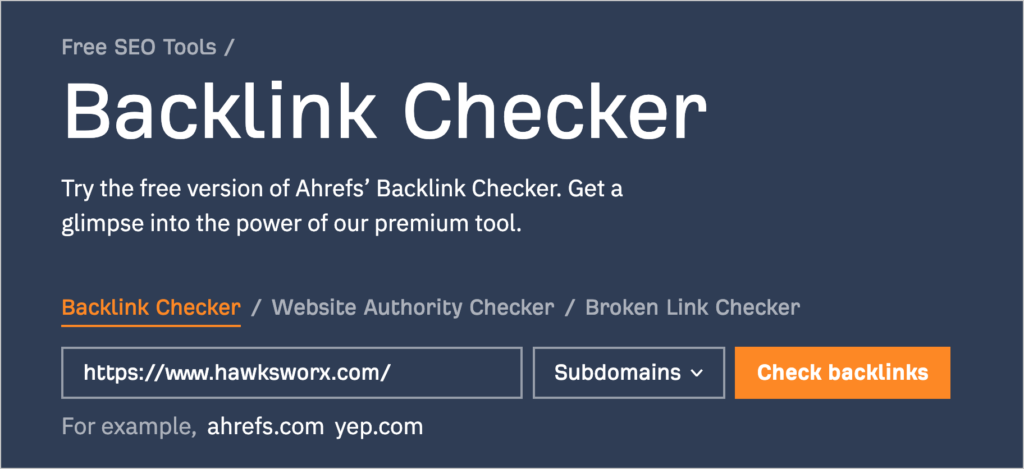
Enter your domain to receive basic statistics and a limited list of backlinks.
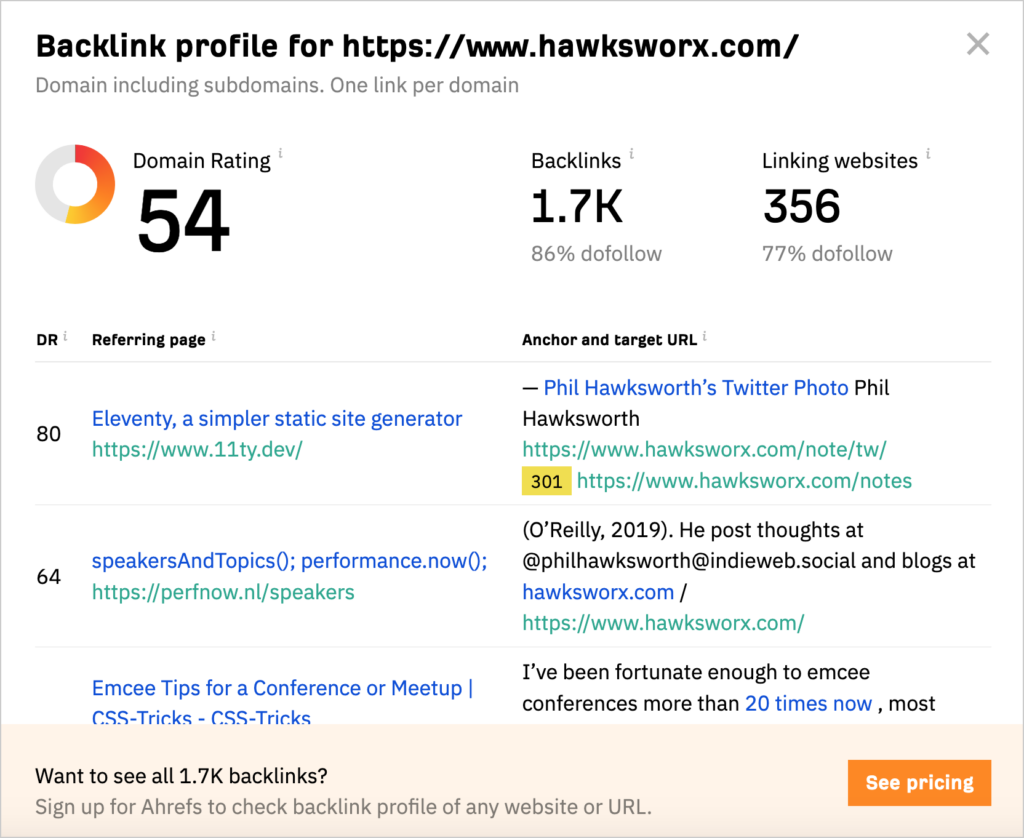
To view all the backlinks pointed to your domain, you'll need to sign up for an Ahrefs plan.
Best Free Site Speed Checkers
Site loading speed can impact your ranking. Here we share 2 of the best free speed analysis tools.
Keep in mind that the recommendations these tools provide are technical, and you'll need a developer to implement them.
16. Google PageSpeed Insights: Measure and Improve
Google PageSpeed Insights provides everything a coder needs to improve website performance.
With its trademark circular scores, PageSpeed Insights provides overall speed, performance, SEO, and accessibility ratings.
You can toggle between mobile and desktop reports.
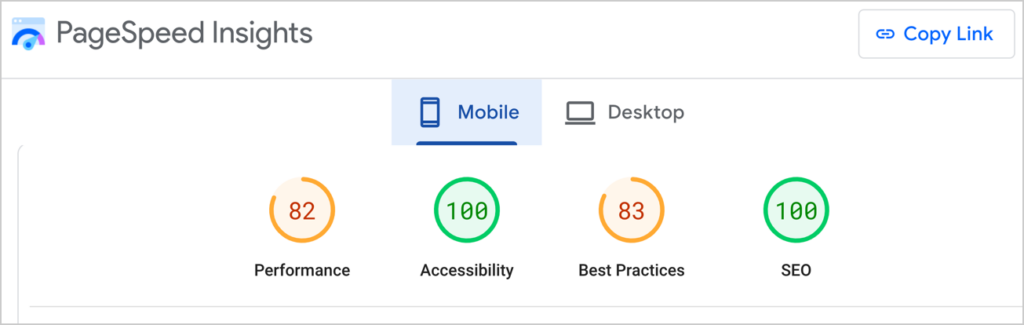
Scroll down to the audit section to get detailed guidance on improvements.
17. GTmetrix: Detailed Performance and Speed Reports
Add a URL to GTmetrix to receive a performance and structure grade, as well as “Web Vitals” numbers.
Below those numbers is a wealth of information, including a waterfall chart and a tabbed report with detailed information.
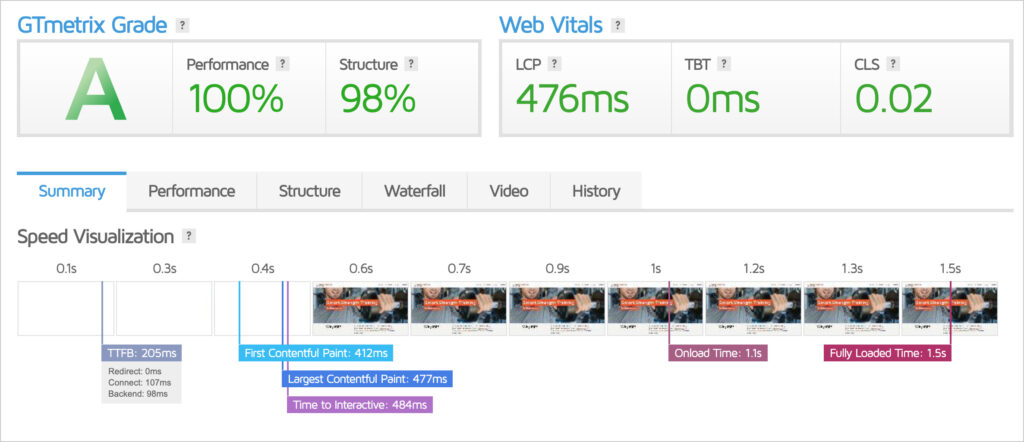
The free version of GTmetrix offers 25 weekly tests. Paid plans start at $8.54/month.
Best Free Analytics Tools
Our last category of best free SEO tools is analytics software platforms.
Any of these tools can be used at the beginner or advanced level.
18. Google Search Console: See Your Rankings
Wondering how you’re ranking in Google Search for various keywords? You can find out with Google Search Console.
In addition to ranking data and trends, you’ll get informed of any indexing issues or manual penalties. (As long as you protect your site from hacks and don’t do any black hat SEO, you shouldn’t worry about penalties from Google.)
Good to know: All in One SEO (AIOSEO) includes Google Search Console data in its Search Statistics feature. This feature is available in the plugin's Elite version.
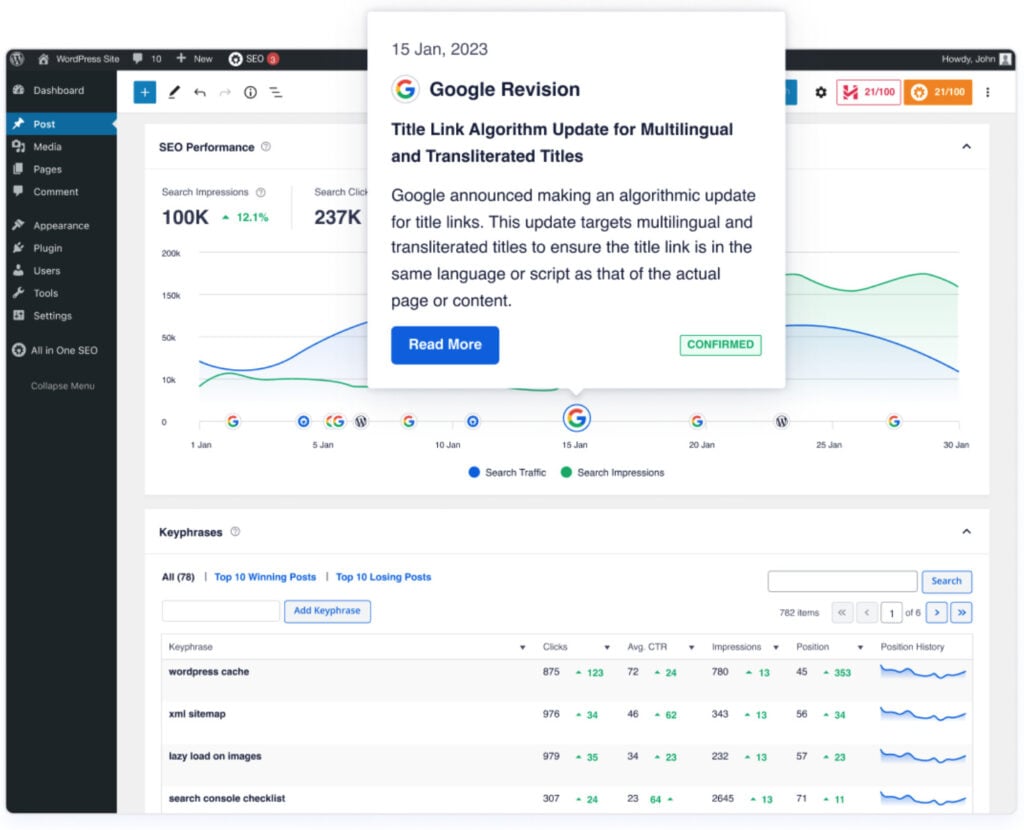
Learn how to track SEO keyword rankings directly in WordPress for more convenient monitoring. And if you're not sure what keywords your site is ranking for, we've got a guide to help you find out.
19. Google Analytics: Website Results
Google Analytics provides an amazing amount of data. In addition to standard page views and traffic metrics, you can use it to track sales funnels and e-commerce data, so you know which pages and marketing tactics are working best.
Good to know: MonsterInsights is a WordPress plugin that pulls Google Analytics data into simple visual displays in the WordPress editor.
20. Looker Studio: Data Visualization and Reports
Looker Studio is Google’s rebrand of Data Studio. It’s used to create dashboards and custom reports from website data.
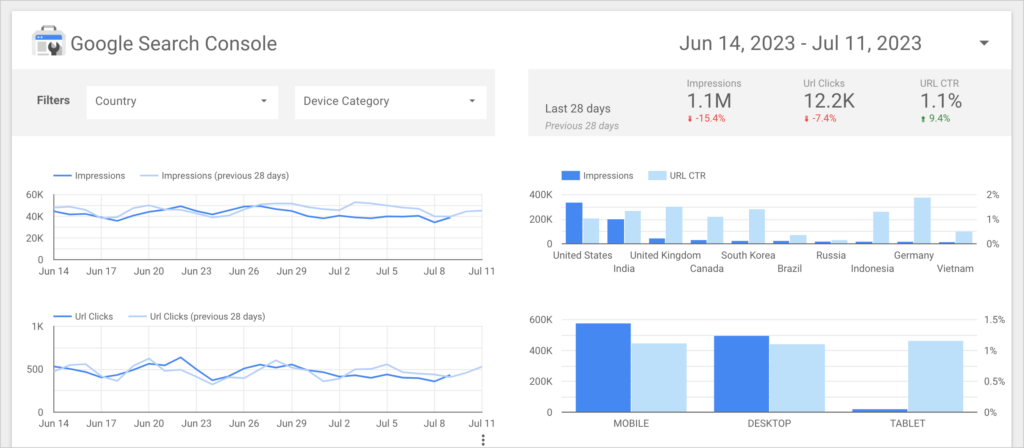
Above: This is a close-up of a Looker Studio report, presenting data from Google Search Console.
21. Screaming Frog SEO Spider: Detailed Link Analysis
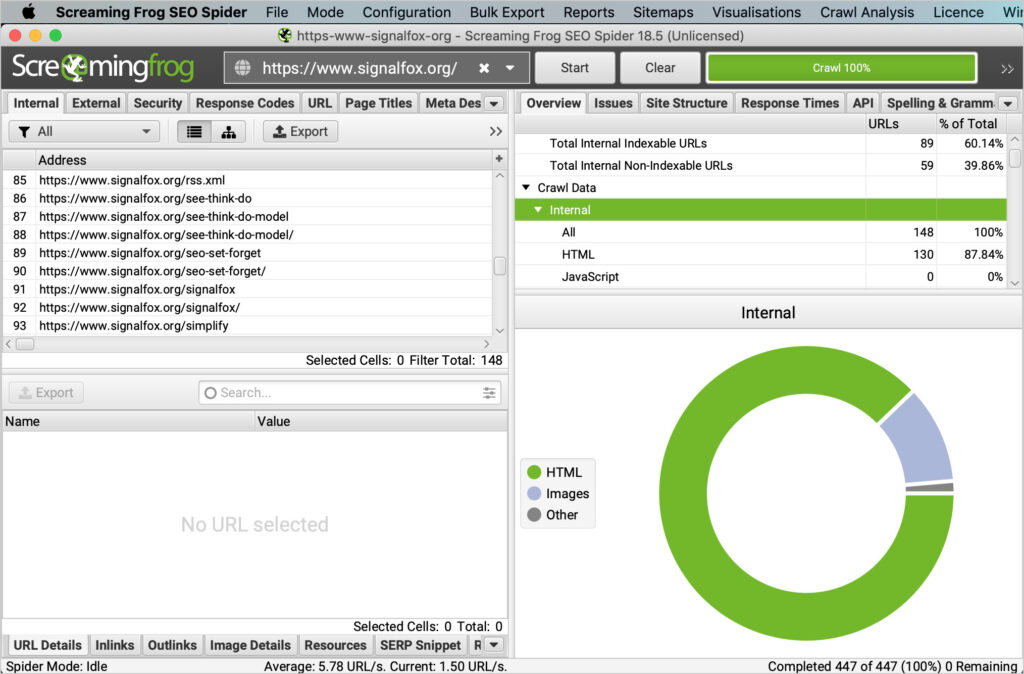
Screaming Frog SEO Spider is a popular site audit tool among web developers, designers, and marketers.
It thoroughly analyzes every single link on a website and highlights problems such as duplicate content and broken links.
For more options on tracking your SEO progress, explore our list of the best seo monitoring tools.
Bonus Tools
- Bing Webmaster Tools is Bing’s version of Google Search Console. It’s a good idea to create an account to gain insights into your performance in Bing search results.
- Mozbar, from Moz.com, is an SEO toolbar available for free in the Chrome Web Store.
- While you’re working on SEO, get ready to maximize conversions. Our favorite tools for this are OptinMonster and WPForms.
FAQs on Best Free SEO Tools
How do I do SEO for free?
To do SEO for free, we recommend using a WordPress plugin like All in One SEO (AIOSEO). A free version of the plugin, called AIOSEO Lite, is available on WordPress.org.
All in One SEO will analyze your pages for you and tell you how to improve your SEO.
Lastly, follow this blog and YouTube channel to learn more about SEO.
Does Google have a free SEO tool?
Google offers several free tools that support SEO decision-making: Google Analytics, Google Search Console, and Google PageSpeed Insights.
What is the best free SEO tool?
AIOSEO is one of the best free SEO tools available, especially for WordPress users. Its free version covers essential on-page SEO features like meta titles, meta descriptions, XML sitemaps, and basic SEO analysis, making it a solid starting point for optimizing your site without upfront cost.
Resources on SEO Tools
- Yoast vs Rank Math vs All in One SEO: Which Is Better?
- Yoast SEO vs All in One SEO: Which Is the Best SEO Plugin?
- Migrating From Yoast SEO to All in One SEO (2 Simple Steps)
- Best AI SEO Tools for WordPress
- Best On-Page SEO Tools for WordPress (Tested and Reviewed)
- Best SEO Keyword Analysis Tools
- The Best SEO Rank Tracker: 6 Fantastic Tools to Help You Dominate the SERPs
- 6 Best WordPress Schema Generator Plugins
- Best SEO Marketing Tools to Drive Traffic and Revenue
What’s Next?
We hope this post helped you find some of the best free SEO tools to rank higher.
Next, explore our review of the best WordPress SEO plugins and the best on-page SEO tools. And browse our list of free SEO analysis tools.
We've also got you covered with how to use AI for SEO and our picks of the best SEO tools for small businesses.
If you found this article helpful, please subscribe to our YouTube Channel. You’ll find plenty of WordPress tutorials there. You can also follow us on X (Twitter), LinkedIn, or Facebook to stay in the loop.
Want to Try AIOSEO for Free?
Enter the URL of your WordPress website to install AIOSEO Lite.

Disclosure: Our content is reader-supported. This means if you click on some of our links, then we may earn a commission. We only recommend products that we believe will add value to our readers.



Great
This is a really cool page. One of the best posts I’ve come across in quite some time. I hope to see more content like this.
A very well-made blog with a wealth of information and excellent writing.
An excellent roundup of free SEO tools! This diverse collection caters to various aspects of optimizing website rankings, from keyword research to backlink analysis and site performance. Thanks for compiling this resource – it’s a treasure trove for both beginners and seasoned marketers looking to enhance their online visibility. These tools are a definite asset for anyone aiming to elevate their rankings and drive more organic traffic.