

Als Kleinunternehmer jonglieren Sie gleichzeitig ein Dutzend Rollen, und „Marketingexperte“ ist nur eine davon. Sie wissen, dass Sie die Werbetrommel rühren müssen, aber bei so vielen Tools auf dem Markt, woher wissen Sie, welche Ihre Zeit und Ihr Geld wert sind?
Ich war dort und genau deshalb habe ich beschlossen, diesen Leitfaden zu erstellen.
Nach über 6 Jahren in der SEO-Branche habe ich sehr viel Zeit mit Marketing-Tools für Kleinunternehmen verbracht. Und raten Sie mal, sie alle bezeichnen sich gerne als die „besten“.
Aber in Wirklichkeit werden Ihnen viele davon nicht helfen, Ihr Geschäft auszubauen. Das ist alles nur Marketing-Hype.
Mein Ziel ist es, durch den Lärm zu schneiden und Ihnen eine Liste ohne Schnickschnack der tatsächlich besten Marketing-Tools für Kleinunternehmer zu geben. Ich habe sie alle rigoros getestet und verwendet, damit Sie Ihr hart verdientes Geld nicht blindlings ausgeben müssen.
Legen wir los.
In diesem Artikel
- Was sind Marketing-Tools für Kleinunternehmen?
- Warum Kleinunternehmen Marketing-Tools benötigen
- In Eile? Ihre ersten 5 Marketing-Tools (kostenlos zum Start)
- Die besten Marketing-Tools für Kleinunternehmen
- Step 1: Get Found on Google (Essential SEO Tools)
- Step 2: Turn Visitors Into Customers (Lead Generation Tools)
- Step 3: Grow Your Audience (Social Media & Email Tools)
- Ihr nächster Schritt: Aufbau Ihres Marketing-Stacks für Kleinunternehmen
- FAQs About Small Business Marketing Tools
Was sind Marketing-Tools für Kleinunternehmen?
Marketing-Tools für Kleinunternehmen sind Lösungen, die Unternehmern und Teams helfen, ihre Geschäfte effizienter zu bewerben. Diese Tools automatisieren wiederkehrende Aufgaben, bieten Einblicke in Ihre Zielgruppe und helfen Ihnen, Marketingkampagnen zu erstellen, zu verteilen und zu verfolgen, ohne dass ein riesiges Budget oder Personal erforderlich ist.
Ob Sie alles selbst erledigen oder ein kleines Team leiten, die richtigen Tools ermöglichen es Ihnen, über Ihre Verhältnisse zu agieren und sich auf das Wesentliche zu konzentrieren: Ihr Geschäftswachstum.
Warum Kleinunternehmen Marketing-Tools benötigen
Die meisten Kleinunternehmen haben schlanke Marketingteams. Diese sind von all den Aufgaben, die sie erledigen müssen, um ihre Marken bekannt zu machen, überfordert. Die richtigen Tools können Ihnen und Ihrem Team helfen:
- Zeit sparen: Automatisieren Sie wiederkehrende Aufgaben, damit Sie sich auf Strategie und Kundenbeziehungen konzentrieren können.
- Mehr Kunden erreichen: Erweitern Sie Ihre Präsenz über mehrere Kanäle, ohne sich zu verzetteln.
- Ergebnisse messen: Verfolgen Sie, was funktioniert (und was nicht), damit Sie Ihre Ressourcen klug einsetzen können.
- Wettbewerbsfähig bleiben: Nutzen Sie Daten und Automatisierung, um mit größeren Marken Schritt zu halten.
Bereit, Ihren Marketing-Tool-Stack zu erstellen?
Werfen wir einen Blick auf einige der besten Marketing-Tools für Kleinunternehmen, die Sie in Betracht ziehen sollten. Ich werde sie nach Kategorien gruppieren, damit Sie leichter die richtigen für Ihr Unternehmen auswählen können.
In Eile? Ihre ersten 5 Marketing-Tools (kostenlos zum Start)
Wenn Sie bei Null anfangen, brauchen Sie nicht Dutzende von Tools. Sie brauchen eine solide Grundlage.
Hier ist mein empfohlener „Starter-Stack“ mit wesentlichen kostenlosen Tools, die Sie noch heute einrichten können:
- All in One SEO (Lite-Version): Der erste Schritt besteht darin, sicherzustellen, dass Kunden Sie finden können. AIOSEO ist der einfachste Weg, um das wesentliche SEO für Ihre WordPress-Website zu erledigen.
- MonsterInsights (Kostenlose Version): Dieses Plugin bringt Google Analytics direkt auf Ihr WordPress-Dashboard, sodass Sie leicht sehen können, wer Ihre Website besucht.
- WPForms (Lite-Version): Jede Website benötigt ein Kontaktformular. WPForms Lite ist der einfachste Weg, um potenziellen Kunden die Kontaktaufnahme mit Ihnen zu ermöglichen.
- OptinMonster (Kostenloser Plan): Beginnen Sie vom ersten Tag an mit dem Aufbau Ihrer E-Mail-Liste mit einem einfachen Popup oder Lead-Capture-Formular.
- Buffer (Kostenloser Plan): Sparen Sie Zeit, indem Sie bis zu 30 Social-Media-Beiträge im Voraus über drei verschiedene Kanäle planen.
Die besten Marketing-Tools für Kleinunternehmen
Um diese Liste so umsetzbar wie möglich zu gestalten, habe ich meine Top-Picks in einen einfachen 3-Schritte-Plan für das Wachstum Ihres Unternehmens im Internet unterteilt.
- Schritt 1: Werden Sie bei Google gefunden. Zuerst behandeln wir die grundlegenden SEO-Tools, um sicherzustellen, dass Kunden Ihre Website finden.
- Schritt 2: Machen Sie Besucher zu Kunden. Als Nächstes zeigen wir Ihnen, wie Sie Ihre E-Mail-Liste und Ihren Vertriebstrichter mit der besten Lead-Generierungssoftware aufbauen.
- Schritt 3: Erweitern Sie Ihre Zielgruppe. Schließlich tauchen wir in die Top-Tools für die Interaktion mit Followern in sozialen Medien und per E-Mail-Marketing ein.
Springen Sie gerne zu dem Abschnitt, den Sie am meisten benötigen, oder folgen Sie dem Ganzen von Anfang an, um Ihren vollständigen Marketing-Stack aufzubauen.
Schritt 1: Bei Google gefunden werden (essenzielle SEO-Tools)
Mehr Website-Traffic gewünscht? Suchmaschinenoptimierung (SEO) ist der Schlüssel.
Studien zeigen, dass 68 % der Online-Erlebnisse mit einer Suchmaschine beginnen, was SEO zu einem wichtigen digitalen Marketingkanal macht.
Hier sind einige der Top-SEO-Tools, auf die ich schwöre, um mir dabei zu helfen:
1. All In One SEO (AIOSEO)
Wenn Sie ein Kleinunternehmer mit einer Website sind, ist Ihre wichtigste Marketingpriorität sicherzustellen, dass potenzielle Kunden Sie bei Google finden. All in One SEO (AIOSEO) ist das originale und leistungsstärkste WordPress SEO-Plugin, das dies auch für Nicht-Technikexperten einfach macht.
Anstatt eine teure Digital-Marketing-Agentur zu beauftragen, bietet Ihnen AIOSEO einfache, umsetzbare SEO-Funktionen direkt in WordPress.
Einige Funktionen und Module, die Ihnen helfen können, Ihre Online-Sichtbarkeit zu erhöhen, sind:
- KI-Assistent: Erstellen Sie ganze Blogbeiträge, Zusammenfassungen, Kernpunkte, FAQs und mehr mit Hilfe von KI.
- KI-Bildgenerator: Google Bilder hat täglich über 1 Milliarde Suchanfragen. Erstellen Sie originelle Bilder direkt in WordPress und diversifizieren Sie Ihre Traffic-Kanäle.
- Cornerstone Content: Sagen Sie Suchmaschinen, welche Beiträge Ihre wichtigsten Seiten sind. Dies hilft Ihnen, thematische Autorität aufzubauen und Ihre semantische SEO zu verbessern.
- Suchstatistiken: Hören Sie auf, zwischen Tools zu wechseln, und sehen Sie wichtige Daten der Google Search Console innerhalb von WordPress.
- Keyword-Rank-Tracker: Verfolgen Sie Ihre wertvollsten Keywords und deren Ranking-Positionen in den Google-Suchergebnissen.
- KI-Schreibassistent: Identifizieren Sie relevante Keywords, verbessern Sie die Lesbarkeit und optimieren Sie Ihre Inhalte für Suchmaschinen, um sicherzustellen, dass sie in den Suchergebnissen höher ranken.
- Schema-Generator: Erstellen Sie perfekt formatierte Schema-Markup und erhöhen Sie Ihre Chancen, mit Rich Snippets in Google zu ranken. Kein Code erforderlich.
- Weiterleitungsmanager: Verwalten Sie Weiterleitungen und eliminieren Sie 404-Fehler, damit Suchmaschinen Ihre Website leichter crawlen und indexieren können.
- Und mehr
Schritt-für-Schritt-Anleitungen zur Installation von AIOSEO finden Sie in unserem detaillierten Installationshandbuch.
Wenn Sie einen E-Commerce-Shop betreiben, der auf WooCommerce basiert, bietet AIOSEO auch spezielle Funktionen, die Ihnen helfen, Ihre Produktseiten ranken zu lassen. Schauen Sie sich unseren WooCommerce SEO-Leitfaden an, um zu sehen, wie Sie AIOSEO nutzen können, um Ihre Konkurrenten auszustechen.
Zusätzlich bietet AIOSEO auch Module, die bei lokaler SEO, On-Page-SEO und technischer SEO helfen. All diese Funktionen erleichtern es, Ihr Geschäft organisch zu vergrößern. Das bedeutet niedrigere Kundenakquisekosten. 💪
Preise: Beginnt bei 49,60 $. Ein kostenloser Plan ist ebenfalls verfügbar.
Warum es für kleine Unternehmen unerlässlich ist: Für ein kleines Unternehmen ist Zeit Geld. AIOSEO ist als das anfängerfreundlichste SEO-Plugin auf dem Markt konzipiert. Es nimmt die komplexe Welt der Suchmaschinenoptimierung und verwandelt sie in einen einfachen, geführten Prozess, den Sie in nur wenigen Minuten pro Seite verwalten können, was Ihnen hilft, ohne steile Lernkurve höher zu ranken.
2. LowFruits

LowFruits ist das beste Marketing-Tool für kleine Unternehmen für die Keyword-Recherche. Es ist ein einzigartiges Tool, das entwickelt wurde, um Ihnen zu helfen, Keywords mit geringem Wettbewerb zu identifizieren, indem es die Google SERPs analysiert. Diese einzigartige Kombination aus Keyword-Recherche und SERP-Analyse macht es zu einem herausragenden Tool im Vergleich zu anderen Plattformen.
LowFruits bietet auch eine Reihe weiterer Funktionen, wie zum Beispiel:
- Rank Tracker: Der Rank Tracker von LowFruits bietet eine visuelle Darstellung historischer und aktueller Ranking-Daten. Sie erhalten auch eine Liste der Top-10-organischen Ergebnisse für das Keyword.
- Domain Explorer: Der Domain Explorer zeigt Ihnen eine Liste von Wettbewerbern in Ihrer Nische. Sie können diese Websites zu Ihrer Extraktionsliste hinzufügen und deren Keywords erhalten.
- Keyword Extractor: Das Tool zur Extraktion von Ranking-Keywords extrahiert die Top-Ranking-Keywords von den Websites der Wettbewerber.
LowFruits ist ein effektives Keyword-Recherche-Tool, das ich für die meisten Projekte nutze. Es ist hervorragend darin, relevante und leicht zu rankende Keywords aufzudecken. Es bietet auch Tools, die mir helfen, Wettbewerber auszuspionieren, und befähigt mich, sie zu übertreffen.
Zum Beispiel zeigt die folgende Liste schwache Wettbewerber, die das Tool in der Floristikbranche aufgedeckt hat. Wenn Sie einen ähnlichen Wettbewerber wie sich selbst sehen, können Sie auf das Plus-Symbol klicken, um ihn zu Ihrer Extraktionsliste hinzuzufügen.

Sobald Sie Wettbewerber zu Ihrer Liste hinzugefügt haben, können Sie den Keyword Extractor verwenden, um eine Liste von Keyword-Ideen der Wettbewerber, deren Ranking-Keywords oder sogar deren Sitemaps zu erhalten.
LowFruits Preise: LowFruits hat 2 Arten von Plänen, aus denen Sie wählen können – Pay-as-you-go (PAYG) Preise und Abonnements. PAYG-Pakete basieren auf Credits und beginnen bei 25 $ für 2.000 Credits. Ein Standardabonnement kostet 21 $/Monat und beinhaltet 3.000 Credits.
Warum es für kleine Unternehmen unerlässlich ist: LowFruits hilft Ihnen, Keywords mit geringem Wettbewerb zu finden, damit Sie schneller ranken können, indem Sie Themen ansprechen, die Ihre größeren Konkurrenten ignoriert haben.
3. Broken Link Checker
Ein weiteres unverzichtbares Marketing-Tool für kleine Unternehmen, das Ihre SEO verbessern kann, ist Broken Link Checker (BLC). Entwickelt vom selben zuverlässigen Team hinter dem beliebten All In One SEO (AIOSEO) Plugin, können Sie sauberen und effektiven Code erwarten.
Wie der Name schon sagt, hilft BLC Ihnen, defekte Links auf Ihrer WordPress-Seite zu identifizieren und zu entfernen. Dies ist entscheidend für SEO, da Links zu den Top-Rankingfaktoren gehören, die Suchmaschinen zur Bewertung von Inhalten verwenden. Außerdem können defekte Links auf Ihrer Seite die Crawling- und Indexierungsrate beeinträchtigen, was Sie kostet:
- Traffic
- Rankings
- Conversions
Deshalb muss Ihr Marketing-Werkzeugkasten einen Checker für defekte Links wie BLC enthalten.
Broken Link Checker ist ein fantastisches Werkzeug, um die Gesundheit Ihrer Website zu erhalten und sicherzustellen, dass Ihre technische SEO stimmt. Das Plugin automatisiert die Aufgabe, defekte Links zu finden und zu beheben, und spart Ihnen viel Zeit, da Sie nicht manuell danach suchen müssen. Und wenn Sie einen defekten Link finden, haben Sie viele Möglichkeiten, damit umzugehen, einschließlich der Bearbeitung der URL, des Entfernens des Links, der erneuten Überprüfung oder der Weiterleitung!
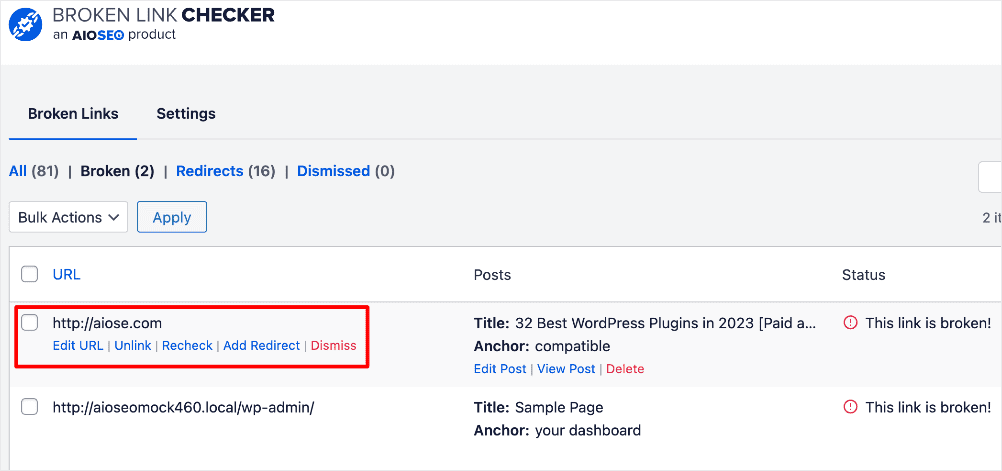
Broken Link Checker ist zweifellos eines der ersten Marketing-Tools für Kleinunternehmen, das Sie auf Ihrer Website installieren sollten, wenn Sie Ihre Website ernsthaft als Lead-Generierungs- oder Verkaufsmaschine nutzen möchten.
Preise: Kostenlos. Bezahlte Pläne beginnen bei 4,99 $.
Warum es für Kleinunternehmen unerlässlich ist: BLC findet automatisch defekte Links und hilft Ihnen, diese zu beheben, wodurch Ihre Website sowohl für Besucher als auch für Google professionell und vertrauenswürdig erscheint.
4. SEOBoost
Ein weiteres SEO-Tool, das ich empfehle, Ihrem Marketing-Tool-Stack hinzuzufügen, ist SEOBoost. Dies ist ein ausgezeichnetes Tool, das ich verwende, um Inhalte zu erstellen, die ranken.

SEOBoost ist eine vollständige Content-Management-Plattform, die Ihnen hilft, den Workflow für die Erstellung Ihrer SEO-Inhalte von Anfang bis Ende zu erstellen und zu verwalten. Einige Aufgaben, für die Sie es verwenden können, sind:
- Erstellung von Content-Briefings und -Gliederungen
- Erstellung von Themenberichten
- Beschleunigung der Content-Optimierung mit KI
Ich finde SEOBoost auch hilfreich für die Keyword-Recherche, da es mir hilft, relevante sekundäre und LSI-Keywords zu entdecken, die ich in meine Inhalte integrieren kann.

Ich habe festgestellt, dass SEOBoost am hilfreichsten ist, wenn bestehende Inhalte aktualisiert werden. Es auditiert Inhalte basierend auf dem Ziel-Keyword und vergleicht sie mit Top-Ranking-Inhalten auf den SERPs. Alles, was ich tun muss, ist die URL der Seite, die ich überprüfen möchte, und mein Fokus-Keyword einzugeben. SEOBoost führt eine Überprüfung durch und liefert einen detaillierten Bericht.
Sobald die Überprüfung abgeschlossen ist und ich die Daten analysiert habe, klicke ich einfach auf die Schaltfläche Inhalt optimieren.

Dies führt mich zu einer Seite, auf der ich die Ergebnisse der Content-Überprüfung verwenden kann, um meine Inhalte zu optimieren. Diese Funktion ist besonders nützlich, wenn bestehende Produktseiten und Landingpages in großen Mengen optimiert werden.
SEOBoost Preise: Bezahlte Pläne beginnen bei 30 $/Monat. SEOBoost bietet auch eine 14-tägige kostenlose Testversion an.
Warum es für Kleinunternehmen unerlässlich ist: SEOBoost hilft Ihnen, mehr Traffic aus Inhalten zu generieren, die Sie *bereits* geschrieben haben, was Ihnen einen schnellen Erfolg ermöglicht, ohne von vorne beginnen zu müssen. Es kann Ihnen auch helfen, eine Content-Strategie für *neue* Beiträge und Seiten zu entwickeln.
5. MonsterInsights

MonsterInsights ist das beste Marketing-Tool für Kleinunternehmen, um die Analysen Ihrer Website zu verfolgen. Es ist das beliebteste WordPress-Google-Analytics-Plugin auf dem Markt und hat über 3 Millionen Nutzer.
Die Popularität von MonsterInsights beruht auf seiner Fähigkeit, die robusten Funktionen von Google Analytics über eine bemerkenswert benutzerfreundliche Oberfläche zu liefern. Indem MonsterInsights alle wichtigen Website-Daten direkt in Ihr WordPress-Dashboard bringt, bietet es unübertroffenen Komfort für das Verständnis der Leistung Ihrer Website.
MonsterInsights bietet detaillierte Einblicke, woher Ihre Website-Besucher kommen und wie sie mit Ihren Inhalten interagieren. Dies ermöglicht es Ihnen, Ihre Website und Inhalte für maximale Konversionen basierend auf dem tatsächlichen Nutzerverhalten zu optimieren.
Wenn Sie WooCommerce oder Easy Digital Downloads nutzen, um auf Ihrer Website zu verkaufen, bietet MonsterInsights auch erweiterte E-Commerce-Tracking-Funktionen. Diese helfen Ihnen, Ihre Website und Landingpages für verbesserte Verkäufe zu optimieren.
Preise: Ab 99,50 $/Jahr.
Warum es für Kleinunternehmen unerlässlich ist: MonsterInsights macht Google Analytics leicht verständlich, indem es einfache, klare Berichte direkt in Ihrem WordPress-Dashboard bereitstellt.
6. SEO Analyzer von AIOSEO

SEO Analyzer ist ein leistungsstarkes Tool, das Ihre Website crawlt und prüft, um kritische Fehler zu identifizieren, die Ihre SEO-Bemühungen behindern könnten. Es liefert auch umsetzbare Erkenntnisse, die Ihnen helfen, Ihre SEO zu verbessern.
Im Wesentlichen fungiert der SEO Analyzer als Ihre persönliche SEO-Überprüfung, identifiziert Bereiche, in denen Ihre Website möglicherweise zurückbleibt, und bietet Lösungen zur Verbesserung. Beispiele dafür, wie der Analyzer von AIOSEO Ihnen hilft, SEO-Best-Practices zu implementieren, sind:
- SEO-Probleme finden: Finden Sie ganz einfach SEO-bezogene Probleme auf Ihrer Website und erhalten Sie umsetzbare Daten, um sie zu beheben, bevor sie problematisch werden.
- Kritische Probleme beheben: Überarbeiten Sie Ihre Website und beseitigen Sie alle SEO-Probleme, die sich negativ auf Ihre Website auswirken.
Neben der Analyse Ihrer Website können Sie den SEO Analyzer für Ihre Wettbewerbsanalyse nutzen. Geben Sie einfach die URL Ihres Wettbewerbers ein, und das Tool liefert einen Bericht über dessen SEO. Sie können dies nutzen, um deren Stärken & Schwächen zu ermitteln und Lücken in deren Strategie zu identifizieren.
Preise: Kostenlos.
Warum es für Kleinunternehmen unerlässlich ist: Der SEO Analyzer ist ein kostenloses Tool, das Ihnen eine schnelle Notenübersicht über die SEO-Gesundheit Ihrer Website gibt und Ihnen genau zeigt, wo Sie mit der Verbesserung beginnen sollen.
7. Semrush

Semrush ist ein weiteres Top-Marketing-Tool für Kleinunternehmen, das Sie beim Aufbau Ihres Geschäfts in Betracht ziehen sollten. Es ist ein vollständiges SEO- und Content-Marketing-Tool, das von vielen Marketern genutzt und geliebt wird. Einige seiner beliebtesten Anwendungsfälle sind:
- Keyword-Recherche
- Suchintention-Analyse
- Backlink-Analyse
- Wettbewerbsrecherche
- Und mehr
Ein fortschrittliches Feature, das Sie lieben werden, ist das Site Audit-Tool. Es berichtet über die SEO-Leistung auf Domain- und Seitenebene, sodass Sie genau wissen, wie Ihre SEO-Kampagnen performen. Das Tool führt auch technische SEO-Audits durch, analysiert die SEO-Strategien von Wettbewerbern, analysiert das Backlink-Profil jeder Domain und mehr.
Mit so vielen Funktionen und Anwendungsfällen verdient Semrush sicherlich einen Platz unter den besten SEO-Marketing-Tools auf dem Markt. Einer der größten Nachteile von Semrush ist jedoch der Preis, der es für viele kleine Unternehmen unerschwinglich macht.
Preise: Bezahlte Pläne beginnen bei 139,95 $/Monat. Ein kostenloser Plan ist verfügbar, aber er ist eingeschränkt.
Warum es für kleine Unternehmen unerlässlich ist: Semrush ist ein All-in-One-Toolkit, mit dem Sie sehen können, was bei Ihren Wettbewerbern funktioniert, und das Ihnen Zeit und Geld bei der Marktforschung spart.
8. Google Search Console

Google Search Console (GSC) ist das beste kostenlose Marketing-Tool für kleine Unternehmen. Es ist ein kostenloses digitales Marketing-Tool von Google, mit dem Sie die Leistung Ihrer Website verfolgen und technische Probleme identifizieren können, die sie beeinträchtigen könnten. Sie können es auch verwenden, um Ihre Keyword-Rankings, Impressionen, Klickraten und andere wichtige SEO-Daten zu überwachen.
Einer der größten Nachteile von GSC ist jedoch, dass die Berichte so viele Daten enthalten können, dass sie Anfänger überfordern können. Dies ist einer der Hauptgründe, warum wir stattdessen die Suchstatistiken von AIOSEO empfehlen. Mit den Suchstatistiken erhalten Sie die Daten in einem leicht verständlichen Format präsentiert, was Ihnen hilft, datengestützte Entscheidungen zu treffen.
Ein Grund, warum SEOs GSC lieben, ist, dass Sie damit Sitemaps einreichen können, um Inhalte schneller zu crawlen. Dies erhöht Ihre Chancen, in Suchmaschinen hoch zu ranken. Und mit der GSC-Integration von AIOSEO werden Ihre Sitemaps automatisch mit Google synchronisiert!
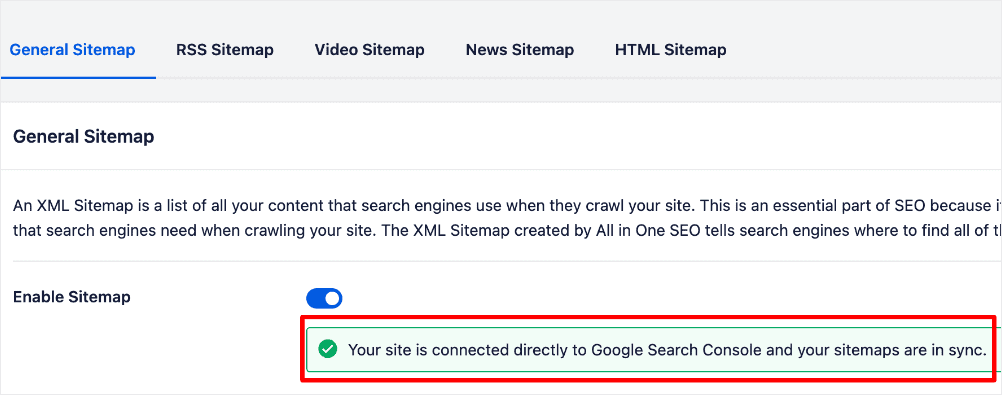
Diese Funktion in AIOSEO bedeutet, dass ich mich um eine Sorge weniger kümmern muss, wenn es darum geht, die Indexierung meiner Inhalte sicherzustellen.
Preise: Kostenlos.
Für eine umfassendere Liste von Tools in dieser Kategorie finden Sie unsere Experten-kuratierte Liste der besten SEO-Marketing-Tools für jedes Unternehmen.
Warum es für kleine Unternehmen unerlässlich ist: Dieses kostenlose Tool ist Ihre direkte Kommunikationslinie mit Google und liefert wichtige Daten zur Leistung Ihrer Website, die Sie nirgendwo anders erhalten können.
Schneller Vergleich von SEO-Tools für Kleinunternehmen
| Tool-Name | Zweck | Hauptmerkmale | Preise | Geeignet für |
|---|---|---|---|---|
| All In One SEO (AIOSEO) | SEO für WordPress-Websites | Keyword-Optimierung, Sitemap-Generierung, Schema-Markup | Kostenlose Version verfügbar, kostenpflichtige Pläne ab 49,60 $/Monat | Kleine Unternehmen, die eine verbesserte Suchsichtbarkeit anstreben |
| LowFruits | Keyword-Recherche und Content-Optimierung | Keyword-Vorschläge, Wettbewerbsanalyse | Pay-as-you-go-Credits, Pläne ab 21 $/Monat | Content-Ersteller und Vermarkter |
| Broken Link Checker | Website-Gesundheit und Link-Management | Erkennt defekte Links, meldet Probleme | Kostenlos, kostenpflichtige Pläne ab 4,99 $/Monat | DIY-SEOs und Website-Administratoren |
| SEOBoost | SEO-Content-Planung | Website-Audits, Keyword-Tracking | Kostenlose Testversion, Tarife ab 30 $/Monat | Unternehmen, die auf SEO-Wachstum abzielen |
| MonsterInsights | Website-Analysen und Einblicke | Google Analytics-Integration, Echtzeit-Statistiken | Ab 99,50 $/Jahr | Kleine Unternehmen, die den Website-Traffic verfolgen |
| SEO Analyzer von AIOSEO | SEO-Audit und -Analyse | Website-Audits, umsetzbare Empfehlungen | Kostenlos | Benutzer, die umfassende SEO-Audits benötigen |
| Semrush | All-in-One-Toolkit für digitales Marketing | Keyword-Recherche, Wettbewerbsanalyse, PPC-Tools | Begrenzte kostenlose Version, Abonnements ab 139,95 $/Monat | Unternehmen, die tiefgreifende Marketing-Einblicke suchen |
| Google Search Console | Überwachung der Google-Suchleistung | Indexierungsstatus, Suchanalysen | Kostenlos | Alle |
Schritt 2: Besucher in Kunden verwandeln (Lead-Generierungs-Tools)
Jedes Unternehmen lebt von einem stetigen Strom von Leads. Zu diesem Zweck sollten einige Ihrer wertvollsten Marketinginvestitionen in Lead-Generierungs-Tools fließen. Hier sind einige, die ich sehr empfehlen kann:
9. WPForms

WPForms ist das beste Kontaktformular-Plugin für WordPress. Das Plugin ist bekannt für seine Benutzerfreundlichkeit und die Fähigkeit, Besucherdaten nahtlos zu erfassen, was die Benutzererfahrung verbessert.
Eines der Dinge, die ich an WPForms am meisten liebe, ist die einfache Installation und Bereitstellung. Gepaart mit einem benutzerfreundlichen Drag-and-Drop-Builder und einer riesigen Bibliothek von über 700 Vorlagen macht es auch schlanken oder sogar einzelnen Marketingteams leicht, mühelos jede Art von Formular zu erstellen.
Mit WPForms auf Ihrer Website können Sie ganz einfach erstellen:
- Kontaktformulare
- E-Mail-Anmeldeformulare
- Online-Bestellformulare
- Zahlungsformulare
- Umfragen und Abstimmungen
- Und mehr
WPForms erleichtert auch Finanztransaktionen durch die Integration mit beliebten Zahlungsplattformen wie Stripe, PayPal, Square und Authorize.net. So können Sie Zahlungen einfach direkt über Ihre Online-Formulare einziehen.
Ein weiterer Vorteil von WPForms ist, dass es erweiterte Funktionen bietet, die bei anderen Formularerstellern nicht zu finden sind. Beispiele hierfür sind Konversationsformulare, Nachverfolgung von Benutzerreisen, Formularabbruch und Geolocation-Tracking, unter anderem.
Mit all diesen und weiteren Funktionen hebt sich WPForms als eines der besten Marketinginstrumente für kleine Unternehmen zur Lead-Generierung hervor.
Preise: Kostenlos. Bezahlte Pläne beginnen bei 49,50 $/Jahr
Warum es für kleine Unternehmen unerlässlich ist: WPForms ist der einfachste Weg, ein einfaches Kontaktformular zu erstellen, sodass potenzielle Kunden eine zuverlässige Möglichkeit haben, mit Ihnen in Kontakt zu treten.
10. OptinMonster

OptinMonster zählt durchweg zu den Top-Tools für digitales Marketing und ist als leistungsstarkes Conversion-Rate-Optimierungs-Plugin (CRO) bekannt, das darauf ausgelegt ist, Ihre Abonnenten- und Kundenbasis erheblich zu erweitern.
Wenn Sie einen E-Commerce-Shop betreiben, können Sie die erweiterten Funktionen von OptinMonster auch nutzen, um Warenkorbabbrüche zu reduzieren, Verkäufe zu steigern, Ihre E-Mail-Liste zu erweitern und vieles mehr. Das liegt daran, dass OptinMonster perfekt für die Erstellung von hochgradig zielgerichteten, personalisierten Angeboten geeignet ist, denen Ihre Website-Besucher nicht widerstehen können. Sie können Ihren Website-Besuchern beispielsweise Popups anzeigen, die auf den Artikeln im Warenkorb Ihres Kunden, einem Blogbeitrag, den sie gerade lesen, und vielem mehr basieren.
Keine technischen oder gestalterischen Kenntnisse?
Kein Problem! Mit dem Drag-and-Drop-Builder von OptinMonster ist die Erstellung von auffälligen Popups, die Ihrem Unternehmen beim Wachstum helfen können, ganz einfach.
Preise: Ab 7 $/Monat (jährlich abgerechnet).
Warum es für kleine Unternehmen unerlässlich ist: OptinMonster hilft Ihnen, abgebrochene Website-Besucher in E-Mail-Abonnenten umzuwandeln und eine wertvolle Zielgruppe aufzubauen, die Sie kostenlos vermarkten können.
11. SeedProd

SeedProd ist eines der besten WordPress-Plugins, das Sie in Betracht ziehen sollten, wenn Sie als kleines Unternehmen nach einer super einfachen Möglichkeit suchen, in wenigen Minuten eine schöne WordPress-Website zu erstellen. Es ist ein sehr beliebter Drag-and-Drop- Website-Builder für WordPress, der auf über 1 Million Websites verwendet wird. Das Plugin ermöglicht es Ihnen, Ihr Website-Design einfach anzupassen und benutzerdefinierte Seitenlayouts zu erstellen, ohne dass Sie programmieren müssen.
Haben Sie bereits eine Website?
Sie können dieses vielseitige Plugin auch zum Erstellen von Lead-Generierungs-Assets verwenden. Sie können SeedProd beispielsweise zum Erstellen von hochkonvertierenden Landing Pages für Ihre Website verwenden. Sie können es auch zum Erstellen von wirkungsvollen Verkaufstrichtern verwenden, um Ihre Website-Besucher in Kunden zu verwandeln.
Wenn Sie außerdem einen E-Commerce-Shop aufbauen möchten, bietet SeedProd auch benutzerdefinierte WooCommerce-Blöcke. Sie können diese zu Ihrem Shop hinzufügen, um es den Käufern zu erleichtern, mit Ihren Produkten zu interagieren. Beispiele für diese Blöcke sind:
- In den Warenkorb-Buttons
- Warenkörbe
- Kassenseiten
- Produktgitter
Diese erleichtern die Anpassung Ihrer WooCommerce-Website, Kassenseiten, Produktseiten und mehr. Außerdem helfen sie, die Konversionen auf Ihren produktorientierten Landingpages zu steigern.
Preise: Bezahlte Pläne beginnen bei 39,50 $/Jahr.
Warum es für kleine Unternehmen unerlässlich ist: SeedProd ermöglicht es Ihnen, professionell aussehende Landingpages für Ihre Verkäufe oder Veranstaltungen in wenigen Minuten zu erstellen, ohne einen Designer einstellen zu müssen.
12. Thrive Leads

Thrive Leads ist das Marketing-Tool, um Ihre E-Mail-Liste zu vergrößern. Es ist ein WordPress-Plugin mit verschiedenen Opt-in-Formularen, darunter 2-Schritt-Opt-ins, Lightbox-Formulare, Slide-in-Formulare und mehr. Dies macht es super einfach, Leads auf Ihrer Website zu erfassen.
Und falls Sie sich fragen – ja, Sie brauchen eine E-Mail-Liste, besonders wenn Sie Ihre Marke durch den Aufbau einer loyalen Kundenbasis ausbauen wollen. Lesen Sie unseren Artikel über die Kombination von SEO und E-Mail-Marketing.
Neben dem Wachstum Ihrer E-Mail-Liste bietet Thrive Leads auch Tools zur Optimierung der Konversionsrate (CRO). Es verfügt über leistungsstarke Funktionen wie Lead-Gruppen, mit denen Sie Ihre Liste anhand spezifischer Kriterien segmentieren können. Sie erhalten auch A/B-Testwerkzeuge, dynamische Textersetzung zur Personalisierung und vieles mehr.
Wenn Sie Ihre E-Mail-Liste schnell vergrößern möchten, ist Thrive Leads das beste Marketing-Tool für kleine Unternehmen.
Preise: Ab 99 $/Jahr. Sie können auch das komplette ThriveSuite (5 Plugin-Bundle) für 299 $/Jahr erhalten.
Warum es für kleine Unternehmen unerlässlich ist: Thrive Leads bietet eine Reihe von konversionsorientierten Tools, die Ihnen helfen, Ihre E-Mail-Liste zu vergrößern, ein entscheidendes Gut für jedes kleine Unternehmen.
13. RafflePress

Verlosungen sind eine hervorragende Möglichkeit, die Markenbekanntheit zu steigern und Begeisterung für Ihre Produkte zu wecken. Hier kommen Marketing-Tools für kleine Unternehmen wie RafflePress ins Spiel.
RafflePress ist das beste WordPress-Verlosungs-Plugin und damit eine ausgezeichnete Wahl, wenn Sie nach einem Digital-Marketing-Tool suchen, um Ihre Marke viral gehen zu lassen. Das Tool vereinfacht die Erstellung ansprechender Verlosungen und Wettbewerbe, was es unglaublich effektiv macht, um schnell Ihre E-Mail-Liste aufzubauen und Ihre Abonnentenbasis zu erweitern. Für Lead-Generierungskampagnen, die schnelle Ergebnisse erfordern, ist RafflePress eine ideale Wahl.
Das Erstellen von viralen Wettbewerben ist mit dem Drag-and-Drop-Verlosungs-Builder von RafflePress super einfach. Das Plugin verfügt auch über einen einfach zu bedienenden Landingpage-Builder, der es einfach macht, Traffic auf Ihre Wettbewerbe zu lenken. Sobald Sie Ihre Landingpage eingerichtet haben, müssen die Benutzer nur noch auf eine Schaltfläche klicken und den Anweisungen folgen, um an Ihrer Verlosung teilzunehmen. Und um sicherzustellen, dass Ihre Wettbewerbe fair sind, verfügt das Plugin auch über einen integrierten Betrugsschutz.
Preise: Ab 39,50 $/Jahr.
Warum es für kleine Unternehmen unerlässlich ist: RafflePress macht die Durchführung eines Gewinnspiels einfach und unterhaltsam, was eine der schnellsten Möglichkeiten ist, für Ihr Unternehmen Aufsehen zu erregen und neue Leads zu generieren.
Schneller Vergleich von Lead-Generierungs-Tools für Kleinunternehmen
| Tool-Name | Zweck | Hauptmerkmale | Preise | Geeignet für |
|---|---|---|---|---|
| WPForms | Lead-Generierung und Kontaktformulare | Drag-and-Drop-Formular-Ersteller, anpassbare Vorlagen | Kostenloser Basisplan; Premium-Pläne ab 49,50 $/Jahr | Kleine Unternehmen, die einfach zu bedienende Formulare benötigen |
| OptinMonster | Lead-Erfassung und Conversion-Optimierung | Exit-Intent-Technologie, A/B-Tests, Targeting-Regeln | Pläne ab 7 $/Monat, jährlich abgerechnet | Unternehmen, die ihre E-Mail-Liste erweitern und Conversions verbessern möchten |
| SeedProd | Bald-wieder-da- und Wartungsseiten | Drag-and-Drop-Seitenersteller, vordesignte Vorlagen, Integrationen | Ab 39,50 $/Jahr | Unternehmen, die professionelle Landingpages benötigen |
| Thrive Leads | Listenaufbau und Lead-Generierung | Mehrere Opt-in-Formulararten, A/B-Tests, erweitertes Targeting | Ab 99 $/Jahr | Vermarkter, die sich auf hochkonvertierende Lead-Formulare konzentrieren |
| RafflePress | Gewinnspiel- und Wettbewerbsverwaltung | Einfache Gewinnspielderstellung, virale Sharing-Tools, Erfassung von Teilnahmen | Ab 39,50 $/Jahr | Unternehmen, die das Engagement steigern und ihr Publikum vergrößern möchten |
Schritt 3: Erweitern Sie Ihr Publikum (Social Media & E-Mail-Tools)
Soziale Medien haben über 5,04 Milliarden Nutzer und sind damit ein leistungsstarker Marketingkanal für kleine Unternehmen. Das bedeutet, dass Ihr Marketing-Werkzeugkasten unvollständig ist, wenn Sie keine Tools haben, die Ihnen helfen, dieses Publikum zu erschließen.
Weitere Informationen hierzu finden Sie in unserem Artikel über Social Media und SEO.
Welche Marketing-Tools empfehle ich für kleine Unternehmen?
Hier ist meine Liste der Top-Tools, die Sie für wirkungsvolle Social-Media-Marketingkampagnen benötigen.
14. Facebook Feed Pro
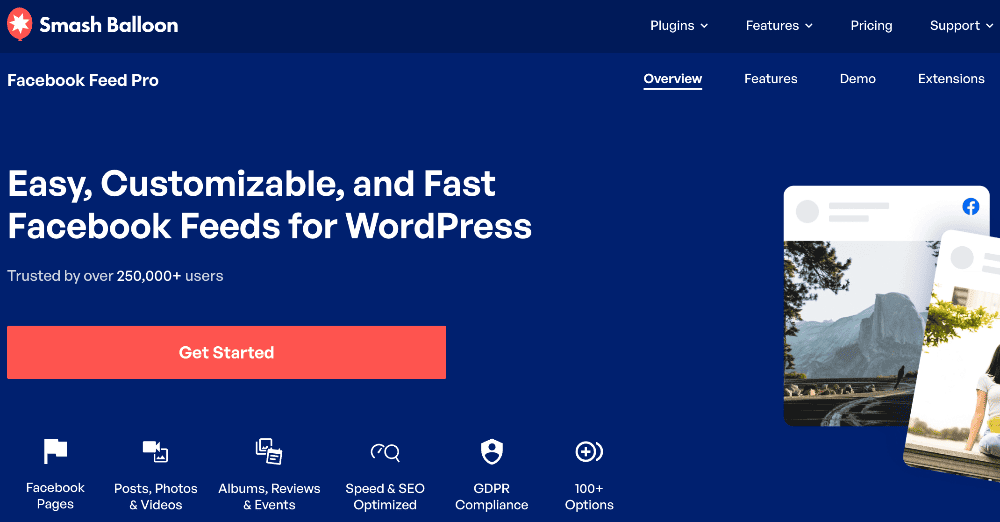
Facebook Feed Pro ist ein fantastisches Social-Media-Marketing-Tool, mit dem Sie Facebook-Posts auf Ihrer Website anzeigen können.
Mit der kostenlosen Version können Sie Text und Links aus Facebook-Posts in Ihre Website integrieren. Um Ihre Facebook-Inhalte jedoch durch die Anzeige von Fotos, Videos und Kommentaren voll auszuschöpfen, ist die Premium-Version des Plugins unerlässlich.
Standardmäßig übernehmen die eingebetteten Facebook-Feeds das Styling Ihres WordPress-Themes. Für die vollständige Kontrolle bietet das Plugin jedoch umfangreiche Anpassungsoptionen über seinen visuellen Feed-Customizer. Damit können Sie jeden Aspekt Ihrer Facebook-Posts und Ihres Feeds ändern.
Wenn Ihre Zielgruppe Facebook nutzt, dann ist Social Post Feed das beste Marketing-Tool für Ihre Social-Media-Kampagnen.
Preise: Kostenlos. Bezahlte Pläne beginnen bei 49 $. Sie können auch die gesamte Suite von Social-Media-Plugins für 299 $/Jahr erhalten.
Warum es für kleine Unternehmen unerlässlich ist: Zeigt automatisch Ihren neuesten Facebook-Post auf Ihrer Website an, um soziale Bewährtheit aufzubauen.
15. Instagram Feed Pro
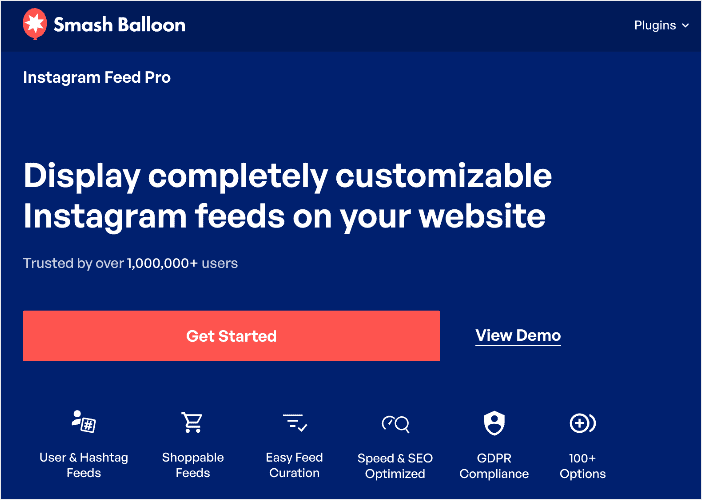
Instagram Feed Pro ist das Social-Media-Marketing-Tool der Wahl für die Durchführung von Instagram-Kampagnen. Es ist ein beliebtes WordPress-Plugin zur Anzeige von Instagram-Fotos und -Posts auf Ihrer Website. Es ist sehr anpassbar und einfach zu verwalten, was es zu einer ausgezeichneten Wahl sowohl für Profis als auch für absolute Anfänger macht.
Mit Instagram Feed Pro können Sie Instagram-Posts von mehreren Instagram-Konten in denselben oder unterschiedlichen Feeds anzeigen. Außerdem können Sie mehrere Instagram-Feeds auf derselben Seite erstellen und den Stil an Ihre Marke anpassen.
Möchten Sie Ihre Website-Besucher zu Instagram-Followern konvertieren?
Instagram Feed Pro ermöglicht es Ihnen, eine Schaltfläche „Auf Instagram folgen“ zum Feed auf Ihrer Website hinzuzufügen. Dies ermöglicht es Ihnen, auf einer tieferen Ebene mit Ihrer Zielgruppe in Kontakt zu treten und bietet die Möglichkeit, effektivere Social-Media-Kampagnen durchzuführen.
Preise: Kostenlos. Bezahlte Pläne beginnen bei 49 $. Sie können auch die gesamte Suite von Social-Media-Plugins für 299 $/Jahr erhalten.
Warum es für kleine Unternehmen unerlässlich ist: Zeigt automatisch Ihren neuesten Instagram-Post an, damit Ihre Website frisch aussieht, ohne zusätzliche Arbeit.
16. YouTube Feed Pro
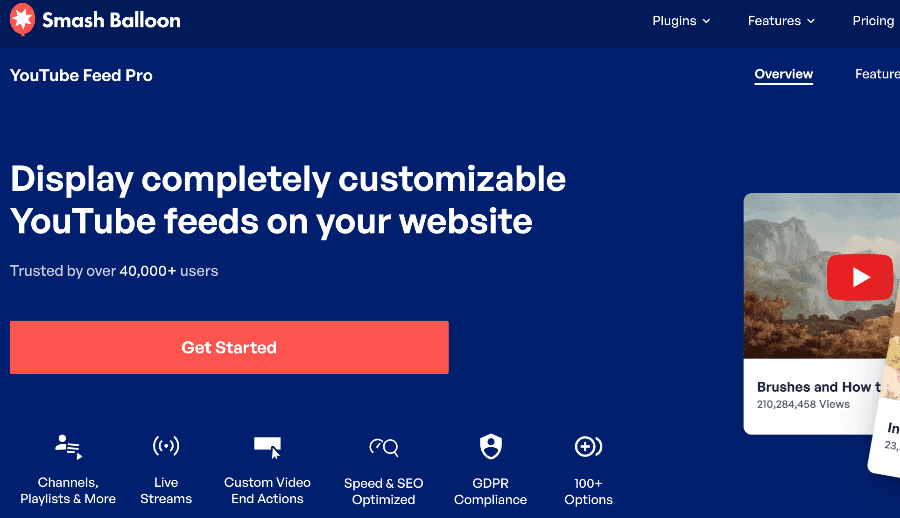
YouTube hat sich zu einer der größten Suchmaschinen entwickelt, die Menschen zur Produktsuche nutzen. Deshalb benötigen Sie ein Marketing-Tool wie YouTube Feed Pro. Es ist das beste Plugin, um YouTube-Videos auf Ihrer Website anzuzeigen, ohne Code ändern zu müssen. Das macht es zu einem fantastischen Werkzeug, wenn Ihre Zielgruppe Inhalte lieber im Videoformat konsumiert.
Eine Sache, die ich an dem Plugin liebe, ist, dass Sie es anpassen und das Aussehen und Gefühl der Anzeige Ihrer Videos ändern können. Es bietet auch mehrere Optionen zur Anzeige von YouTube-Videos, einschließlich Galerie-, Listen- und Rasterlayouts.
Das Beste an dem Plugin ist, dass Sie auch mehrere Feeds von verschiedenen YouTube-Kanälen erstellen können!
Preise: Kostenlos. Bezahlte Pläne beginnen bei 49 $. Sie können auch die gesamte Suite von Social-Media-Plugins für 299 $/Jahr erhalten.
Warum es für kleine Unternehmen unerlässlich ist: Zeigt automatisch Ihren neuesten Instagram-Post an, damit Ihre Website frisch aussieht, ohne zusätzliche Arbeit.
Hinweis: Smash Balloon bietet auch andere Social-Media-Plugins für Plattformen wie TikTok und X (Twitter). Sie können sich sogar für das Social Wall-Plugin entscheiden, das Feeds von Instagram, Facebook, TikTok, X und YouTube kombiniert!
17. Buffer

Buffer ist ein leistungsstarkes Social-Media-Management-Tool, das Ihnen helfen kann, Ihre Social-Media-Marketingbemühungen zu optimieren und zu verbessern. Es wird besonders für die einfache Planung und Veröffentlichung von Inhalten geschätzt. Das Tool ermöglicht es Ihnen, Beiträge im Voraus für mehrere Social-Media-Plattformen wie Facebook, X (Twitter), Instagram, LinkedIn und mehr zu planen.
Da Sie Ihren Social-Media-Kalender planen und organisieren können, ist eine konsistente Präsenz in Ihren sozialen Kanälen einfacher. Außerdem kann es Ihnen helfen, Ihre Social-Media-Aktivitäten zu skalieren. Das Beste daran ist, dass Sie sich nicht bei jeder Plattform einzeln anmelden müssen, um manuell Updates zu posten.
Preise: Bezahlte Pläne beginnen bei 5 $/Monat/Kanal.
Warum es für kleine Unternehmen unerlässlich ist: Buffer spart Ihnen jede Woche Stunden, indem es Ihnen ermöglicht, Ihre Social-Media-Beiträge im Voraus zu planen.
18. ClickSocial

Auf der Suche nach einer Buffer-Alternative, aber mit mehr Leistung und einem günstigeren Preis?
ClickSocial ist es.
ClickSocial bietet einen innovativen Ansatz für das Social-Media-Management, indem es sich nahtlos in Ihr WordPress-Dashboard integriert und es Ihnen ermöglicht, mehrere Social-Media-Konten über eine einheitliche Oberfläche effizient zu verwalten.
Das Plugin wurde entwickelt, um den Prozess der Planung und Veröffentlichung von Inhalten auf verschiedenen Plattformen zu optimieren, einschließlich Facebook, Instagram und X (Twitter). Durch die Verbindung Ihrer Social-Media-Konten mit ClickSocial können Sie Beiträge direkt von Ihrer WordPress-Website aus erstellen und planen, wodurch die Notwendigkeit entfällt, sich bei jedem Konto separat anzumelden. Dies spart Zeit und vereinfacht den Arbeitsablauf für Blogger, Vermarkter und Unternehmen, die ihre Online-Präsenz verbessern möchten.
ClickSocial ist zweifellos das beste Social-Media-Management-Tool für kleine Unternehmen. Wenn SMM einer Ihrer Marketingkanäle ist, müssen Sie definitiv darin investieren.
Preise: Kostenlos. Bezahlte Pläne beginnen bei 3,99 $/Monat.
Warum es für kleine Unternehmen unerlässlich ist: ClickSocial teilt Ihre neuen Blogbeiträge automatisch auf Ihren Social-Media-Kanälen und leitet den Traffic automatisch zurück auf Ihre Website.
19. WP Mail SMTP

WP Mail SMTP ist ein WordPress-Plugin, das Sie in Betracht ziehen sollten, wenn Sie E-Mails von Ihrer Website aus senden möchten. Diese SMTP (Simple Mail Transfer Protocol) E-Mail-Service-API verfügt über eine starke Erfolgsbilanz bei der Zustellung im Posteingang und verhindert, dass die E-Mails Ihrer Website in Spam-Ordnern landen. Seine Wirksamkeit hat es zur Wahl für über 3 Millionen Websites gemacht, die verschiedene Arten von E-Mails versenden.
WP Mail SMTP ist zweifellos das beste WordPress SMTP- und PHP-Mailer-Plugin und kann mit Ihren bevorzugten E-Mail-Plattformen wie Sendlayer, SendinBlue, Constant Contact und mehr verbunden werden.
Warum ist ein SMTP-Dienst wichtig?
Um Ihr Publikum auf dem Laufenden zu halten, möchten Sie vielleicht, dass Ihre WordPress-Site E-Mail-Benachrichtigungen sendet. Da WordPress jedoch die PHP-Funktion mail() verwendet, die häufig falsch konfiguriert oder von Hosting-Anbietern blockiert wird, funktioniert diese wesentliche E-Mail-Funktionalität oft nicht.
Hier kommen SMTP-Plugins wie WP Mail SMTP ins Spiel, die entwickelt wurden, um die E-Mail-Beschränkungen von WordPress mühelos zu überwinden. Durch die Installation und Konfiguration – ganz ohne Code – schalten Sie die Möglichkeit frei, wichtige E-Mails wie Transaktionsbestätigungen und Versandaktualisierungen vertrauensvoll an Ihr Publikum zu senden. WP Mail SMTP priorisiert die Zustellbarkeit, sodass Sie darauf vertrauen können, dass Ihre E-Mails ihr Ziel erreichen.
Da E-Mail-Marketing für das Wachstum eines Online-Geschäfts von entscheidender Bedeutung ist, ist ein Plugin wie WP Mail SMTP zweifellos eines der unverzichtbaren Marketing-Tools für Kleinunternehmen, wenn Sie in Ihrem Online-Geschäft erfolgreich sein wollen.
Preise: Bezahlte Pläne beginnen bei 49,00 $/Monat.
Warum es für kleine Unternehmen unerlässlich ist: WP Mail SMTP stellt sicher, dass alle E-Mails Ihrer Website (z. B. von Kontaktformularen) tatsächlich in Ihrem Posteingang ankommen, und verhindert so verlorene Leads.
20. Constant Contact

Constant Contact ist eine der besten E-Mail-Marketing-Plattformen für kleine Unternehmen. Ein Grund dafür ist, dass es einfach zu bedienen ist, obwohl es im Vergleich zu anderen E-Commerce-E-Mail-Marketing-Lösungen eine unübertroffene Funktionalität bietet. Ein weiterer Grund ist, dass es für ein 1-Personen-Team super einfach ist, wirkungsvolle E-Mail-Marketing-Kampagnen durchzuführen.
Um Ihr Geschäft effektiv zu erweitern, ist die Priorisierung des Wachstums Ihrer E-Mail-Liste entscheidend. Constant Contact erleichtert nicht nur das Erstellen von Listen, sondern ermöglicht Ihnen auch, fokussierte E-Mail-Marketing-Kampagnen mit bemerkenswerter Einfachheit durchzuführen. Dies wird durch seine umfangreiche Bibliothek professionell gestalteter E-Mail-Vorlagen ermöglicht, die für eine Vielzahl von Nischen konzipiert sind.
Das Beste daran ist, dass das Plugin Ihnen auch erlaubt, mehrere E-Mail-Listen und benutzerdefinierte Funnels zu erstellen. Dies hilft Ihnen, Ihre Kampagnen zu personalisieren und Ihre Konversionen zu steigern.
Wenn Sie nach einer E-Mail-Marketing-Software suchen, die Ihnen hilft, das Geschäftswachstum voranzutreiben, ist Constant Contact eine fantastische Wahl.
Preise: Bezahlte Pläne beginnen bei 12 $/Monat.
Warum es für kleine Unternehmen unerlässlich ist: Constant Contact ist eine anfängerfreundliche All-in-One-Plattform für E-Mail-Marketing, die für ihren exzellenten Kundensupport bekannt ist, was perfekt ist, wenn Sie gerade erst anfangen.
21. Omnisend

Omnisend ist eine weitere E-Mail- und Marketing-Automatisierungsplattform, die auf vielen Listen für digitale Marketing-Tools hoch eingestuft wird. Es ist eine All-in-One-Lösung für E-Mail- und SMS-Marketing, die Ihnen hilft, personalisierte Marketing- und Vertriebskampagnen durchzuführen.
Dieses Plugin wurde entwickelt, um Ihr E-Commerce-Wachstum zu fördern. Es bietet leistungsstarke Tools wie E-Mail-Marketing-Funktionen, mit denen Sie Ihre E-Mail-Liste aufbauen und ansprechende, personalisierte Kampagnen erstellen können.
Darüber hinaus ermöglicht Ihnen die SMS-Marketing-Funktionalität, Kunden mit gezielten Angeboten per Text zu erreichen und Ihre Reichweite zu erweitern.
Sie können auch wiederverwendbare Workflows erstellen, um automatisch gezielte E-Mail-, SMS-, Facebook Messenger- und WhatsApp-Nachrichten an Ihre Kunden zu senden, basierend auf deren Verhalten, Vorlieben und Kaufhistorie.
Omnisend ermöglicht es Ihnen, durch seine robusten Segmentierungs- und Personalisierungstools unglaublich relevante und personalisierte Nachrichten sowohl an Ihre E-Mail- als auch an Ihre SMS-Abonnenten zu senden. Diese leistungsstarken Funktionen positionieren Omnisend unter anderem als führende E-Mail-Marketing-Lösung zur Erweiterung Ihres Kundenstamms und zur Steigerung des Umsatzes.
Preise: Kostenlos. Bezahlte Pläne beginnen bei 11,20 $/Monat.
Warum es für kleine Unternehmen unerlässlich ist: Omnisend ist die perfekte Wahl für kleine E-Commerce-Shops, da seine leistungsstarken Automatisierungsfunktionen Ihnen helfen können, Verkäufe aus Dingen wie abgebrochenen Warenkörben zu generieren.
Schneller Vergleich von Social-Media- und E-Mail-Tools für Kleinunternehmen
| Tool-Name | Zweck | Hauptmerkmale | Preise | Geeignet für |
|---|---|---|---|---|
| Facebook Feed Pro | Social-Media-Integration | Bettet Facebook-Feeds ein, anpassbare Anzeigeoptionen | Kostenlose Version, bezahlte Pläne beginnen bei 49 $/Jahr | Unternehmen, die Facebook nutzen |
| Instagram Feed Pro | Social-Media-Integration | Zeigt Instagram-Feeds an, responsives Design | Kostenlose Version, bezahlte Pläne beginnen bei 49 $/Jahr | Marken, die auf Instagram aktiv sind |
| YouTube Feed Pro | Anzeige von Videoinhalten | Präsentiert YouTube-Videos, anpassbare Layouts | Kostenlose Version, bezahlte Pläne beginnen bei 49 $/Jahr | Content-Ersteller und Video-Marketer |
| Buffer | Social-Media-Planung | Post-Planung, Analysen, plattformübergreifendes Management | Beginnt bei 5 $/Monat/Kanal | Kleine bis mittlere Unternehmen |
| Soziale Klicks | Social-Media-Automatisierung | Automatisiert das Posten, Engagement-Tracking | Kostenlose Version, bezahlte Pläne beginnen bei 3,99 $/Monat | Digital-Marketing-Agenturen |
Ihr nächster Schritt: Aufbau Ihres Marketing-Stacks für Kleinunternehmen
Die Wahl der richtigen Marketing-Software kann eine riesige Aufgabe sein, aber Sie brauchen nicht jedes verfügbare Tool, um Ihr Geschäft auszubauen. Das Geheimnis ist, einfach anzufangen und ein solides Fundament aufzubauen.
Wenn Sie nur eine Sache aus diesem Leitfaden mitnehmen, dann lassen Sie es diesen einfachen 3-Schritte-Plan sein:
- Zuerst gefunden werden. Bevor Sie etwas anderes tun, stellen Sie sicher, dass potenzielle Kunden Ihre Website bei Google finden können. Die Installation eines grundlegenden Tools wie All in One SEO ist der wichtigste erste Schritt, den Sie unternehmen können.
- Als Nächstes Ihre Besucher verstehen. Was man nicht misst, kann man nicht wachsen lassen. Ein Tool wie MonsterInsights zeigt Ihnen, wie Menschen Ihre Website finden und was sie dort tun.
- Schließlich eine Konversation beginnen. Fügen Sie ein einfaches Kontaktformular mit WPForms oder ein E-Mail-Anmeldeformular mit OptinMonster hinzu. Dies öffnet die Tür, um Besucher in treue Kunden zu verwandeln.
Marketing ist ein Marathon, kein Sprint. Indem Sie sich zuerst auf diese grundlegenden Tools konzentrieren, bauen Sie eine leistungsstarke, nachhaltige Wachstumsmaschine auf. Ich hoffe, dieser Leitfaden hat Ihnen geholfen, diesen entscheidenden ersten Schritt mit Zuversicht zu tun.
Sie möchten vielleicht auch andere Artikel in unserem Blog lesen, wie unser WordPress SEO Cheat Sheet für Anfänger und unser Leitfaden für WooCommerce SEO.
Wenn Sie diesen Artikel hilfreich fanden, abonnieren Sie bitte unseren YouTube-Kanal. Dort finden Sie viele weitere hilfreiche Tutorials. Sie können uns auch auf X (Twitter), LinkedIn oder Facebook folgen, um auf dem Laufenden zu bleiben.
Häufig gestellte Fragen zu Marketing-Tools für Kleinunternehmen
Hier sind einige Antworten auf die häufigsten Fragen, die wir von Kleinunternehmern zum Thema Auswahl der richtigen Marketing-Tools erhalten:
Was ist Marketing für Kleinunternehmen?
Marketing für Kleinunternehmen umfasst alle Strategien und Taktiken, die ein Kleinunternehmen zur Bewerbung seiner Produkte oder Dienstleistungen bei seiner Zielgruppe einsetzt. Im Gegensatz zu größeren Unternehmen mit erheblichen Budgets und umfangreichen Teams beinhaltet das Marketing für Kleinunternehmen oft mehr Einfallsreichtum, Kreativität und einen Fokus auf den Aufbau direkter Beziehungen zu den Kunden.
Was sind Marketing-Tools für Kleinunternehmen?
Marketing-Tools für Kleinunternehmen sind Software, Plattformen oder Ressourcen, die speziell entwickelt wurden, um Kleinunternehmen bei der effizienteren und effektiveren Verwaltung und Durchführung ihrer Marketingbemühungen zu unterstützen. Diese Tools automatisieren oft Aufgaben, liefern Einblicke in das Kundenverhalten und vereinfachen die Erstellung, Verteilung und Verfolgung von Marketingkampagnen.
Womit sollte ein Kleinunternehmen mit dem Marketing beginnen?
Für die meisten Kleinunternehmen ist der beste Ausgangspunkt die Suchmaschinenoptimierung (SEO). Warum? Weil sie Ihnen hilft, von Kunden gefunden zu werden, die bereits nach Ihren Produkten oder Dienstleistungen suchen. Ein grundlegendes SEO-Plugin wie All in One SEO ist der perfekte erste Schritt, um sicherzustellen, dass Ihre Website bei Google sichtbar ist.
Wie kann ich mein Kleinunternehmen kostenlos vermarkten?
Sie können Ihr Unternehmen absolut kostenlos vermarkten. Beginnen Sie mit der kostenlosen Version von wichtigen Tools wie AIOSEO für SEO, MonsterInsights für Analysen, Buffer für Social-Media-Planung und Constant Contact für E-Mail-Marketing. Vergessen Sie auch nicht, Ihr kostenloses Google Business Profile einzurichten und zu optimieren.
Was sind die 3 wichtigsten Marketing-Tools für ein neues Kleinunternehmen?
Wenn Sie gerade erst anfangen, brauchen Sie drei Dinge:
- Eine Möglichkeit, Leads zu erfassen und ein Publikum aufzubauen (OptinMonster oder WPForms). Diese drei Tools schaffen eine solide Grundlage für Wachstum.
- Ein Weg, gefunden zu werden (All in One SEO).
- Eine Möglichkeit, Ihre Besucher zu verstehen (MonsterInsights).
Möchten Sie AIOSEO kostenlos ausprobieren?
Geben Sie die URL Ihrer WordPress-Website ein, um AIOSEO Lite zu installieren.

Offenlegung: Unsere Inhalte werden von den Lesern unterstützt. Das bedeutet, wenn Sie auf einige unserer Links klicken, können wir eine Provision verdienen. Wir empfehlen nur Produkte, von denen wir glauben, dass sie unseren Lesern einen Mehrwert bieten.
