
We’ve all stared at a blank screen, waiting for inspiration to strike. Writer’s block is a real drain on productivity, especially when you have a content calendar to fill.
But what if you could have a first draft ready in minutes?
That’s the promise of AI blog post generators. These tools are changing the way we create content, helping us write faster, brainstorm better, and publish more often. But with so many options popping up, which one is actually worth your time and money?
In this guide, I’ve tested the top tools on the market to find the best AI blog post generator for your needs.
In This Article
How I Tested & What to Look For
As a content creator, I’ve tried just about every writing tool out there. I know that a good tool shouldn't just spit out words; it needs to fit into your workflow and create content that actually reads well.
To find the best AI blog post generator, I judged each tool on these four criteria:
- Quality of Output: Does the text sound natural and human, or robotic and repetitive?
- Ease of Use: Is the interface intuitive? Can a beginner pick it up and start writing immediately?
- SEO Capabilities: Does the tool help you optimize for keywords, or is it just writing blind? (This is crucial for ranking.)).
- Workflow Integration: Does it fit where you work (like inside WordPress), or do you have to copy-paste back and forth?
Why You Should Trust Me
I’ve spent the last 6 years creating SEO-optimized content, managing everything from personal blogs to large corporate sites. I know the pressure of a content calendar and the frustration of writer's block firsthand. When making this list, I used each tool to write real content. My recommendations are based on practical, hands-on experience, focusing on what actually helps you publish better content, faster.
Best AI Blog Post Generators for 2026
Here’s my lineup of the top tools to help you create AI-generated blog posts, starting with my top recommendation for WordPress users.
Short on time and want an overview of all the options? Jump to the comparison table.
1. All in One SEO

Best for: WordPress users who want a seamless, SEO-focused workflow.
If you use WordPress, All in One SEO (AIOSEO) is my plugin of choice for content creation and website optimization. While most tools require you to write in a separate app and then copy-paste everything over, AIOSEO’s AI Assistant lives right inside your WordPress editor.
It acts as a complete blog post generator. You can use it to brainstorm catchy titles, generate detailed outlines, and then write full paragraphs for every section of your post.
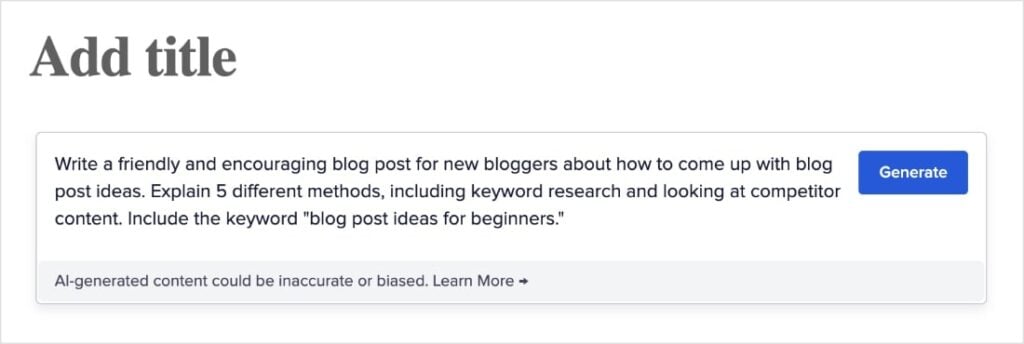
To use it, you add the AIOSEO – AI Assistant block in the WordPress editor.

Then, you write a prompt. In my example below, I asked for an entire blog post.
Pro Tip: Need help coming up with strong prompts? Check out this article on how to use a blog post generator. It teaches you how to write prompts that get the most out of the AI Assistant.
In just a few seconds, it gave me a complete blog post related to my request.
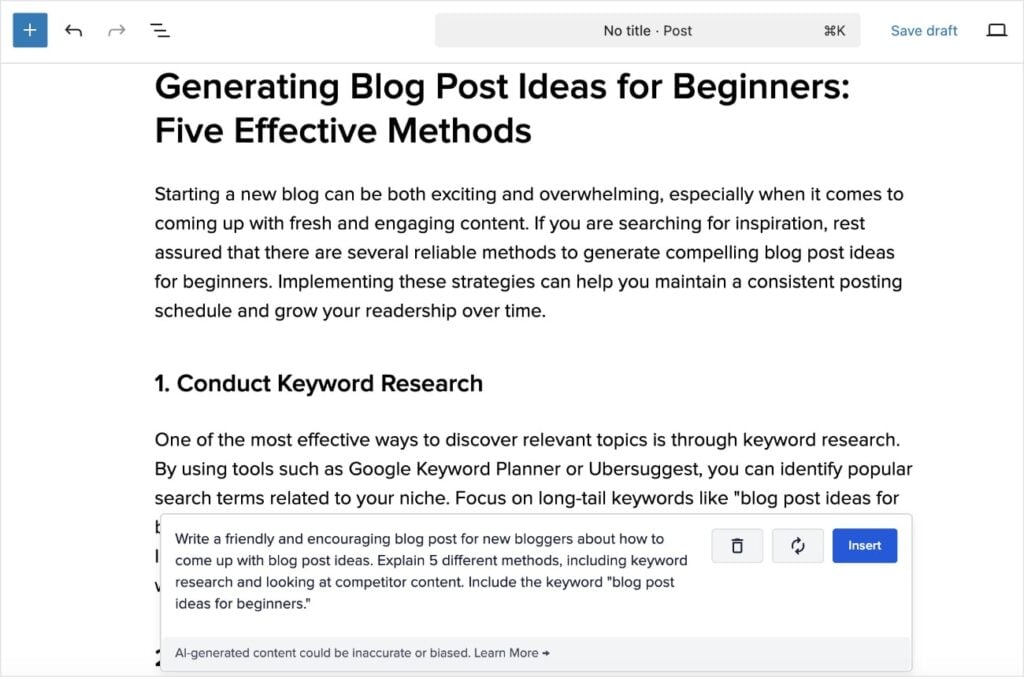
I also really like how you can reuse the AI Assistant multiple times in the same post or page. For example, I wanted to write a set of FAQs to go with this post, so I just added the block again, asked it to create 5 FAQs, and inserted them into my post. (This is a great way to rank in Google’s People Also Ask feature.)
You can also ask it to go more in-depth for specific sections.
Overall, it’s a really malleable tool that keeps your content creation workflow right in WordPress.
Finally, what really sets it apart is the SEO integration. Since it’s part of the AIOSEO toolkit, you can seamlessly transition from generating text to optimizing it with TruSEO Analysis.
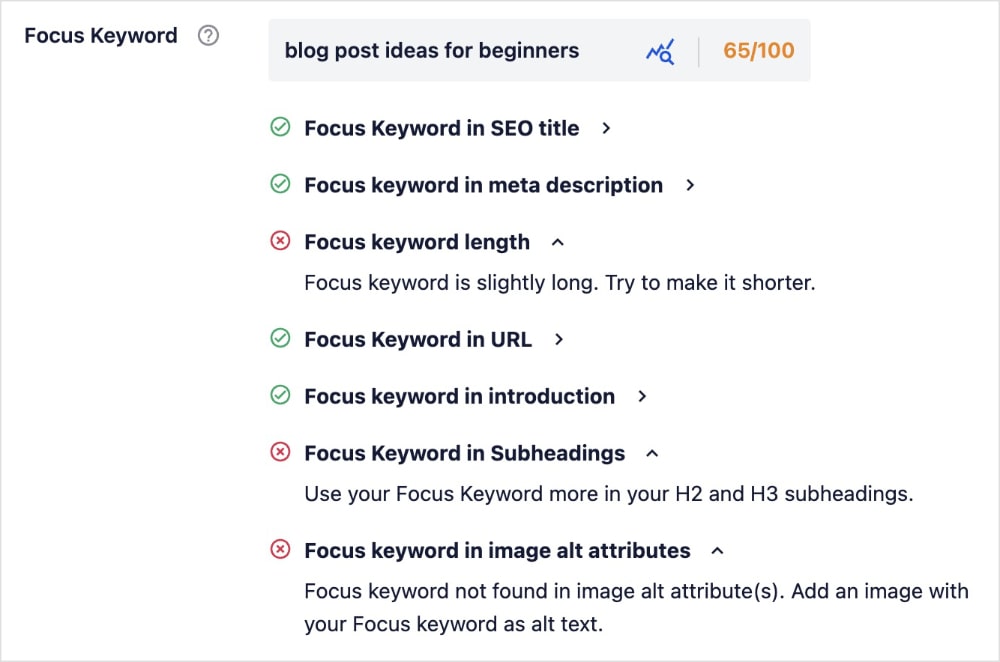
TruSEO checks for your focus keyword in all the critical areas, including:
- SEO title
- Meta description
- URL slug
- Image alt text
- And more
This tool ensures your blog post is ready to rank before you hit publish.
Pro Tip: Use the AIOSEO Image Generator to create visuals for your blog post. You can type a prompt for banner images and graphics that illustrate your points.
Pros:
- Seamless Integration: Works directly inside the WordPress block editor. No tabs, no copy-pasting.
- SEO-Focused: Helps with titles, meta descriptions, and ensures content is optimized.
- Versatile: Generates intros, conclusions, full body paragraphs, images, and more.
- Great Value: Included in AIOSEO Pro plans along with a suite of other SEO tools.
Cons:
- It requires the AIOSEO plugin (WordPress only).
Pricing: Plans start at $49.50/year. Free version available with limited AI credits, which are required to use the blog post generator.
2. Jasper
Best for: Power users and marketing teams who need brand consistency.
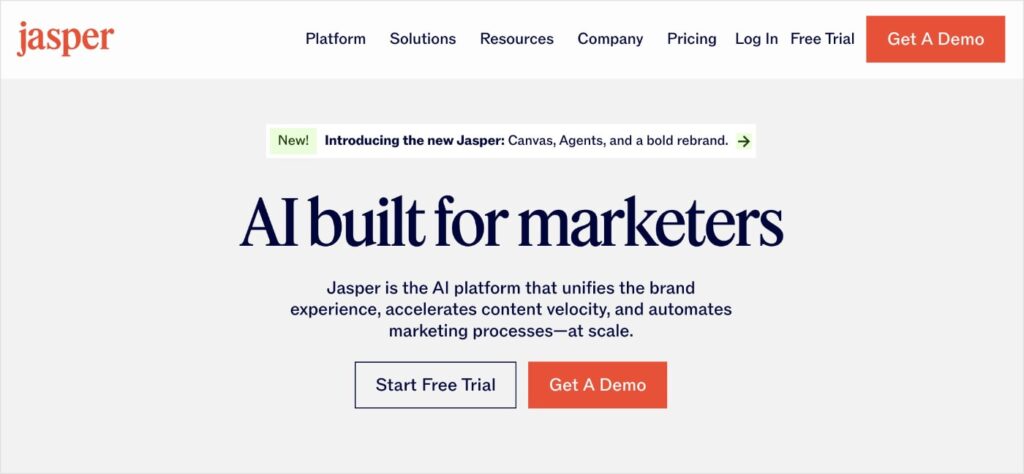
Jasper is often considered the gold standard for standalone AI writing, and after using it extensively, I can see why. It feels less like a tool and more like a platform.
The feature that really stood out to me was “Brand Voice.” I was able to upload previous articles I've written and tell Jasper, “Analyze this style.” When I generated a new post, it actually sounded like me—not a generic robot.
The “Boss Mode” (document editor) is powerful for long-form content. You can give it commands like “Write a transition paragraph between the benefits and the pricing section,” and it understands the context perfectly.
However, getting the most out of it takes some practice. It’s not as “plug-and-play” as some other tools, and you will find yourself editing the output to keep it on track.
Pros:
- Brand Voice: Excellent at mimicking your specific tone and style.
- Context Awareness: “Boss Mode” allows it to look back at what it has already written to avoid repetition.
- Templates: Has a massive library of specific templates for intros, conclusions, and persuasive bullet points.
Cons:
- Price: It’s one of the most expensive options on the market.
- Learning Curve: It takes time to learn the specific commands to get the best results.
Pricing: Paid plans start at $59/month per seat; free 7-day trial available.
3. ChatGPT
Best for: Versatility, brainstorming, and budget-conscious users.
You can't talk about AI without mentioning ChatGPT. It’s the tool that started the current boom, and I use it almost daily—but usually for parts of a blog post rather than the whole thing.
Because it works like a conversation, it’s incredibly flexible. If I don't like an intro it wrote, I can say, “Make it punchier and less formal,” and it rewrites it instantly. No other tool is quite that responsive to feedback.
However, writing a full, high-quality blog post in one go is difficult.
In my testing, if I ask for a 1,500-word article, it often loses focus halfway through or starts repeating phrases like “In conclusion” or “In today's digital landscape.” It requires a lot of “prompt engineering”—you have to be very good at giving it detailed instructions to get a result that's ready to publish.
Pros:
- Conversational: You can refine the text in real-time by “talking” to the AI.
- Free Access: The free version is very capable for basic drafting.
- Versatile: Great for brainstorming ideas, rewriting awkward sentences, or summarizing data.
Cons:
- Blank Canvas: No built-in SEO tools or structured workflows; you have to build the structure yourself.
- Repetitive: Tendency to use cliché phrases if not guided carefully.
Pricing: Free version available; paid versions start ata $20/month.
4. Copy.ai
Best for: Generating first drafts quickly via a wizard.
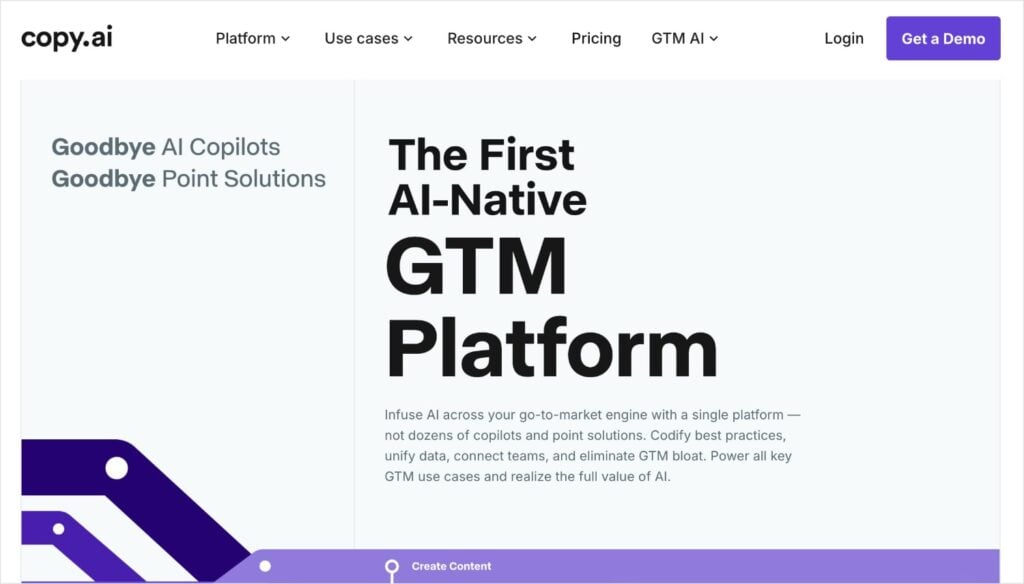
Copy.ai positions itself as a marketing copy tool, and I found it to be one of the easiest to pick up and use.
The highlight feature here is the “Blog Post Wizard.”
When I tested this, I entered a title and some keywords, and it generated an outline. I could then tweak the outline, and it generated talking points for each section.
Finally, it turned those points into full paragraphs.
I really liked this workflow because it gave me review checkpoints before writing the final text. It prevented the AI from going off the rails.
However, I did notice that for longer, more technical articles, the content felt a bit shallow and required more heavy editing than Jasper or AIOSEO to add real value.
Pros:
- Blog Post Wizard: A solid step-by-step workflow that builds an article logically.
- Zero Learning Curve: Very intuitive interface that anyone can use immediately.
- Free Plan: Offers a decent free plan that lets you test the features.
Cons:
- Depth: struggles with complex or highly technical topics.
- Formatting: You'll still need to copy-paste and reformat everything into WordPress.
Pricing: Paid plans start at $29/month; some free AI writing tools are available directly on the site.
5. Writesonic

Best for: Generating factual, up-to-date articles.
One of the biggest issues with AI is “hallucinations.” This is when the AI system makes things up.
Writesonic tackles hallucinations with its “Article Writer 5.0” feature, which can reference live Google Search data.
When I tested this, I asked it to write about a recent update to a software tool. Unlike ChatGPT (which might rely on older training data), Writesonic pulled in current facts and accurate pricing. This is a huge time-saver if you write news-heavy content or reviews.
The interface is a bit more cluttered than Copy.ai, using a credit-based system that I found slightly confusing at first. But if accuracy is your main concern, having that connection to live search data is a killer feature.
Pros:
- Factual Accuracy: Can access real-time Google data to write up-to-date content.
- Citation: Often provides sources for the information it finds.
- Sonic Editor: A Google Docs-style editor that makes refining the text easy.
Cons:
- Credit System: The pricing model based on quality/words can be confusing to track.
- UI: The interface feels a bit “busy” compared to cleaner tools like Jasper.
Pricing: Paid plans start at $39/month; free trial available.
6. GetGenie

Best for: An alternative WordPress-integrated option.
Like AIOSEO, GetGenie works directly inside WordPress, which is a massive plus for workflow. It adds a button to the top of your post editor that opens a side panel.
What I found interesting about GetGenie is its focus on competitor analysis. When you type in a keyword, it can fetch data from the top-ranking pages on Google to help you build your outline. It also gives you a content score as you write.
Want to learn more about competitor analysis and how to leverage it for your writing? Learn how to do an SEO competitor analysis and our top picks for the best competitor analysis tools.
However, the interface felt a little cramped inside the WordPress editor. Having so many charts, graphs, and analysis tools in a side panel was sometimes distracting when I just wanted to focus on writing. But for data-nerds who want deep analysis while they draft, it’s a strong option.
Pros:
- WordPress Integration: Works directly inside the dashboard.
- Competitor Analysis: Helps you research before you write.
- Keyword Data: Shows search volume and trends inside the editor.
Cons:
- Crowded Interface: Can feel overwhelming and slow down the post editing screen.
- Steep Learning Curve: Takes time to understand all the different analysis metrics.
Pricing: Starts at $6/month.
7. Rytr
Best for: Beginners and budget-conscious users who want simple tools.
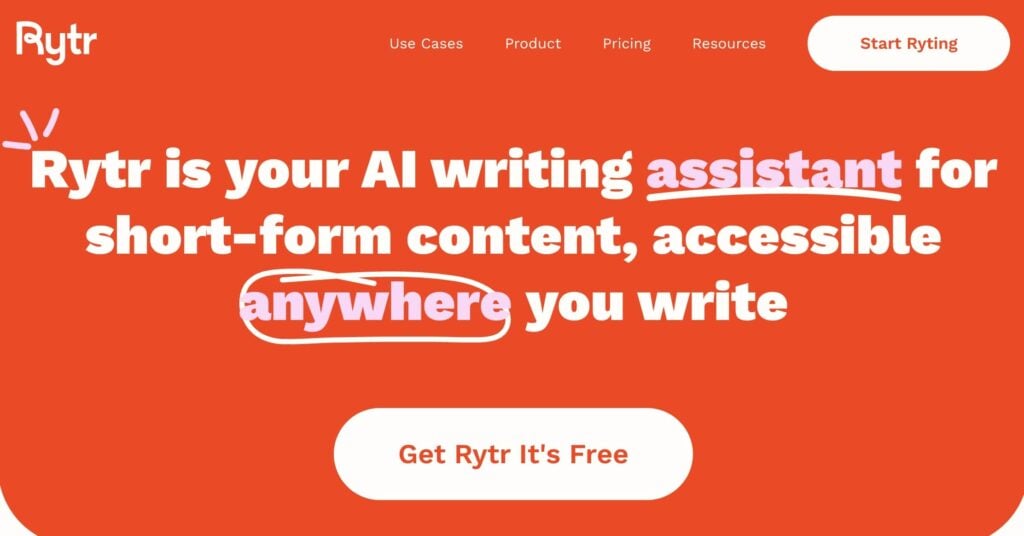
If Jasper is a Ferrari, Rytr is a reliable Honda Civic. It’s compact, affordable, and gets you where you need to go without any fuss.
I used Rytr via its browser extension, which is handy because it follows you around the web (including into WordPress or Google Docs). The interface is incredibly simple: you pick a use case (like “Blog Section Writing”), choose a tone, and hit “Ryte for me.”
It doesn't have the advanced long-form workflows of the other tools. You can't really say “Write me a 2,000-word guide.” Instead, you have to use it to write paragraph by paragraph.
It's great for filling in the blanks or rewriting awkward sentences, but I wouldn't rely on it to generate a comprehensive pillar page from scratch.
Pros:
- Very Affordable: One of the cheapest paid options on the market.
- Simple UI: No complex settings or “boss modes” to learn.
- Portable: Browser extension lets you use it anywhere.
Cons:
- Short-Form Focus: Not designed for generating full articles in one click.
- Quality: The output often requires more editing than top-tier tools.
Pricing: Paid plans start at $7.50/month; free version available.
Quick Comparison: Which AI Blog Post Generator Is Best for You?
Here’s a breakdown of the key strengths and ideal uses for each AI blog post generator:
| Tool | Who It's For | The Workflow | Key Strength |
|---|---|---|---|
| All in One SEO | WordPress Users | Seamless. You generate, edit, and optimize your post without ever leaving the WordPress block editor. | Speed & Convenience: No tab switching or copy-pasting. |
| Jasper | Agencies & Teams | Professional. A powerful standalone document editor that feels like a “pro” writing suite. | Brand Voice: Learns your specific tone better than any other tool. |
| ChatGPT | Everyone | Conversational. You “talk” to the AI to refine the text, but you must build the structure yourself. | Flexibility: Great for brainstorming and rewriting specific sentences. |
| Copy.ai | Marketers | Step-by-Step. A “Wizard” guides you through titles, outlines, and talking points before writing. | Ease of Use: Great for getting a first draft done quickly. |
| Writesonic | News Writers | Research-Heavy. Similar to Jasper, but with a focus on pulling live data from Google. | Accuracy: Can access real-time info to avoid made-up facts. |
| GetGenie | Data Nerds | Analytical. A WordPress sidebar packed with charts, graphs, and competitor data. | Research: Deep competitor analysis right in your dashboard. |
| Rytr | Budget Users | Simple. A handy browser extension for generating short paragraphs on the fly. | Affordability: The cheapest option for basic AI writing help. |
The Final Verdict: Best AI Blog Generator
After testing all these tools, the “best” choice really comes down to where you do your work.
If you are a power user or agency managing multiple clients and need strict brand voice control, Jasper is a fantastic, premium platform.
If you want a free, versatile sandbox for brainstorming and rewriting, ChatGPT is indispensable.
But for the vast majority of WordPress site owners, All in One SEO is the clear winner.
Why? Because it removes the friction.
Every other tool forces you to work in a separate window, copy-paste your text, reformat your headings, and then start your SEO optimization from scratch. AIOSEO unifies the entire process inside your post editor.
It saves you the most time, and time is your most valuable asset.
What’s Next?
Now that you've chosen your AI writing partner, it's time to ensure that content actually performs.
- Plan Your Strategy: AI helps you write faster, but you still need to know what to write. Learn how to find high-traffic topics with our guide to keyword research.
- Get Your Content Seen: Great content needs great technical foundations. Make sure your site is easy for search engines to crawl by learning how to submit your sitemap to Google.
- Optimize for Rankings: Once your draft is written, ensure it's ready for Google with our complete on-page SEO checklist.
For more simple WordPress tutorials and SEO tips, subscribe to our YouTube Channel. You can also follow us on X (Twitter), LinkedIn, or Facebook to stay in the loop.
FAQs About AI Blog Post Generators
What is an AI blog post generator?
An AI blog post generator is a software tool that uses artificial intelligence to write content for you. You provide a topic or prompt, and the AI creates titles, outlines, paragraphs, and full articles, helping you create content much faster.
Is AI-generated content good for SEO?
Yes, AI-generated content can be good for SEO if you review it. Google focuses on the quality of content, not how it was produced. If you use an AI blog generator to create a helpful, accurate article and optimize it with a tool like AIOSEO, it can rank just as well as human-written content.
Can AI write a whole blog post?
Yes, tools like AIOSEO and Jasper can generate a complete draft from start to finish. However, I always recommend adding your own human touch, examples, and fact-checking to ensure the highest quality.
Disclosure: Our content is reader-supported. This means if you click on some of our links, then we may earn a commission. We only recommend products that we believe will add value to our readers.
Want to Try AIOSEO for Free?
Enter the URL of your WordPress website to install AIOSEO Lite.


This is a really helpful and timely article! As someone who struggles with writer’s block, I appreciate the detailed testing and ranking of these AI tools. It saves so much time to have a first draft ready quickly. Looking forward to trying out some of these recommendations for my content calendar.
Great roundup! I like that the article doesn’t just list AI blog generators but also explains where each tool works best. One thing I’ve noticed while using AI tools is that the quality of the output often depends more on the workflow and prompts than the tool itself. We’ve seen something similar when experimenting with Pathfinder AI for business planning and content ideation—the AI can speed up the process, but human review is still essential for creating content that feels authentic and useful. Thanks for sharing such a detailed comparison.
Great comparison of AI blog writing tools. I especially appreciate that the article highlights both the strengths and limitations of each platform instead of treating AI-generated content as a complete replacement for human editing. The point about maintaining content quality and SEO focus is particularly valuable for bloggers and marketers.
for more details – https://schoolofinternetmarketing.co.in/digital-marketing-courses-pimpri-chinchwad-pcmc-nigdi-akurdi