
Looking for technical SEO tools to help you troubleshoot and improve site performance?
A few years ago, I was managing a large blog with hundreds of posts and pages. One day, traffic suddenly dropped. No warnings, no errors in WordPress, nothing obvious. I spent hours checking each page manually until I discovered the issues. Most were technical in nature, like a broken sitemap and dozens of pages blocked by a bad robots.txt file.
That experience taught me the value of technical SEO. It doesn’t matter how great your content is if search engines can’t find, crawl, or index it. Since then, I’ve used a range of technical SEO tools to make sure my sites stay healthy, fast, and search-engine-friendly.
In this post, I’ll walk you through the best technical SEO tools I’ve tested and relied on in my 7+ years conducting SEO for hundreds of sites. Whether you’re a beginner or a seasoned SEO pro, these tools can save you time, boost your rankings, and give you peace of mind.
In This Article
What Are Technical SEO Tools?
Technical SEO refers to the process of optimizing your website so that search engines can crawl, index, and rank it effectively. It focuses on improving the structure and performance of your site. These are 2 elements that are important for search engines to crawl and index your site.
Technical SEO tools, therefore, are specialized software that help you fix technical issues that could stop your site from performing well and showing up in search results. These are problems like:
- Broken links or redirect loops
- Pages that load too slowly
- Missing alt text or metadata
- Mobile usability errors
- Crawling and indexing problems
Think of technical SEO tools as diagnosis tools for your website. They look under the hood, find what’s broken, and give you a list of fixes.
For example, some tools crawl your entire website, similar to how a search engine bot would. Others test how fast your pages load on mobile. Some flag important on-page issues like duplicate titles or missing headings.
The best part: you don’t need to be a developer to use most of them. Many tools offer beginner-friendly dashboards and automated reports, which non-tech users can appreciate. Personally, as someone who works with multiple websites, I rely on these tools to keep my SEO game strong without sacrificing time.
Why You Need Technical SEO Tools
Before I started using tools, I was flying blind. I’d fix one thing and unknowingly break another. Or I’d miss small issues that added up to big ranking drops. That was until I discovered the technical SEO tools I’m sharing in this article.
Here’s what these tools help me catch:
- Broken internal links that hurt site navigation
- Pages that aren’t being indexed
- Mobile errors that affect user experience
- Large images and multimedia files that slow down your site
Technical SEO tools make it easy to run regular health checks, stay updated on Google’s algorithm changes, and fix problems before they tank your traffic.
In short, these tools do the heavy lifting so you can focus on content and strategy.
How I Selected the Technical SEO Tools in This Lineup
I chose these tools based on a mix of personal experience, real-world use cases, and feedback from other SEO professionals. Each one brings something unique to the table, whether it’s powerful crawl diagnostics, site speed analysis, or easy-to-read reports.
Here’s what I looked for when narrowing it down:
- Proven reliability: I wanted tools that consistently catch the issues that matter most, like duplicate content, slow load times, or indexing problems. If a tool gave me lots of noise but no real insights, it didn’t make the cut.
- Ease of use: Not everyone is a developer or hardcore SEO pro, so I chose tools that are beginner-friendly but still powerful enough for advanced audits. The best tools translate complex technical data into plain English (and ideally, visuals).
- Unique strengths: Each tool here brings something different to the table. For example, AIOSEO makes technical SEO super accessible inside WordPress, while Sitebulb shines with its interactive crawl maps.
- Scalability: I also considered whether the tool works for both small blogs and large, multi-site projects. Some tools are great for quick checks, while others are built for full-scale audits, so I’ve included a mix.
- Community trust & feedback: Over the years, I’ve compared notes with other SEO professionals, agency owners, and freelancers. The tools that kept coming up in conversations and proved their worth in real projects earned their place on this list.
At the end of the day, these aren’t just random picks. They’re the exact tools I rely on to keep my own websites healthy and the ones I recommend to clients when I want results without guesswork.
The Best Technical SEO Tools: Expert Picks
Ready to dive into the best technical SEO tools to ensure your website performs at its optimum?
These are tools I use in my personal workflow and can recommend to anyone looking to improve site performance and crawlability.
1. All in One SEO (AIOSEO)
AIOSEO is the best technical SEO tool for WordPress users. It’s a powerful, easy-to-use SEO plugin with over 3 million active users. Many of those are agency owners who manage hundreds of sites. That’s because the plugin covers everything from technical SEO audits to schema markup, and everything in between.
Many people mistakenly think of AIOSEO as just a simple on-page SEO plugin for setting titles and meta descriptions. However, it’s actually packed with powerful technical SEO features. It helps me handle everything from crawlability to sitemap generation without needing to touch a single line of code.
Here’s why AIOSEO stands out for me:
Smart XML Sitemaps
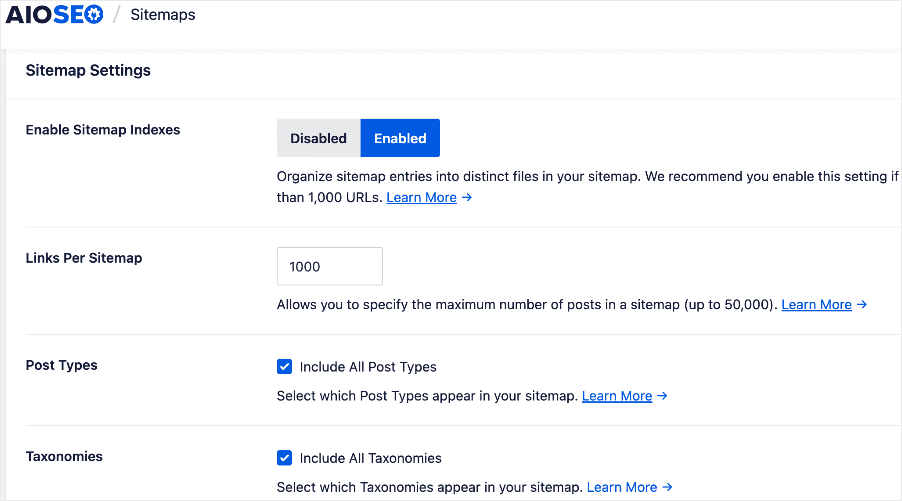
AIOSEO makes it easy to optimize XML sitemaps. These are like roadmaps for search engines, helping them find and crawl all the pages on my site. I love that it submits the sitemap to Google for me—no extra steps required.
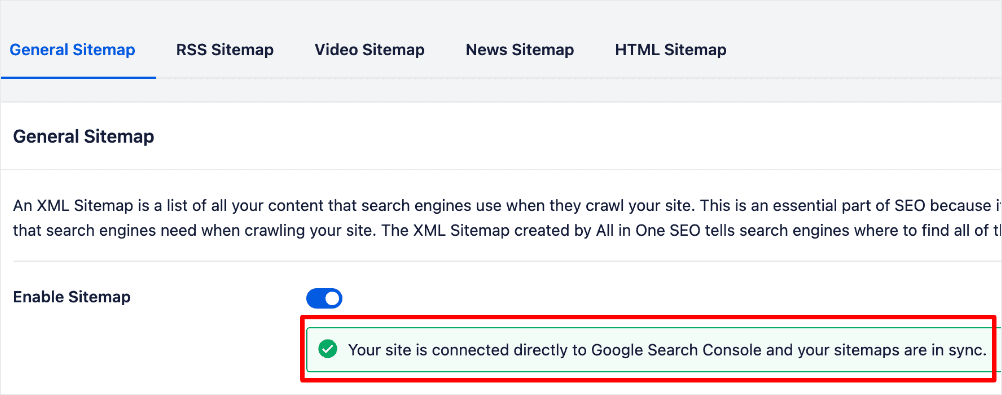
Besides XML sitemaps, AIOSEO also helps with optimizing and managing other sitemap types, such as:
Check out our guide to sitemap best practices for tips on getting the most mileage out of your sitemaps.
Robots.txt Editor
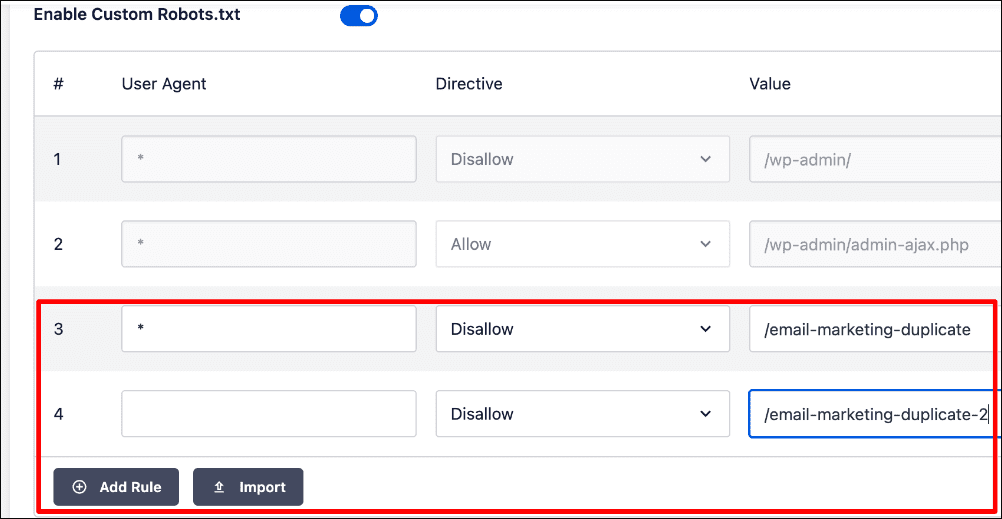
Sometimes, I want to block certain parts of my site from being crawled (like test pages or staging content). This is where AIOSEO’s Robots.txt Editor comes in handy. It gives me a simple visual editor for my robots.txt file. It’s super helpful because I don’t have to log in to my hosting or mess with code.
What I love most about the Robots.txt Editor is that it even makes it easy to block bad bots from crawling your site.
Why is this important?
Stopping unwanted bot traffic is crucial because bad bots:
- Drain server resources
- Slow down your site
- Skew analytics
- Can open the door to security breaches
This not only hurts SEO and decision-making but also damages user trust, your reputation, and even increases your site’s carbon footprint.
Post Index Status Checker
The Post Index Status feature is a game-changer. At a glance, I can see which of my posts have been indexed by Google.

This helps me quickly spot those that aren’t indexed so I can troubleshoot issues.
SEO Audit Checklist
I use this built-in SEO audit tool almost monthly. It runs a comprehensive analysis of on-page SEO and technical SEO issues. This helps me see, at a glance, anything that’s holding back my site.
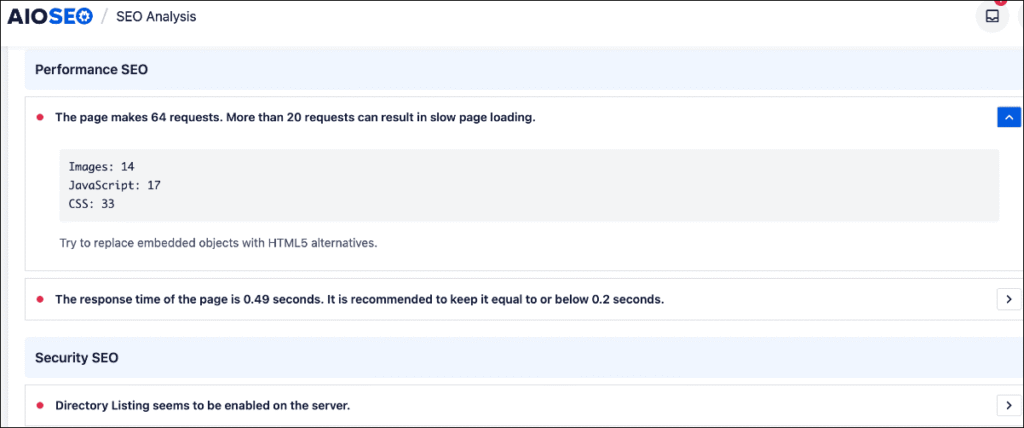
On the technical SEO front, the Performance section provides vital information, such as:
- JavaScript and CSS file minification
- Response time
- Number of requests your page makes
- Site speed
- And more
Need to improve your site’s performance?
Check out our guide to speeding up your WordPress site.
Redirect Manager
Whenever I delete or change a URL, AIOSEO prompts me to create a 301 redirect. This prevents visitors from landing on a 404 error page and keeps my site structure clean. It’s all done inside the WordPress dashboard, which is super convenient.
Check out our tutorial on finding and fixing 404 errors for more information.
Next-gen Schema Markup
Schema markup is a semantic language that helps search engines understand what your content is about. AIOSEO supports multiple schema types like articles, FAQs, products, and recipes.
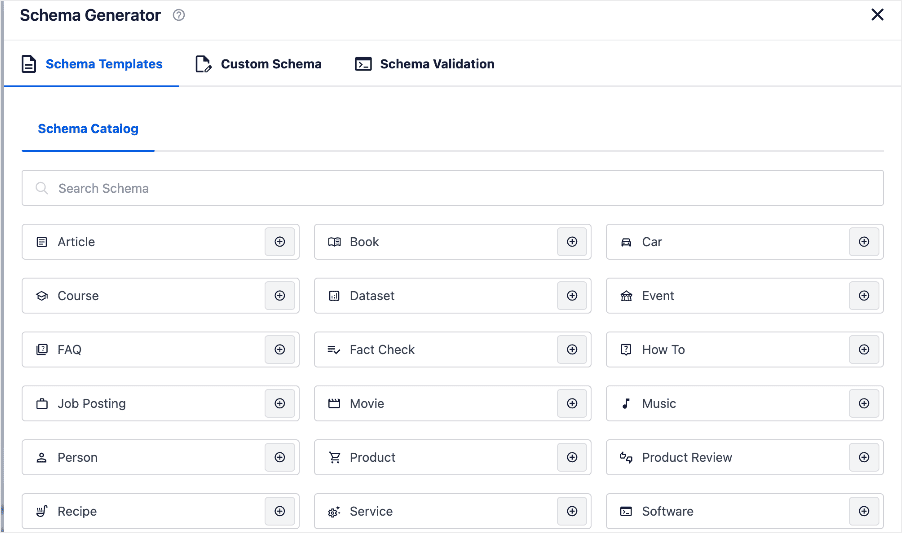
And if the schema type you need isn’t in the Schema Catalog, you can also add custom schema.
For more information, check out our tutorial on adding schema markup in WordPress.
If your site is built on WordPress, AIOSEO is honestly a no-brainer when it comes to technical SEO tools. It takes care of the behind-the-scenes SEO tasks I used to handle manually. It saves me hours every month and gives me peace of mind knowing my site is optimized correctly.
Pricing: Free Lite version available. Paid plans start at $49.60/month.
2. Semrush

I’ve used Semrush for years now, mostly for keyword research and competitor tracking. But over time, I’ve come to rely on its Site Audit feature just as much. If you’ve ever wondered what’s holding your site back from ranking, this tool will show you.
Here’s what makes it so useful for me:
- Health Score: This is a quick snapshot of how serious your technical issues are. It helps me see whether my site’s trending in the right direction or if I need to dive into fixes ASAP.
- HTTPS Checks: This feature flags issues like expired SSL certificates or insecure content. It’s something you might not notice right away, but it can cause trust and ranking problems if left unchecked.
- Crawl Depth Reports: These help me find orphan pages (pages with no internal links) or ones buried too deep in the site structure.
- Error Prioritization: I don’t have time to fix everything all at once. Semrush sorts errors into categories like “critical,” “warning,” and “notice,” so I can tackle the biggest issues first.
If you run multiple sites or work in an agency setting, Semrush makes technical SEO manageable with clear visuals and automated reporting.
3. Ahrefs

Most people know Ahrefs for its incredible backlink database, and that’s fair. But the Site Audit tool is another reason I keep my Ahrefs subscription active. It gives me deep technical insights without overwhelming me.
Why I use it regularly:
- JavaScript rendering checks: Many newer sites use JavaScript-heavy frameworks. Ahrefs shows me whether Google can crawl and index that dynamic content properly.
- Redirect loop detection: Ever set up a redirect and accidentally caused a loop? I have. Ahrefs catches those errors before they cause bigger problems like crawl traps or ranking drops.
- Detailed, color-coded reports: Ahrefs groups issues by type and severity, with helpful tooltips. Even if you’re not a techie, it’s easy to see what needs attention.
- Realistic crawling behavior: Their crawler mimics a real browser, which means the audit results are closer to what Google might actually experience when crawling your site.
Whether you’re troubleshooting technical problems or just want peace of mind, Ahrefs delivers clear, actionable insights every time. This makes it one of the technical SEO tools to add to your toolbox.
Pricing: Paid plans start at $129/month.
4. Sitebulb
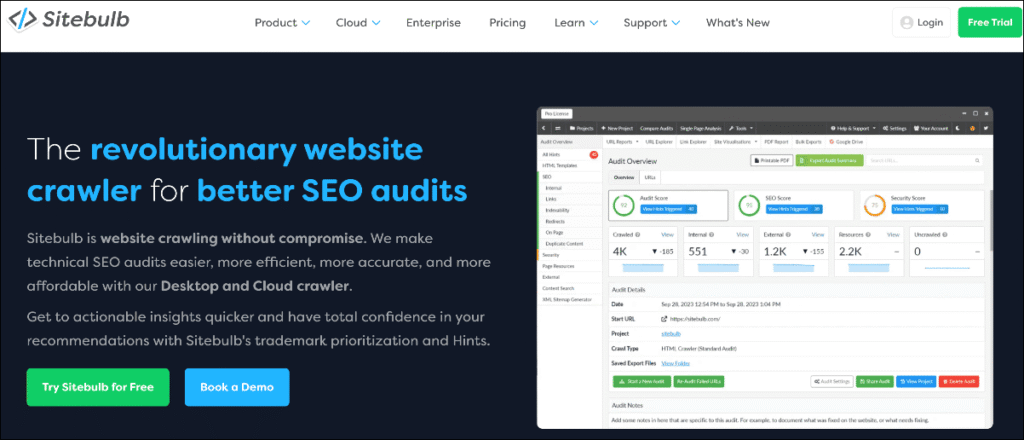
Sitebulb is a technical SEO auditing tool that stands out for its visual reports and user-friendly explanations. It shows your entire site structure using interactive crawl maps, so it’s easy to spot weak internal links or isolated pages. I especially like how it explains each issue in plain English, making it perfect for sharing insights with clients or teammates.
What sets it apart:
- Interactive crawl maps: These visual sitemaps help me understand my site’s structure at a glance. I can see how pages connect and where there might be dead ends or weak internal linking.
- Hints and explanations: For every issue it finds, Sitebulb offers a plain-English explanation of why it matters. This is great for learning as I go and for making technical reports digestible for clients.
- Custom audits: Sometimes I want to focus only on performance or internal links. Sitebulb lets me create targeted audits, which is a big time-saver and gives me more control.
If you’re a visual thinker or often need to present SEO findings to non-technical teams, Sitebulb makes the process smoother and more engaging.
Pricing: Paid plans start at $180/year.
5. WebPageTest
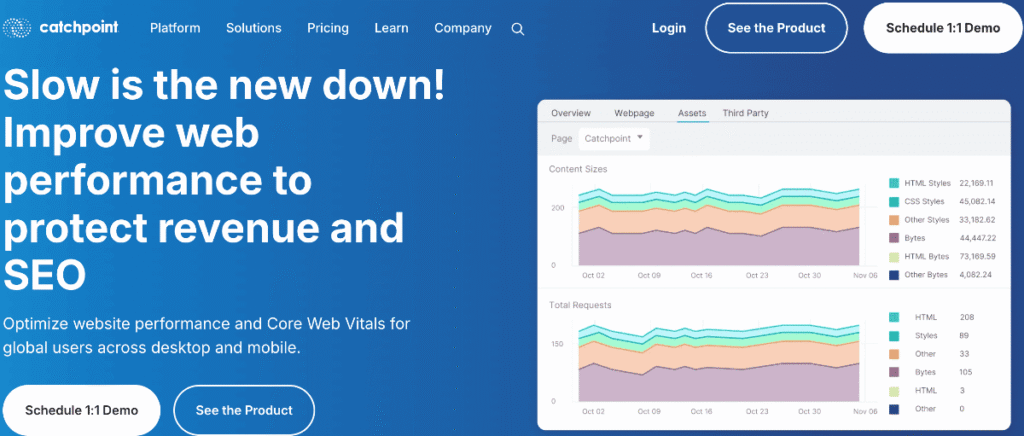
WebPageTest is a free tool that lets you run advanced website speed tests from different locations and browsers. It reports on Google’s Core Web Vitals, and I use it to find exactly what’s slowing down a page. It shows me everything from slow servers to heavy scripts and more, helping me make data-driven performance fixes.
Here’s why I like using it:
- Core Web Vitals reporting: It shows metrics like Time to First Byte (TTFB), Largest Contentful Paint (LCP), and Cumulative Layout Shift (CLS), the exact things Google looks at for speed and UX.
- Geographic and browser testing: I can simulate tests from different locations and devices, which helps me understand how users across the world experience my site.
- Waterfall Charts: These visual breakdowns help pinpoint slow-loading scripts, large images, or server delays.
If speed optimization matters to you (and it should), WebPageTest is an essential part of your SEO toolkit.
Pricing: Paid plans start at $180/year.
6. Google Lighthouse (via Chrome DevTools)
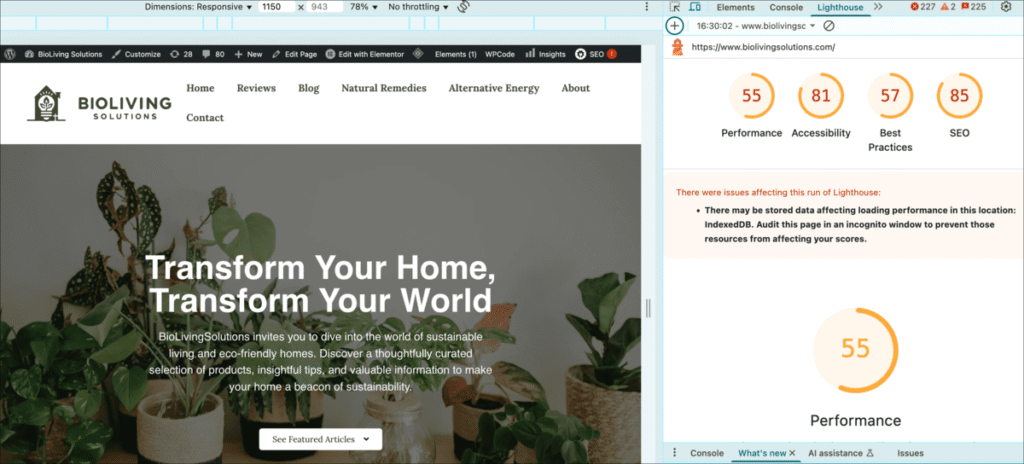
Lighthouse is a free technical SEO auditing tool built right into Chrome that lets you quickly evaluate a web page’s performance, SEO, accessibility, and more. With just a few clicks, it scans your site and gives you a report with scores and actionable suggestions. I use it regularly because it’s fast, beginner-friendly, and requires no setup. It’s perfect for quick technical health checks.
What Lighthouse checks:
- Performance: Gives you a page speed score and tips on improving load times.
- Accessibility: Flags contrast issues, missing alt text, and other accessibility best practices.
- SEO: Checks basic on-page SEO elements like meta tags and mobile-friendliness.
- Best Practices & PWA Support: It even checks security protocols and Progressive Web App standards.
I especially like that I don’t need to install anything extra, it’s just a right-click away in Chrome.
Pricing: Free.
7. Seobility
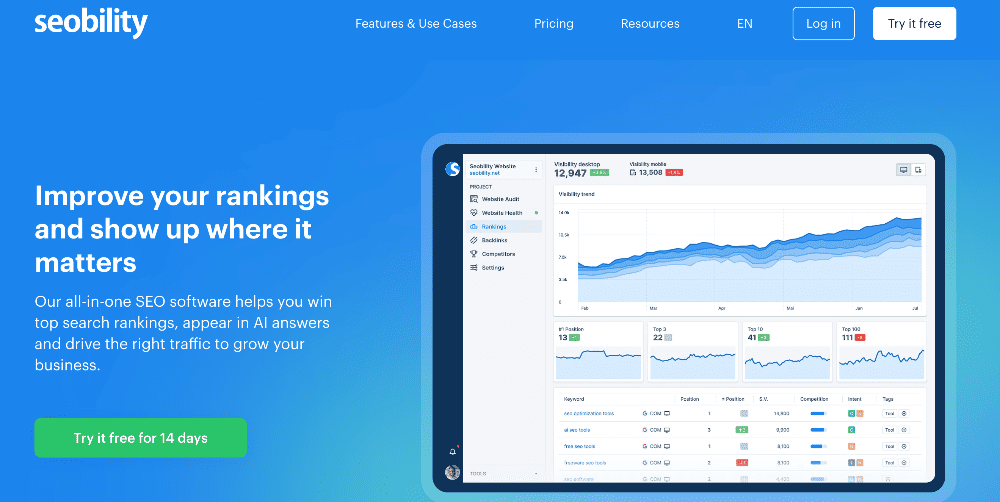
Seobility is one of those underrated gems I recommend to freelancers and small businesses who want powerful insights without a steep learning curve. It’s a user-friendly technical SEO tool that crawls your site and flags critical issues like broken links and duplicate content. It also highlights indexing problems that may prevent your content from showing up on search engines.
Here’s what I like most about Seobility:
- Site crawling: Seobility scans your entire site for issues and gives you a comprehensive health overview without overwhelming you.
- Meta and on-page checks: It flags missing or duplicate title tags, meta descriptions, header structure problems, and more.
- Link and internal structure analysis: I use it to ensure my pages are well linked and that important content isn’t buried.
If you’re just starting out with technical SEO or need an affordable all-in-one solution, Seobility is an excellent choice.
Pricing: Paid plans start at $49.90/month.
8. Screaming Frog SEO Spider

Screaming Frog SEO Spider is a powerful desktop crawler used for in-depth technical SEO audits. It scans your entire website to find issues. With advanced filters, JavaScript rendering, and custom reports, it’s a go-to tool for SEO professionals who want complete control over crawl data.
Why it’s a favorite:
- Comprehensive crawl data: It scans every page on your site, just like a search engine would. That means you can quickly spot broken links, redirect chains, missing title tags, duplicate content, and other technical issues.
- Custom filters and reports: You can apply filters, export data, and build custom reports tailored to your needs. This is great for client deliverables.
- JavaScript rendering and sitemap generation: It can render JavaScript and generate XML sitemaps or visual site structure diagrams. This makes it super handy when working with single-page apps or large eCommerce sites.
Screaming Frog is a must-have for anyone serious about technical SEO, especially if you like working offline or want maximum flexibility.
Pricing: Free version crawls up to 500 URLs per domain. Paid plans start at $279/year.
9. Google Search Console (GSC)
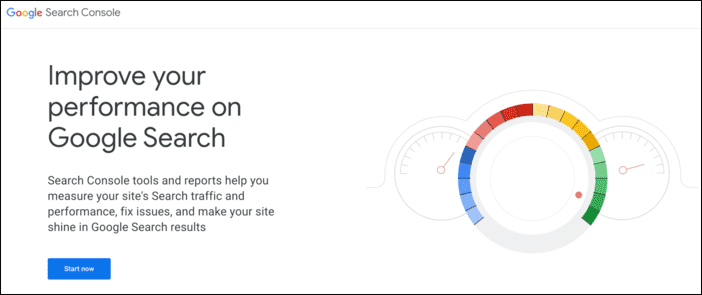
Google Search Console (GSC) is the first place I go when I want to know how Google sees my site. GSC is a free tool from Google that helps you monitor your website’s performance in search. It shows which pages are indexed, tracks clicks and impressions, and alerts you to issues like mobile usability errors or Core Web Vitals problems. I use it regularly to see how Google views my site and to fix crawling or indexing issues fast.
What I use GSC for:
- Index coverage: It shows which pages are indexed and flags any that are excluded, along with reasons like crawl errors or noindex tags.
- Performance reports: You can see clicks, impressions, CTR, and rankings by query, page, country, or device. It’s incredibly useful for identifying content opportunities and seasonal trends.
- Core Web Vitals & mobile usability: GSC alerts you to loading issues, layout shifts, or mobile rendering problems. These directly affect SEO performance and user experience.
If you’re looking for the best free technical SEO tool, this is it. It’s direct feedback from Google, and it’s too valuable to ignore.
Pricing: Free.
The Best Technical SEO Tools: My Top Picks
The best technical SEO tool for WordPress users is AIOSEO. I love that the plugin makes it almost effortless to handle SEO tasks for single or multiple sites. It also sends automated SEO reports straight to my inbox (or clients’ inboxes).
Other technical SEO tools that rank in my top 3 are Semrush for site audits and Sitebulb for its easy-to-understand visual reports.
I hope this post helped you discover the best technical SEO tools for your needs. You may also want to check out other articles on our blog, like our tutorial on doing SEO for a new site or my list of the best schema generator plugins.
If you found this article helpful, go ahead and subscribe to our YouTube Channel. You’ll find many more helpful tutorials there. You can also follow us on X (Twitter), LinkedIn, or Facebook to stay in the loop.
Frequently Asked Questions (FAQ)
What’s the difference between technical SEO and on-page SEO?
Technical SEO focuses on the backend aspects of your website—like site speed, crawlability, mobile-friendliness, and structured data. On-page SEO, on the other hand, deals with optimizing individual pages for keywords, content quality, and internal linking.
Do I need all these tools to improve my SEO?
Nope! While it’s good to try different tools, most websites can start with just one or two, depending on your needs. For example, AIOSEO or Seobility are great all-in-ones, while tools like WebPageTest or Lighthouse are better for speed and UX audits.
How often should I run a technical SEO audit?
For most websites, running an audit once a month is enough. But if you make major changes, like a redesign or switching themes, run one immediately to catch potential issues.
Disclosure: Our content is reader-supported. This means if you click on some of our links, then we may earn a commission. We only recommend products that we believe will add value to our readers.
Want to Try AIOSEO for Free?
Enter the URL of your WordPress website to install AIOSEO Lite.